
Sense_
Ship what users asked for, not what you remember
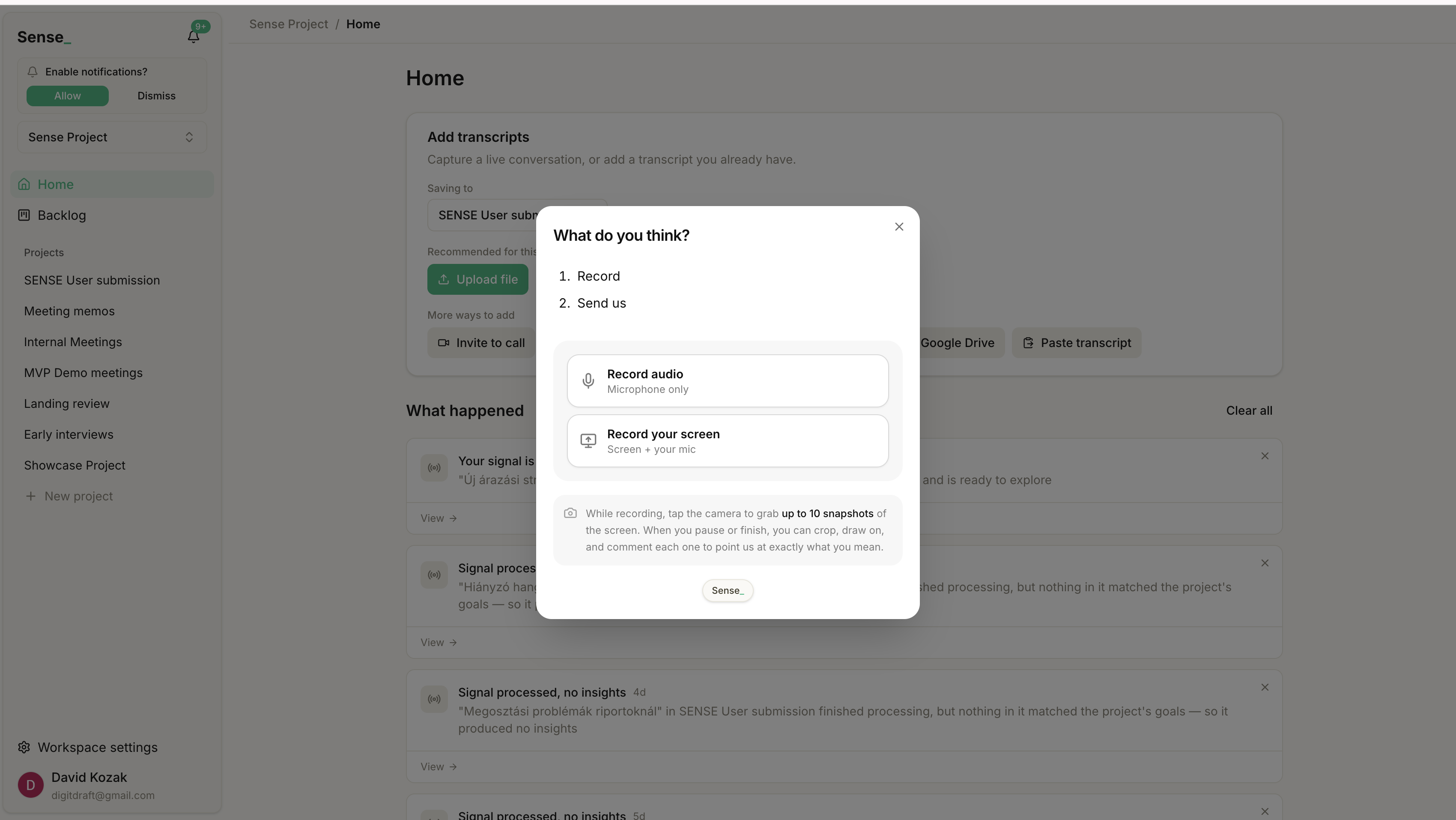
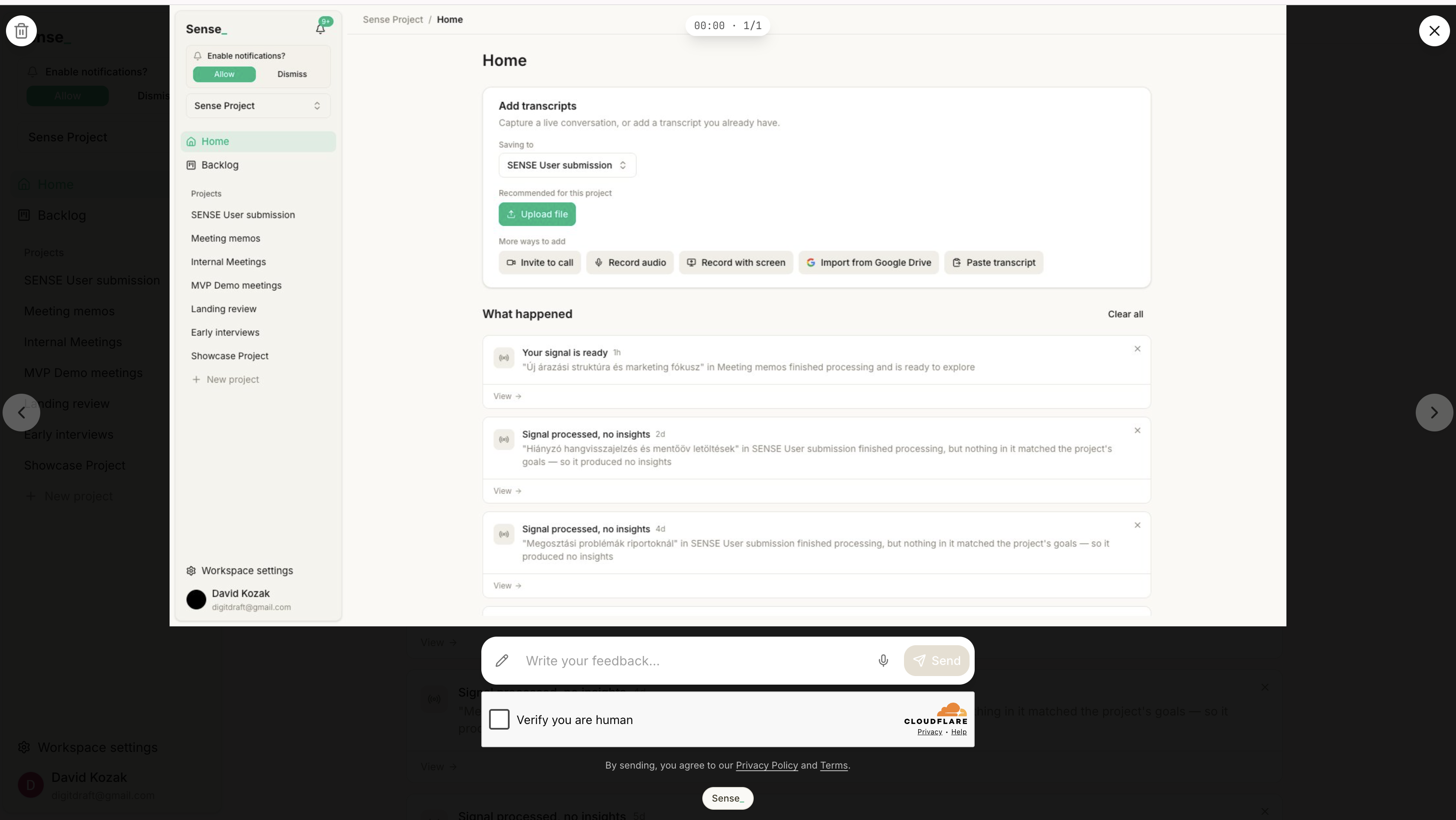
Sense is the feedback tool itself, not a layer on top of one. Anyone, your own team or a real user, records feedback right on the page where something breaks: screen, voice, a snapshot. Sense transcribes it, extracts the insights, and drafts your backlog from what people actually said. Each task carries its evidence and hands cleanly to your developers and AI coding agents.

Features
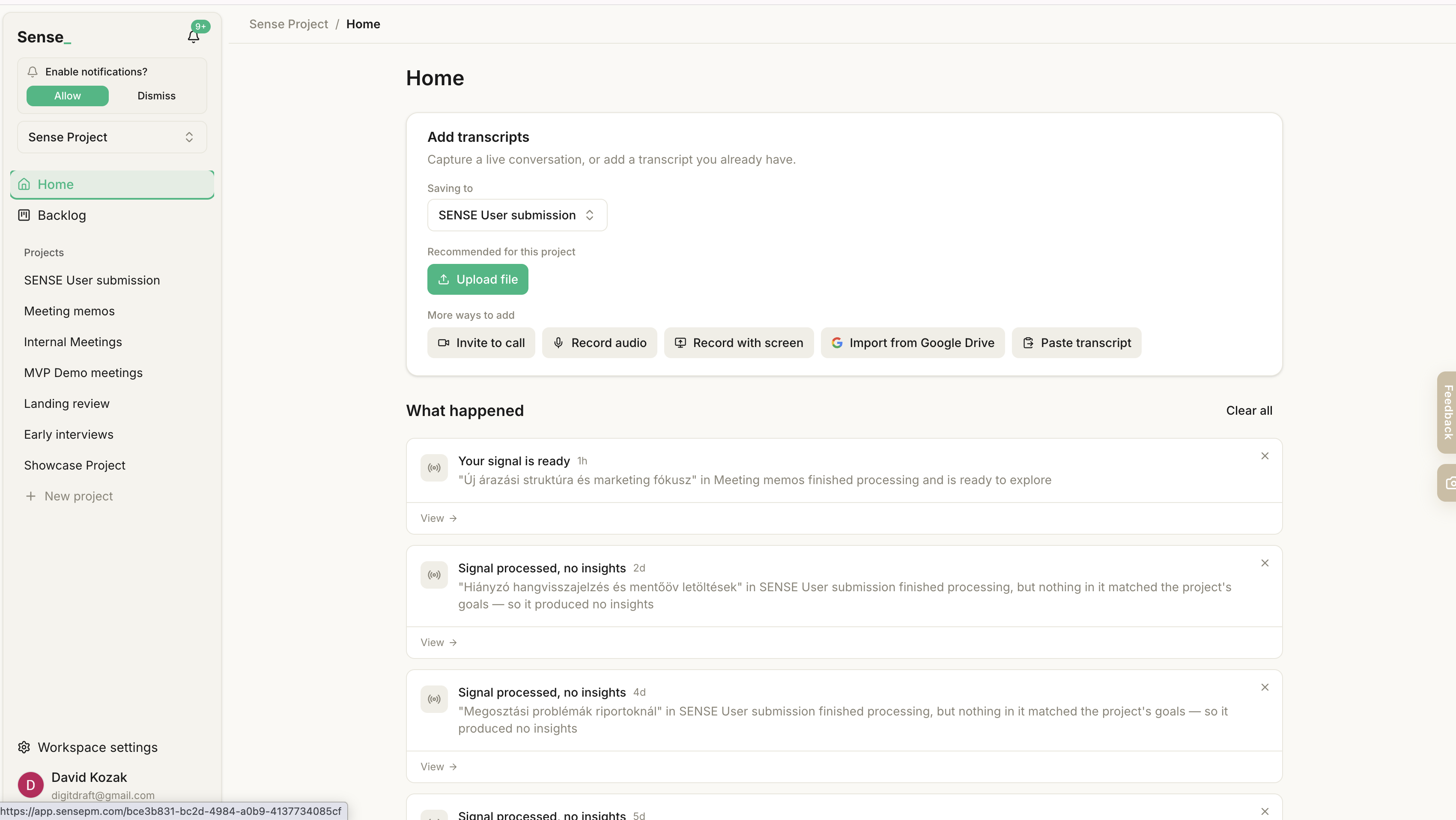
- Meeting bot. Drop in a meeting link and the bot joins the call, records, and brings the conversation back into your workspace. Offline conversations can be recorded as audio straight from Sense.
- Chrome extension. Record your screen and voice from the browser and get a shareable link. Grab snapshots mid-recording and circle exactly what you mean.
- Embeddable feedback widget. A launcher on your site that starts recording a user's voice and screen in one click. No account, no form. Snapshots can be cropped, drawn on, and commented. Nothing enters your workspace until you approve it.
- Public intake links - widget. Collect feedback from people who have no account and no login.
- Surveys. Async capture at scale when a call is not worth scheduling.
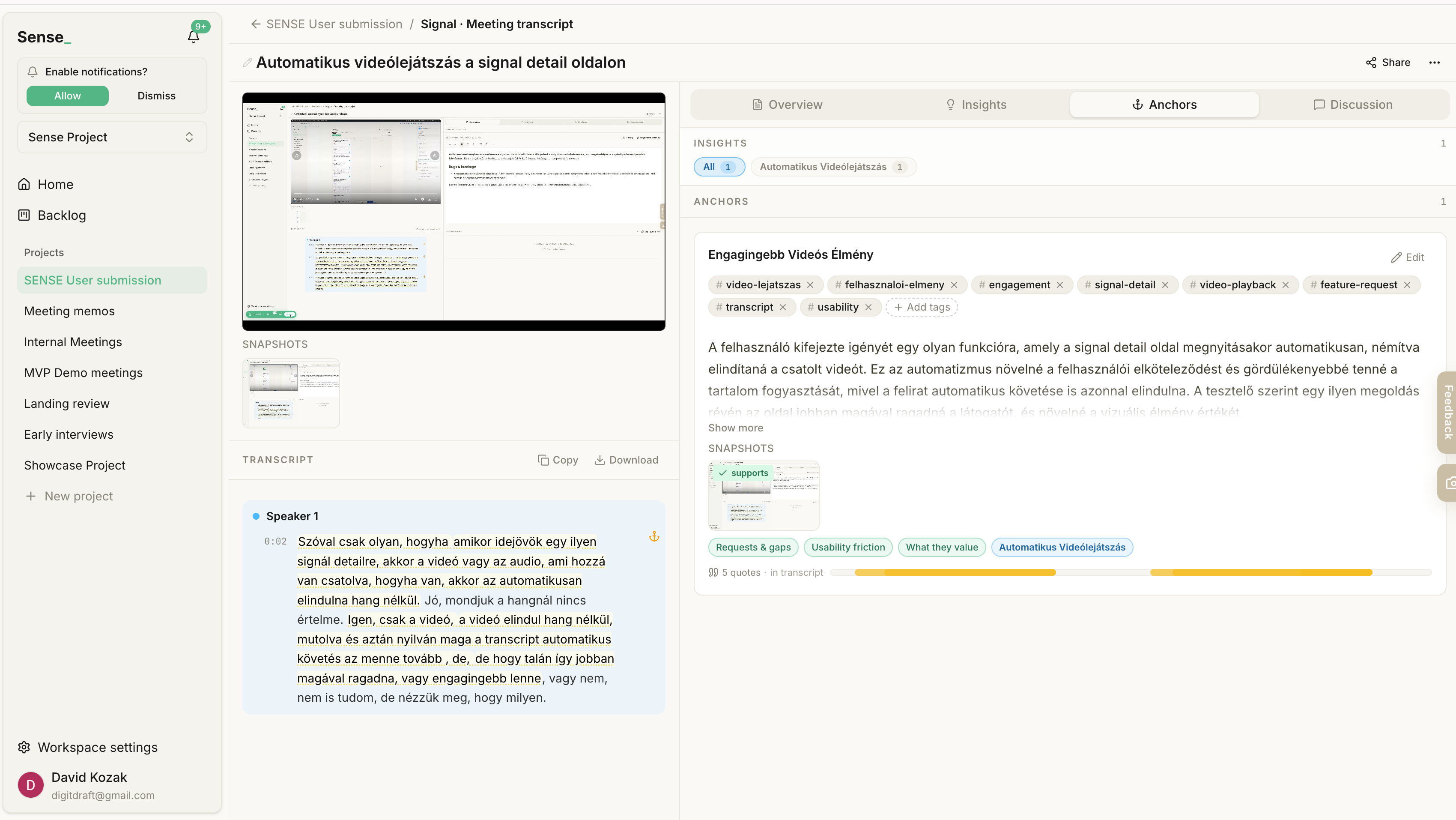
- Timestamped transcripts. Every line is tied to its exact moment in the recording. Click a sentence and the video jumps there.
- Anchors. Sense extracts the verbatim things users said, each one pinned to its spot in the source. These are the ground truth everything above rests on.
- Insights. Findings synthesized from clusters of anchors, so no summary floats free of the words behind it.
- Themes. Insights bundle into higher-level patterns, ranked by how much evidence sits behind them.
- Goals. Feedback is evaluated against the research questions you set, so extraction is scoped to what you are trying to learn.
- Discuss. Ask a question against a source or an entire project folder and get an answer pulled from the actual material.
- Folder-level grounding. Sense synthesizes across every conversation in a project, so the pattern lives in the workspace rather than in one person's head.
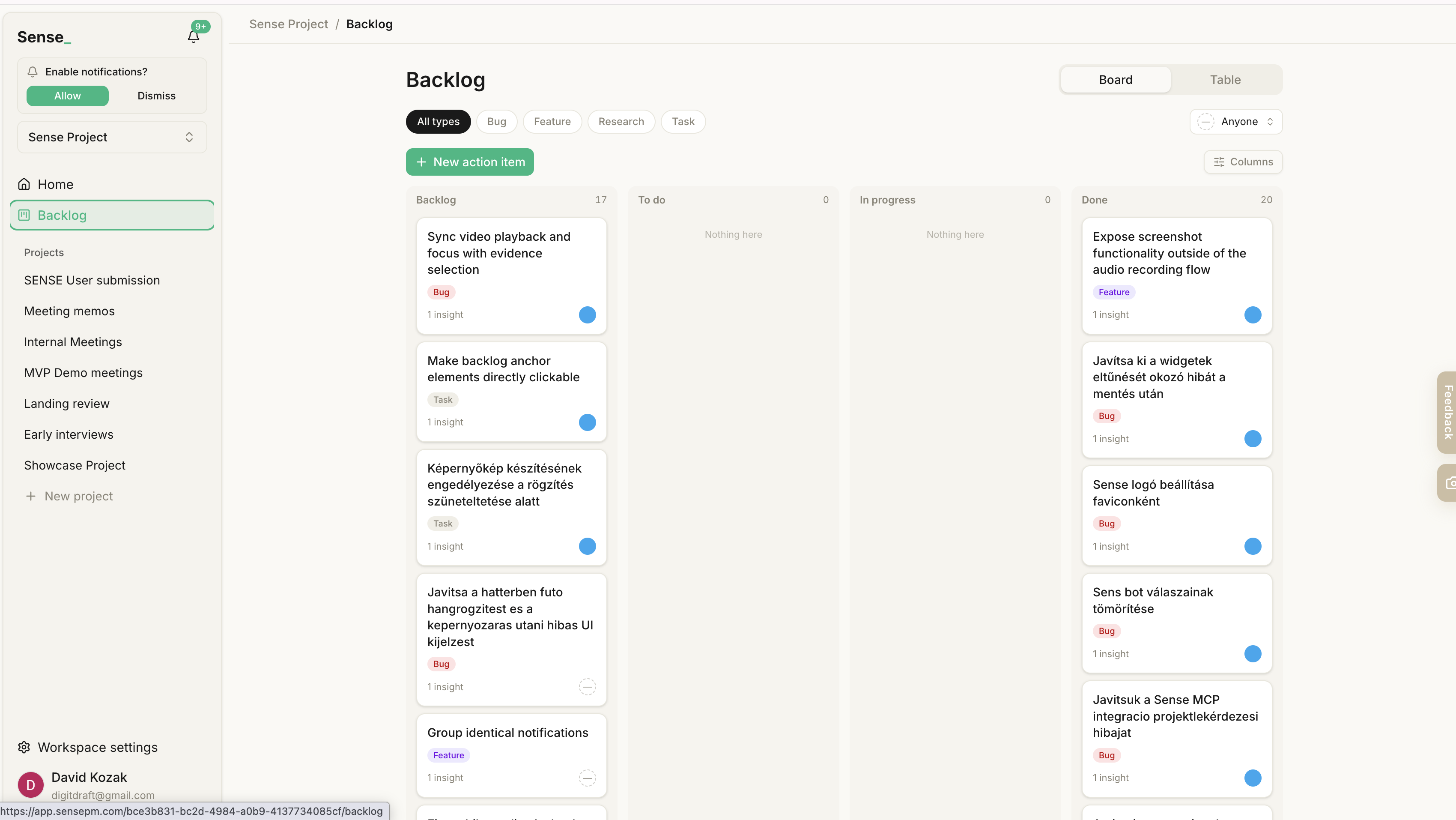
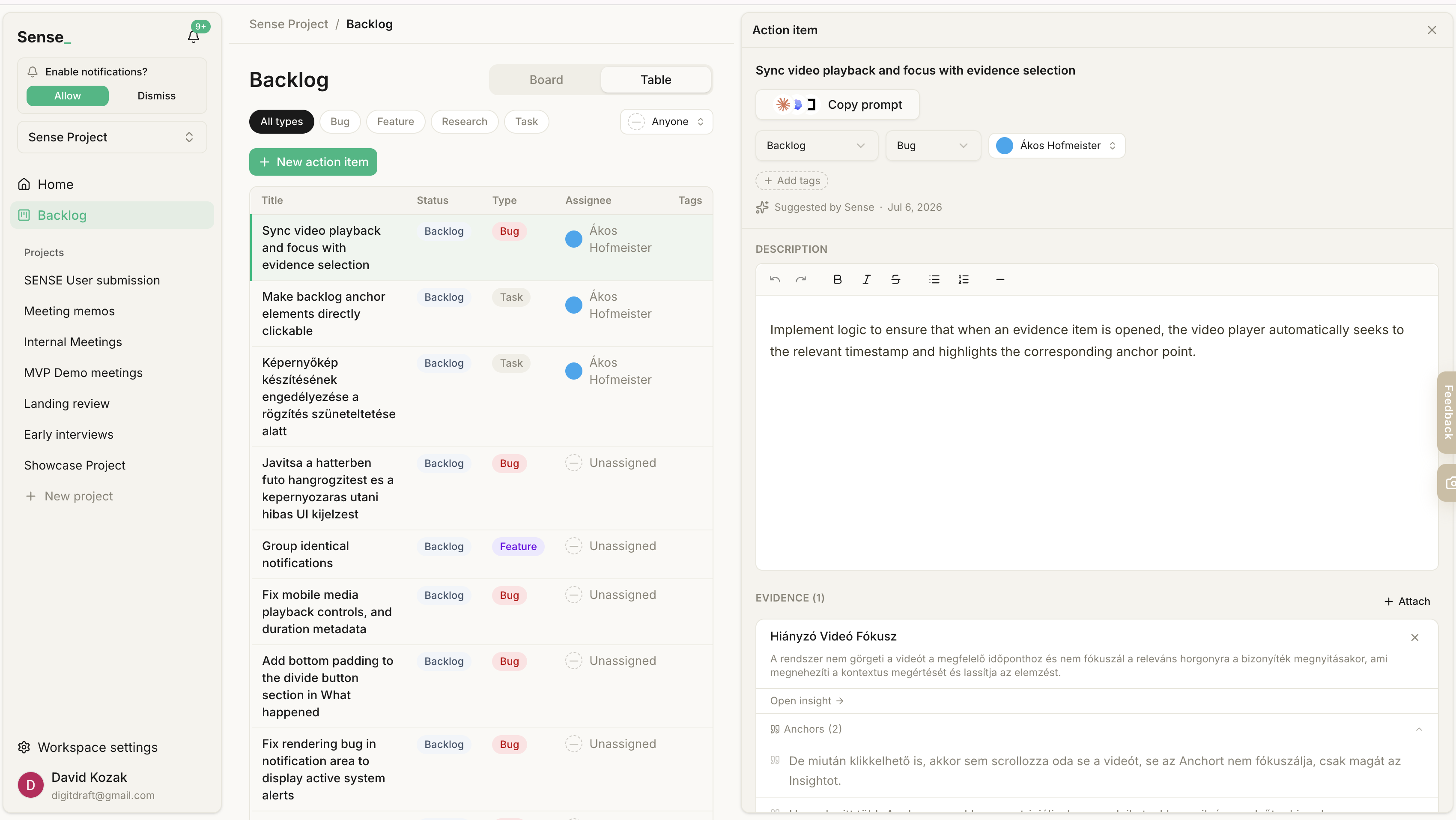
- Auto-drafted backlog. Insights become prioritizable action items. Sense produces the tasks rather than a repository of findings someone still has to read and translate.
- Evidence on every task. Each action item stays linked to the quotes and recordings it came from.
- Copy prompt. Hands a ready, evidence-linked task to Cursor, Claude Code, or Lovable in one click.
- MCP server. Query your whole research graph from your coding agent: signals, anchors, insights, themes, and the action-item backlog.
- Reporter attribution. Every ticket points back to the person who raised it, so you know who to tell when it ships.
- Shareable reports. For the humans who need the narrative, not just the agents writing the code.
Use Cases
- Internal testing and QA. Your tester hits a bug, records it with the screen it happened on, and drops the link straight on the task. "Steps to reproduce" becomes a 20-second clip.
- External bug reports. Users report problems from inside your product at the moment of friction, with no account and nothing to fill in.
- First-user feedback. Make giving feedback cheap enough that your best users do it as a reflex, instead of churning silently.
- User interviews. Stay present in the conversation. The transcript, quotes, and themed insights are waiting when you are done.
- Live user-testing sessions. The friction someone hits becomes evidence you can point a teammate at, not a memory you half-keep.
- Walkthroughs for a stuck user. Record a quick tour inside your own app and send a link. This is the part where you can drop Loom.
- Meeting memos. Turn planning calls into decisions, owners, and searchable context rather than a file nobody opens again.
- Synthesis across a batch of conversations. Twenty interviews become themes without spending a weekend on it, and every claim is checkable in one click.
- Prioritizing by weight of evidence. Pick what to build next based on how much real user evidence sits behind each theme.
- Feeding your AI coding agent. Pipe real user context into Cursor, Claude Code, or Lovable so the agent builds from what users said instead of a two-line ticket.
Fazier Deal

Comments





Hey everyone, David here, co-founder of Sense. This started with a message we got too many times: "the export is broken." Then an afternoon of asking which export, which screen, what it looked like. The report was words. The thing that broke was a screen. So we stopped asking people to type. Users, testers and your own team record feedback on the page where it breaks. Sense turns it into insights you can trace back to the moment they were said, and into backlog tasks your agent can build from. We are early. Our own roadmap comes out of our own Sense workspace.

The part that stands out is that each backlog task still carries the screen, voice, and snapshot captured on the page where something broke, instead of a rewritten ticket that loses the repro. That is much closer to what users actually asked for than a two-line feature vote. A practical gap for teams handing the task to an AI coding agent: does the exported context keep the page URL, the timestamp in the clip, and whether the reporter was an admin or a customer? Without those, agents tend to "fix" the happy path. Also, if the recording can catch customer data already on screen, a one-click redaction before the task is created would be the difference between this being usable in support and getting blocked by a privacy review.
Premium Products












































Fazier Deal
Sponsors
Buy

Makers
Makers
Comments
Hey everyone, David here, co-founder of Sense. This started with a message we got too many times: "the export is broken." Then an afternoon of asking which export, which screen, what it looked like. The report was words. The thing that broke was a screen. So we stopped asking people to type. Users, testers and your own team record feedback on the page where it breaks. Sense turns it into insights you can trace back to the moment they were said, and into backlog tasks your agent can build from. We are early. Our own roadmap comes out of our own Sense workspace.
The part that stands out is that each backlog task still carries the screen, voice, and snapshot captured on the page where something broke, instead of a rewritten ticket that loses the repro. That is much closer to what users actually asked for than a two-line feature vote. A practical gap for teams handing the task to an AI coding agent: does the exported context keep the page URL, the timestamp in the clip, and whether the reporter was an admin or a customer? Without those, agents tend to "fix" the happy path. Also, if the recording can catch customer data already on screen, a one-click redaction before the task is created would be the difference between this being usable in support and getting blocked by a privacy review.
Premium Products
New to Fazier?

Find your next favorite product or submit your own. Made by @FalakDigital.
Copyright ©2026. All Rights Reserved