
SeenByLLMs
See if AI names your brand — or a competitor.
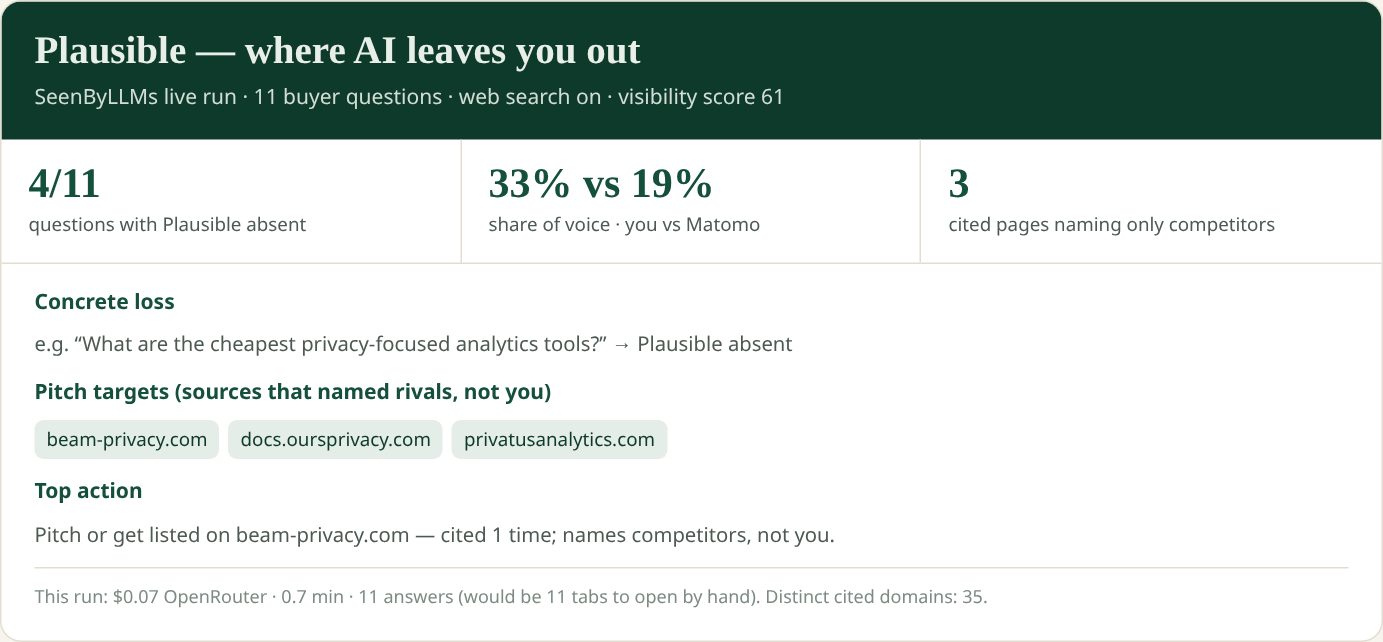
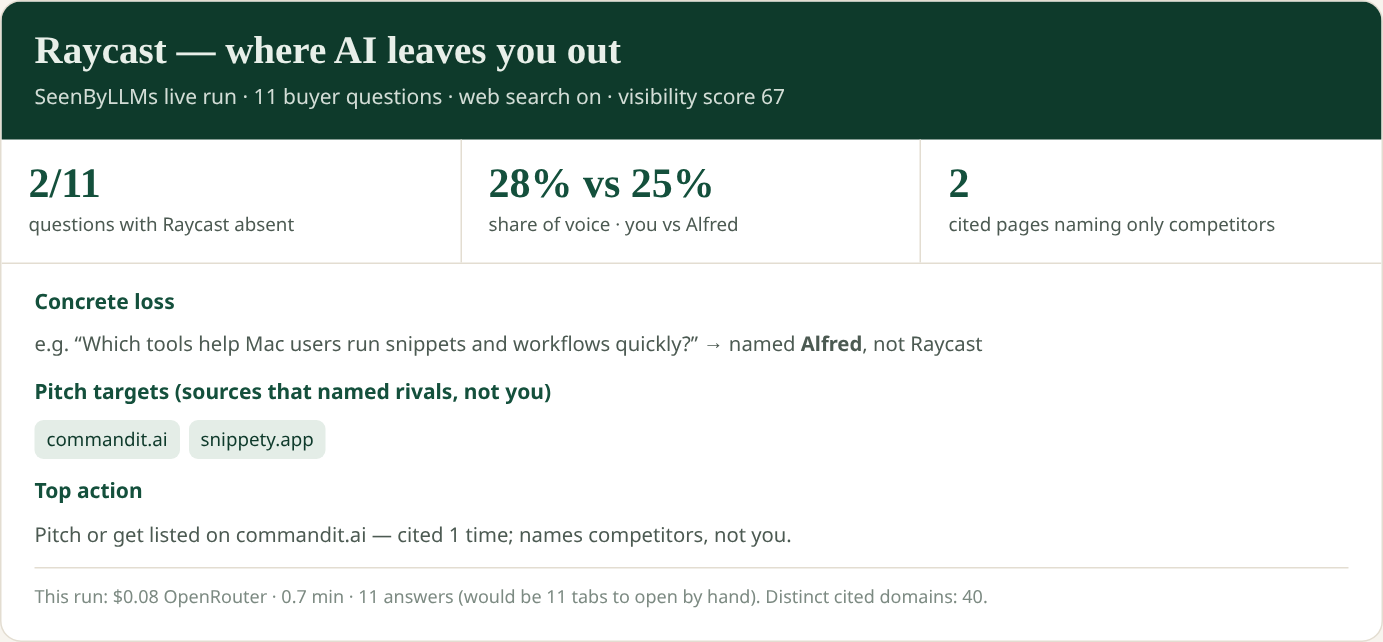
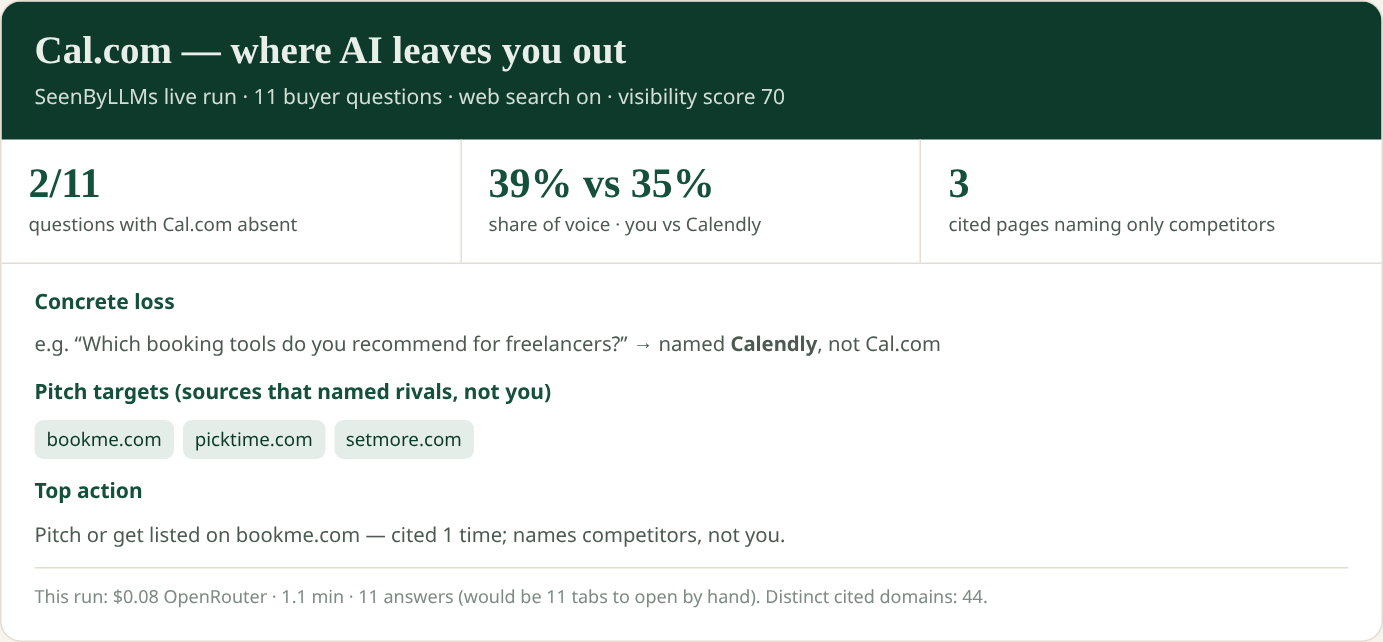
Ask AI models the questions your buyers ask and see if they name your brand. When AI names a competitor instead, that lead never hits Google Analytics. Get which questions you lose, to whom, and which sites to pitch. Runs cost cents on your own OpenRouter key, which stays in your browser. Free tier; $12/mo or $49 lifetime.

Comments


Running it on my own OpenRouter key is a nice touch. Since answers change from run to run, how many samples per question do you take before saying a brand "loses" a question? And do you separate models that search the web and cite sources from ones answering from memory? The cited sources tend to be the most useful part, because those are the pages worth pitching.

Framing this as lost leads rather than a generic visibility score is what makes the report actionable — "which questions you lose, to whom" is the question a marketing team actually asks. I would like to know which models the free tier covers compared with the $12/mo plan, and whether the cited sources, the pages that named your competitors, can be exported as a pitch list. Keeping the OpenRouter key in the browser is a sensible choice; does that also mean run history stays local, or is it stored against an account?


One thing worth designing for now: keep the exact prompt, model, temperature and timestamp on every answer. The first time a client challenges a 'you were named in 40% of runs' claim you will want the receipts, and answers drift week to week as the models are updated. Related: separate branded queries ('is X any good') from category queries ('best tool for Y') in the report. Winning the first mostly proves the brand exists; displacement happens in the second, and that is where the recommendation of which sites to pitch actually earns its keep.
Premium Products












































Sponsors
Buy
Makers
Makers
Comments
Running it on my own OpenRouter key is a nice touch. Since answers change from run to run, how many samples per question do you take before saying a brand "loses" a question? And do you separate models that search the web and cite sources from ones answering from memory? The cited sources tend to be the most useful part, because those are the pages worth pitching.
Framing this as lost leads rather than a generic visibility score is what makes the report actionable — "which questions you lose, to whom" is the question a marketing team actually asks. I would like to know which models the free tier covers compared with the $12/mo plan, and whether the cited sources, the pages that named your competitors, can be exported as a pitch list. Keeping the OpenRouter key in the browser is a sensible choice; does that also mean run history stays local, or is it stored against an account?
One thing worth designing for now: keep the exact prompt, model, temperature and timestamp on every answer. The first time a client challenges a 'you were named in 40% of runs' claim you will want the receipts, and answers drift week to week as the models are updated. Related: separate branded queries ('is X any good') from category queries ('best tool for Y') in the report. Winning the first mostly proves the brand exists; displacement happens in the second, and that is where the recommendation of which sites to pitch actually earns its keep.
Premium Products
New to Fazier?

Find your next favorite product or submit your own. Made by @FalakDigital.
Copyright ©2026. All Rights Reserved