
Seating plan Generator
Free seating chart maker — drag guests into tables
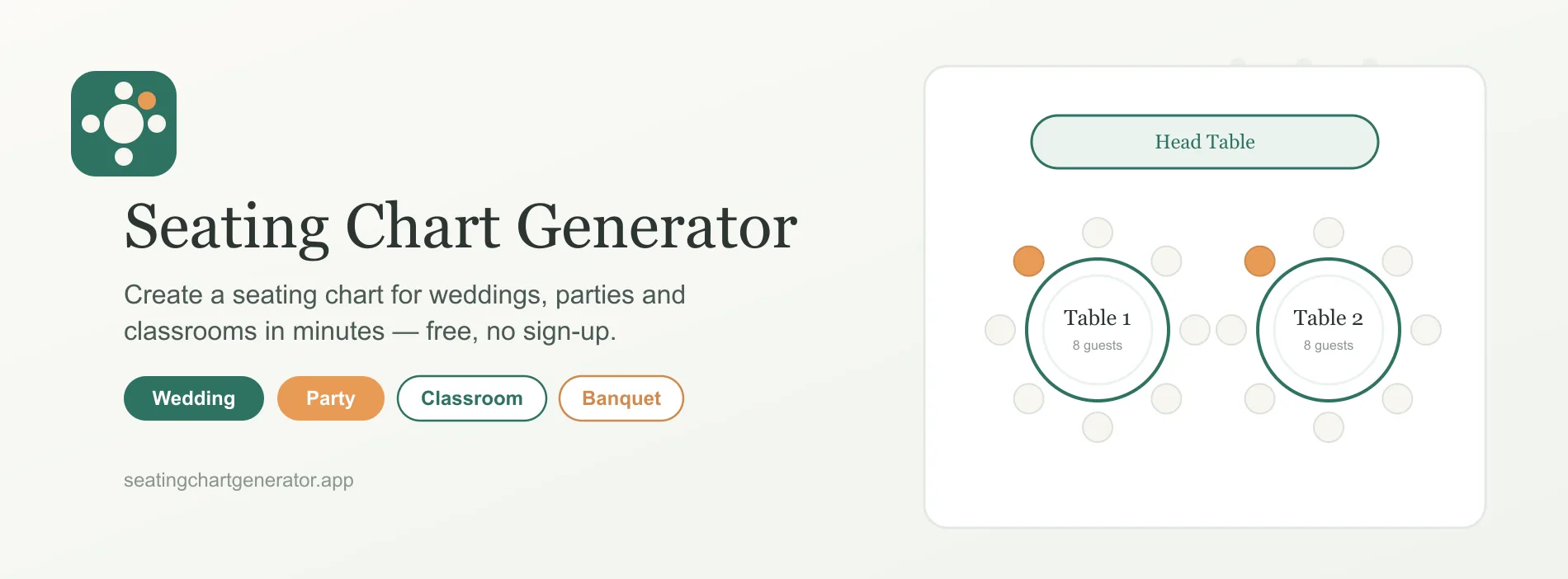
Seating Chart Generator is a free browser-based seating chart maker that turns a guest list into a printable plan. Add names individually or paste a full list from a spreadsheet, choose an event or table-layout starting point, set table counts and seat capacity, and use one-click auto assign to create a first draft. The interactive canvas lets you [drag and drop guests](https://www.seatingchartgenerator.app/#features) between tables and seats, swap placements, fine-tune groups, and return people to the unassigned pool. Ready-made flows cover [weddings](https://www.seatingchartgenerator.app/seating-plans/wedding), [parties](https://www.seatingchartgenerator.app/seating-plans/party), [corporate events](https://www.seatingchartgenerator.app/seating-plans/corporate-event), [classrooms](https://www.seatingchartgenerator.app/seating-plans/classroom), [banquets](https://www.seatingchartgenerator.app/seating-plans/banquet), [round tables](https://www.seatingchartgenerator.app/seating-plans/round-tables), [long tables](https://www.seatingchartgenerator.app/seating-plans/long-tables), [head tables](https://www.seatingchartgenerator.app/seating-plans/head-table), [U-shape arrangements](https://www.seatingchartgenerator.app/seating-plans/u-shape), and [classroom desk rows](https://www.seatingchartgenerator.app/seating-plans/classroom-desks). Export the finished chart as a high-resolution PNG or print-ready PDF. The core workflow runs in the browser, guest lists are not uploaded to a server, and no account or credit card is required.
Features
Create a seating chart from a guest list typed or pasted from a spreadsheet
Choose ready-made starting points for weddings, parties, corporate events, classrooms, and banquets
Build round-table, long-table, head-table, U-shape, and classroom-desk layouts
Set the number of tables and seats per table
Auto assign guests across available tables in one click
Drag guests between tables and seats to fine-tune the arrangement
Swap placements, move late additions, and return guests to the unassigned pool
Use Cases
Paste an RSVP list and create a wedding reception seating plan
Arrange mixed friend groups, children, families, and plus-ones for a party
Spread departments and seniority across tables for a networking event
Set rows, clusters, or desk pods for a classroom
Prepare a high-resolution entrance chart for a venue or banquet
Share a PDF with the caterer, planner, ushers, or check-in team
Make a last-minute seating change and export the updated chart

Comments


[SeatingChartGenerator](https://www.seatingchartgenerator.app) is a free browser-based seating chart maker that turns a guest list into a printable plan. Add names individually or paste a full list from a spreadsheet, choose an event or table-layout starting point, set table counts and seat capacity, and use one-click auto assign to create a first draft. The interactive canvas lets you [drag and drop guests](https://www.seatingchartgenerator.app/#features) between tables and seats, swap placements, fine-tune groups, and return people to the unassigned pool. Ready-made flows cover [weddings](https://www.seatingchartgenerator.app/seating-plans/wedding), [parties](https://www.seatingchartgenerator.app/seating-plans/party), [corporate events](https://www.seatingchartgenerator.app/seating-plans/corporate-event), [classrooms](https://www.seatingchartgenerator.app/seating-plans/classroom), [banquets](https://www.seatingchartgenerator.app/seating-plans/banquet), [round tables](https://www.seatingchartgenerator.app/seating-plans/round-tables), [long tables](https://www.seatingchartgenerator.app/seating-plans/long-tables), [head tables](https://www.seatingchartgenerator.app/seating-plans/head-table), [U-shape arrangements](https://www.seatingchartgenerator.app/seating-plans/u-shape), and [classroom desk rows](https://www.seatingchartgenerator.app/seating-plans/classroom-desks). Export the finished chart as a high-resolution PNG or print-ready PDF. The core workflow runs in the browser, guest lists are not uploaded to a server, and no account or credit card is required.
Premium Products
























Sponsors
Buy

Makers
Makers
Comments
[SeatingChartGenerator](https://www.seatingchartgenerator.app) is a free browser-based seating chart maker that turns a guest list into a printable plan. Add names individually or paste a full list from a spreadsheet, choose an event or table-layout starting point, set table counts and seat capacity, and use one-click auto assign to create a first draft. The interactive canvas lets you [drag and drop guests](https://www.seatingchartgenerator.app/#features) between tables and seats, swap placements, fine-tune groups, and return people to the unassigned pool. Ready-made flows cover [weddings](https://www.seatingchartgenerator.app/seating-plans/wedding), [parties](https://www.seatingchartgenerator.app/seating-plans/party), [corporate events](https://www.seatingchartgenerator.app/seating-plans/corporate-event), [classrooms](https://www.seatingchartgenerator.app/seating-plans/classroom), [banquets](https://www.seatingchartgenerator.app/seating-plans/banquet), [round tables](https://www.seatingchartgenerator.app/seating-plans/round-tables), [long tables](https://www.seatingchartgenerator.app/seating-plans/long-tables), [head tables](https://www.seatingchartgenerator.app/seating-plans/head-table), [U-shape arrangements](https://www.seatingchartgenerator.app/seating-plans/u-shape), and [classroom desk rows](https://www.seatingchartgenerator.app/seating-plans/classroom-desks). Export the finished chart as a high-resolution PNG or print-ready PDF. The core workflow runs in the browser, guest lists are not uploaded to a server, and no account or credit card is required.
Premium Products
New to Fazier?

Find your next favorite product or submit your own. Made by @FalakDigital.
Copyright ©2025. All Rights Reserved