
SearchLink
Your Search Console inside Claude, ChatGPT and Cursor
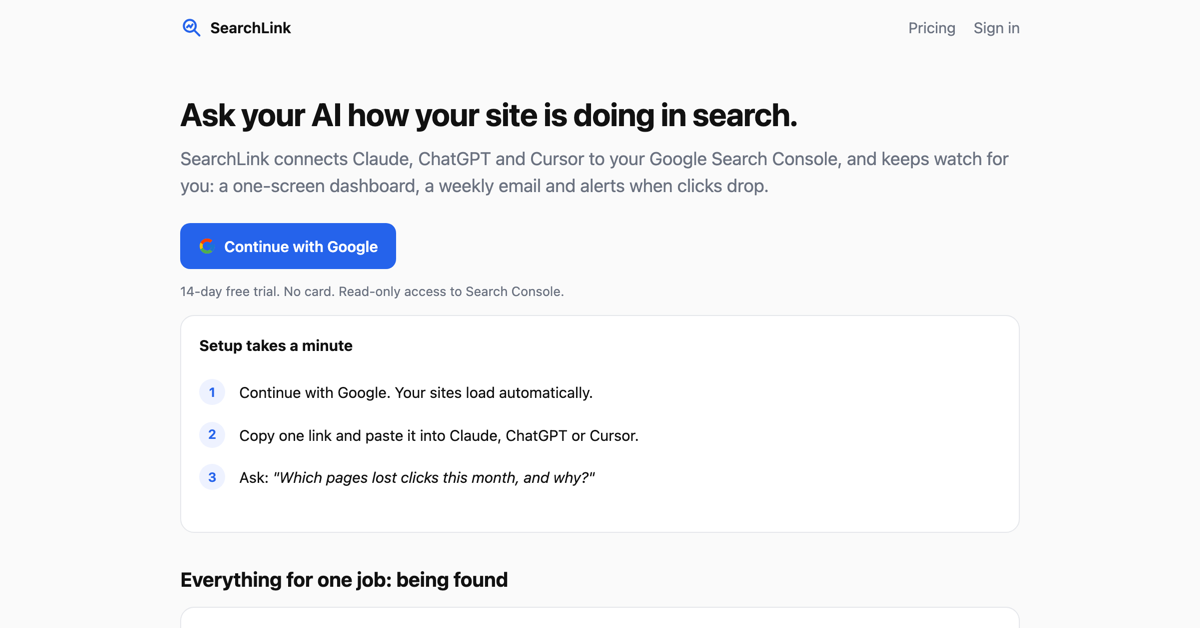
SearchLink connects Google Search Console to the AI tools you already have open. You sign in with Google, copy one link, and paste it into Claude, ChatGPT or Cursor. After that you can ask about your own search data in plain words, for example which pages lost clicks this month and what changed around them.
It also works on its own, so you are not forced to open a chat window for everything. Every site you add sits on one screen, a weekly email gives you three things to do that week, and an alert goes out when clicks drop. Access to Search Console is read only, it never writes anything back, and tokens are stored encrypted.
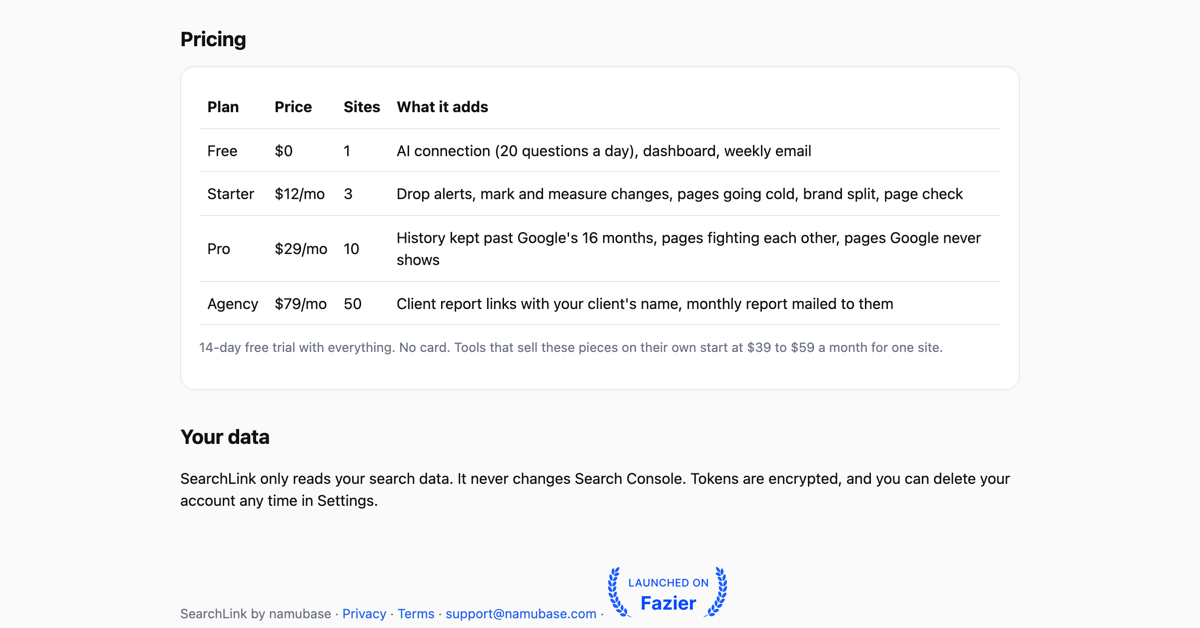
The free plan covers one site with the AI connection, the dashboard and the weekly email. Paid plans add drop alerts, marking a change and measuring it later, pages that are going cold, your own pages competing with each other, and a daily copy of your data kept past the sixteen months Google keeps.
Features
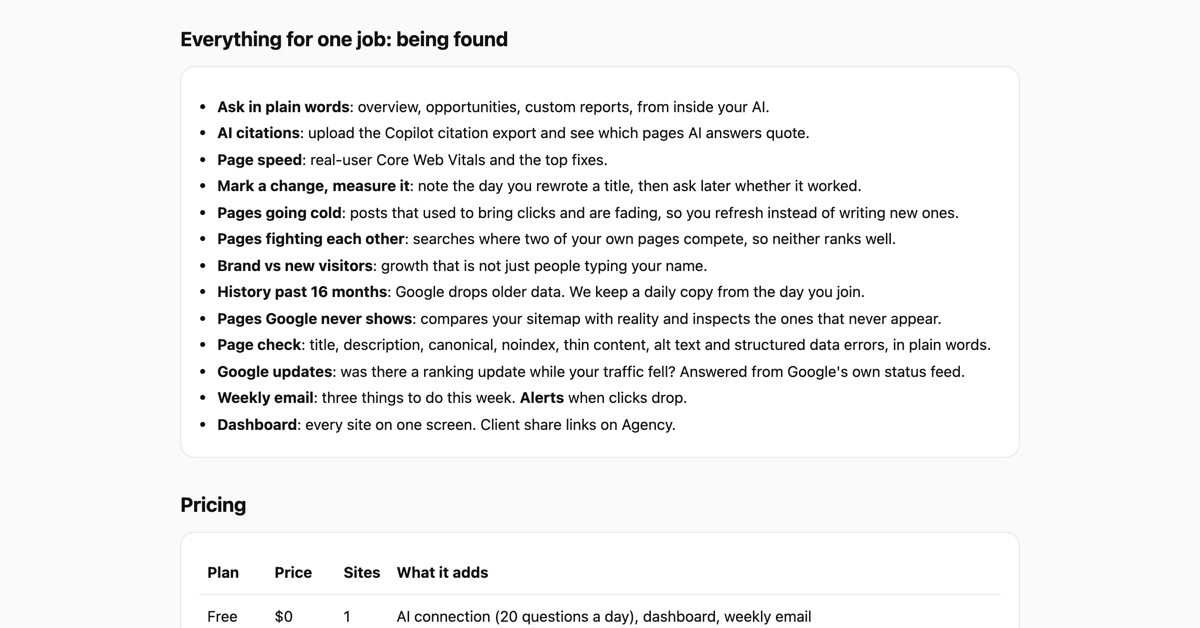
Ask about your own Search Console data in plain words from inside Claude, ChatGPT or Cursor
One screen dashboard for every site you add
Weekly email with three things to do, plus an alert when clicks drop
Pages going cold: posts that used to bring clicks and are fading
Pages fighting each other: searches where two of your own pages compete
Pages Google never shows: your sitemap compared with what is actually indexed
Page check in plain words: title, description, canonical, noindex, thin content, alt text, structured data
Core Web Vitals from real users, with the top fixes
Mark the day you changed a title, then ask later whether it worked
Daily copy of your data kept past the sixteen months Google keeps
Read only access to Search Console, encrypted tokens, delete your account any time
Use Cases
A solo founder who wants to ask why traffic fell last week without leaving the AI window that is already open
A blogger deciding whether to refresh an old post or write a new one, based on which posts are fading
An agency that needs every client site on one screen and a report link it can hand to the client
A developer working in Cursor who wants search data next to the code instead of in another browser tab
Anyone who keeps exporting Search Console to a spreadsheet and wants the same answers asked in a sentence

Comments


I built SearchLink because my week kept starting the same way. Export Search Console to a spreadsheet, stare at it, then guess. The data was already there. Reading it was the slow part. So I wired Search Console into the window I already had open. You copy one link, paste it into Claude, ChatGPT or Cursor, and then just ask. Which pages lost clicks. Which old posts are fading. Whether two of my own pages are competing for the same search. It reads only, and it never writes back to Search Console. The thing I am least sure about is whether people want this inside an AI tool or as a plain dashboard, so I built both and I am watching which one gets used. If you try it, I would like to know which one you reached for first.
Premium Products
























Sponsors
Buy
Makers
Makers
Comments
I built SearchLink because my week kept starting the same way. Export Search Console to a spreadsheet, stare at it, then guess. The data was already there. Reading it was the slow part. So I wired Search Console into the window I already had open. You copy one link, paste it into Claude, ChatGPT or Cursor, and then just ask. Which pages lost clicks. Which old posts are fading. Whether two of my own pages are competing for the same search. It reads only, and it never writes back to Search Console. The thing I am least sure about is whether people want this inside an AI tool or as a plain dashboard, so I built both and I am watching which one gets used. If you try it, I would like to know which one you reached for first.
Premium Products
New to Fazier?

Find your next favorite product or submit your own. Made by @FalakDigital.
Copyright ©2025. All Rights Reserved