
Scanwork
Branded QR codes that don't look like a barcode
Scanwork gives you dynamic QR codes you print once and redirect anytime. Put one on a menu, window, package or business card, then change where it points from a simple dashboard when your menu, offer or hours change. No reprinting.
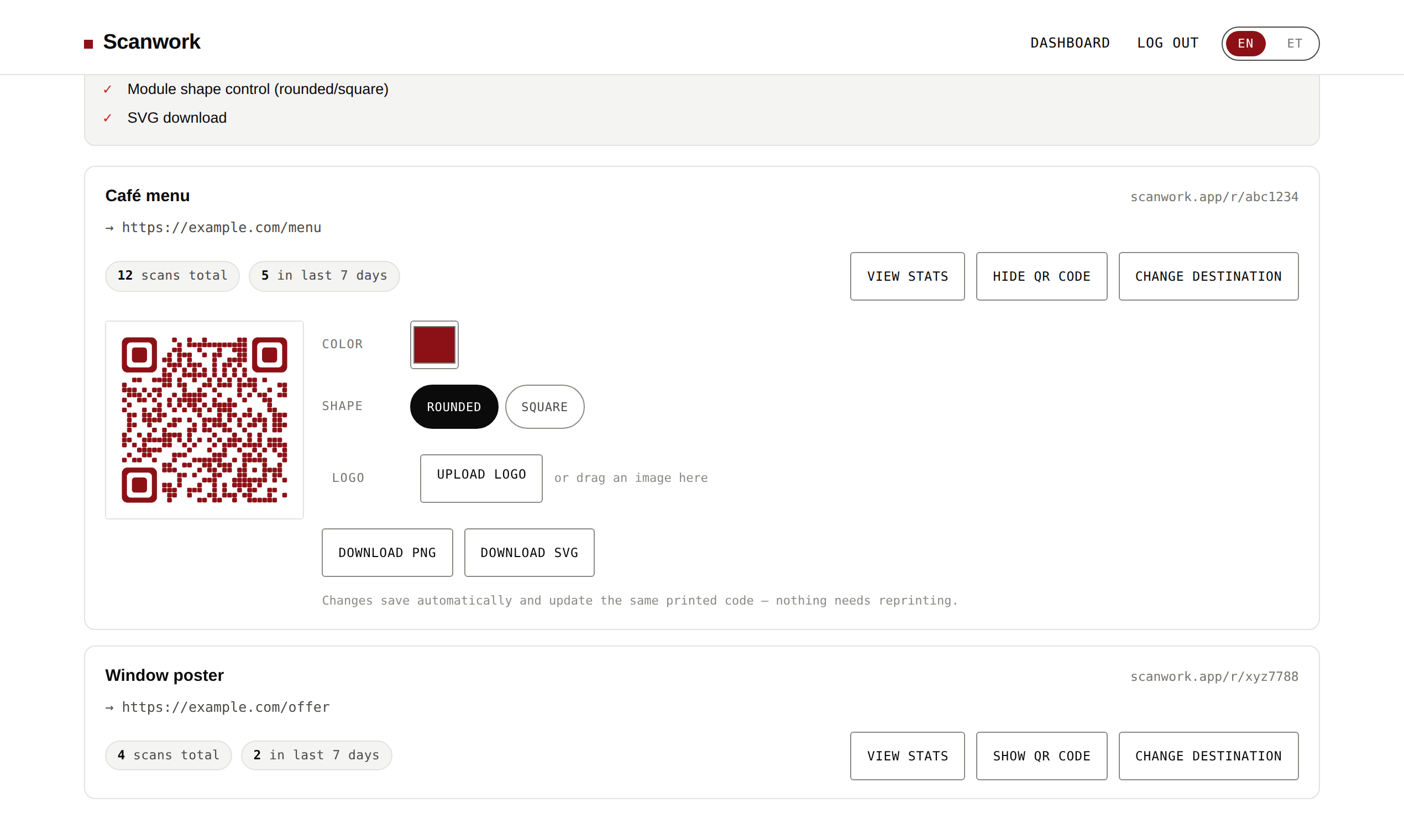
- Your brand color, logo in the centre, rounded or square modules
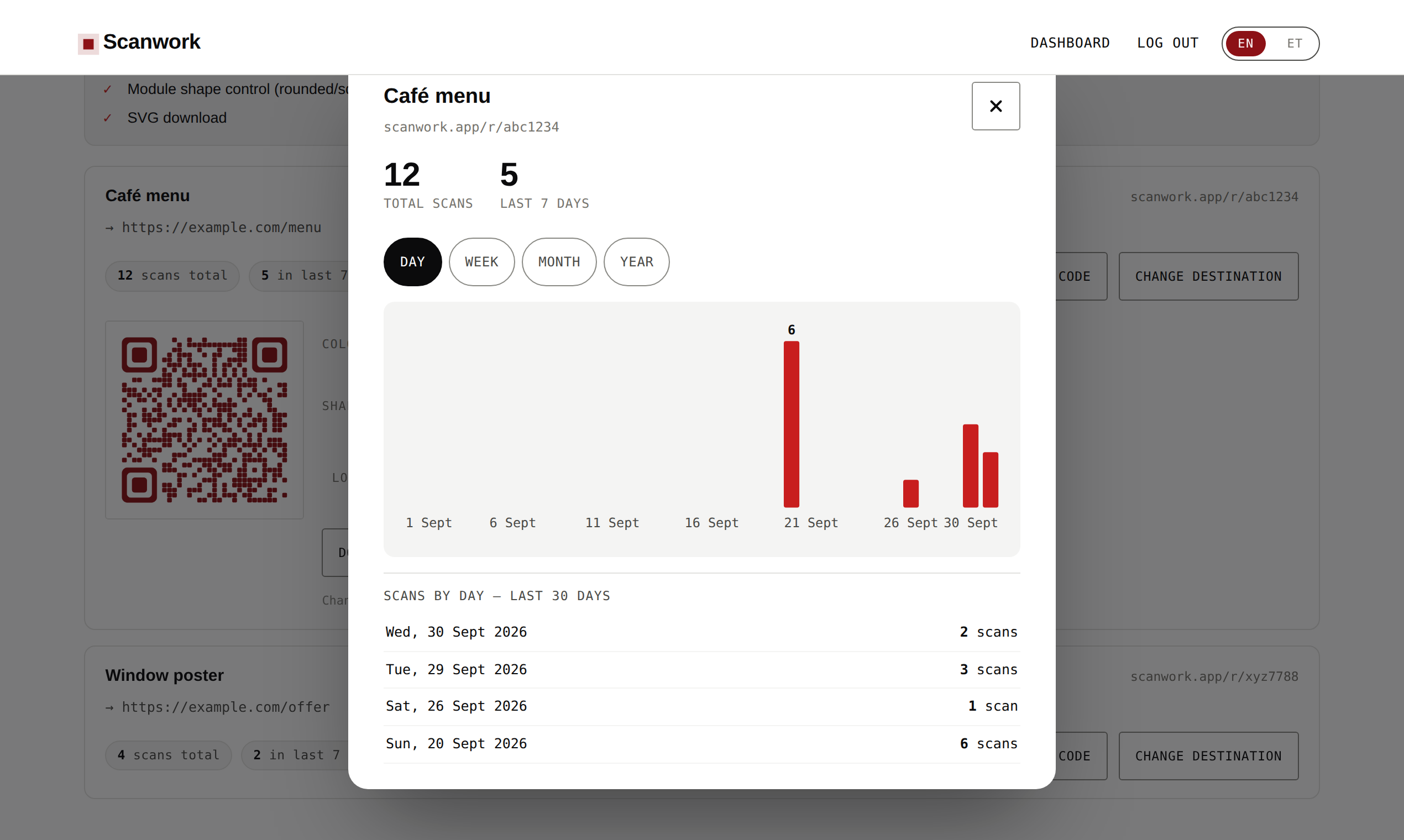
- Daily scan counts per code, with no tracking of who scanned
- Print-ready PNG, and SVG on paid plans
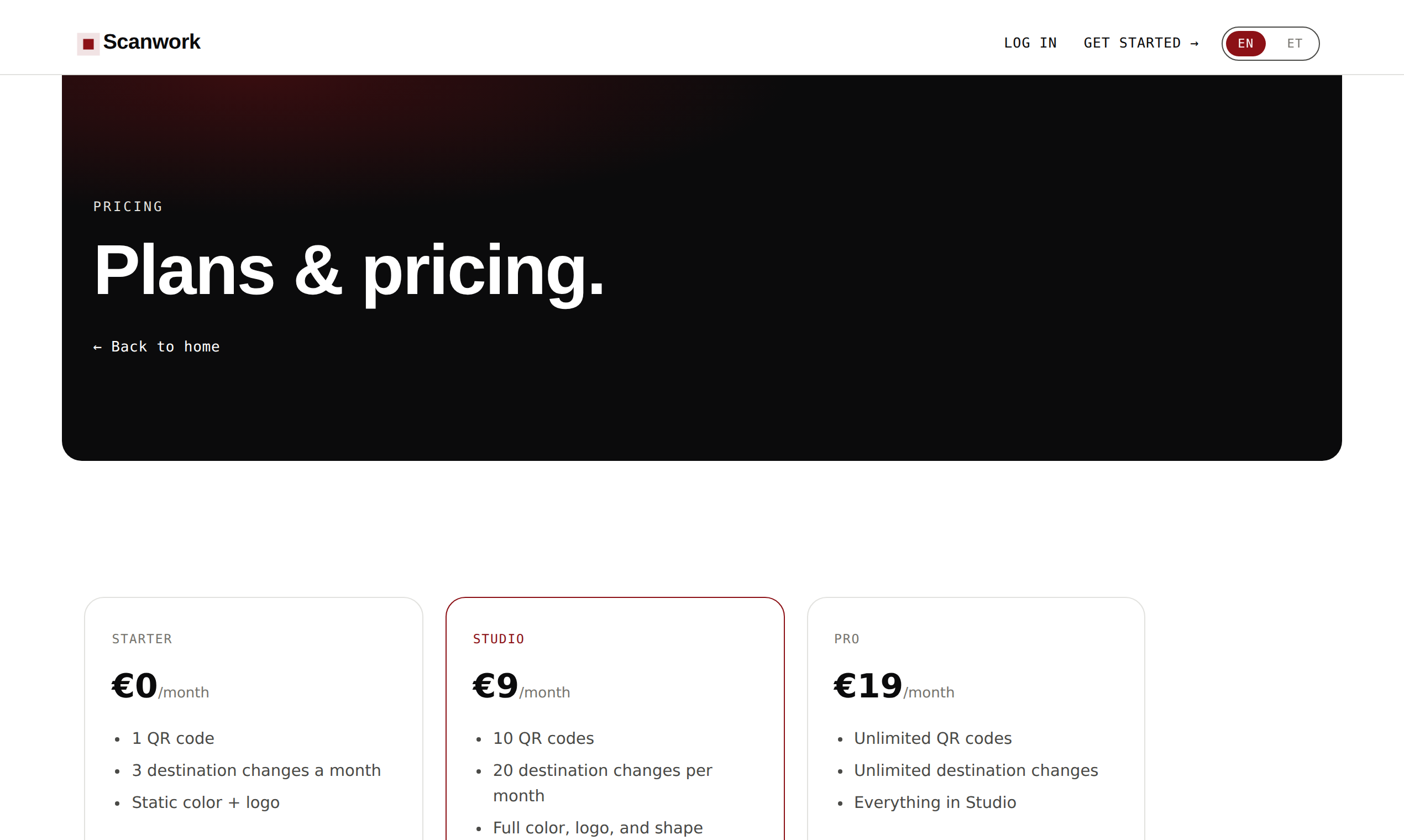
- Free plan; paid from €9/month
Features
- Your brand color, logo in the centre, rounded or square modules
- Daily scan counts per code, with no tracking of who scanned
- Print-ready PNG, and SVG on paid plans
Use Cases
- Print a menu
- Print vanue info
- QR codes for your brand
- QR analytics

Comments


Small businesses put QR codes on menus, windows, packaging and business cards, but most of those codes are static: the link is baked into the print. When a menu, price, offer or website changes, the printed codes are wrong and have to be reprinted. Dynamic QR codes fix that, but existing tools are mostly built for marketing teams, with complicated dashboards and pricing. I wanted the simplest version for a small business owner: print once, change the link anytime, make it look like your brand, see daily scans, and pay a small flat price.

Print once, redirect later is the right call: the reprint is the real cost for menus and posters. One practical thing from putting QR codes on screens and handouts: with a logo in the centre, how small can the code be printed before phones start failing? A minimum print size for the chosen error-correction level in the export dialog would save people a bad print run. Also glad the scan counts are daily with no tracking of who scanned.
Premium Products





















































Sponsors
Buy

Makers
Makers
Comments
Small businesses put QR codes on menus, windows, packaging and business cards, but most of those codes are static: the link is baked into the print. When a menu, price, offer or website changes, the printed codes are wrong and have to be reprinted. Dynamic QR codes fix that, but existing tools are mostly built for marketing teams, with complicated dashboards and pricing. I wanted the simplest version for a small business owner: print once, change the link anytime, make it look like your brand, see daily scans, and pay a small flat price.
Print once, redirect later is the right call: the reprint is the real cost for menus and posters. One practical thing from putting QR codes on screens and handouts: with a logo in the centre, how small can the code be printed before phones start failing? A minimum print size for the chosen error-correction level in the export dialog would save people a bad print run. Also glad the scan counts are daily with no tracking of who scanned.
Premium Products
New to Fazier?

Find your next favorite product or submit your own. Made by @FalakDigital.
Copyright ©2026. All Rights Reserved