Scan Pro Receipts
Scan Pro Receipts Offline Receipt scanner
Scan Pro Receipts — Receipt Scanner
Scan Pro Receipts turns paper and PDF receipts into organized expense records — on your phone and desktop — without sending your data to the cloud.
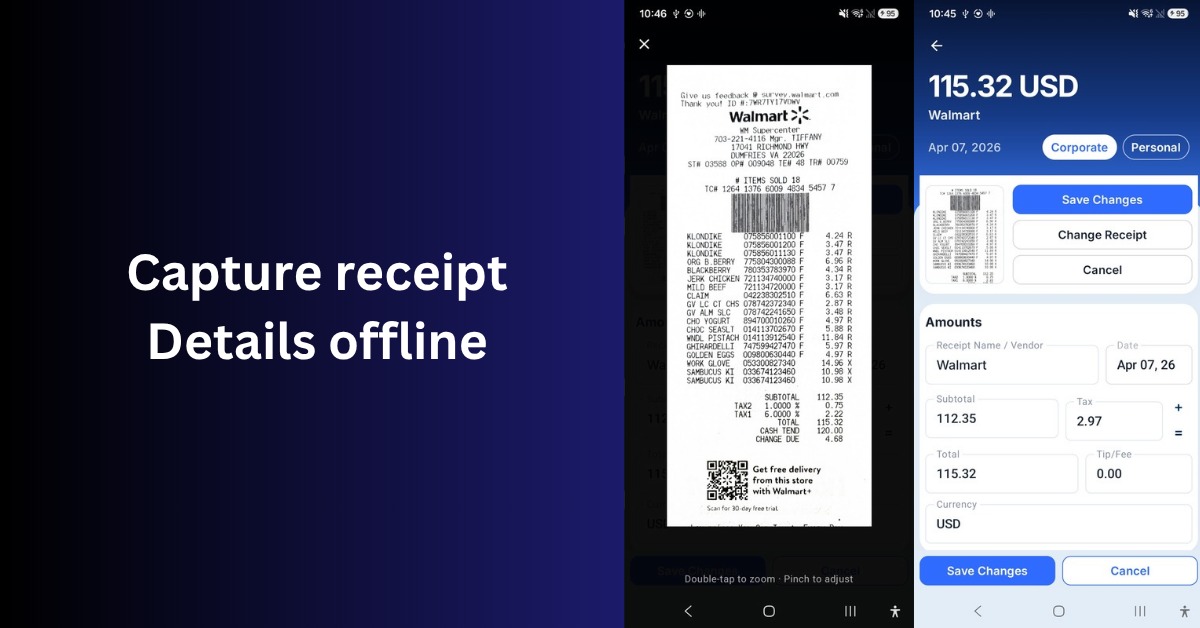
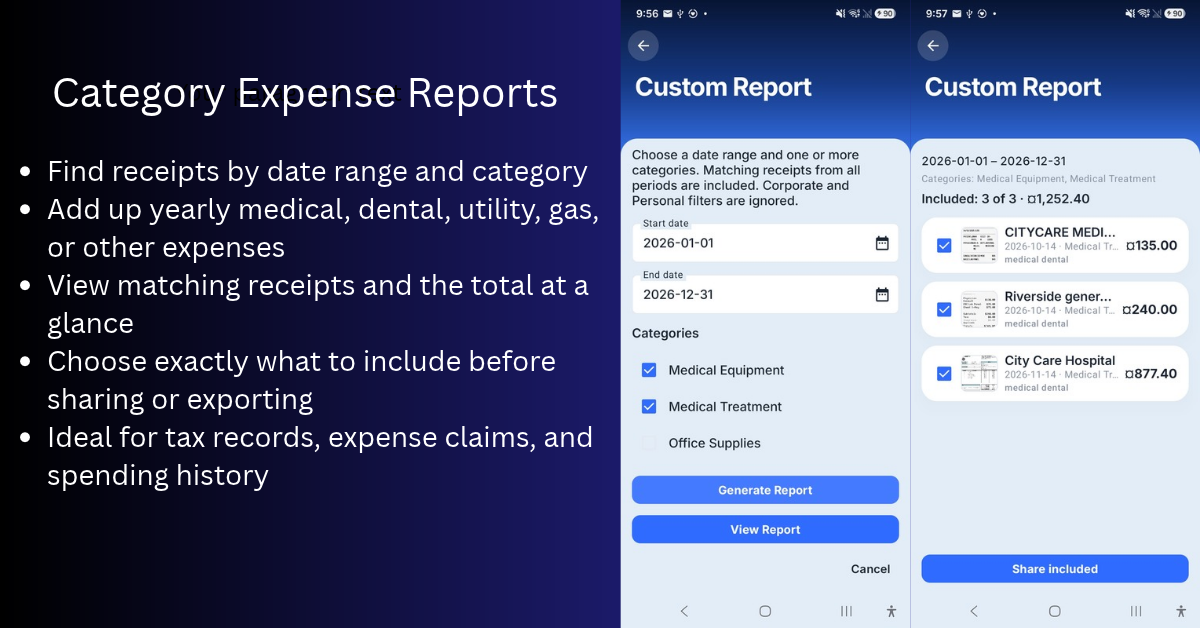
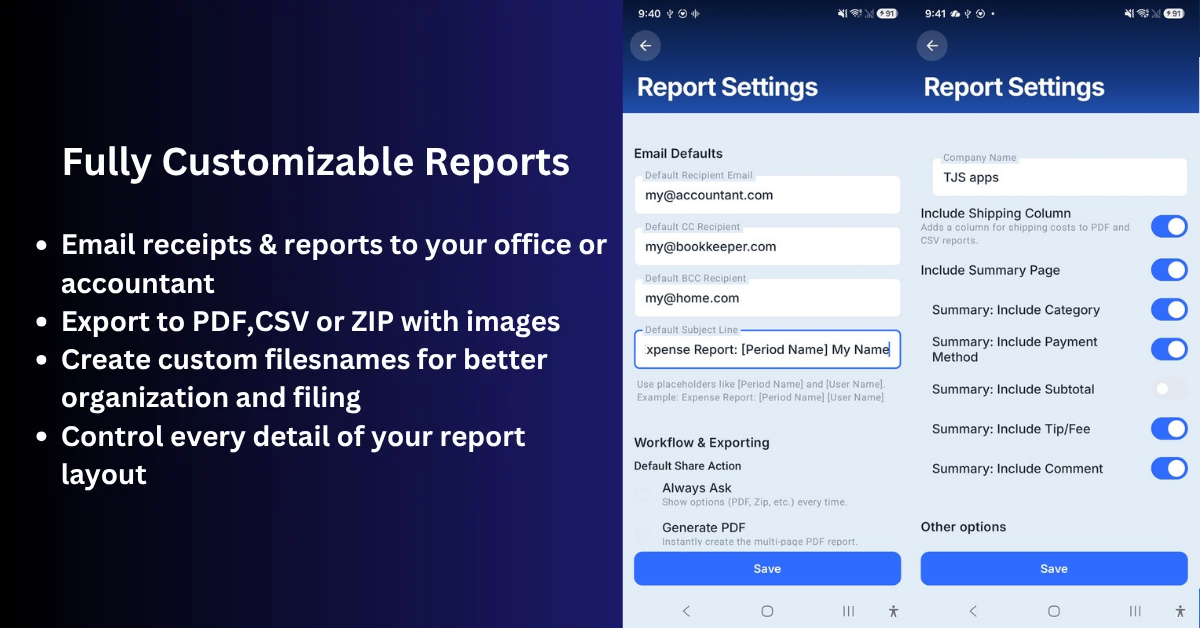
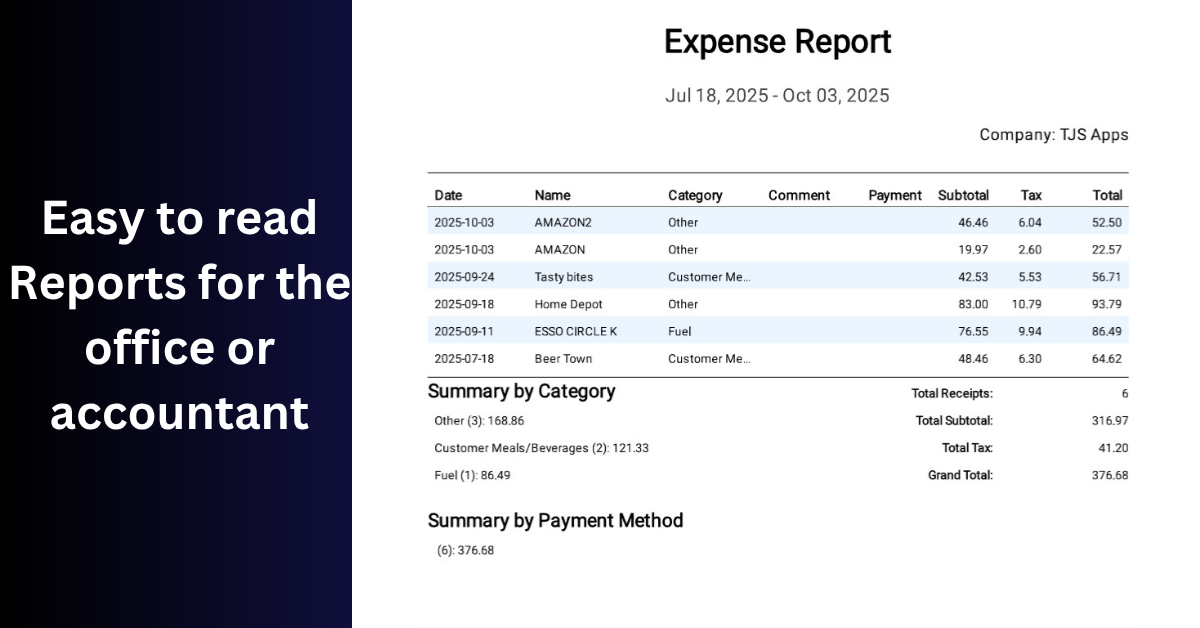
Snap or import a receipt and on-device OCR reads vendor, date, tax, tip, and total. Sort by category and fiscal period, mark reimbursable vs personal, then export accountant-ready reports: PDF summaries, captioned receipt images, CSV, or email.
Built for freelancers, small businesses, contractors, and anyone who wants full control of their own expense records instead of trusting a cloud subscription.
Import your phone archive into the free Windows Desktop Companion to review, edit, and export on a full-size screen.
What makes it different: 100% on-device OCR, no cloud uploads, no account required, and a one-time purchase — no monthly fees to track your own expenses.
Try every feature free for 60 days on Google Play, then unlock it forever with a single purchase.
Features
* On-device OCR — Reads vendor, date, tax, tip, and total from photos and PDFs without uploading.
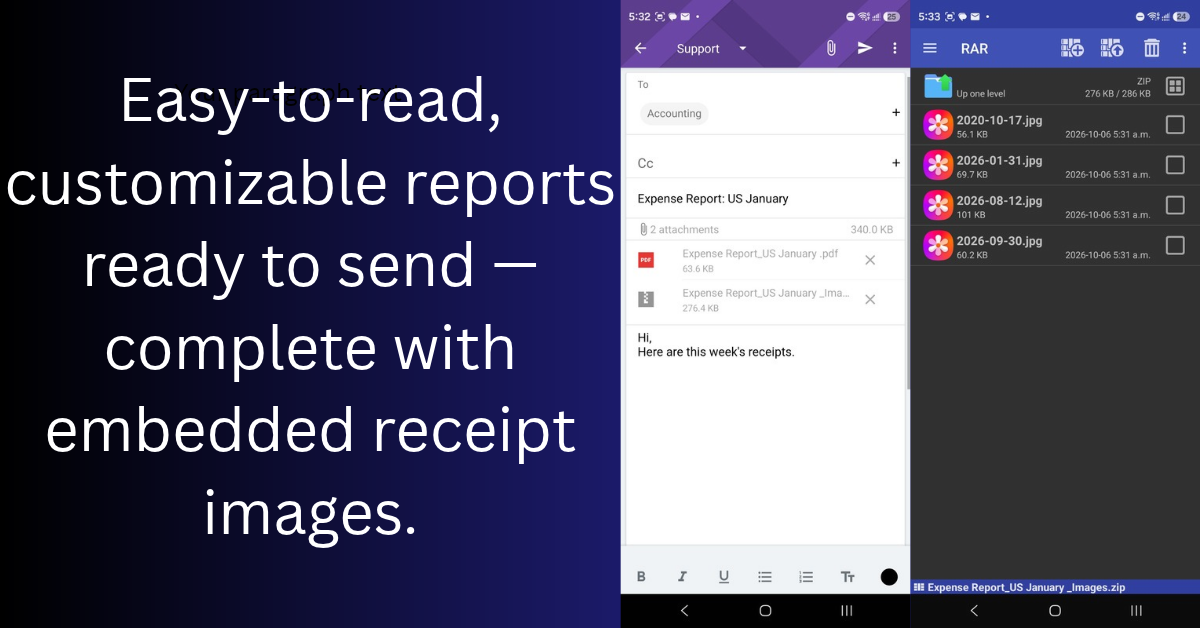
* Export accountant-ready PDF summaries, CSV files, or captioned receipt images.
* Free Windows Desktop Companion imports your phone archive for full-screen editing.
* Private & offline, one-time purchase — Your receipts stay on your devices; no subscription required
* One-time purchase — no monthly fee. Free 60-day trial with every feature unlocked on Google Play
Use Cases
- Freelancers & consultants — Capture client expenses, meals, and travel receipts on the go, then export a clean PDF or CSV report for tax time or client invoicing.
- Field sales reps — Scan client meals, fuel, hotel, and company-car expenses by fiscal period, then share a ready-to-file PDF + ZIP package to accounting with consistently named files.
- Personal record keeping — Digitize receipts and preserve them as proof of purchase, warranty claims, returns, or personal budgeting — all stored offline under your control, not in someone else's cloud.
- Small-business owners & drivers — Organize receipts by category, flag corporate vs. reimbursable expenses, and keep every original image backed up for accounting or tax preparation.
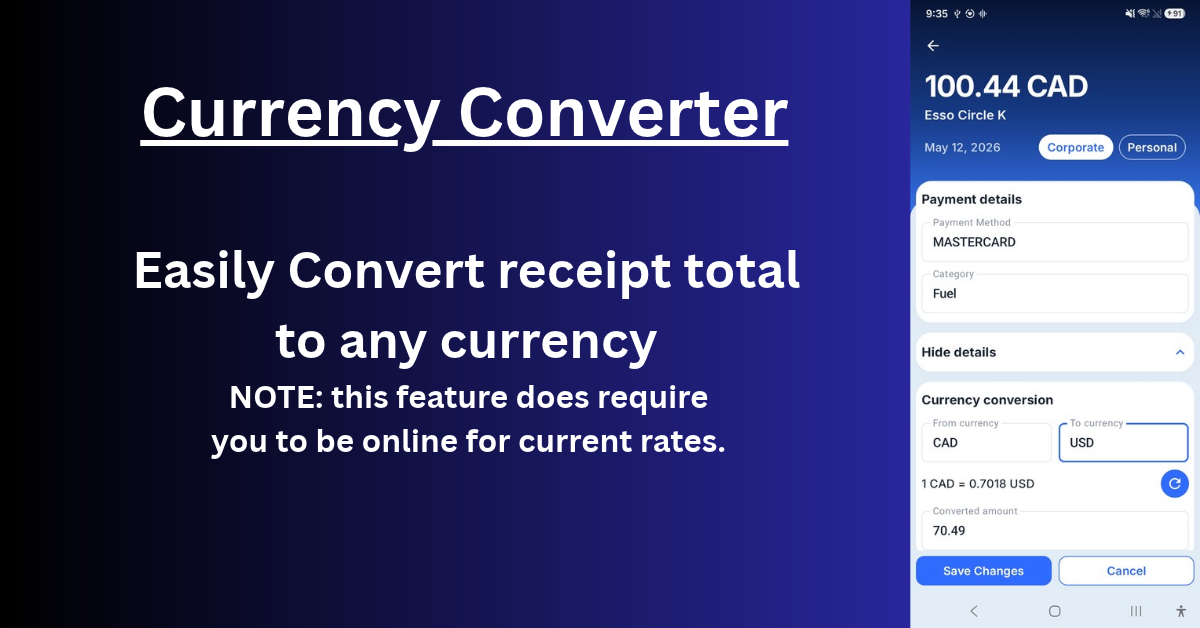
- Travelers — Scan receipts completely offline (vehicles, rural areas, abroad), convert foreign currencies with recorded exchange rates, and export everything once you're back online.



Premium Products



























































Find your next favorite product or submit your own. Made by @FalakDigital.
Copyright ©2026. All Rights Reserved