
Sayloe
Translate selected text and dictate multilingual replies whe
Sayloe is a lightweight translation and voice dictation app for Apple Silicon Macs.
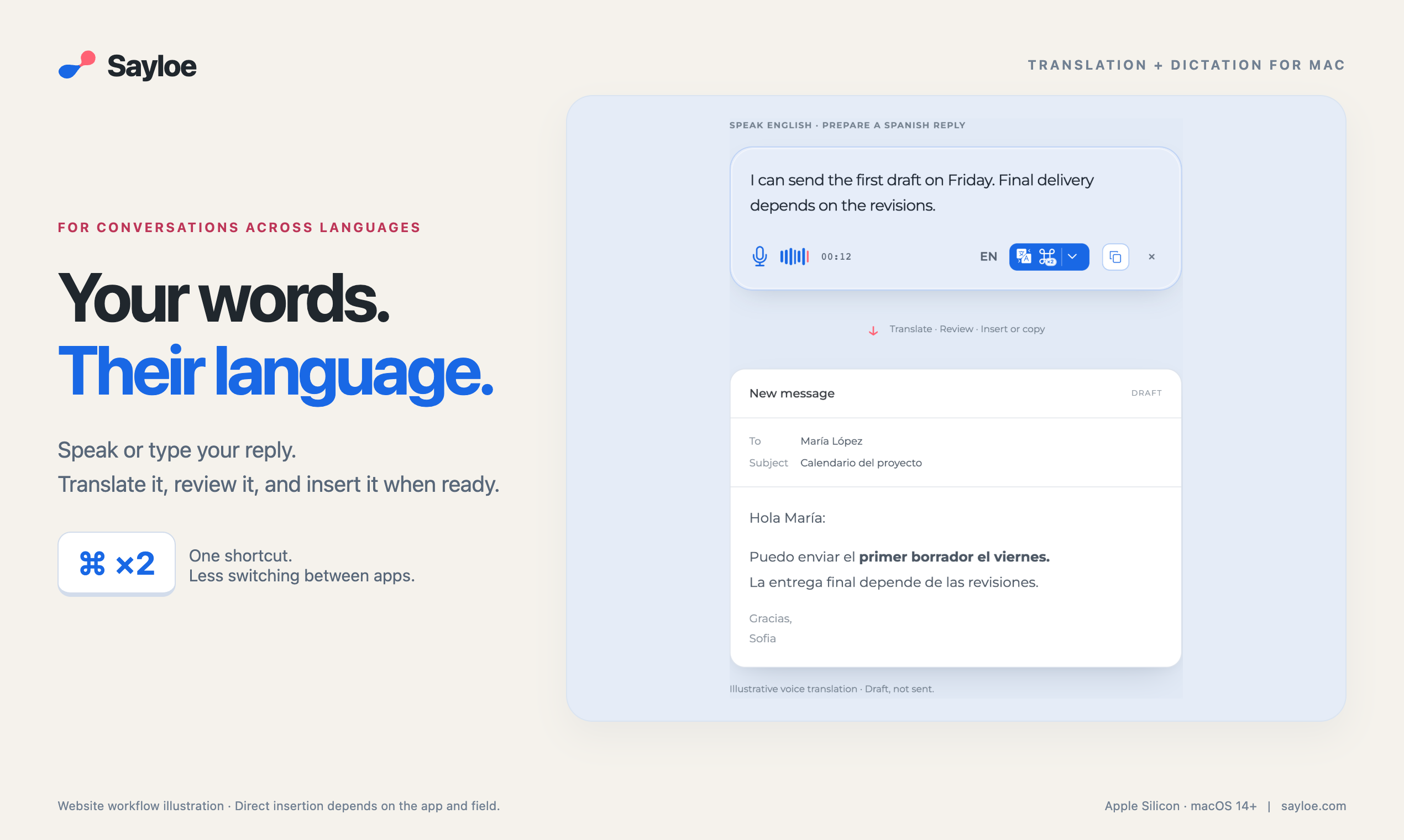
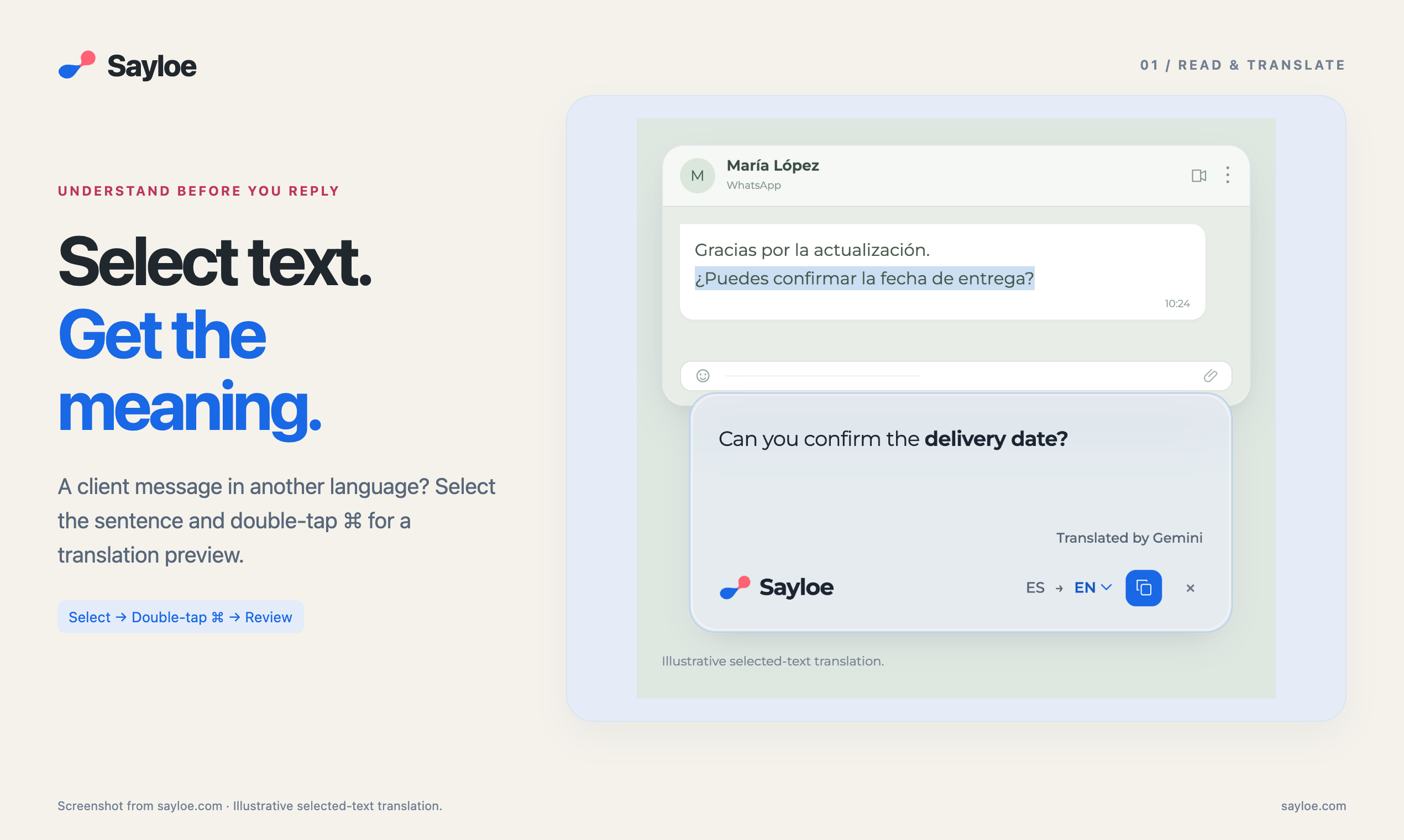
Select text and double-tap ⌘ to preview a translation. With nothing selected, the same shortcut opens voice dictation. Review your transcript, then insert it as spoken or translate it before insertion.
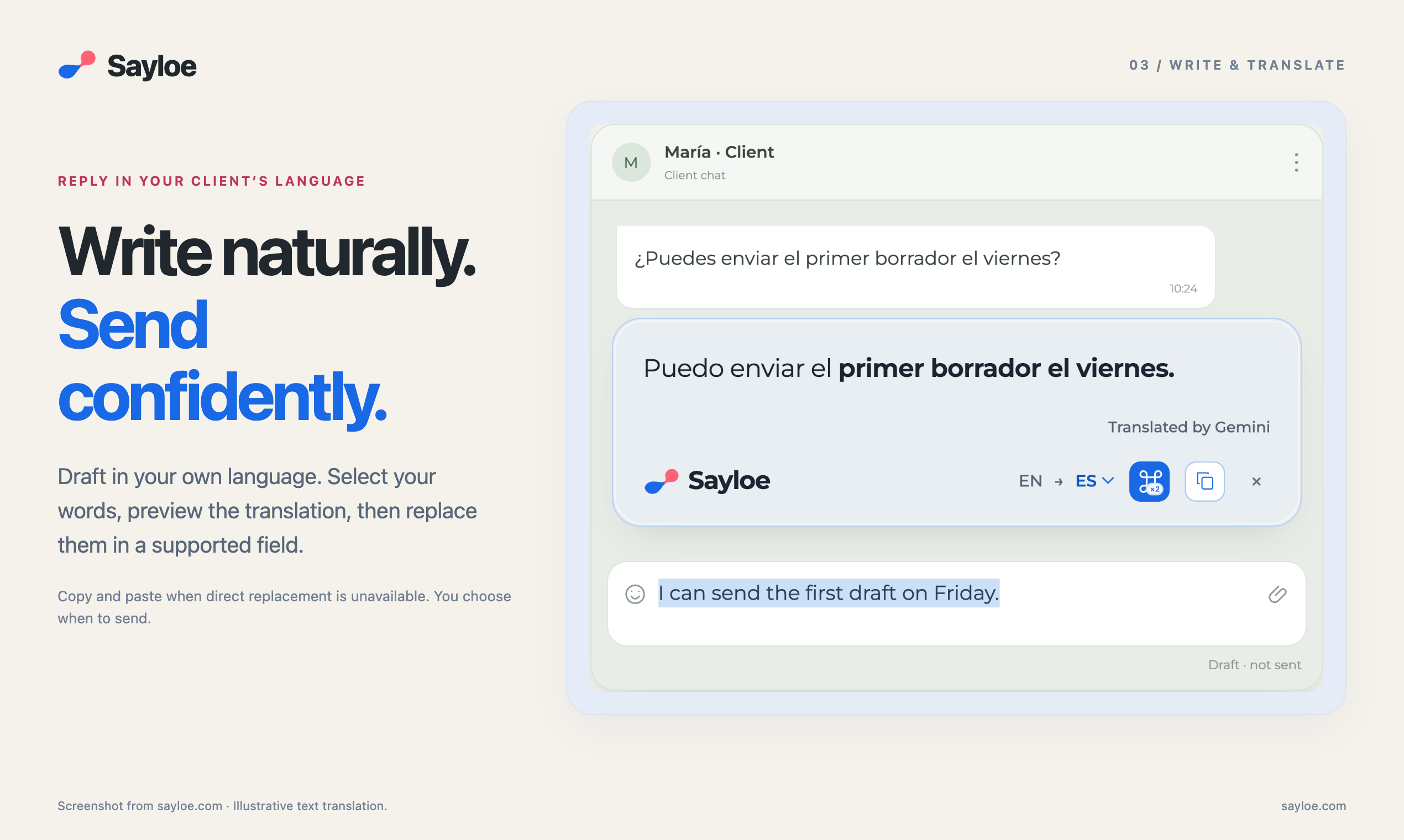
Designed for everyday emails, client messages, and documents, Sayloe reduces the copying and app switching involved in communicating across languages. Direct insertion and text replacement depend on the destination app and field; copying is also available.
Basic formatting, such as bold, italics, links, and line breaks, can carry through where supported by the source and destination.
Sayloe requires an Apple Silicon Mac running macOS 14 or later. Voice dictation and AI translation require an internet connection.


Comments


Hi everyone, I’m Levit, the maker of Sayloe. I often work with text in different languages on my Mac. What bothered me was the back-and-forth: copy a message, open a translator, paste it, check the result, and bring it back into the conversation. I built Sayloe to make that process less cumbersome. It uses the same shortcut for two tasks: • Select text and double-tap ⌘ to preview a translation. • With nothing selected, double-tap ⌘ to start voice dictation. For a reply, you can review the transcript and insert it as spoken, or translate it before insertion. Direct insertion and replacement depend on the app and text field; you can also copy the result. A typical workflow is reading a client’s Spanish message, dictating your response in English, and preparing a Spanish reply. You review the wording and decide when to use it. Sayloe doesn’t send the message for you.
Premium Products























































Sponsors
Buy

Makers
Makers
Comments
Hi everyone, I’m Levit, the maker of Sayloe. I often work with text in different languages on my Mac. What bothered me was the back-and-forth: copy a message, open a translator, paste it, check the result, and bring it back into the conversation. I built Sayloe to make that process less cumbersome. It uses the same shortcut for two tasks: • Select text and double-tap ⌘ to preview a translation. • With nothing selected, double-tap ⌘ to start voice dictation. For a reply, you can review the transcript and insert it as spoken, or translate it before insertion. Direct insertion and replacement depend on the app and text field; you can also copy the result. A typical workflow is reading a client’s Spanish message, dictating your response in English, and preparing a Spanish reply. You review the wording and decide when to use it. Sayloe doesn’t send the message for you.
Premium Products
New to Fazier?

Find your next favorite product or submit your own. Made by @FalakDigital.
Copyright ©2026. All Rights Reserved