Runframe
Complete incident lifecycle management for teams
Runframe is the all-in-one incident management platform that covers the entire incident lifecycle for engineering teams. From the moment an alert fires to the postmortem that prevents it from happening again - incident response, on-call scheduling, multi-channel alerting, status pages, escalation policies, AI postmortem drafts, and analytics are all bundled together. Type /inc in Slack and get an incident channel, the right person paged, timeline captured, and an AI-drafted postmortem when it's over. Public status pages keep users informed with uptime tracking, subscriber notifications, and custom domains. No more stitching together PagerDuty + Slack + Google Docs + Statuspage.io - ne tool, one price, 10-minute setup. Free for up to 5 users.
Features
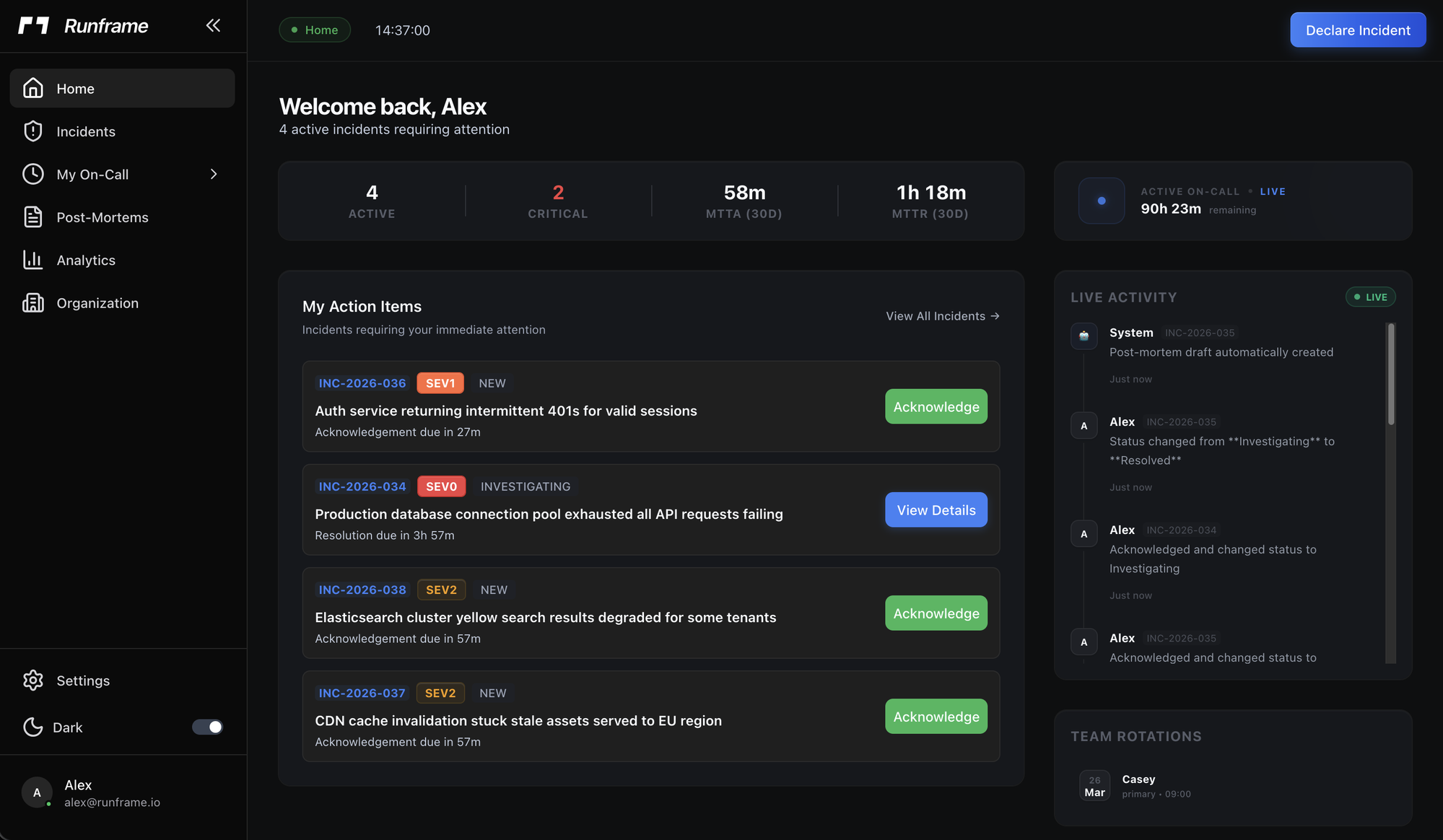
- Incident response: Create, track, and resolve incidents with severity levels (SEV0-SEV4), 6-status workflow, auto-assignment, SLA tracking, and war rooms
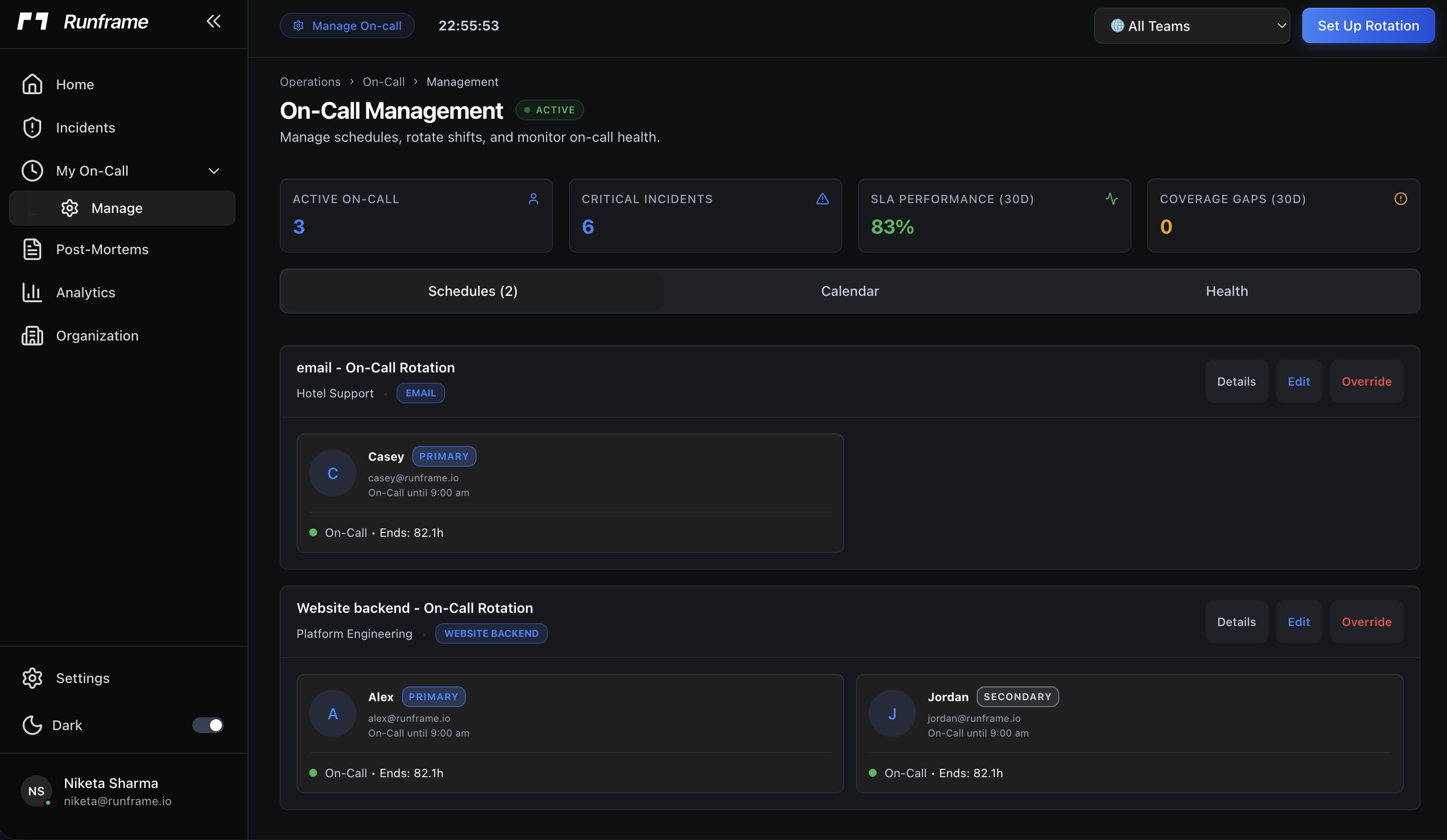
- On-call scheduling: Daily/weekly/biweekly/monthly rotations with coverage gap analysis, swap requests, and burnout analytics
- Multi-channel alerting: Slack, email, SMS, voice calls (TTS with press-1-to-ack), and push notifications with configurable retry chains and auto-escalation
- Escalation policies: Severity-based auto-escalation with per-SEV timeouts, multi-level chains, and voice calls for critical incidents
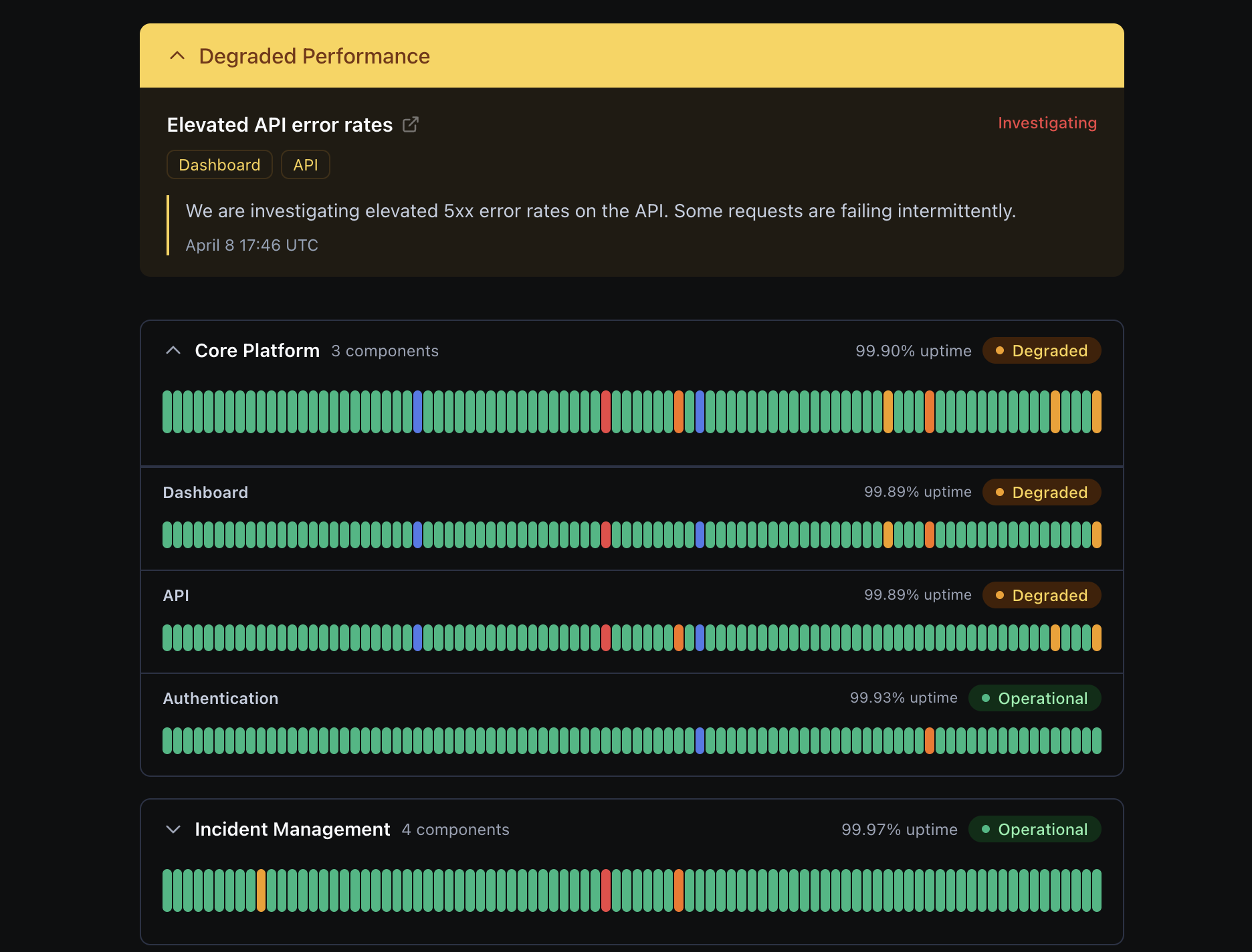
- Public status pages: Component groups with 90-day uptime bars, custom branding/domains, subscriber notifications (email/webhook/RSS/Slack), and scheduled maintenance windows
- AI postmortem drafts: Auto-generated on incident resolution using Anthropic/OpenAI, with 4 maturity levels (basic through compliance)
- Analytics: MTTR/MTTA dashboards, system health score, on-call burnout metrics, and SLA compliance tracking
- Workflow automations: Trigger/condition/action rules (Jira tickets, Slack messages, webhooks) on incident lifecycle events
- Integrations: Slack, Datadog, Prometheus, CloudWatch, Jira, GitHub, Linear, Google Meet, email intake, and custom webhooks
- MCP server: an MCP server for AI agent workflows
- RBAC + audit logging: Fine-grained roles/permissions with comprehensive audit trail
Use Cases
- Replace the fragmented stack (PagerDuty + Slack + Google Docs + Statuspage.io + Jira) with one bundled tool
- Move off spreadsheet or Google Doc on-call schedules to automated rotations
- Stop ad-hoc incident management in Slack with no structure or timeline tracking
- Give engineering leadership MTTR/MTTA metrics and incident trend visibility
- Publish public status pages to keep users informed during outages
- Reduce on-call burnout with fair, automated rotations and coverage gap alerts
- Automate postmortem writing with AI drafts so lessons actually get documented

Comments


Love how clean these interactive demos look! Static screenshots just don't cut it anymore for SaaS sales. I’m curious about the analytics side—can we track exactly where users drop off within a Runframe demo? Also, the 'no-code' aspect makes it very appealing for marketing teams who don't want to bug developers.






Bundling on-call, incident coordination, status updates, and postmortems into one workflow makes a lot of sense for lean teams. The most interesting part for me is the AI postmortem draft — does it pull from timeline events automatically, or do responders still need to structure notes carefully during the incident?
The /inc Slack command as the single entry point is brilliant UX design. In my experience, the biggest friction in incident management is context switching during high-stress moments. Having the channel creation, paging, and timeline capture all trigger from one command removes that entirely. The 4-level AI postmortem maturity model is also interesting — do you find that teams actually progress through the levels over time, or do most settle on one and stick with it?

We built Runframe because we lived the problem. During outages at previous companies, we'd have 5 tabs open - PagerDuty for paging, Slack for coordination, Google Docs for the postmortem, Jira for tracking, and Statuspage for users. Nobody knew who was on-call without asking in Slack. Postmortems got written two weeks late, if at all. And we were paying $40/user/month for a tool half the team never logged into. We wanted one tool that covers the entire incident lifecycle, from the moment something breaks to the postmortem that prevents it from happening again. Incident response, on-call scheduling, escalation, status pages, and analytics, all bundled together. Type /inc in Slack and the right person gets paged, a timeline starts capturing, and when it's over, an AI postmortem draft is waiting. Your users stay informed through a public status page with uptime tracking. No app-switching, no 2-week setup, no stitching together 5 different tools. We're a small team shipping weekly. Would love to hear what your incident workflow looks like today and what's missing.
Premium Products





























Sponsors
Buy

Awards
View all
Awards
View allMakers
Makers
Comments
Love how clean these interactive demos look! Static screenshots just don't cut it anymore for SaaS sales. I’m curious about the analytics side—can we track exactly where users drop off within a Runframe demo? Also, the 'no-code' aspect makes it very appealing for marketing teams who don't want to bug developers.
Bundling on-call, incident coordination, status updates, and postmortems into one workflow makes a lot of sense for lean teams. The most interesting part for me is the AI postmortem draft — does it pull from timeline events automatically, or do responders still need to structure notes carefully during the incident?
The /inc Slack command as the single entry point is brilliant UX design. In my experience, the biggest friction in incident management is context switching during high-stress moments. Having the channel creation, paging, and timeline capture all trigger from one command removes that entirely. The 4-level AI postmortem maturity model is also interesting — do you find that teams actually progress through the levels over time, or do most settle on one and stick with it?
We built Runframe because we lived the problem. During outages at previous companies, we'd have 5 tabs open - PagerDuty for paging, Slack for coordination, Google Docs for the postmortem, Jira for tracking, and Statuspage for users. Nobody knew who was on-call without asking in Slack. Postmortems got written two weeks late, if at all. And we were paying $40/user/month for a tool half the team never logged into. We wanted one tool that covers the entire incident lifecycle, from the moment something breaks to the postmortem that prevents it from happening again. Incident response, on-call scheduling, escalation, status pages, and analytics, all bundled together. Type /inc in Slack and the right person gets paged, a timeline starts capturing, and when it's over, an AI postmortem draft is waiting. Your users stay informed through a public status page with uptime tracking. No app-switching, no 2-week setup, no stitching together 5 different tools. We're a small team shipping weekly. Would love to hear what your incident workflow looks like today and what's missing.
Premium Products
New to Fazier?

Find your next favorite product or submit your own. Made by @FalakDigital.
Copyright ©2026. All Rights Reserved