
Rowfill
Paste Excel rows, Rowfill types them into your web form
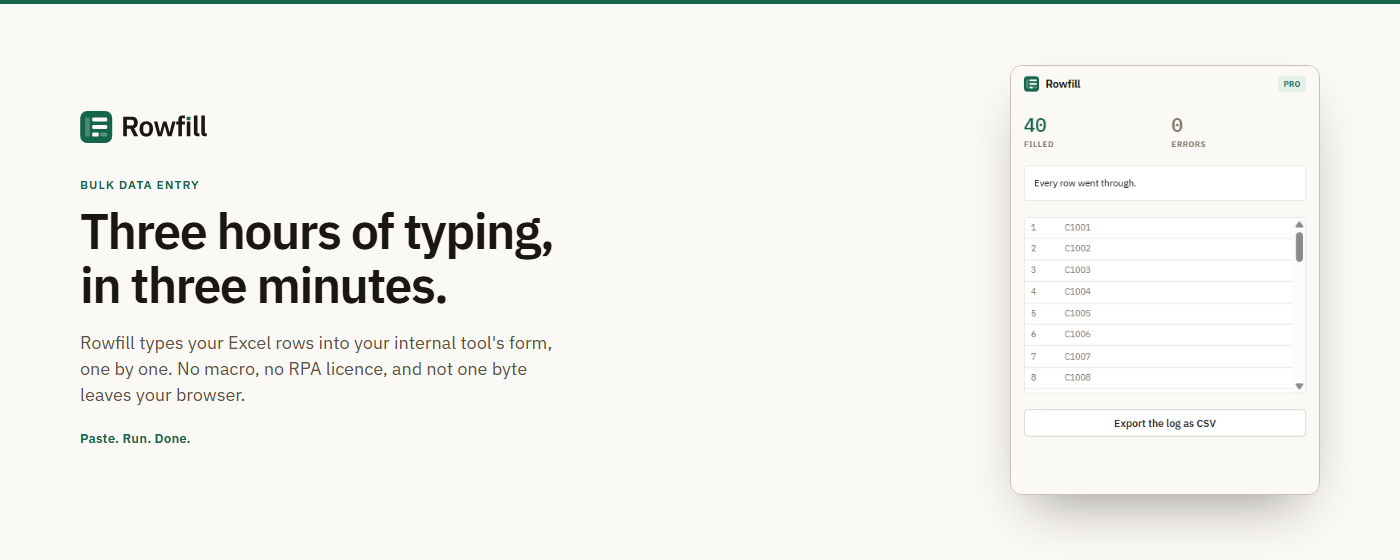
Rowfill is a Chrome and Edge extension for people who retype spreadsheets into internal web tools: ERPs, CRMs, back offices, supplier portals. Fill the form once by hand, paste your rows from Excel, and Rowfill types them in one row at a time while you watch. Nothing leaves the browser: no server, no account, no telemetry.
Features
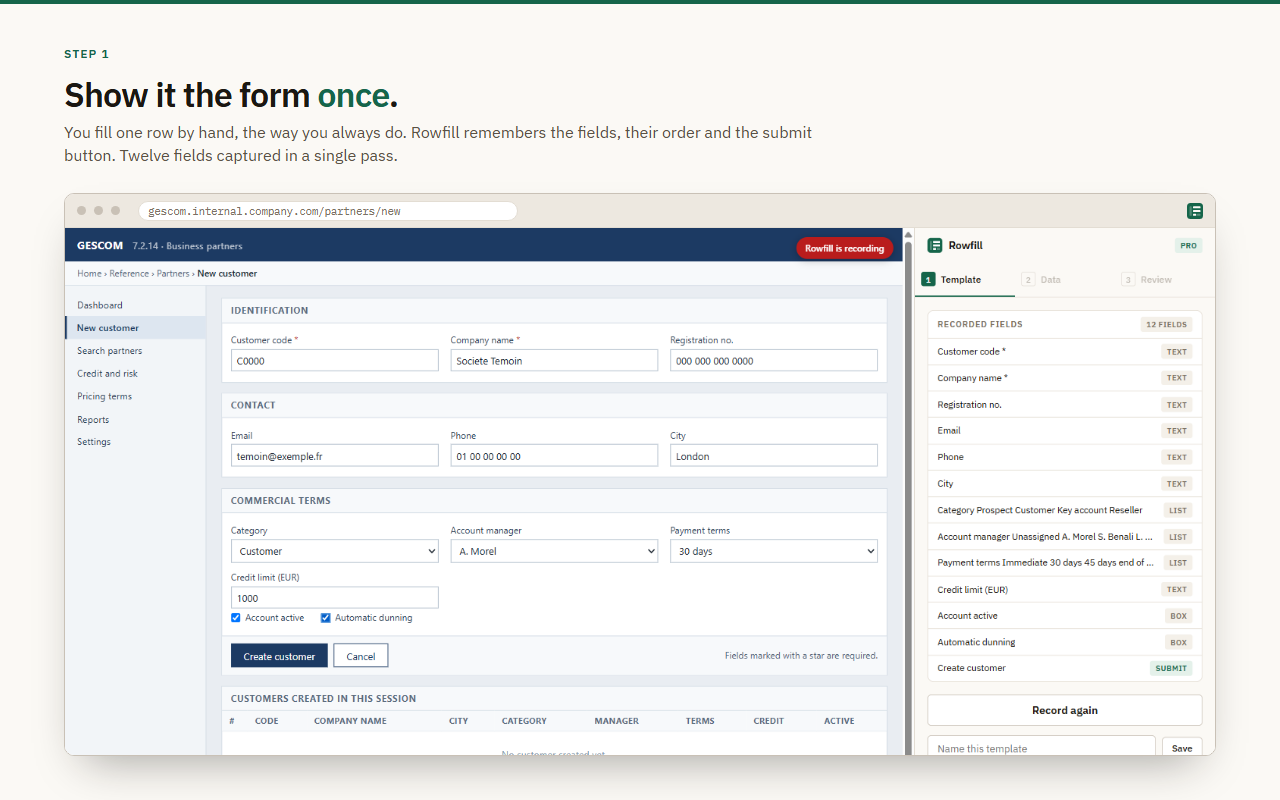
Records a form once: fields, their order and the submit button
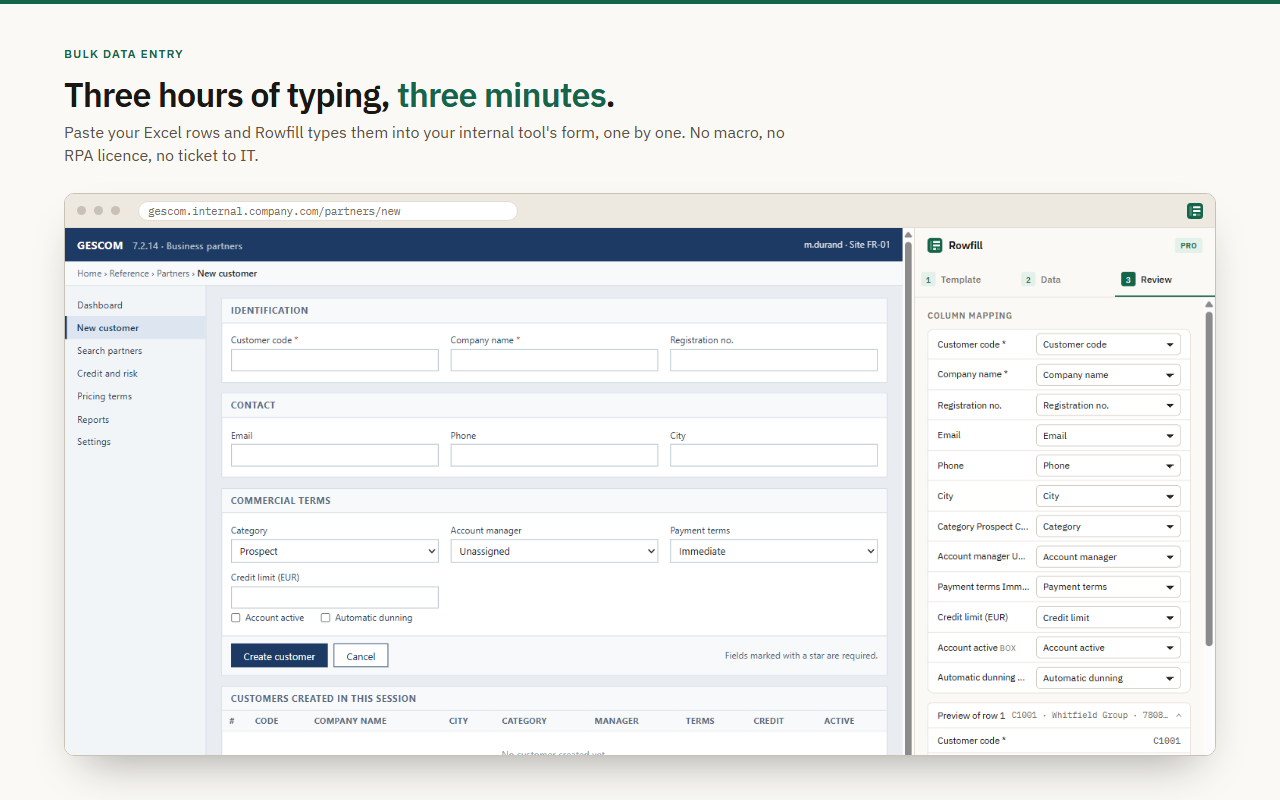
Paste rows straight from Excel, columns matched to fields by header
Preview of exactly what will be typed for row one
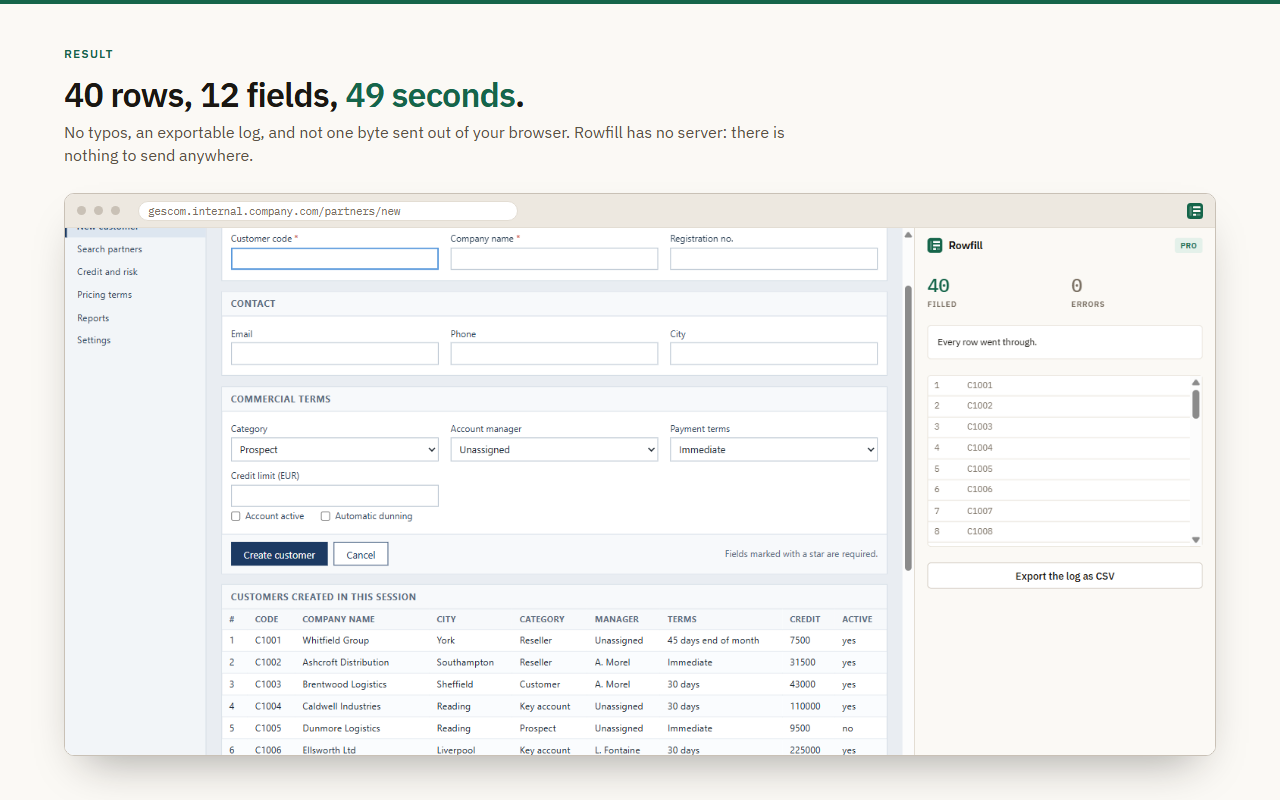
Live progress, stop at any time, CSV log export
Works with React, Angular and Vue forms, finds fields by label when IDs change
No site access at install: allowed one domain at a time
Use Cases
Sales admin entering orders into the ERP
Accounting teams keying supplier invoices
Purchasing creating items and suppliers in bulk
HR and IT support creating employee accounts

Comments

Recording the form once and matching pasted Excel columns by header is a simple idea that fits real back-office work. I like that it asks for one domain at a time instead of broad site access. Would it be possible to add a dry-run mode that validates all rows against required fields before typing, so bad data is caught before row 200?

Recording a form once and then typing pasted Excel rows in while I watch is a clever, low-risk approach for legacy ERPs and supplier portals. Keeping everything in the browser with no account or telemetry is a real plus. How does it cope with dropdowns or fields that load dynamically after a previous selection, and can it pause when a row fails validation?


Hi Fazier! I built Rowfill after watching people in sales admin and accounting spend whole afternoons retyping spreadsheets into internal web apps, 300 rows, the same 12 fields each time. The existing options either need code (UI.Vision, VBA), are discontinued (iMacros), or need a premium licence and an IT ticket (Power Automate). Rowfill is the small, boring version: record the form once, paste from Excel, watch it type. No server, nothing leaves the browser. I'd love to hear which internal tool you retype the most into, and what would stop you from using this at work.
Matching pasted Excel columns to form fields by header is a smart way to avoid brittle selectors. What happens when a row fails halfway, for example a required field is rejected by the portal? I'd love an option to pause on the first error and flag that row in the CSV log so the rest can continue after a fix.
Letting me record a form once and then map pasted Excel columns by header is a practical approach for back-office data entry, and the per-domain permission is a thoughtful touch. How does it handle dropdowns or autocomplete fields where the typed value must match an option exactly? A per-row skip/retry option next to the CSV log would also be useful when one record fails.

Typing pasted Excel rows into an ERP one row at a time, with a preview of row one and a stop button, is the right shape for a tool that touches order entry. The no-server, one-domain-at-a-time permission model is what would let me try it on a supplier portal. How does column matching behave when the spreadsheet header is Qty but the form label is Quantity, and does the CSV log include the row that failed if the site shows a validation error mid-submit?

Entering data from Excel into different web forms is one of those office tasks that takes way more time than it should. I like how Rowfill lets you paste the data and fill forms without doing everything manually. This could be really useful for repetitive office work. Just curious, does it also work with forms that have dropdown menus and required fields?
The record-the-form-once approach, then paste rows from Excel with columns matched by header, is a smart fit for ERP and supplier-portal data entry where no API exists. I appreciate the preview of row one before typing and the CSV log export, which gives accountants an audit trail. Does it handle dropdowns and date pickers in React or Angular forms reliably?

Premium Products
























































Sponsors
Buy

Makers
Makers
Comments
Recording the form once and matching pasted Excel columns by header is a simple idea that fits real back-office work. I like that it asks for one domain at a time instead of broad site access. Would it be possible to add a dry-run mode that validates all rows against required fields before typing, so bad data is caught before row 200?
Recording a form once and then typing pasted Excel rows in while I watch is a clever, low-risk approach for legacy ERPs and supplier portals. Keeping everything in the browser with no account or telemetry is a real plus. How does it cope with dropdowns or fields that load dynamically after a previous selection, and can it pause when a row fails validation?
Hi Fazier! I built Rowfill after watching people in sales admin and accounting spend whole afternoons retyping spreadsheets into internal web apps, 300 rows, the same 12 fields each time. The existing options either need code (UI.Vision, VBA), are discontinued (iMacros), or need a premium licence and an IT ticket (Power Automate). Rowfill is the small, boring version: record the form once, paste from Excel, watch it type. No server, nothing leaves the browser. I'd love to hear which internal tool you retype the most into, and what would stop you from using this at work.
Matching pasted Excel columns to form fields by header is a smart way to avoid brittle selectors. What happens when a row fails halfway, for example a required field is rejected by the portal? I'd love an option to pause on the first error and flag that row in the CSV log so the rest can continue after a fix.
Letting me record a form once and then map pasted Excel columns by header is a practical approach for back-office data entry, and the per-domain permission is a thoughtful touch. How does it handle dropdowns or autocomplete fields where the typed value must match an option exactly? A per-row skip/retry option next to the CSV log would also be useful when one record fails.
Typing pasted Excel rows into an ERP one row at a time, with a preview of row one and a stop button, is the right shape for a tool that touches order entry. The no-server, one-domain-at-a-time permission model is what would let me try it on a supplier portal. How does column matching behave when the spreadsheet header is Qty but the form label is Quantity, and does the CSV log include the row that failed if the site shows a validation error mid-submit?
Entering data from Excel into different web forms is one of those office tasks that takes way more time than it should. I like how Rowfill lets you paste the data and fill forms without doing everything manually. This could be really useful for repetitive office work. Just curious, does it also work with forms that have dropdown menus and required fields?
The record-the-form-once approach, then paste rows from Excel with columns matched by header, is a smart fit for ERP and supplier-portal data entry where no API exists. I appreciate the preview of row one before typing and the CSV log export, which gives accountants an audit trail. Does it handle dropdowns and date pickers in React or Angular forms reliably?
Premium Products
New to Fazier?

Find your next favorite product or submit your own. Made by @FalakDigital.
Copyright ©2026. All Rights Reserved