
Retouchly
Enhance, sharpen, and restore your photos in your browser.
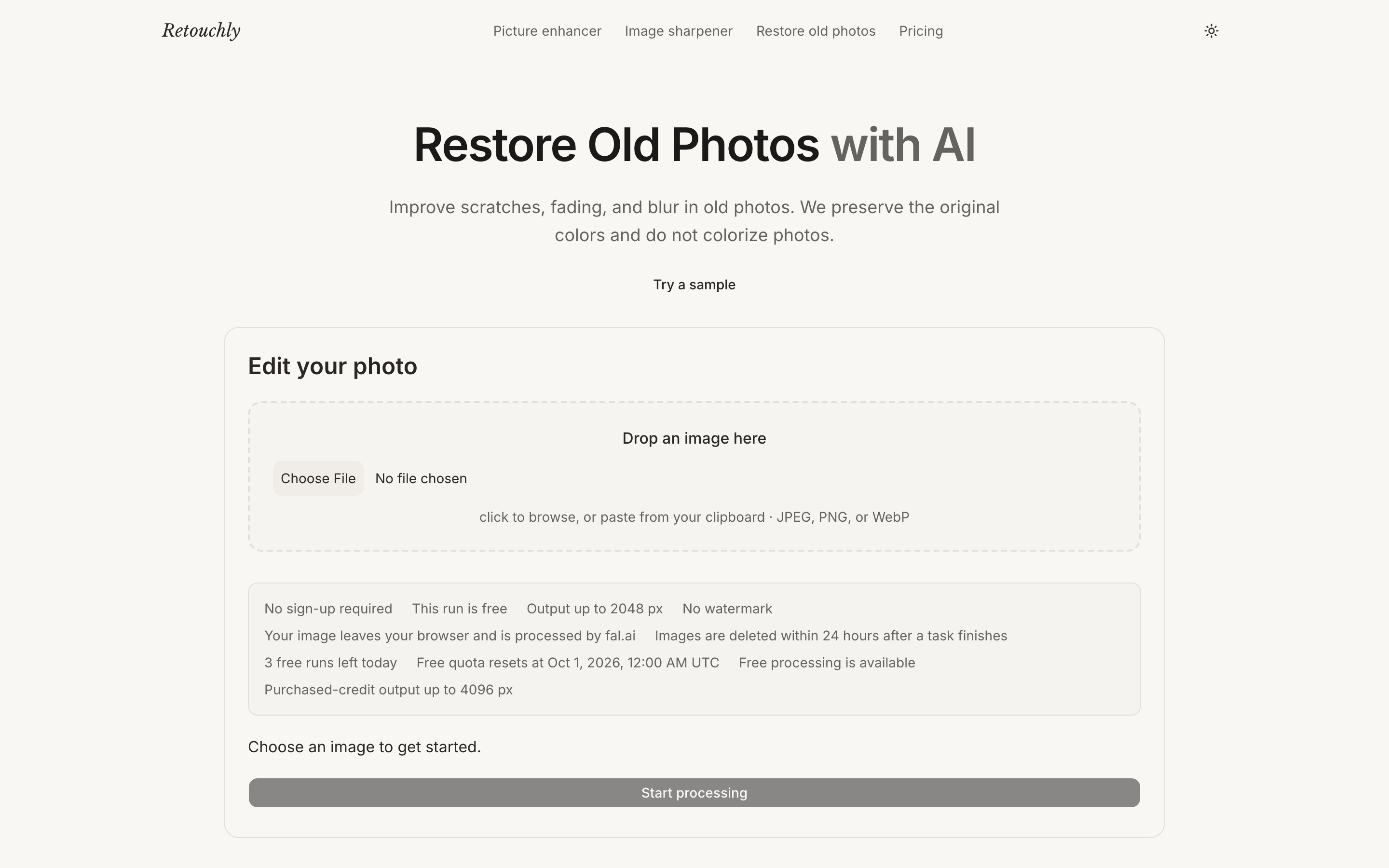
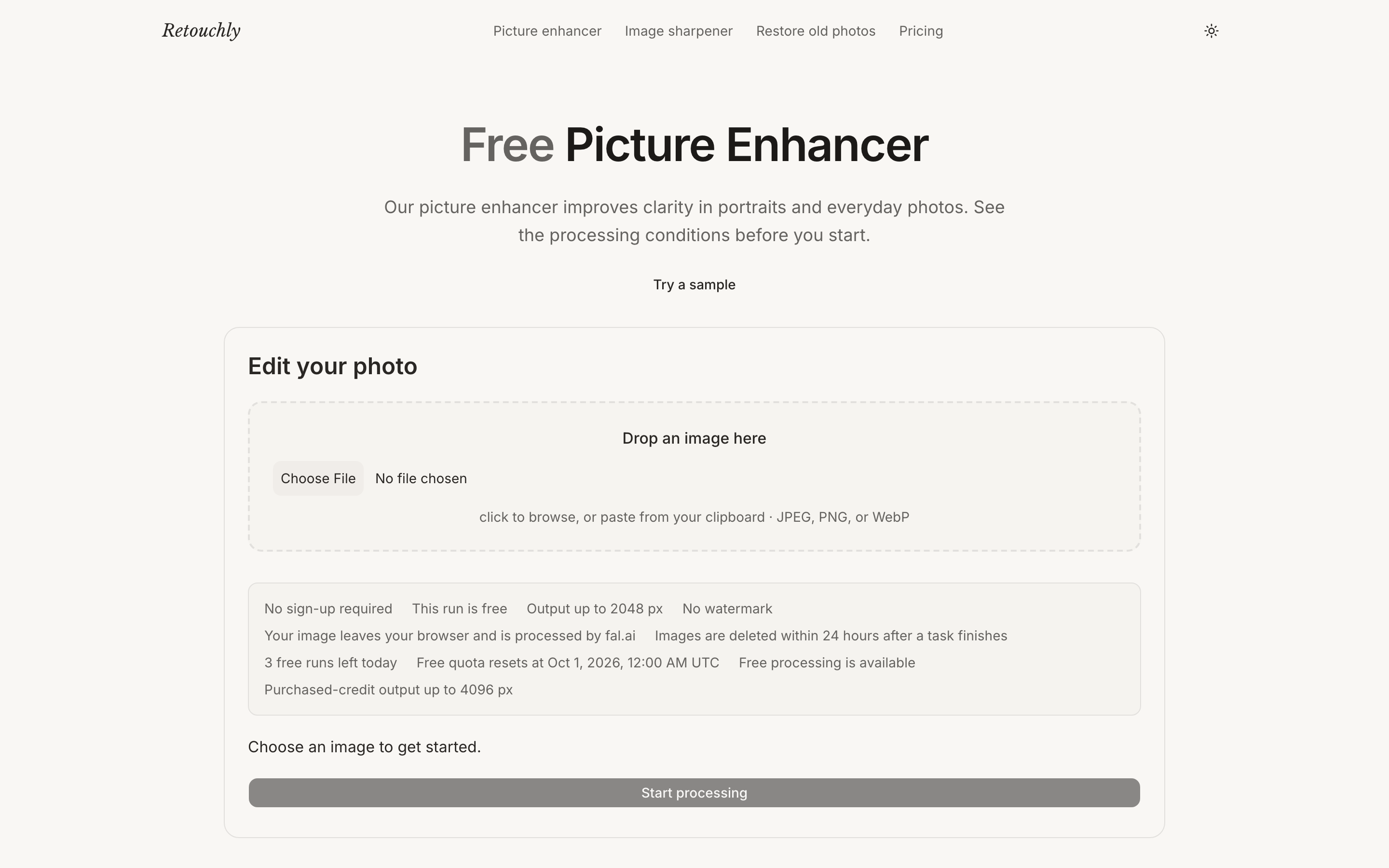
Retouchly is a free online photo enhancer that works right in your browser — no app to install and no sign-up to try. Upload a photo to sharpen detail, improve clarity, enlarge low-resolution images, or restore old family photos in one click. Every result downloads at full quality with no watermark, anonymous users get 3 free runs a day, and uploads are automatically deleted within 24 hours and never used for AI training. Retouchly shows the exact cost before processing, making it a straightforward alternative to subscription-first photo editors.
Features
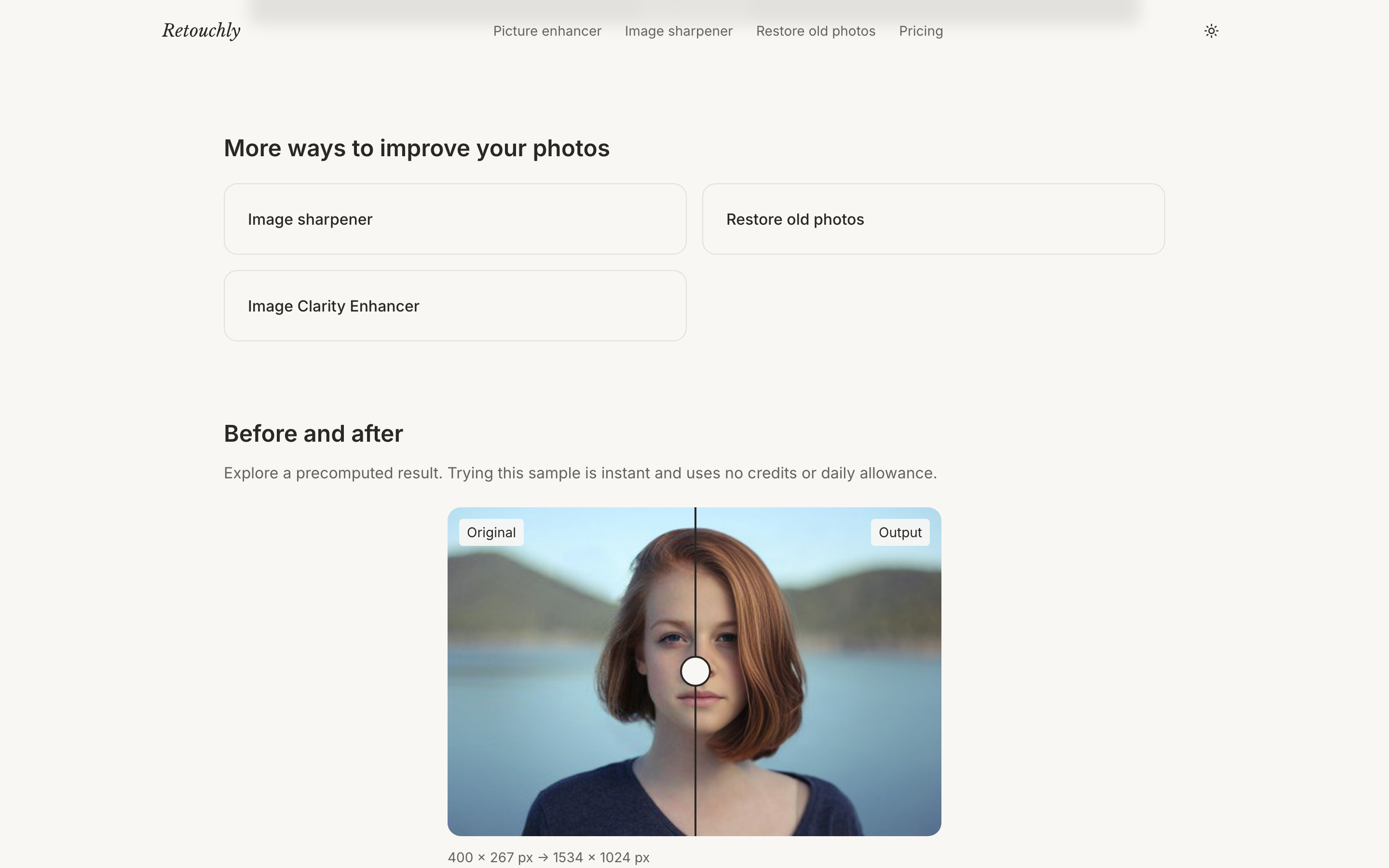
• Picture Enhancer — improve clarity and detail in portraits and everyday photos
• Image Sharpener — fix soft or blurry shots and enlarge low-resolution images
• Restore Old Photos — repair scratches, fading and blur while keeping original colors
• Image Clarity Enhancer — add crispness to product shots, documents and landscapes
• 3 free runs a day, no sign-up, no watermark, full-quality downloads
• Exact cost shown before upload; failed jobs auto-refund; uploads deleted in 24 hours and never used for AI training
Use Cases
• Restore old family photos for genealogy and archives
• Fix blurry or low-resolution product shots for online stores
• Sharpen portraits and everyday photos before posting
• Clean up documents, screenshots and landscape images
• Make listing images look professional without desktop software

Comments


Hi! I'm the solo maker behind Retouchly. I built it after reading hundreds of reviews of the photo tools already ranking — the same complaints kept appearing: surprise subscription walls right at download, watermarks on free results, credits burned on failed jobs, and uploads "possibly used for training". So the product is the opposite of each line: 3 free runs a day, no watermark ever, exact cost shown before you upload, failed jobs auto-refund, images deleted within 24 hours. No prompt box in v1 keeps it simple and safe. Happy to answer anything about the stack (Cloudflare Workers + fal.ai) or the SEO-first go-to-market.


The old-photo restore use case stands out — repairing scratches and fading while keeping original colors is exactly what family archives need, and doing it in the browser with no sign-up lowers the barrier a lot. Showing the exact cost before upload and auto-refunding failed jobs is also a strong trust signal. Do you plan to add batch restore for whole albums, so a scanned family collection can be processed in one go?





Love that it runs in the browser with no sign-up and no watermark, and that uploads are deleted within 24 hours. That's a big deal for old family photos. How does the restore mode handle heavily scratched or faded prints compared with simple sharpening? A before and after gallery for old photos would sell it instantly.

The split between Picture Enhancer, Image Sharpener, and Restore Old Photos is clearer than most one-button enhancers. Anonymous users getting 3 full-quality, watermark-free runs before any account is a fair way to try it. For product shots, does the clarity enhancer keep text and hard edges intact, or does it invent detail the way some portrait enhancers do?


This looks really useful! 👏 I love the idea of having a simple, browser-based photo enhancer without requiring an account or subscription. The free daily runs, watermark-free downloads, and privacy-focused approach make Retouchly especially appealing. Being able to restore old family photos with just one click is a great touch! Definitely worth checking out. Great work, team Retouchly! 🚀


The old-photo restore angle is the strongest part here: repairing scratches and fading while keeping the original colors is a specific problem that generic enhancers often mishandle. Showing the exact cost before processing and deleting uploads within 24 hours also answers the two questions I would ask before uploading a family photo. Do you plan to add a side-by-side before/after preview for restored photos?


The 24-hour deletion policy and up-front cost make the upload step easier to understand. For family archives or documents, could users also delete an individual job immediately after downloading, rather than waiting for the retention window? A clear distinction between original uploads and generated results in that deletion control would be helpful.


The 24-hour deletion and no-training promise is the part that would actually get me to upload a family photo. Showing the cost before a run, plus refunding failed jobs, also feels more honest than the credit systems most enhancers hide. One thing I would watch: the 3 free runs a day is clear, but it is easy to miss whether a restore of a very old scan counts as one run or burns extra. Still, no watermark and no install is a clean way to try it.

Restoring old family photos while keeping the original colours is the use case I'd try first. Does the restore mode work on a phone photo of a printed picture (with some glare and uneven light), or does it do best with flatbed scans? Also, roughly what output resolution do you get when enlarging a small image?
Restore Old Photos is the use case I'd use most. In practice, a lot of old family photos people have today are phone shots of a printed photo, with glare, a slight tilt and the album page around the edges. Does Retouchly straighten and crop those first, or would you recommend scanning them flat before uploading?

What format and file size does the enhanced download come out as? Enlarged, sharpened photos often end up several times bigger than the original, and the usual next step is uploading to a marketplace or an ID portal with a 1-2 MB or even 200 KB limit. A JPEG quality or target-size option on download would close that loop.


Building the product as the opposite of each common complaint is a smart way to position it, and the auto-refund on failed jobs is something I rarely see. One practical question: does the enhanced file keep the original EXIF data, like the date taken? For restored family photos the date is often the only thing that keeps them sorted correctly in a library.
Restoring old family photos without colorizing them is a thoughtful choice — most enhancers try to 'modernize' the result and lose the original feel. Showing the exact cost before processing, plus auto-refunds for failed jobs, also removes the usual anxiety around paid enhancement. One question: for heavily scratched or torn photos, does the restore handle missing areas, or is it mainly scratches, fading and blur?
Restoring old family photos while keeping the original colours — not colorizing them — is the use case I'd try first, and it's a thoughtful choice most enhancers get wrong. Showing the exact cost before processing and auto-refunding failed jobs is a rare, honest touch. One question: are images processed locally in the browser, or uploaded to a server? The 24-hour deletion policy is reassuring either way, but local processing would be an even stronger privacy story.




Keeping the original colours instead of auto-colorizing is the right call for family archives, and it pairs with the workflow a lot of people actually have: a black-and-white scan first gets colorized, then restored. One question — when the input is a grayscale scan with heavy grain, does the restore path amplify that grain, or is there any denoise step before sharpening? Also curious whether the upscaling path shows a different up-front cost than plain sharpening, since a 4x enlargement is a much heavier job than a clarity pass.
Premium Products
















































Sponsors
Buy



Makers
Makers
Comments
Hi! I'm the solo maker behind Retouchly. I built it after reading hundreds of reviews of the photo tools already ranking — the same complaints kept appearing: surprise subscription walls right at download, watermarks on free results, credits burned on failed jobs, and uploads "possibly used for training". So the product is the opposite of each line: 3 free runs a day, no watermark ever, exact cost shown before you upload, failed jobs auto-refund, images deleted within 24 hours. No prompt box in v1 keeps it simple and safe. Happy to answer anything about the stack (Cloudflare Workers + fal.ai) or the SEO-first go-to-market.
The old-photo restore use case stands out — repairing scratches and fading while keeping original colors is exactly what family archives need, and doing it in the browser with no sign-up lowers the barrier a lot. Showing the exact cost before upload and auto-refunding failed jobs is also a strong trust signal. Do you plan to add batch restore for whole albums, so a scanned family collection can be processed in one go?
Love that it runs in the browser with no sign-up and no watermark, and that uploads are deleted within 24 hours. That's a big deal for old family photos. How does the restore mode handle heavily scratched or faded prints compared with simple sharpening? A before and after gallery for old photos would sell it instantly.
The split between Picture Enhancer, Image Sharpener, and Restore Old Photos is clearer than most one-button enhancers. Anonymous users getting 3 full-quality, watermark-free runs before any account is a fair way to try it. For product shots, does the clarity enhancer keep text and hard edges intact, or does it invent detail the way some portrait enhancers do?
This looks really useful! 👏 I love the idea of having a simple, browser-based photo enhancer without requiring an account or subscription. The free daily runs, watermark-free downloads, and privacy-focused approach make Retouchly especially appealing. Being able to restore old family photos with just one click is a great touch! Definitely worth checking out. Great work, team Retouchly! 🚀
The old-photo restore angle is the strongest part here: repairing scratches and fading while keeping the original colors is a specific problem that generic enhancers often mishandle. Showing the exact cost before processing and deleting uploads within 24 hours also answers the two questions I would ask before uploading a family photo. Do you plan to add a side-by-side before/after preview for restored photos?
The 24-hour deletion policy and up-front cost make the upload step easier to understand. For family archives or documents, could users also delete an individual job immediately after downloading, rather than waiting for the retention window? A clear distinction between original uploads and generated results in that deletion control would be helpful.
The 24-hour deletion and no-training promise is the part that would actually get me to upload a family photo. Showing the cost before a run, plus refunding failed jobs, also feels more honest than the credit systems most enhancers hide. One thing I would watch: the 3 free runs a day is clear, but it is easy to miss whether a restore of a very old scan counts as one run or burns extra. Still, no watermark and no install is a clean way to try it.
Restoring old family photos while keeping the original colours is the use case I'd try first. Does the restore mode work on a phone photo of a printed picture (with some glare and uneven light), or does it do best with flatbed scans? Also, roughly what output resolution do you get when enlarging a small image?
Restore Old Photos is the use case I'd use most. In practice, a lot of old family photos people have today are phone shots of a printed photo, with glare, a slight tilt and the album page around the edges. Does Retouchly straighten and crop those first, or would you recommend scanning them flat before uploading?
What format and file size does the enhanced download come out as? Enlarged, sharpened photos often end up several times bigger than the original, and the usual next step is uploading to a marketplace or an ID portal with a 1-2 MB or even 200 KB limit. A JPEG quality or target-size option on download would close that loop.
Building the product as the opposite of each common complaint is a smart way to position it, and the auto-refund on failed jobs is something I rarely see. One practical question: does the enhanced file keep the original EXIF data, like the date taken? For restored family photos the date is often the only thing that keeps them sorted correctly in a library.
Restoring old family photos without colorizing them is a thoughtful choice — most enhancers try to 'modernize' the result and lose the original feel. Showing the exact cost before processing, plus auto-refunds for failed jobs, also removes the usual anxiety around paid enhancement. One question: for heavily scratched or torn photos, does the restore handle missing areas, or is it mainly scratches, fading and blur?
Restoring old family photos while keeping the original colours — not colorizing them — is the use case I'd try first, and it's a thoughtful choice most enhancers get wrong. Showing the exact cost before processing and auto-refunding failed jobs is a rare, honest touch. One question: are images processed locally in the browser, or uploaded to a server? The 24-hour deletion policy is reassuring either way, but local processing would be an even stronger privacy story.
Keeping the original colours instead of auto-colorizing is the right call for family archives, and it pairs with the workflow a lot of people actually have: a black-and-white scan first gets colorized, then restored. One question — when the input is a grayscale scan with heavy grain, does the restore path amplify that grain, or is there any denoise step before sharpening? Also curious whether the upscaling path shows a different up-front cost than plain sharpening, since a 4x enlargement is a much heavier job than a clarity pass.
Premium Products
New to Fazier?

Find your next favorite product or submit your own. Made by @FalakDigital.
Copyright ©2026. All Rights Reserved