
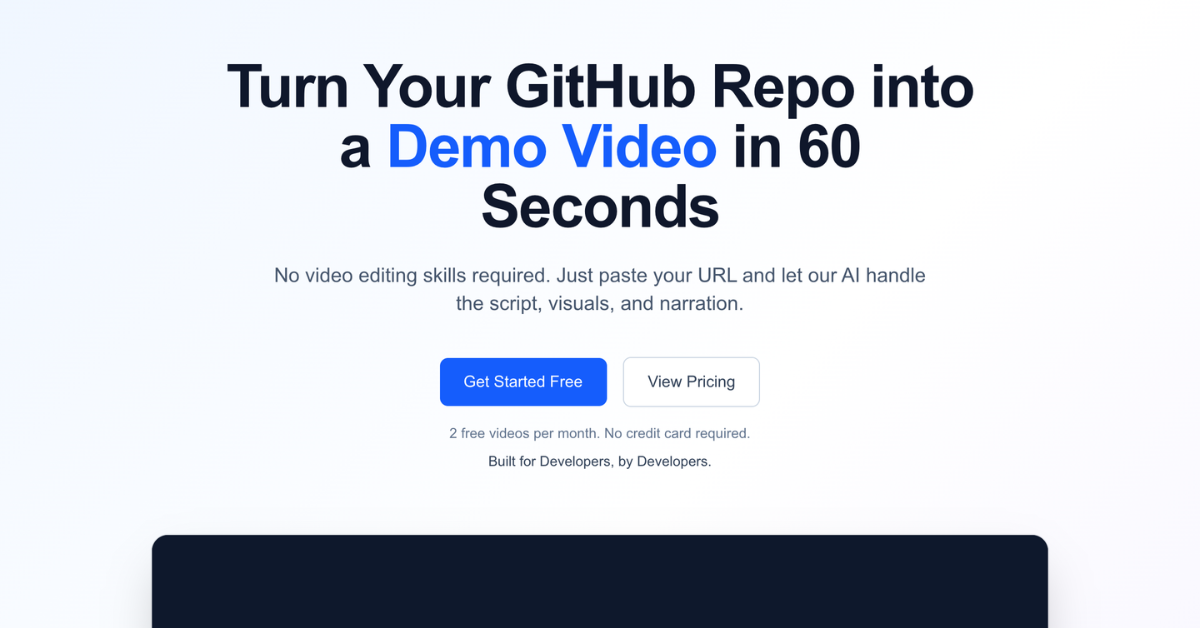
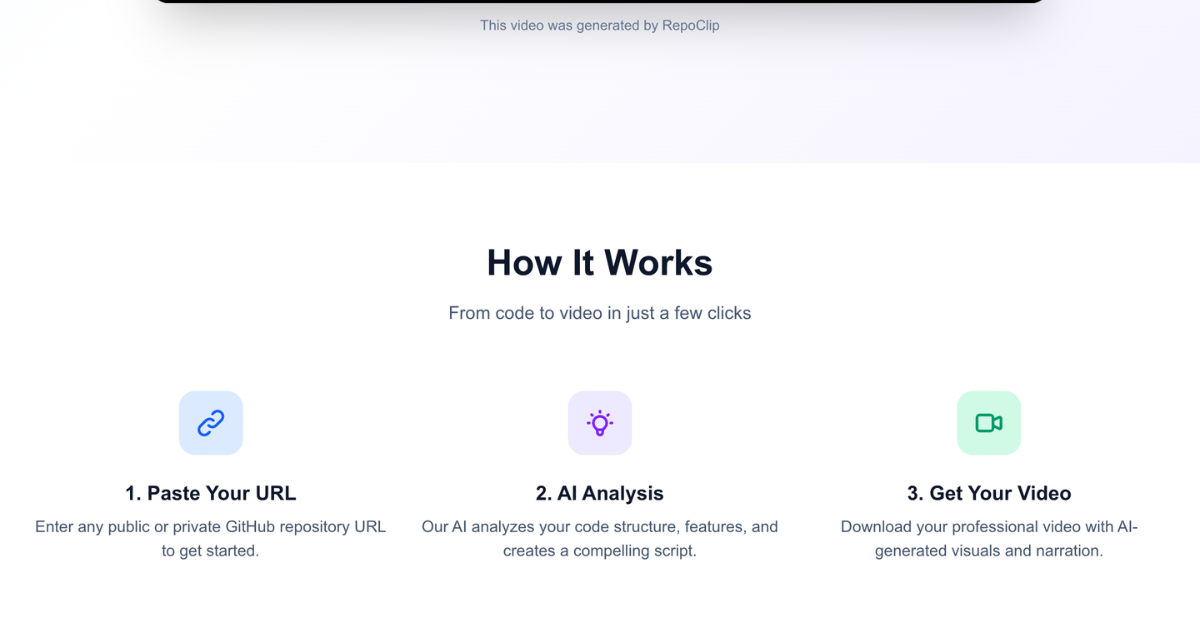
RepoClip is the fastest way for developers to turn a GitHub repository into a polished promotional video. Paste any public or private repo URL, and RepoClip's AI pipeline analyzes the source code, writes a tailored narration script, generates visuals, adds professional voice-over, and renders a ready-to-share MP4 — typically in under 15 minutes, with zero post-production work.
Whether you're an indie hacker launching a side project, a SaaS founder producing a demo for Product Hunt, or an open source maintainer trying to grow adoption, RepoClip eliminates the bottleneck of "I should make a demo video" by generating one for you, end to end.
Powered by best-in-class AI: Gemini 2.5 Flash for code analysis, Kling 3.0 Pro and LTX-2.3 Fast for video clips, Nano Banana 2 for images, OpenAI TTS for narration, and optional ElevenLabs Music for background tracks. Outputs land in 720p, 1080p, or 4K depending on your plan, with multiple aspect ratios for landscape, vertical Shorts/Reels, or square social posts.
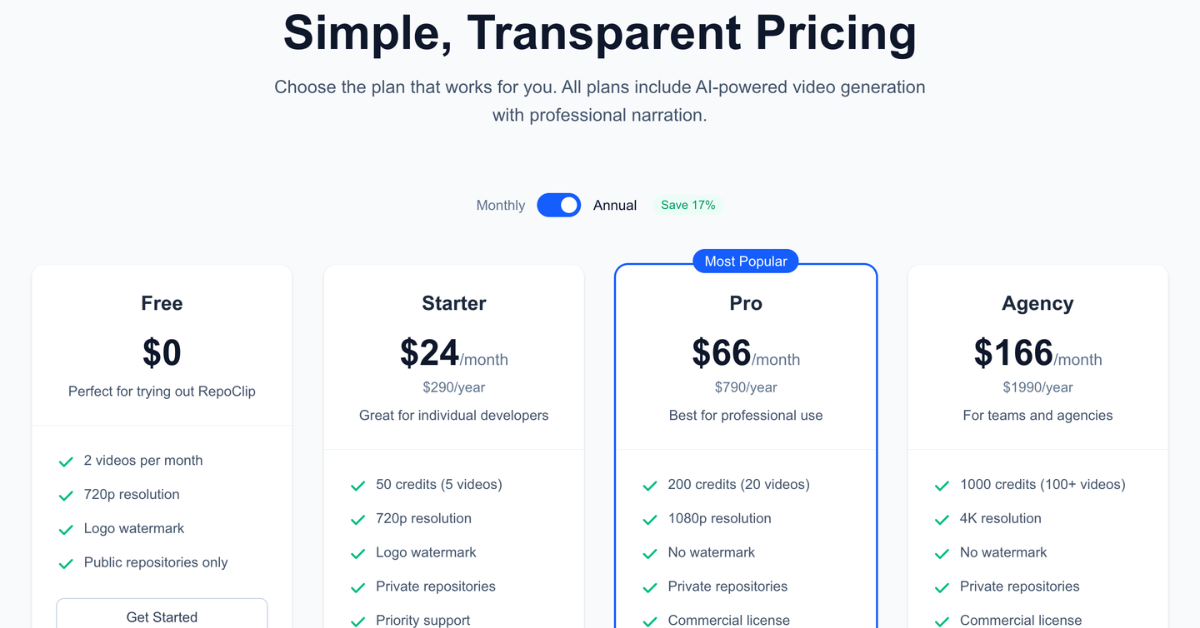
Try it free — 1 image video per month, no credit card required. Premium video starts at $9.99 one-time (Kling Pack) or $29/month (Starter plan).
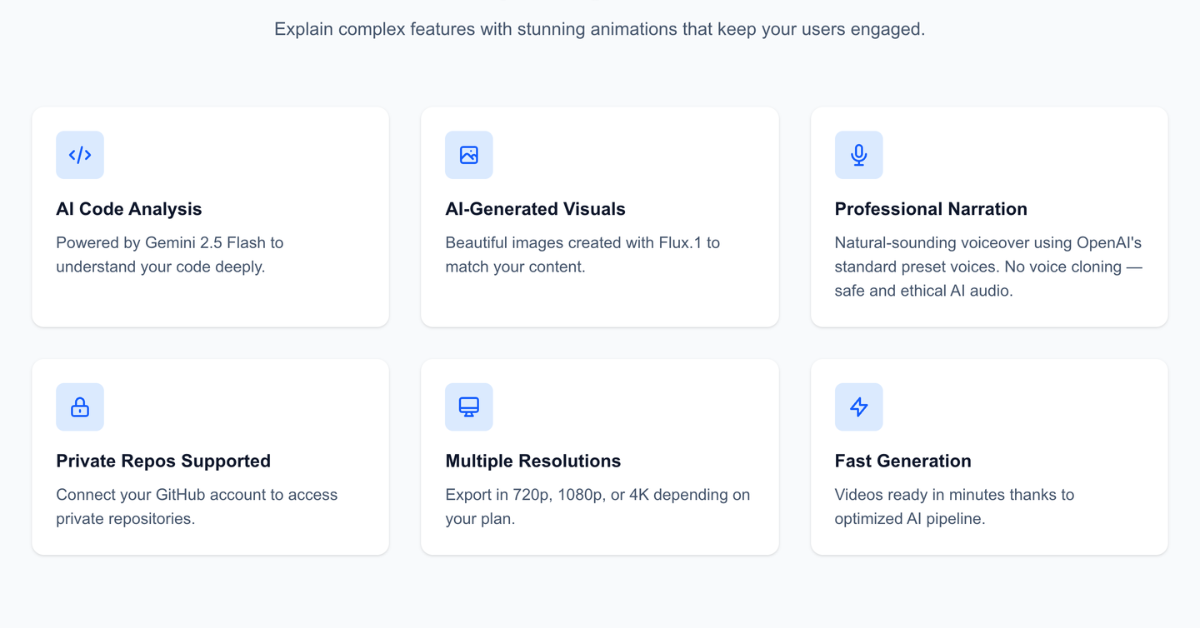
Features
- AI-generated demo video from any GitHub repository (public or private via OAuth)
- Smart code analysis with Gemini 2.5 Flash — narration reflects your actual code structure, not generic templates
- Two video model tiers: Kling 3.0 Pro (premium quality) or LTX-2.3 Fast (budget-friendly)
- Dynamic AI narration with 6 OpenAI voices, auto-matched to your project's tone
- Four visual styles (Tech, Realistic, Minimal, Vibrant) plus custom prompt support
- Multiple aspect ratios: 16:9 landscape, 9:16 portrait (Shorts/Reels/TikTok), 1:1 square
- Optional AI-generated background music via ElevenLabs Music
- Public share pages with one-click social buttons (X, LinkedIn, Reddit, Hacker News)
- Resolutions up to 4K, watermark-free output and commercial-use rights on Pro plan
- Pay-as-you-go ($5 Credit Pack, $9.99 Kling Pack) or monthly subscription ($29–$199)
Use Cases
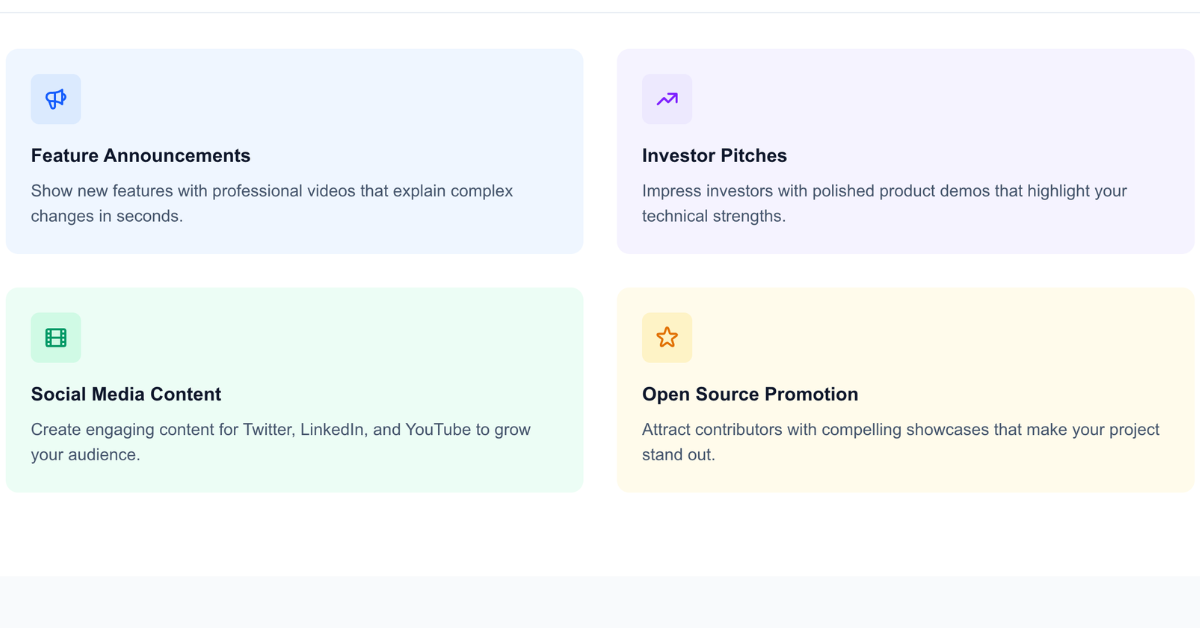
- Indie developers showcasing side projects on X, LinkedIn, or Product Hunt without learning video editing
- SaaS founders producing demo videos for landing pages and pitch decks in minutes, not days
- Open source maintainers driving adoption with promo videos for new releases and feature launches
- Agencies producing client deliverables at scale — generate videos for multiple GitHub repos in parallel
- Hackathon teams turning a submission repo into a 60-second pitch video before the deadline
- Educators and course creators visualizing codebase walk-throughs or library introductions

Comments





RepoClip is exactly what the dev community has been missing. Pasting a GitHub repo URL and getting a fully produced promotional video in under 15 minutes sounds like magic, but the AI stack they're using — Gemini 2.5 Flash for code analysis, Kling 3.0 Pro for video clips, and OpenAI TTS for narration — makes it believable. As someone who constantly puts off making demo videos for side projects, the free tier (one image video per month, no credit card required) is a great way to test the waters. The fact that it handles both public and private repos out of the box is a huge plus for SaaS founders preparing Product Hunt launches. Definitely trying this next week.

The idea of auto-generating demo videos from a GitHub repo is really smart — the gap between "I shipped the code" and "I have something to show people" is real, especially for indie devs. I'm curious how it handles repos with minimal README docs or unconventional project structures. The multi-model pipeline (Gemini for code analysis, Kling for video, OpenAI TTS for narration) is an interesting architectural choice that plays to each model's strengths.

The idea of auto-generating demo videos from a GitHub repo is really smart. The gap between shipping code and having something visual to show people is real for indie devs. Curious how it handles repos with minimal READMEs. The multi-model pipeline (Gemini for analysis, Kling for video, OpenAI TTS for narration) is a clever architectural choice.
The idea of auto-generating demo videos from a GitHub repo is really smart — the gap between shipping code and having something to show people is real for indie devs. Curious how it handles repos with minimal READMEs or unconventional structures. The multi-model pipeline (Gemini for code analysis, Kling for video, OpenAI TTS for narration) is a clever architectural choice.
The idea of auto-generating demo videos from a GitHub repo is really smart. The gap between shipping code and having something visual to show people is real for indie devs. Curious how it handles repos with minimal READMEs. The multi-model pipeline (Gemini for analysis, Kling for video, OpenAI TTS for narration) is a clever architectural choice.

The use case for educators and course creators jumped out at me — turning a GitHub repo into a walkthrough video is a genuinely underserved workflow. Most devs who teach record screen captures manually and spend hours editing. The pay-as-you-go pricing ($5 credit pack) is smart too; it removes the subscription commitment barrier for someone who just wants to demo one project. One question: does it handle monorepos well, or does it work best with smaller focused repos?

The interesting part here isn’t really the AI stack — it’s removing the psychological friction around making demo videos in the first place. A lot of indie hackers know they *should* create launch/demo content, but video production becomes a procrastination wall. “I’ll do it later” usually means never. Turning a repo directly into something shareable in minutes is a pretty compelling workflow shortcut if the outputs actually feel personalized and not overly AI-generic.

Super cool, very nice for builders who want to create some content but are struggling with balancing time against 999x other demands. I'll try it out. I think if it also did the browser automation to get the demo video (I don't see the feature) I think that would be super cool, but I get it, that's pretty hard for a first version.




Hey everyone, I built RepoClip because every time I shipped a side project, the same thing happened: I'd push the repo to GitHub, write a great README, and then... nothing. The hardest part wasn't building the product — it was telling the world about it. Recording a demo video meant opening OBS, writing a script, doing 10 takes, editing, adding voiceover, and burning a whole weekend. Most of my projects never got a video at all. So I built RepoClip to compress that whole workflow into a single paste: drop in a GitHub URL, the AI reads your code, writes a script that actually reflects what your project does (not a generic template), generates visuals, adds narration, and renders a finished MP4. No video editing skills, no timeline, no "I'll do it next weekend." It runs on Gemini 2.5 Flash for code analysis, Kling 3.0 Pro and LTX-2.3 for video clips, Nano Banana 2 for images, and OpenAI TTS for narration. Free plan ships 1 image video per month so you can try the workflow with zero commitment. Premium starts at $9.99 one-time for a Kling 3.0 Pro video — no subscription required. I'm a solo developer based in Japan, and this is the product I wished existed when I was launching my last few side projects. If you try it on a repo of yours, I'd genuinely love to hear what you think — what worked, what didn't, what you wish it did differently. Drop a comment here or DM me on X (@kaz_Devtoolshq). Also offering 30% off your first month for Fazier folks — code FAZIER30. Thanks for taking a look 🚀


RepoClip solves a real problem for developers: most projects never get a proper demo video because the production process takes too much time. I like that the platform goes beyond simply summarizing the README and actually analyzes the repository structure to generate tailored narration and visuals. The support for multiple aspect ratios and social-ready exports is also smart for founders launching on Product Hunt, X, or LinkedIn. Curious to see how it evolves for larger monorepos and more UI-heavy applications.

The Gemini-for-code-analysis choice is interesting imo. Most repo-to-video tools I've seen just scrape the README and call it a day, which is why the narration always sounds generic. Curious how it handles repos where the code is solid but the README is thin. Does it pull from actual file structure and function names, or does it fall back to README when that's all there is?





Turning a repo into a demo video is a strong distribution play for developer tools because most teams ship code faster than they ship explainers. I’d love to know whether RepoClip can detect the highest-signal files or flows automatically, so the first cut emphasizes the product’s core user path instead of just summarizing the repo structure.


Premium Products








































Sponsors
Buy



Makers
Makers
Comments
RepoClip is exactly what the dev community has been missing. Pasting a GitHub repo URL and getting a fully produced promotional video in under 15 minutes sounds like magic, but the AI stack they're using — Gemini 2.5 Flash for code analysis, Kling 3.0 Pro for video clips, and OpenAI TTS for narration — makes it believable. As someone who constantly puts off making demo videos for side projects, the free tier (one image video per month, no credit card required) is a great way to test the waters. The fact that it handles both public and private repos out of the box is a huge plus for SaaS founders preparing Product Hunt launches. Definitely trying this next week.
The idea of auto-generating demo videos from a GitHub repo is really smart — the gap between "I shipped the code" and "I have something to show people" is real, especially for indie devs. I'm curious how it handles repos with minimal README docs or unconventional project structures. The multi-model pipeline (Gemini for code analysis, Kling for video, OpenAI TTS for narration) is an interesting architectural choice that plays to each model's strengths.
The idea of auto-generating demo videos from a GitHub repo is really smart. The gap between shipping code and having something visual to show people is real for indie devs. Curious how it handles repos with minimal READMEs. The multi-model pipeline (Gemini for analysis, Kling for video, OpenAI TTS for narration) is a clever architectural choice.
The idea of auto-generating demo videos from a GitHub repo is really smart — the gap between shipping code and having something to show people is real for indie devs. Curious how it handles repos with minimal READMEs or unconventional structures. The multi-model pipeline (Gemini for code analysis, Kling for video, OpenAI TTS for narration) is a clever architectural choice.
The idea of auto-generating demo videos from a GitHub repo is really smart. The gap between shipping code and having something visual to show people is real for indie devs. Curious how it handles repos with minimal READMEs. The multi-model pipeline (Gemini for analysis, Kling for video, OpenAI TTS for narration) is a clever architectural choice.
The use case for educators and course creators jumped out at me — turning a GitHub repo into a walkthrough video is a genuinely underserved workflow. Most devs who teach record screen captures manually and spend hours editing. The pay-as-you-go pricing ($5 credit pack) is smart too; it removes the subscription commitment barrier for someone who just wants to demo one project. One question: does it handle monorepos well, or does it work best with smaller focused repos?
The interesting part here isn’t really the AI stack — it’s removing the psychological friction around making demo videos in the first place. A lot of indie hackers know they *should* create launch/demo content, but video production becomes a procrastination wall. “I’ll do it later” usually means never. Turning a repo directly into something shareable in minutes is a pretty compelling workflow shortcut if the outputs actually feel personalized and not overly AI-generic.
Super cool, very nice for builders who want to create some content but are struggling with balancing time against 999x other demands. I'll try it out. I think if it also did the browser automation to get the demo video (I don't see the feature) I think that would be super cool, but I get it, that's pretty hard for a first version.
Hey everyone, I built RepoClip because every time I shipped a side project, the same thing happened: I'd push the repo to GitHub, write a great README, and then... nothing. The hardest part wasn't building the product — it was telling the world about it. Recording a demo video meant opening OBS, writing a script, doing 10 takes, editing, adding voiceover, and burning a whole weekend. Most of my projects never got a video at all. So I built RepoClip to compress that whole workflow into a single paste: drop in a GitHub URL, the AI reads your code, writes a script that actually reflects what your project does (not a generic template), generates visuals, adds narration, and renders a finished MP4. No video editing skills, no timeline, no "I'll do it next weekend." It runs on Gemini 2.5 Flash for code analysis, Kling 3.0 Pro and LTX-2.3 for video clips, Nano Banana 2 for images, and OpenAI TTS for narration. Free plan ships 1 image video per month so you can try the workflow with zero commitment. Premium starts at $9.99 one-time for a Kling 3.0 Pro video — no subscription required. I'm a solo developer based in Japan, and this is the product I wished existed when I was launching my last few side projects. If you try it on a repo of yours, I'd genuinely love to hear what you think — what worked, what didn't, what you wish it did differently. Drop a comment here or DM me on X (@kaz_Devtoolshq). Also offering 30% off your first month for Fazier folks — code FAZIER30. Thanks for taking a look 🚀
RepoClip solves a real problem for developers: most projects never get a proper demo video because the production process takes too much time. I like that the platform goes beyond simply summarizing the README and actually analyzes the repository structure to generate tailored narration and visuals. The support for multiple aspect ratios and social-ready exports is also smart for founders launching on Product Hunt, X, or LinkedIn. Curious to see how it evolves for larger monorepos and more UI-heavy applications.
The Gemini-for-code-analysis choice is interesting imo. Most repo-to-video tools I've seen just scrape the README and call it a day, which is why the narration always sounds generic. Curious how it handles repos where the code is solid but the README is thin. Does it pull from actual file structure and function names, or does it fall back to README when that's all there is?
Turning a repo into a demo video is a strong distribution play for developer tools because most teams ship code faster than they ship explainers. I’d love to know whether RepoClip can detect the highest-signal files or flows automatically, so the first cut emphasizes the product’s core user path instead of just summarizing the repo structure.
Premium Products
New to Fazier?

Find your next favorite product or submit your own. Made by @FalakDigital.
Copyright ©2026. All Rights Reserved