
Renomee AI
Renomee is an intelligent file renaming tool based on AI tec
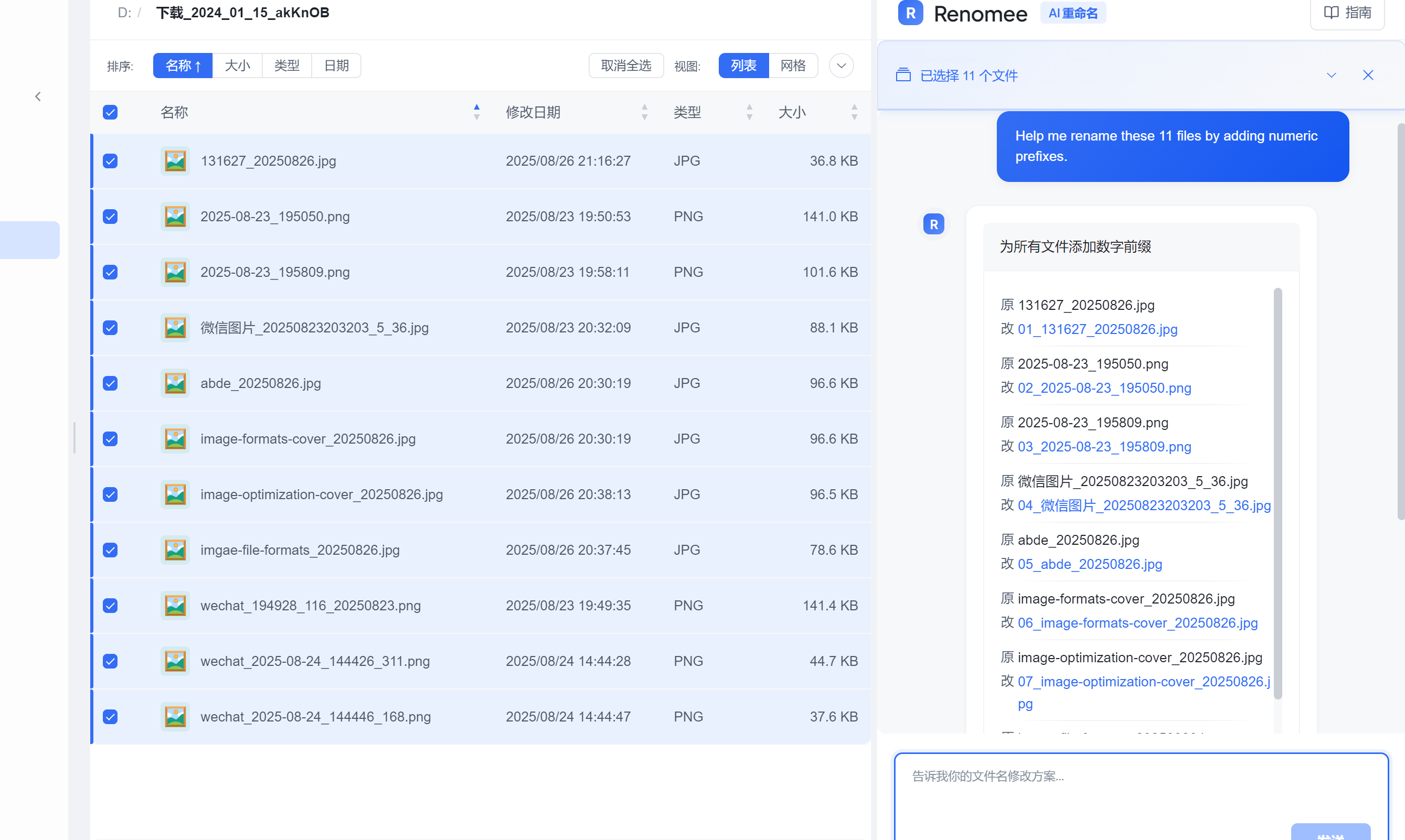
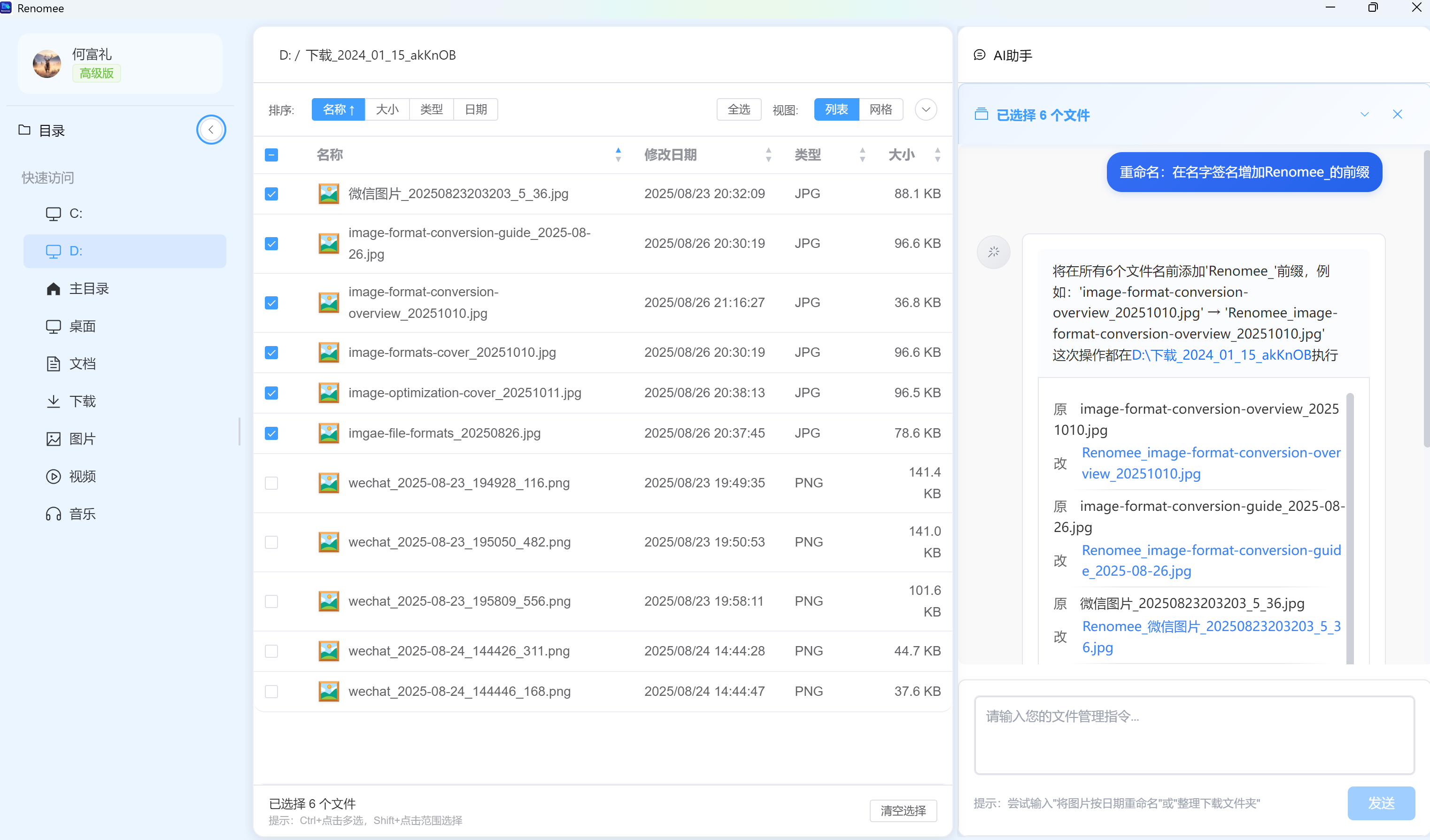
Renomee AI is an AI-powered file renaming tool for Windows and macOS. It understands the content of your files and automatically suggests meaningful filenames, so you can organize large collections of PDFs, images, audio files, and documents without renaming them one by one.
Features
AI-powered batch file renaming
Content-aware filename suggestions
PDF and image text recognition (OCR)
EXIF and file metadata analysis
Audio metadata support
Custom naming rules using natural language
Windows and macOS support
Batch processing for large numbers of files
Use Cases
Organizing downloaded files
Renaming large PDF collections
Sorting scanned documents and receipts
Organizing photos and screenshots
Cleaning up audio libraries
Preparing files for work, research, or archiving
Managing large folders without manual renaming

Comments


I built Renomee AI because I was tired of dealing with folders full of files with meaningless names like IMG_1234.jpg, document_final.pdf, or random download filenames. The idea was simple: instead of manually opening and renaming files one by one, let AI understand the content and suggest useful names automatically. Renomee can analyze PDFs, images, audio, and file metadata, then rename files in batches based on natural-language rules. I’d love to hear how you currently organize and rename large numbers of files, and what you think could make this workflow better.

Renaming from what’s inside a file, rather than from its old name, is the right approach for scanned PDFs and messy downloads folders. Does it show a preview of the proposed names before applying them to a large batch, so a wrong guess can be caught first? That would matter most when renaming hundreds of files at once.

Renomee AI looks like a useful tool for organizing files more efficiently. Automatically suggesting meaningful filenames based on file content can save time, especially when managing large numbers of PDFs, images, and documents. A great solution for improving productivity and keeping files organized!

Premium Products


















































Sponsors
Buy
Makers
Makers
Comments
I built Renomee AI because I was tired of dealing with folders full of files with meaningless names like IMG_1234.jpg, document_final.pdf, or random download filenames. The idea was simple: instead of manually opening and renaming files one by one, let AI understand the content and suggest useful names automatically. Renomee can analyze PDFs, images, audio, and file metadata, then rename files in batches based on natural-language rules. I’d love to hear how you currently organize and rename large numbers of files, and what you think could make this workflow better.
Renaming from what’s inside a file, rather than from its old name, is the right approach for scanned PDFs and messy downloads folders. Does it show a preview of the proposed names before applying them to a large batch, so a wrong guess can be caught first? That would matter most when renaming hundreds of files at once.
Renomee AI looks like a useful tool for organizing files more efficiently. Automatically suggesting meaningful filenames based on file content can save time, especially when managing large numbers of PDFs, images, and documents. A great solution for improving productivity and keeping files organized!
Premium Products
New to Fazier?

Find your next favorite product or submit your own. Made by @FalakDigital.
Copyright ©2026. All Rights Reserved