Launch
RemoveText
Visit
Example Image

RemoveText

Remove text from images with AI background reconstruction.

Visit

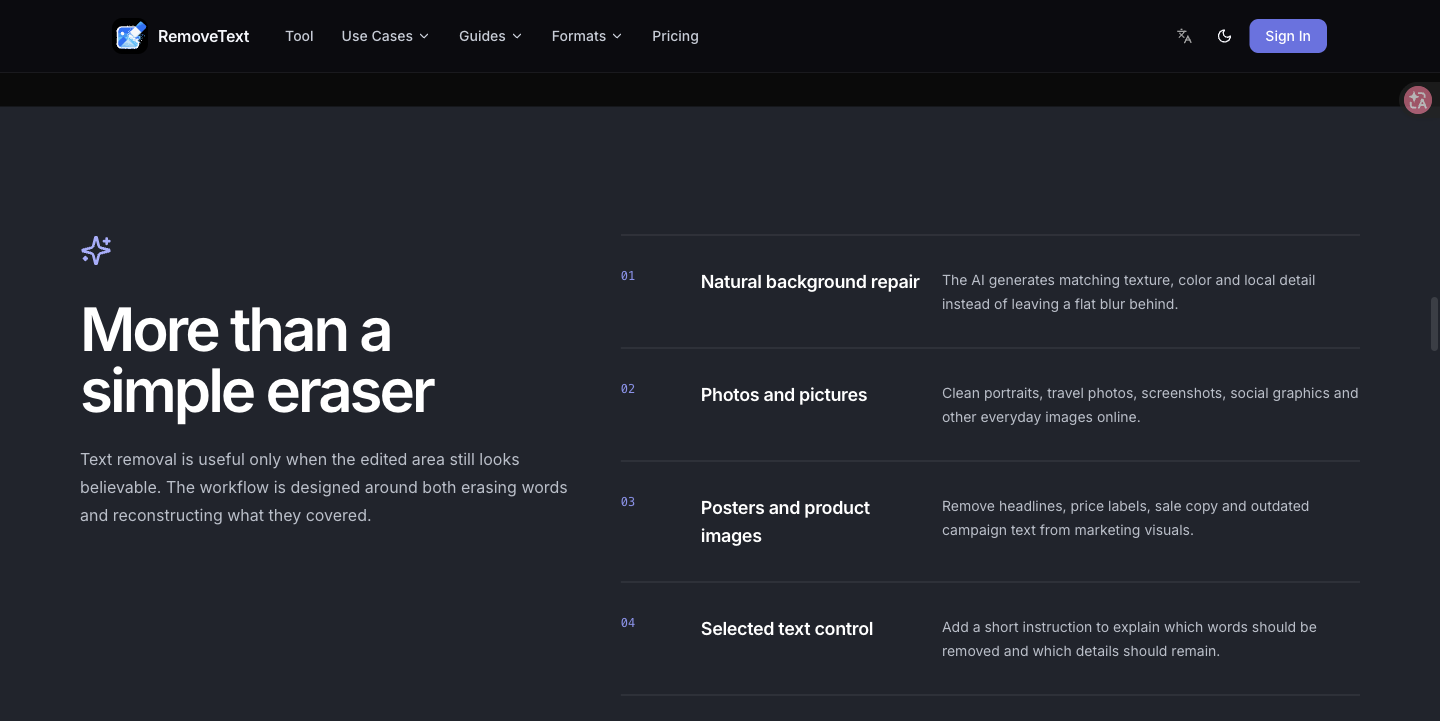
RemoveText removes unwanted text from images using AI background reconstruction. Upload JPG, PNG, or WebP images, select the text area, and process the image in your browser. It supports batches of up to 10 images and optional instructions to guide the edit.

Example Image
Example Image
Example Image
Example Image

Features

AI text removal and background reconstruction

JPG, PNG, and WebP support

Batch processing for up to 10 images

Optional editing instructions

Use Cases

Clean text overlays from images you own

Prepare product photos for updated designs

Remove unwanted captions from personal pictures

Comments

RemoveText helps clean unwanted words from images while rebuilding the background with AI. It supports JPG, PNG, WebP, batches of up to 10 images, and optional instructions for targeting particular text. Feedback on the workflow and results is welcome.

Interesting concept with a clean layout. It will be interesting to see how the user base scales over time.

great tool would definitely try

custom-img
Maker of Roadster AI Video

Batch of 10 plus optional instructions is the useful part for product photos that already have burned-in captions. Selecting the text area in-browser, rather than a full-image inpaint, should keep the rest of the shot untouched. How does reconstruction hold up on thin fonts over busy backgrounds, like a price sticker on a patterned surface, versus large overlay text on a flat wall?

These online text generators are such a game-changer for social media bios and captions! Utilizing Unicode character encoding to let stylized text travel across different platforms is a brilliant workaround for default font limitations. Great breakdown of how they work!https://textsgenerators.com/

Batches of up to 10 images with optional instructions makes this practical for catalog work, especially for removing old promo text from product photos before a redesign. Processing in the browser is a nice privacy detail too.

Batch of 10 plus optional instructions is a handy combo. How does it handle text sitting on a repeating pattern or a gradient, like a label on a striped shirt? That is usually the hardest case for background reconstruction. And when you say it runs in the browser, does the reconstruction itself happen on-device or on your server?

Removing burned-in text without smearing the background is harder than a simple inpaint. Reconstructing the original texture, especially on faces and repeating patterns, is the part that decides if this is usable. Does it handle curved text on bottles, or only flat captions on photos?

custom-img
Back-office software for in-home service...

The AI reconstruction does a good job of keeping the image clean, which saves time compared to manual editing. It’s especially helpful for cleaning up product images, social media graphics, and other visuals quickly.

How does this work if the text goes behind the image but in front of the background?

The Original / Fixed slider makes the result easy to understand at a glance. Since this asks people to upload personal photos, a short note beside the upload control explaining whether images are stored after processing would answer an important trust question before the first try.

The useful part for product photos is the batch of 10 plus optional instructions, so you can target a price sticker or caption instead of inpainting the whole frame. How well does the background rebuild hold up on thin type over a patterned surface versus large overlay text on a flat wall?

custom-img
Working on CanineCalc — free dog calcula...

The batch-of-10 processing with optional instructions is a smart differentiator — most inpainting tools make you do images one by one. Curious how the AI reconstruction handles text over complex textures like patterned backgrounds versus flat walls, since that's where simpler tools usually smear. Also nice that it runs in the browser, so no image leaves your device for sensitive edits.

RemoveText helps clean unwanted words from images while rebuilding the background with AI.

it remove the text fastly

Clean and practical utility. Image inpainting for text removal often struggles with complex textures or gradients in backgrounds — how does the model handle multi-layer backgrounds or subtle patterns? Best of luck with the launch!

Selecting only the text region, then reconstructing that patch, is the right scope for product photos that already have a caption burned in. I would test semi-transparent watermark text over a face: does the fill keep skin texture, or does it blur the cheek? And is a batch of 10 processed one after another in the browser, or in parallel?

custom-img
InviteBatch creates personalized invitat...

Running it in the browser is a nice touch for privacy. How does the reconstruction handle text sitting on a texture or pattern, like lettering on fabric or a printed card, versus a plain sky? Is that what the optional instructions field is for? A before/after for each case on the landing page would make the batch-of-10 limit an easy sell.

The point about “RemoveText removes unwanted text from images using AI background reconstruction” stood out because it gives readers something concrete to consider.

custom-img
SEO guy who builds things. Founder of Bo...

Does the cleaned image come back at the same resolution and format I uploaded, or is it compressed? For product photos that’s the deciding factor for me, since I’d be pushing these straight to a store listing.

custom-img
Free calculators for Etsy, eBay & Amazon...

The batch processing of up to 10 images with optional instructions is a strong combination for cleaning up product catalogs. I'm curious how the reconstruction holds up when the text sits on fine textures like fabric or gradients — does it blend seamlessly there? Also, is there an API planned for teams that need this at scale?

Batches of 10 plus optional instructions is really handy for product shots. When the text overlaps something detailed like a face, hands or fabric, does the reconstruction try to keep that texture, or is it best on flatter backgrounds? A before/after for that case would make the limits clear.

The AI background reconstruction is the standout feature here! Being able to remove unwanted text without manually rebuilding the background makes image cleanup much faster. Batch processing up to 10 images and custom editing instructions are practical additions, especially for designers and content creators who need clean visuals without spending hours in an editor. Great work! 👏

This looks super useful! 🙌 Removing unwanted text while naturally reconstructing the background can save so much time compared to manual editing. Love that it supports batch processing and lets users guide the results with custom instructions. Great tool for anyone working with images! 🚀

The AI background reconstruction is the standout feature here! Being able to remove unwanted text without manually rebuilding the background makes image cleanup much faster. Batch processing up to 10 images and custom editing instructions are practical additions, especially for designers and content creators who need clean visuals without spending hours in an editor. Great work! 👏

Poderia permitir um teste sem fazer a inscrição primeiro...

custom-img
Inflact helps brands and agencies run in...

Is the batch of 10 processed sequentially or in parallel, and is an API planned for teams that need this at volume?

custom-img
https://a2oliteneon.com

great tool would definitely try

custom-img
Indie Mac developer. Making TidyFrame, a...

Batches of up to 10 images with optional instructions makes this practical for catalog work, especially for removing old promo text from product photos before a redesign. Processing in the browser is a nice privacy detail too.

The in-browser area selection is a smart choice for privacy, since images never have to leave the machine. One thing I'd love to know: when you reconstruct the background behind a watermark across a gradient or photo texture, is there a way to re-run just that region with a different instruction instead of the whole batch?

Genuinely useful to see a community-first launcher. The thing that separates a good launch from a forgotten one is usually the follow-up after day one — do you give makers any tooling for that, or is it purely a discovery surface?

Really impressive tool! Removing text from images while preserving the original background is a very useful feature, especially for designers and content creators. The before-and-after examples clearly show the potential, and I like the focus on making the process simple and accessible. Great work by the team! Looking forward to seeing how the tool evolves.

custom-img
Tech entrepreneur, digital agency co-fou...

Good tool would definately try just think the pricing is abit high?

How does it handle text sitting on a textured background like knitwear or denim? That’s where most removers smear the weave. A slider to compare the reconstructed patch against the original would make it easy to trust for product shots.

Premium Products
View all
Example Image
Example Image
Awards
View all
Example Image
Example Image

Comments

RemoveText helps clean unwanted words from images while rebuilding the background with AI. It supports JPG, PNG, WebP, batches of up to 10 images, and optional instructions for targeting particular text. Feedback on the workflow and results is welcome.

Interesting concept with a clean layout. It will be interesting to see how the user base scales over time.

great tool would definitely try

custom-img
Maker of Roadster AI Video

Batch of 10 plus optional instructions is the useful part for product photos that already have burned-in captions. Selecting the text area in-browser, rather than a full-image inpaint, should keep the rest of the shot untouched. How does reconstruction hold up on thin fonts over busy backgrounds, like a price sticker on a patterned surface, versus large overlay text on a flat wall?

These online text generators are such a game-changer for social media bios and captions! Utilizing Unicode character encoding to let stylized text travel across different platforms is a brilliant workaround for default font limitations. Great breakdown of how they work!https://textsgenerators.com/

Batches of up to 10 images with optional instructions makes this practical for catalog work, especially for removing old promo text from product photos before a redesign. Processing in the browser is a nice privacy detail too.

Batch of 10 plus optional instructions is a handy combo. How does it handle text sitting on a repeating pattern or a gradient, like a label on a striped shirt? That is usually the hardest case for background reconstruction. And when you say it runs in the browser, does the reconstruction itself happen on-device or on your server?

Removing burned-in text without smearing the background is harder than a simple inpaint. Reconstructing the original texture, especially on faces and repeating patterns, is the part that decides if this is usable. Does it handle curved text on bottles, or only flat captions on photos?

custom-img
Back-office software for in-home service...

The AI reconstruction does a good job of keeping the image clean, which saves time compared to manual editing. It’s especially helpful for cleaning up product images, social media graphics, and other visuals quickly.

How does this work if the text goes behind the image but in front of the background?

The Original / Fixed slider makes the result easy to understand at a glance. Since this asks people to upload personal photos, a short note beside the upload control explaining whether images are stored after processing would answer an important trust question before the first try.

The useful part for product photos is the batch of 10 plus optional instructions, so you can target a price sticker or caption instead of inpainting the whole frame. How well does the background rebuild hold up on thin type over a patterned surface versus large overlay text on a flat wall?

custom-img
Working on CanineCalc — free dog calcula...

The batch-of-10 processing with optional instructions is a smart differentiator — most inpainting tools make you do images one by one. Curious how the AI reconstruction handles text over complex textures like patterned backgrounds versus flat walls, since that's where simpler tools usually smear. Also nice that it runs in the browser, so no image leaves your device for sensitive edits.

RemoveText helps clean unwanted words from images while rebuilding the background with AI.

it remove the text fastly

Clean and practical utility. Image inpainting for text removal often struggles with complex textures or gradients in backgrounds — how does the model handle multi-layer backgrounds or subtle patterns? Best of luck with the launch!

Selecting only the text region, then reconstructing that patch, is the right scope for product photos that already have a caption burned in. I would test semi-transparent watermark text over a face: does the fill keep skin texture, or does it blur the cheek? And is a batch of 10 processed one after another in the browser, or in parallel?
custom-img
InviteBatch creates personalized invitat...

Running it in the browser is a nice touch for privacy. How does the reconstruction handle text sitting on a texture or pattern, like lettering on fabric or a printed card, versus a plain sky? Is that what the optional instructions field is for? A before/after for each case on the landing page would make the batch-of-10 limit an easy sell.

The point about “RemoveText removes unwanted text from images using AI background reconstruction” stood out because it gives readers something concrete to consider.

custom-img
SEO guy who builds things. Founder of Bo...

Does the cleaned image come back at the same resolution and format I uploaded, or is it compressed? For product photos that’s the deciding factor for me, since I’d be pushing these straight to a store listing.

custom-img
Free calculators for Etsy, eBay & Amazon...

The batch processing of up to 10 images with optional instructions is a strong combination for cleaning up product catalogs. I'm curious how the reconstruction holds up when the text sits on fine textures like fabric or gradients — does it blend seamlessly there? Also, is there an API planned for teams that need this at scale?


Batches of 10 plus optional instructions is really handy for product shots. When the text overlaps something detailed like a face, hands or fabric, does the reconstruction try to keep that texture, or is it best on flatter backgrounds? A before/after for that case would make the limits clear.

The AI background reconstruction is the standout feature here! Being able to remove unwanted text without manually rebuilding the background makes image cleanup much faster. Batch processing up to 10 images and custom editing instructions are practical additions, especially for designers and content creators who need clean visuals without spending hours in an editor. Great work! 👏

This looks super useful! 🙌 Removing unwanted text while naturally reconstructing the background can save so much time compared to manual editing. Love that it supports batch processing and lets users guide the results with custom instructions. Great tool for anyone working with images! 🚀

The AI background reconstruction is the standout feature here! Being able to remove unwanted text without manually rebuilding the background makes image cleanup much faster. Batch processing up to 10 images and custom editing instructions are practical additions, especially for designers and content creators who need clean visuals without spending hours in an editor. Great work! 👏


Poderia permitir um teste sem fazer a inscrição primeiro...

custom-img
Inflact helps brands and agencies run in...

Is the batch of 10 processed sequentially or in parallel, and is an API planned for teams that need this at volume?

custom-img
https://a2oliteneon.com

great tool would definitely try

custom-img
Indie Mac developer. Making TidyFrame, a...

Batches of up to 10 images with optional instructions makes this practical for catalog work, especially for removing old promo text from product photos before a redesign. Processing in the browser is a nice privacy detail too.

The in-browser area selection is a smart choice for privacy, since images never have to leave the machine. One thing I'd love to know: when you reconstruct the background behind a watermark across a gradient or photo texture, is there a way to re-run just that region with a different instruction instead of the whole batch?

Genuinely useful to see a community-first launcher. The thing that separates a good launch from a forgotten one is usually the follow-up after day one — do you give makers any tooling for that, or is it purely a discovery surface?

Really impressive tool! Removing text from images while preserving the original background is a very useful feature, especially for designers and content creators. The before-and-after examples clearly show the potential, and I like the focus on making the process simple and accessible. Great work by the team! Looking forward to seeing how the tool evolves.

custom-img
Tech entrepreneur, digital agency co-fou...

Good tool would definately try just think the pricing is abit high?

How does it handle text sitting on a textured background like knitwear or denim? That’s where most removers smear the weave. A slider to compare the reconstructed patch against the original would make it easy to trust for product shots.

Premium Products