Qenot
The all-in-one study space for your entire learning journey
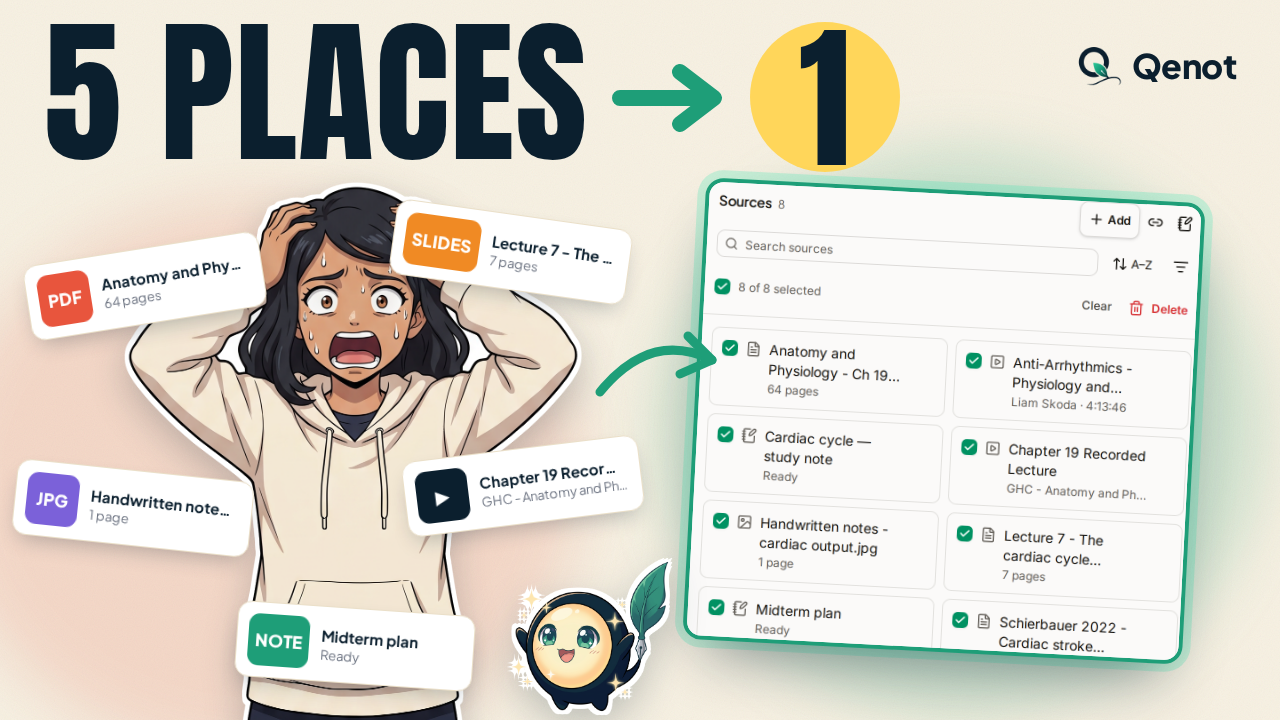
Most students keep a single class scattered across five places - slides in the camera roll, textbook PDFs on the laptop, handwritten notes on a tablet, and recorded lectures in open browser tabs. When exam week arrives, hours are lost just organizing and switching between the mess, and by test day, half of it is forgotten.
We built Qenot to turn fragmented study materials into a unified, active learning loop:
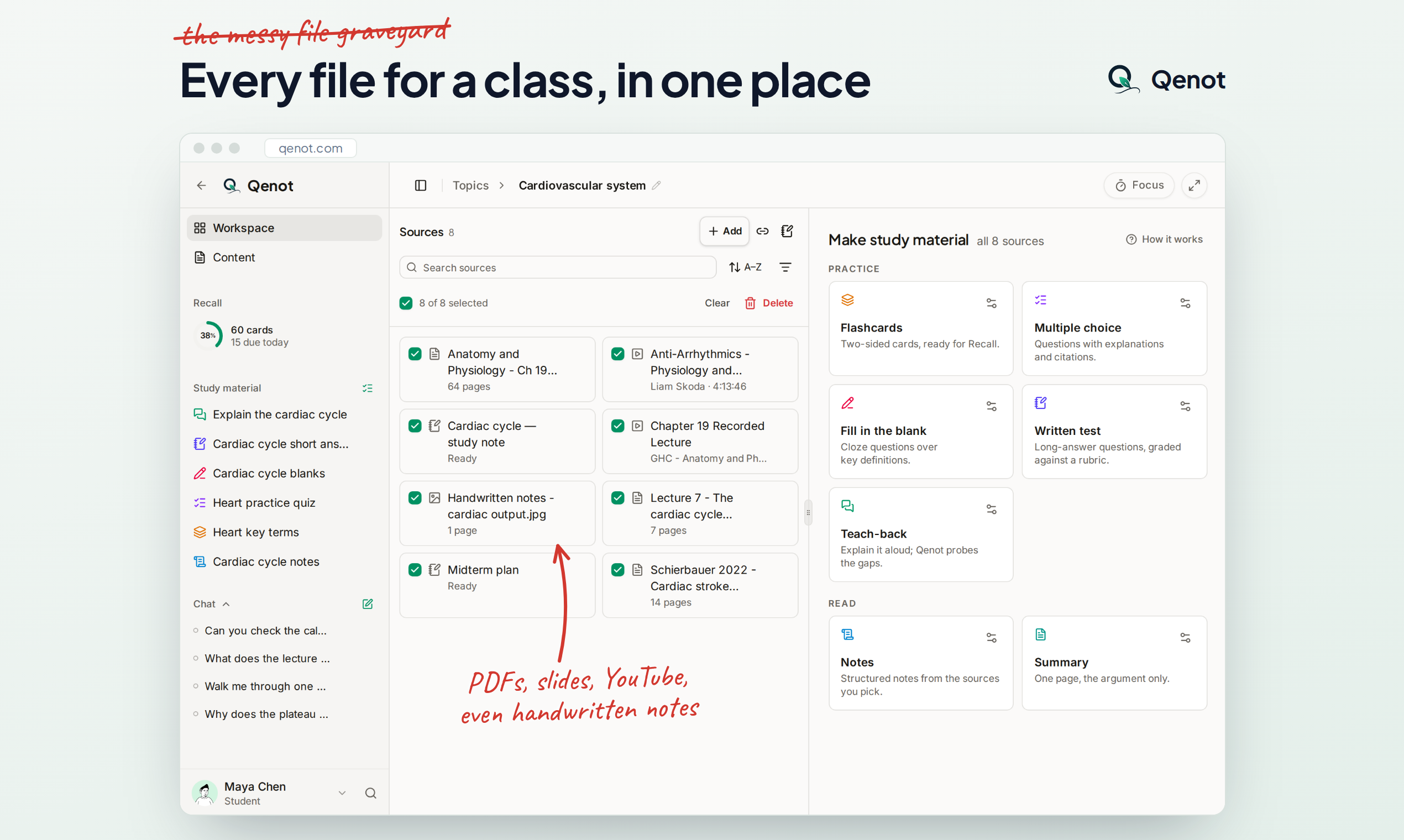
• The Messy File Graveyard ➔ Instant Course: Drag & drop slides, PDFs, and whiteboard photos. Qenot reads them all and makes the topic for you, and your topics group into courses.
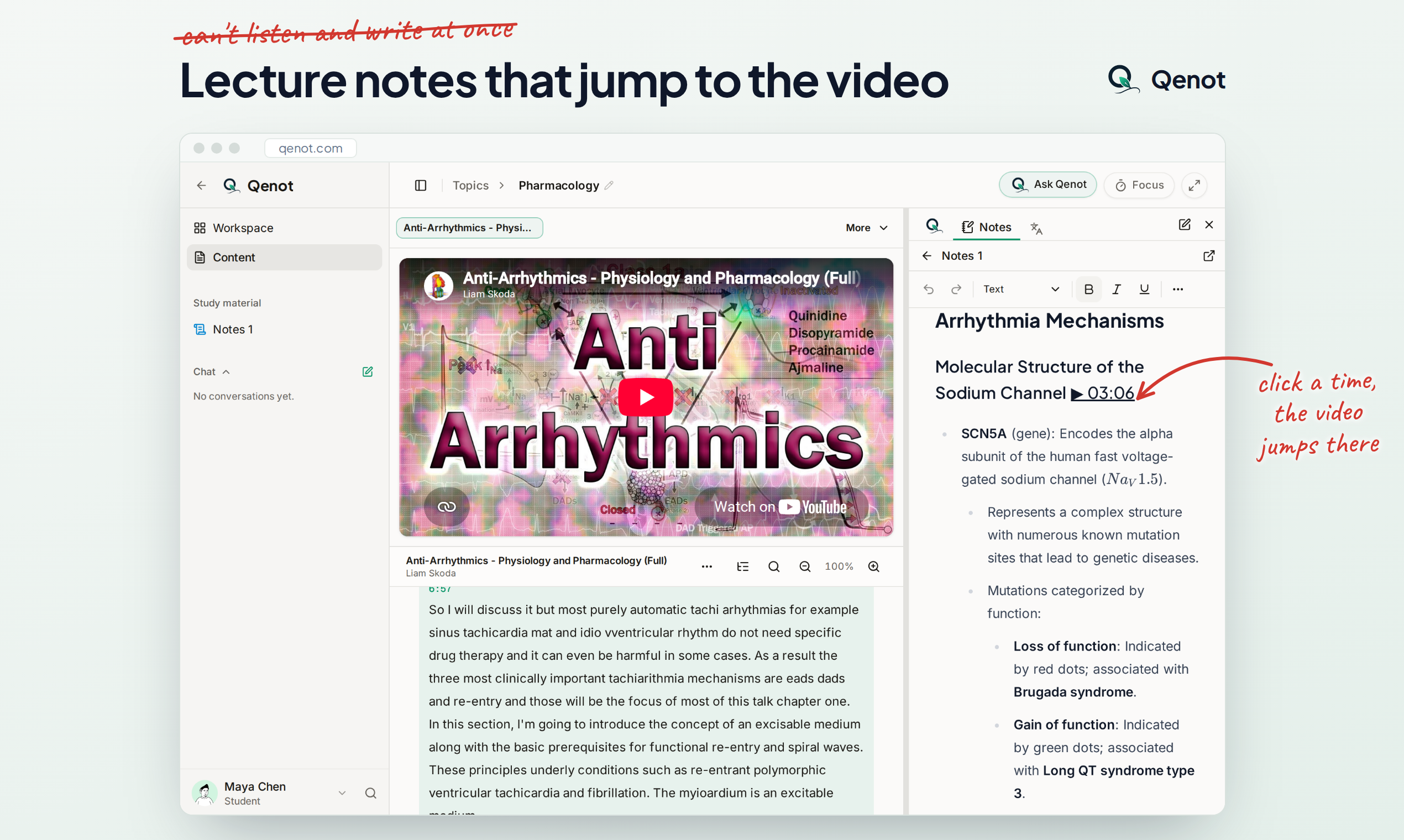
• The "Can't Listen & Write at Once" Trap ➔ Interactive Lecture Notes: Paste any YouTube lecture link (up to 12 hours). Qenot generates clean, structured notes with clickable timestamps that jump the video straight to that exact explanation.
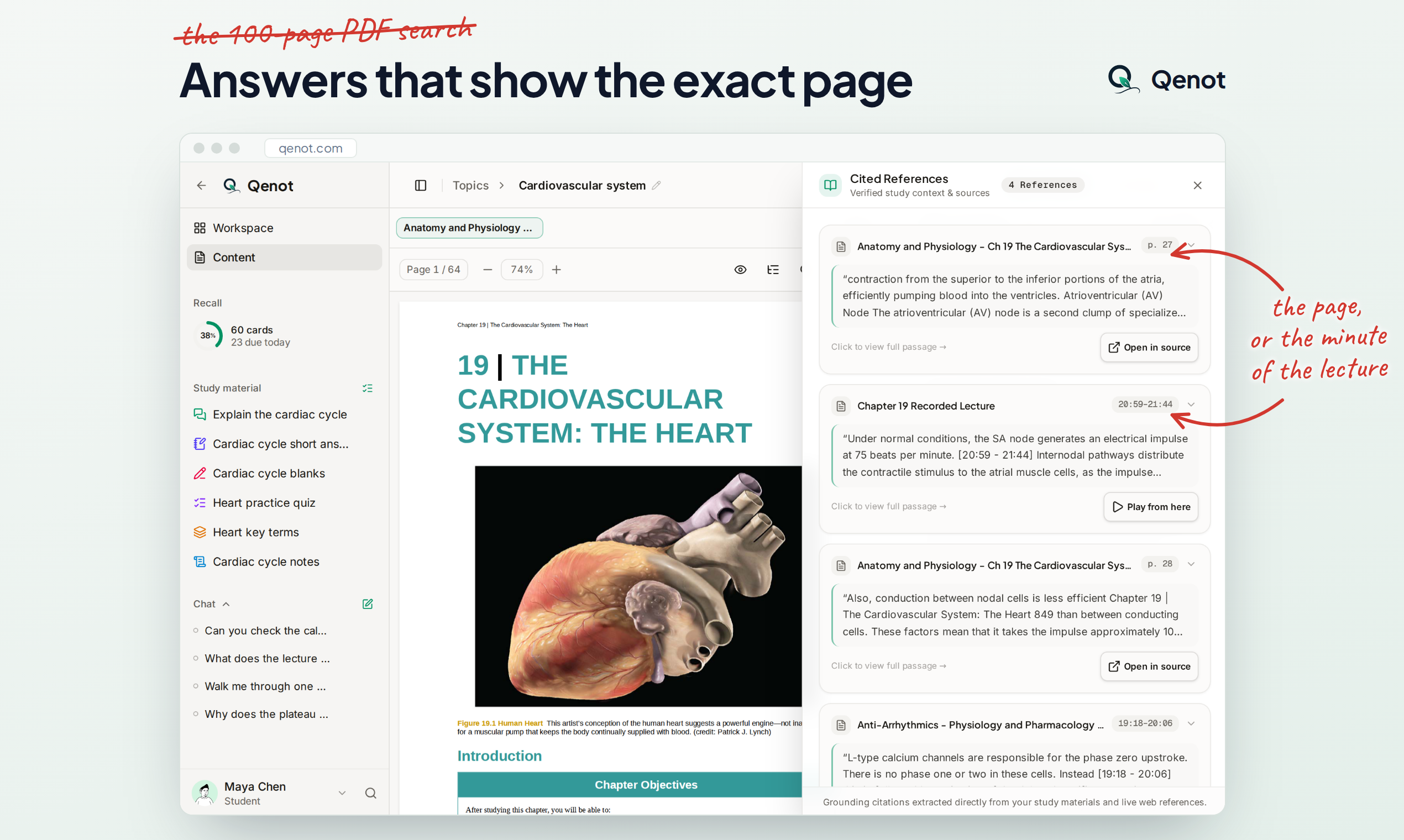
• The 100-Page PDF Search ➔ Ask with Exact Page Citations: Ask any complex question about your curriculum. Instead of generic AI hallucinations, Qenot answers directly from your documents with cited sources that open the PDF to the exact page, the passage highlighted.
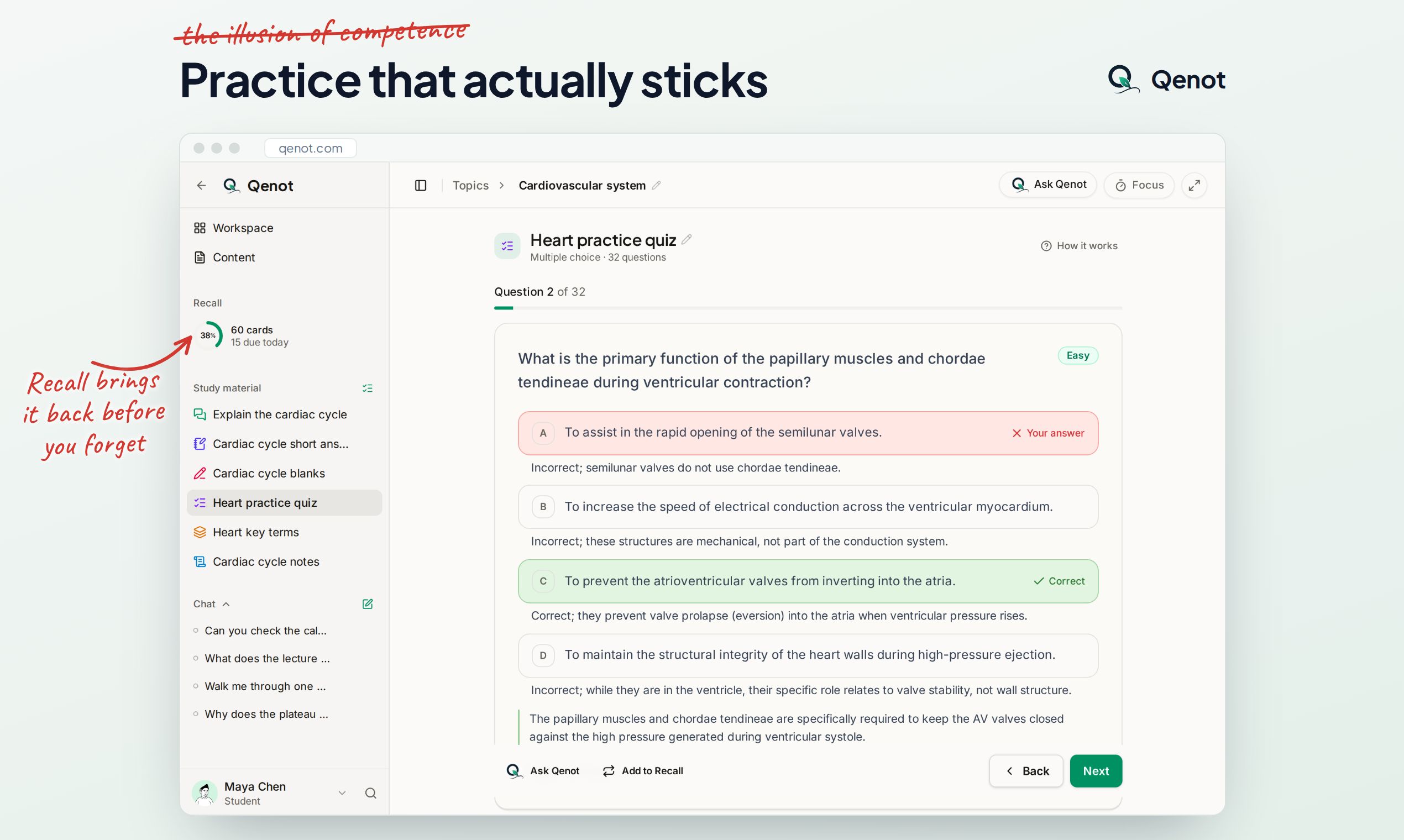
• The Illusion of Competence ➔ Flashcards, Quizzes, Teach-back & Spaced Recall Queues: Qenot automatically synthesizes practice quizzes and flashcards, then uses spaced repetition to resurface concepts right before you're about to forget them.
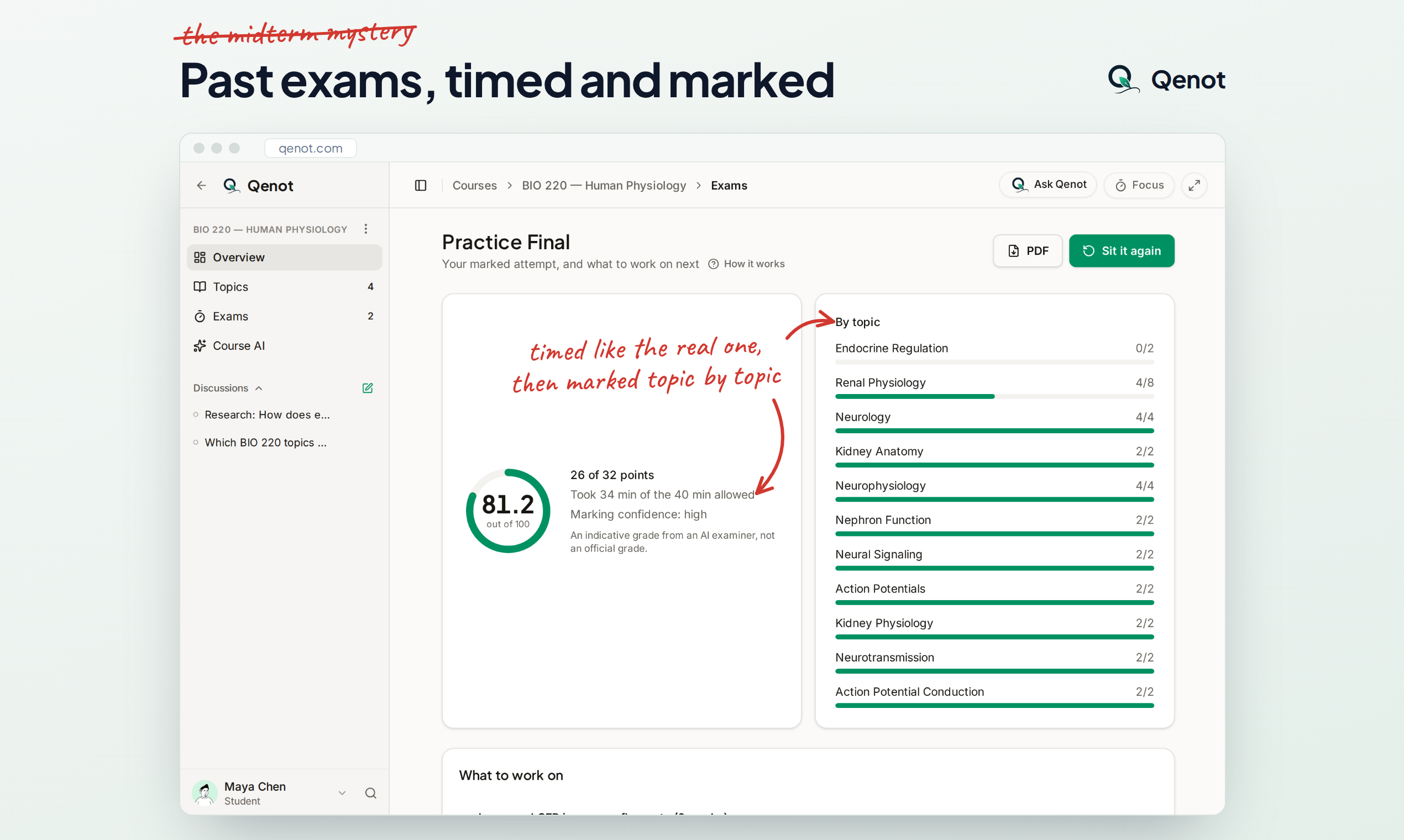
• The Midterm Mystery ➔ Timed Past Exams & Rubric Marking: Upload your past exam papers and sit them under real exam timer conditions. Submit to get every answer scored against the marking rubric with model answers and specific gap analysis (study guidance, not an official grade).
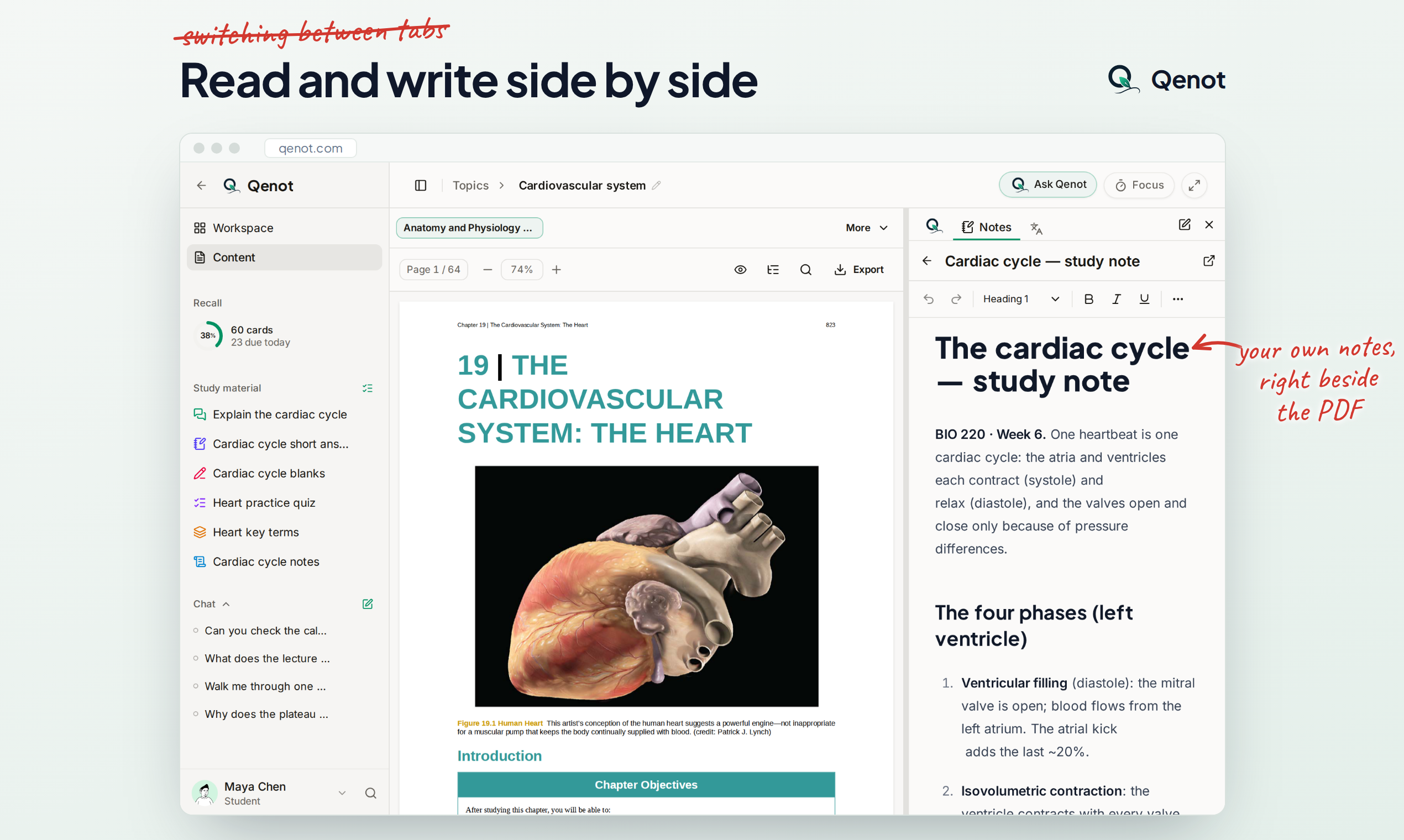
• The Active Workspace ➔ Read, Write & Brainstorm: The PDF or lecture on one side; your own notes, Ask and Translate on the other; and a focus timer when it's time to work.
Features
• Instant Course Builder: Drag and drop slides, lecture PDFs, and whiteboard photos. Qenot organizes them
into a clean course and topic hierarchy automatically.
• Interactive Lecture Notes (12h Max): Paste YouTube lecture recordings or video links to generate
structured notes with clickable timestamps that jump playback straight to that explanation.
• Ask with Exact Page Citations: Ask complex questions about your documents and get answers grounded
strictly in your files, with clickable badges that open the source PDF to the exact page and paragraph.
• Auto Practice & Spaced Recall: Automatically generate flashcards, quizzes, and teach-back prompts,
resurfacing cards with spaced repetition right before you forget them.
• Timed Past Exams & Rubric Marking: Sit past papers under real exam timer conditions and get every answer
marked against official rubrics with model answers and diagnostic feedback.
• Unified Active Workspace: Split-screen canvas with your source material on the left and your notes, AI
questions, translation, and built-in Pomodoro focus timer on the right.
Use Cases
1. Midterm & Finals Exam Preparation: Students upload past university exam papers and take them under realistic timed exam conditions to get automated rubric scoring, model answers, and a breakdown of weak spots before test day.
2. Taming Long Video Lectures: College students and self-learners paste 2- to 12-hour YouTube lectures to get concise, structured notes linked to exact video timestamps, eliminating hours of manual scrubbing.
3. Navigating Heavy Textbooks & Slide Decks: Pre-med, law, and engineering students query dense 100+ page PDFs and slide decks with verifiable page citations, completely avoiding generic AI hallucinations.
4. Long-Term Knowledge Retention: Learners studying for certification or cumulative final exams use auto-generated flashcards and active recall queues to keep concepts fresh over weeks and months.
5. Distraction-Free Reading & Note-taking: Students replace multiple open tabs (Notion, ChatGPT, PDF readers, timer ith one unified split-screen workspace where notes and sources stay connected.

Comments


Hi Faziers! I'm Munsif, a solo founder from Sri Lanka, and this is Qenot (say it KEE-not). Most students keep a single class scattered across five places - slides in the camera roll, textbook PDFs on the laptop, handwritten notes on a tablet, and recorded lectures in open browser tabs. When exam week arrives, hours are lost just organizing and switching between the mess, and by test day, half of it is forgotten. I built Qenot to turn fragmented study materials into a unified, active learning loop: • The Messy File Graveyard ➔ Instant Course: Drag & drop slides, PDFs, and whiteboard photos. Qenot reads them all and makes the topic for you, and your topics group into courses. • The "Can't Listen & Write at Once" Trap ➔ Interactive Lecture Notes: Paste any YouTube lecture link (up to 12 hours). Qenot generates clean, structured notes with clickable timestamps that jump the video straight to that exact explanation. • The 100-Page PDF Search ➔ Ask with Exact Page Citations: Ask any complex question about your curriculum. Instead of generic AI hallucinations, Qenot answers directly from your documents with cited sources that open the PDF to the exact page, the passage highlighted. • The Illusion of Competence ➔ Flashcards, Quizzes, Teach-back & Spaced Recall Queues: Qenot automatically synthesizes practice quizzes and flashcards, then uses spaced repetition to resurface concepts right before you're about to forget them. • The Midterm Mystery ➔ Timed Past Exams & Rubric Marking: Upload your past exam papers and sit them under real exam timer conditions. Submit to get every answer scored against the marking rubric with model answers and specific gap analysis (study guidance, not an official grade). • The Active Workspace ➔ Read, Write & Brainstorm: The PDF or lecture on one side; your own notes, Ask and Translate on the other; and a focus timer when it's time to work. I would love your honest feedback, especially on anything that felt confusing, slow, or could make your study or exploration workflow smoother. I'll be here in the comments all day to answer every question!
Premium Products


















































Sponsors
Buy
Makers
Makers
Comments
Hi Faziers! I'm Munsif, a solo founder from Sri Lanka, and this is Qenot (say it KEE-not). Most students keep a single class scattered across five places - slides in the camera roll, textbook PDFs on the laptop, handwritten notes on a tablet, and recorded lectures in open browser tabs. When exam week arrives, hours are lost just organizing and switching between the mess, and by test day, half of it is forgotten. I built Qenot to turn fragmented study materials into a unified, active learning loop: • The Messy File Graveyard ➔ Instant Course: Drag & drop slides, PDFs, and whiteboard photos. Qenot reads them all and makes the topic for you, and your topics group into courses. • The "Can't Listen & Write at Once" Trap ➔ Interactive Lecture Notes: Paste any YouTube lecture link (up to 12 hours). Qenot generates clean, structured notes with clickable timestamps that jump the video straight to that exact explanation. • The 100-Page PDF Search ➔ Ask with Exact Page Citations: Ask any complex question about your curriculum. Instead of generic AI hallucinations, Qenot answers directly from your documents with cited sources that open the PDF to the exact page, the passage highlighted. • The Illusion of Competence ➔ Flashcards, Quizzes, Teach-back & Spaced Recall Queues: Qenot automatically synthesizes practice quizzes and flashcards, then uses spaced repetition to resurface concepts right before you're about to forget them. • The Midterm Mystery ➔ Timed Past Exams & Rubric Marking: Upload your past exam papers and sit them under real exam timer conditions. Submit to get every answer scored against the marking rubric with model answers and specific gap analysis (study guidance, not an official grade). • The Active Workspace ➔ Read, Write & Brainstorm: The PDF or lecture on one side; your own notes, Ask and Translate on the other; and a focus timer when it's time to work. I would love your honest feedback, especially on anything that felt confusing, slow, or could make your study or exploration workflow smoother. I'll be here in the comments all day to answer every question!
Premium Products
New to Fazier?

Find your next favorite product or submit your own. Made by @FalakDigital.
Copyright ©2026. All Rights Reserved