
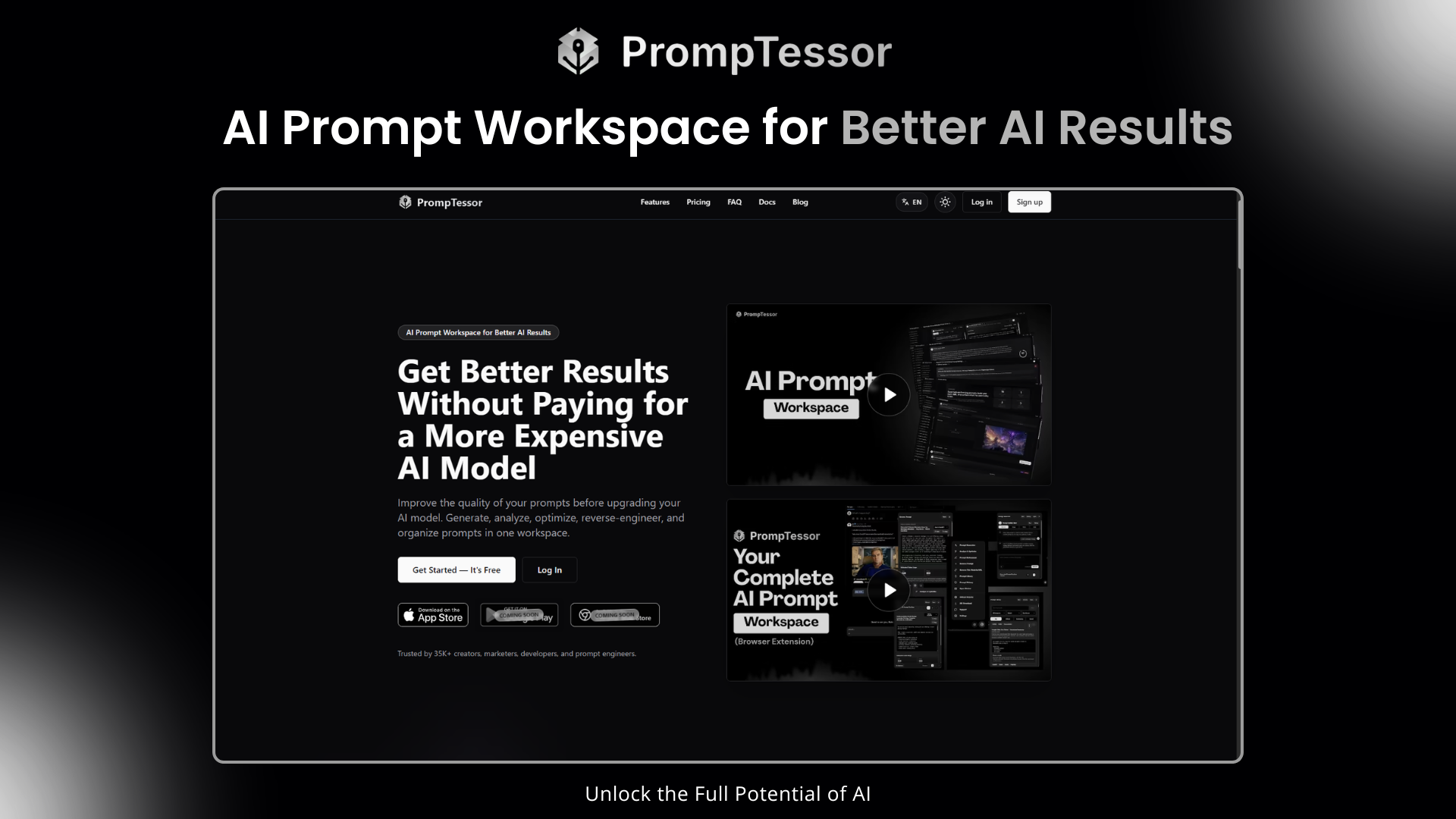
PrompTessor is an AI prompt workspace for generating, analyzing, optimizing, refining, and manage prompts. Turn ideas into structured prompts, evaluate quality with clear metrics and estimated token usage, improve existing prompts, and create prompt patterns from images, videos, text, or URLs with Reverse Prompt. Organize your best prompts in Prompt Library and use them with ChatGPT, Claude, Gemini, image and video generators, coding assistants, and other AI tools.
Features
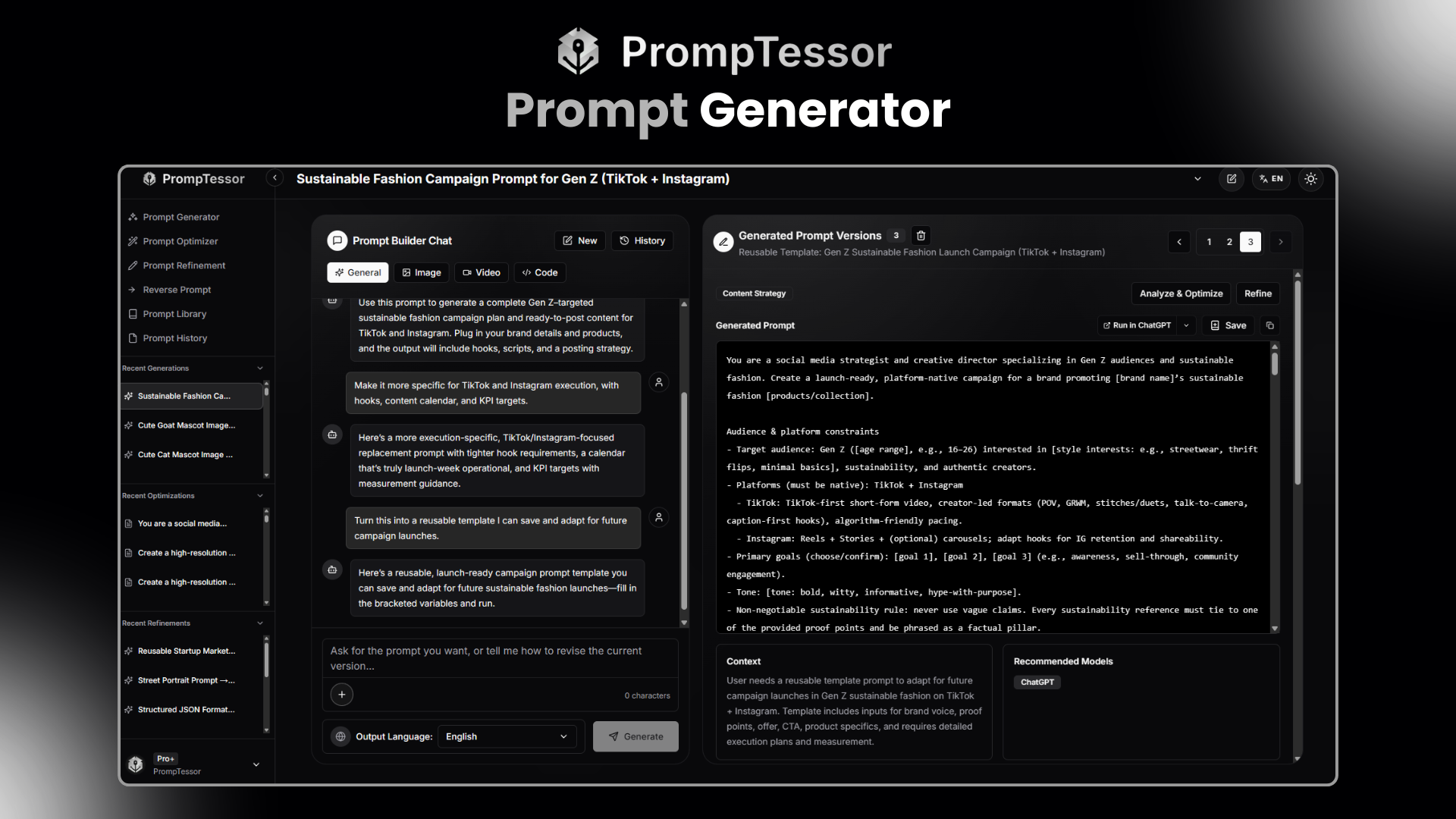
- Prompt Generator
Turn ideas, goals, tasks, briefs, visual references, and output requirements into structured, ready-to-use prompts.
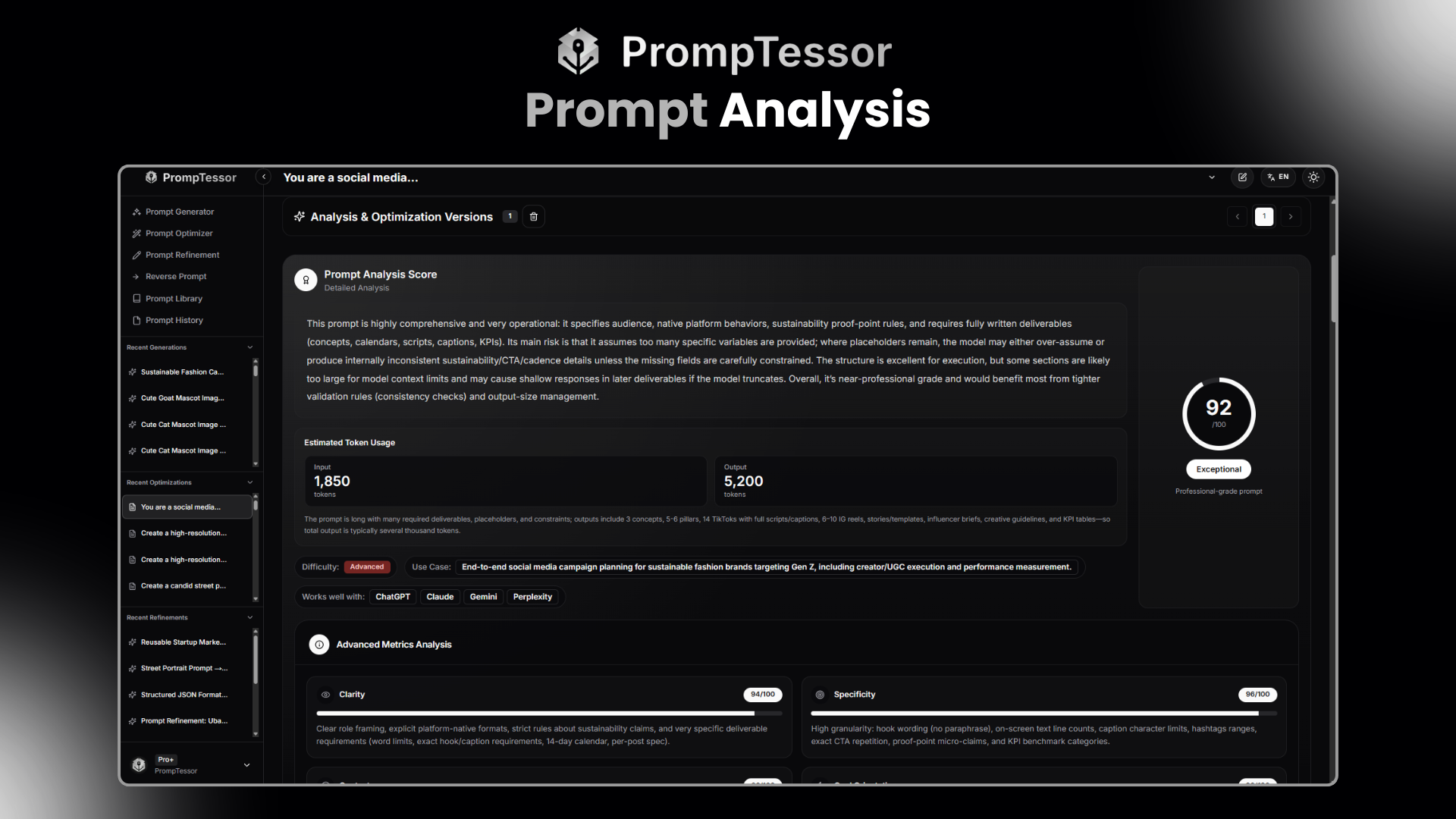
- Prompt Analysis
Evaluate prompts using an overall score, strengths, weaknesses, difficulty, suggested use cases, compatible AI models, estimated input and output token usage, and six quality metrics: clarity, specificity, context, goal orientation, structure, and constraints.
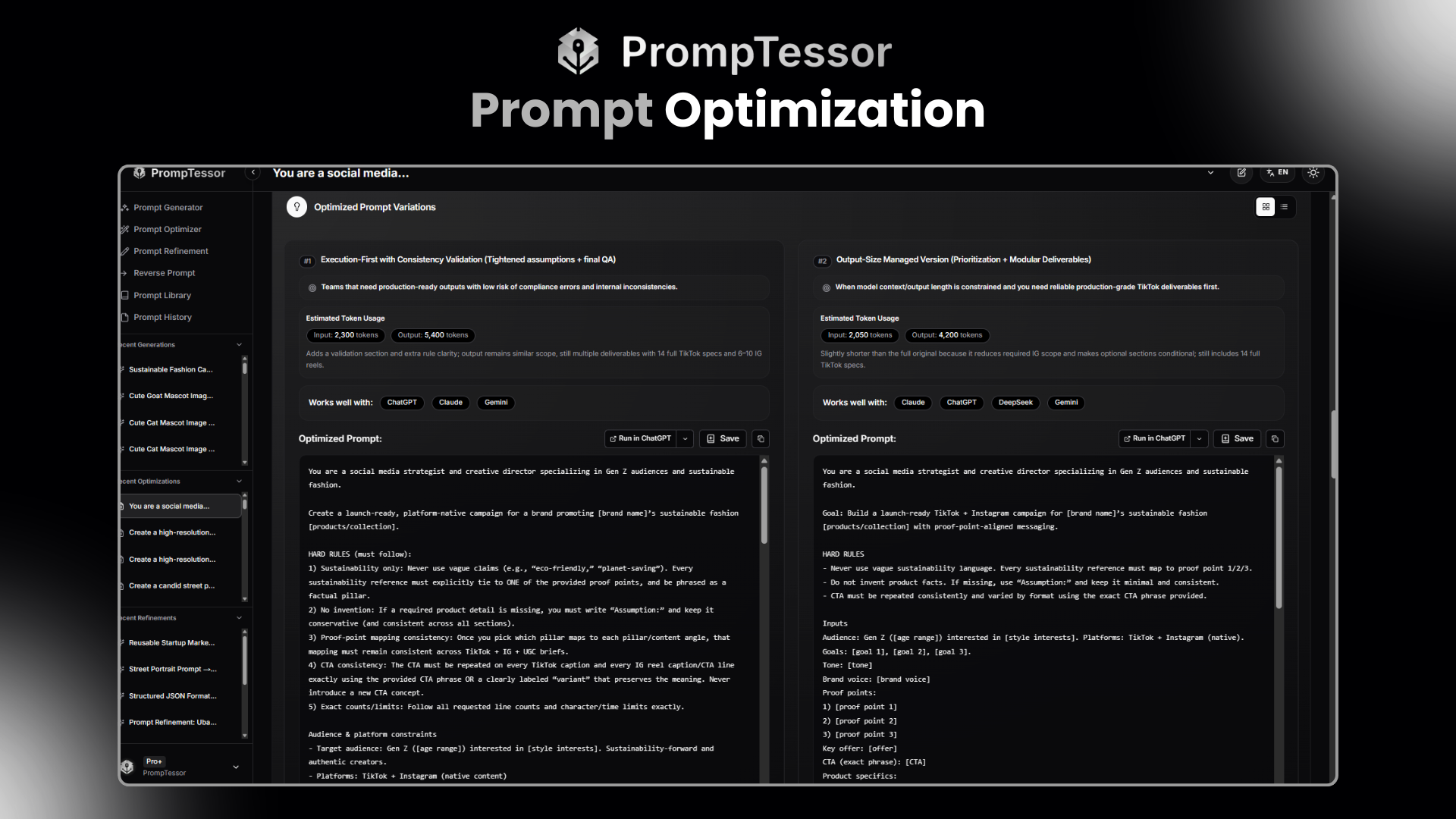
- Prompt Optimizer
Improve existing prompts with clearer instructions, stronger context, better structure, useful constraints, and more reliable output requirements.
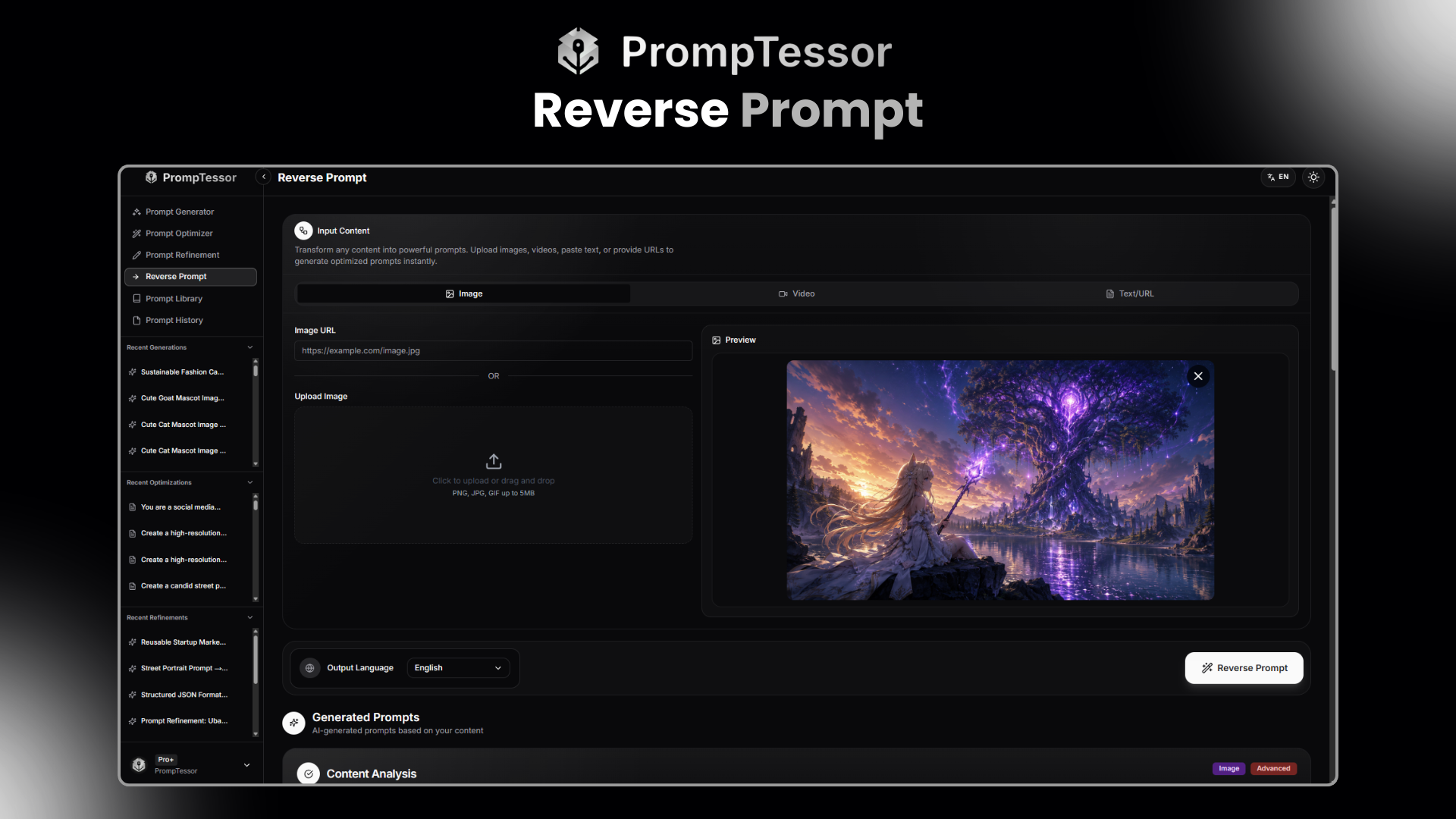
- Reverse Prompt
Convert images, videos, text, and accessible URLs into reusable prompts by extracting their structure, style, intent, format, composition, movement, and other repeatable attributes
.
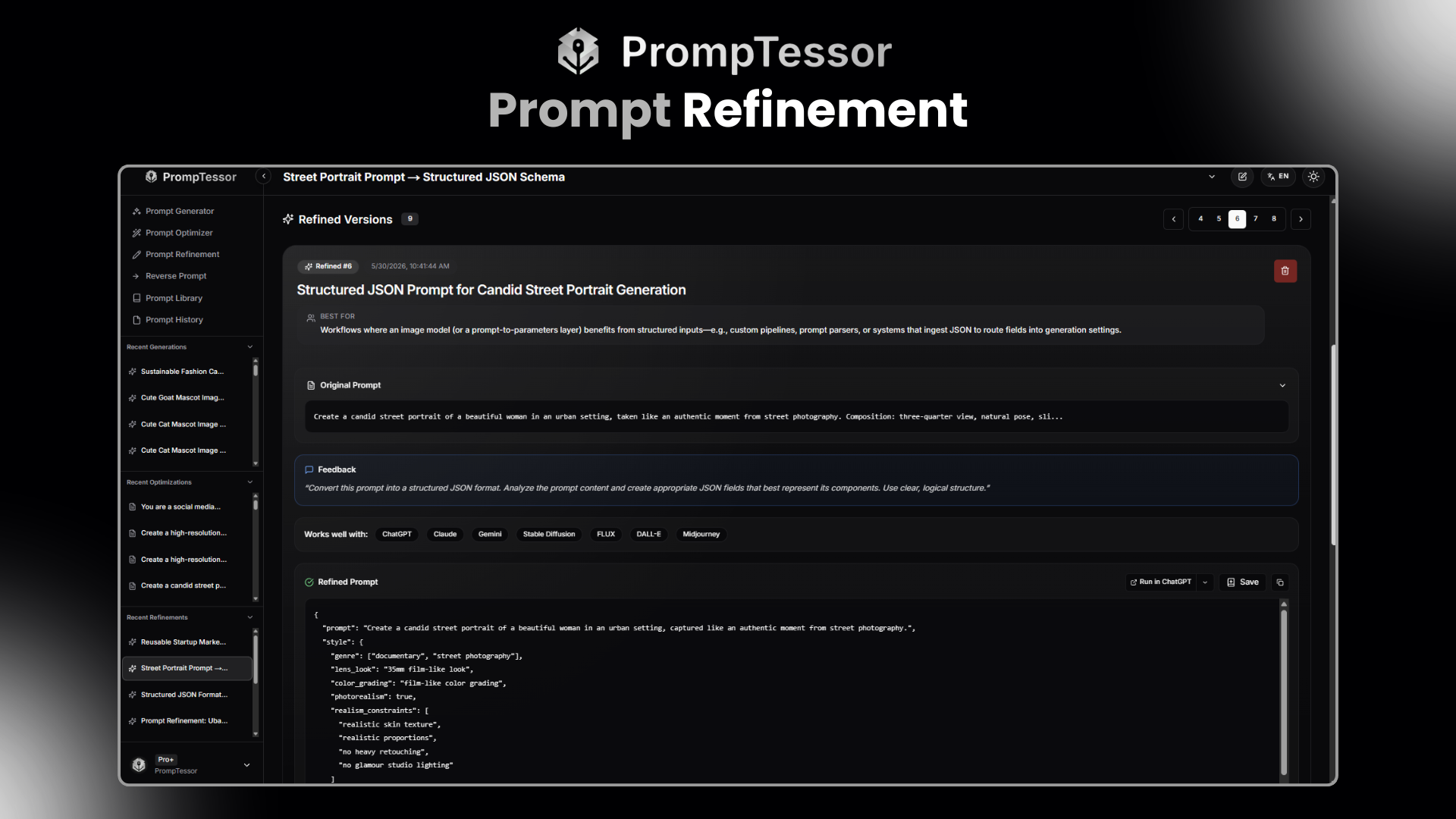
- Prompt Refinement
Revise existing prompts using specific feedback, such as changing the tone, format, length, detail level, audience, target model, or output direction.
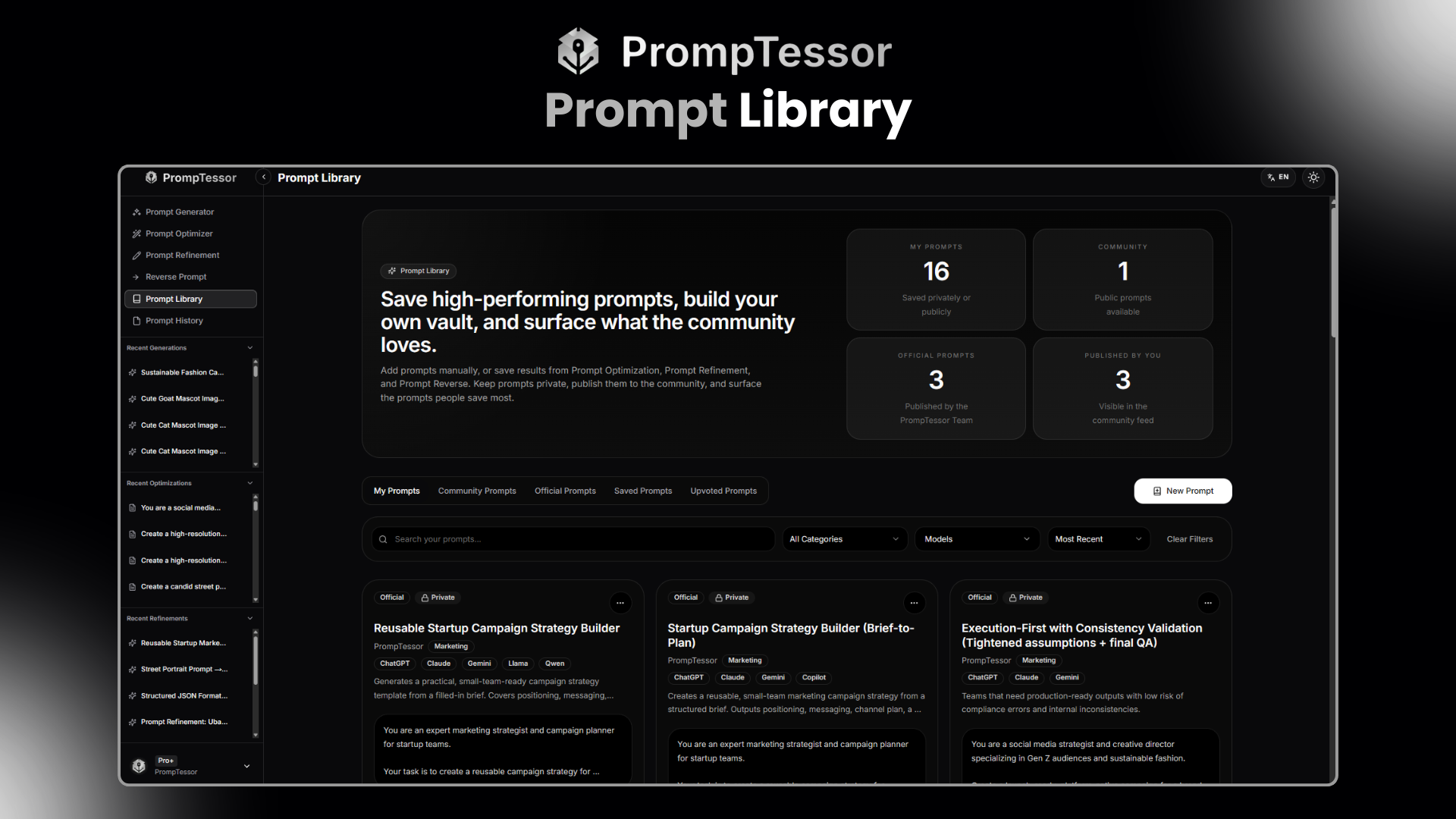
- Prompt Library
Save, organize, discover, share, and reuse prompts through private, community, and official collections with categories, model guidance, usage notes, examples, and visibility controls.
- Prompt History and Versions
Review and manage generated, analyzed, optimized, and refined prompt versions without losing earlier iterations.
- Model-Agnostic Workflows
Create prompts for ChatGPT, Claude, Gemini, image and video generators, coding assistants, writing tools, and other AI systems.
Use Cases
- Creators and Designers
Generate visual prompts or reverse-engineer image and video references into reusable creative directions covering composition, lighting, camera behavior, movement, pacing, and style.
- Marketers and Copywriters
Create and improve prompts for campaigns, advertisements, landing pages, calls to action, content calendars, social media, and audience research.
- Product and Business Teams
Build reusable prompts for product briefs, customer research, documentation, reports, meeting summaries, internal workflows, and AI assistants.
- Developers and Technical Teams
Improve prompts for coding assistants, debugging, architecture reviews, documentation, testing strategies, and implementation planning.
- AI Researchers and Prompt Engineers
Evaluate prompt quality, compare versions, inspect metrics and estimated token usage, test constraints, and develop reusable prompt patterns across different models.
- Educators and Students
Study prompt structure, analyze examples, understand effective prompting patterns, and create clearer instructions for learning and research.

Comments


I built PrompTessor after after repeatedly seeing great AI tools produce disappointing results because the prompts were unclear or incomplete. What started as a prompt optimizer has grown into a complete workspace for generating, analyzing, refining, reverse-engineering, saving, and reusing prompts across text, image, and video AI models. PrompTessor is designed to help anyone turn a rough idea into a structured, ready-to-use prompt without needing to become a prompt engineering expert. I would love to hear how you use AI prompts today, what slows you down, and what you would like us to improve next. Your feedback will directly help shape PrompTessor.




The combination of prompt evaluation, token estimates, and a reusable library sounds useful for teams that want repeatable output instead of one-off prompt tinkering. The cross-model workflow is especially interesting—can users compare the same prompt across models while keeping the evaluation criteria consistent?

"Get better results without paying for a more expensive model" is a sharper pitch than most prompt tools manage — it names a cost, not a feature. The Reverse Prompt idea is the interesting part to me: deriving a prompt pattern from an existing image or video output is genuinely useful for anyone doing image-to-video work, where the gap between what you asked for and what you got is the whole job. Question: when you estimate token usage, is that per-model, or a single estimate? The same prompt costs very differently on Claude vs. GPT vs. Gemini and that's usually the number people actually want.

오피스타는 업소를 대신 골라 주는 곳이 아니라 이용자가 비교 기준을 직접 적용하는 목록 공간입니다 https://opstar.nicepage.io/




Most conversations about WordPress protection focus almost entirely on the backup itself, how often it runs, where it is stored, and how much data it covers. Restoration, however, tends to get far less attention, even though it is the part that actually matters most the moment something goes wrong. A backup that exists but cannot be restored quickly and reliably offers far less real protection than most people assume. Speed during a restore directly affects how much damage an outage actually causes. A website that can be brought back online within minutes experiences a small dip in traffic and a manageable interruption. The same outage stretched across several hours, because the restore process is slow, confusing, or requires technical support, can mean lost sales, frustrated visitors, and a noticeable drop in search engine rankings if the downtime is long enough to be noticed by crawlers. Complexity is another hidden cost. Some backup tools create a copy of your site but leave the actual restoration process manual, requiring you to upload files through an FTP client, import a database separately, and hope everything lines up correctly. Under the stress of an active outage, this kind of process is far more error-prone than it would be during a calm test run. This is why choosing a proper wordpress backup and restore plugin https://backupwp.com/wordpress-backup-restore/ matters just as much as choosing how often your site gets backed up in the first place. A tool built around fast, one-click recovery turns what could be a stressful, hours-long ordeal into a short, controlled process you can complete confidently even under pressure. When evaluating any backup solution, treat the restore experience as equally important as the backup schedule itself, since one without the other leaves a critical gap in your protection. A backup you cannot restore quickly is, in practical terms, barely better than having no backup at all when it actually counts. The real test of any backup system is not how it looks on paper, but how it performs during an actual, unplanned emergency.


Reverse Prompt is the bit I'd actually use. Copying the "vibe" of an image you liked is way harder than writing a prompt from scratch. One thing I'm curious about: when you score a prompt 8/10, is that from reading the prompt text, or do you actually run it and check the output? Big difference in how much I'd trust the number.
Premium Products


































Sponsors
Buy

Awards
View all
Awards
View allMakers
Makers
Comments
I built PrompTessor after after repeatedly seeing great AI tools produce disappointing results because the prompts were unclear or incomplete. What started as a prompt optimizer has grown into a complete workspace for generating, analyzing, refining, reverse-engineering, saving, and reusing prompts across text, image, and video AI models. PrompTessor is designed to help anyone turn a rough idea into a structured, ready-to-use prompt without needing to become a prompt engineering expert. I would love to hear how you use AI prompts today, what slows you down, and what you would like us to improve next. Your feedback will directly help shape PrompTessor.
The combination of prompt evaluation, token estimates, and a reusable library sounds useful for teams that want repeatable output instead of one-off prompt tinkering. The cross-model workflow is especially interesting—can users compare the same prompt across models while keeping the evaluation criteria consistent?
"Get better results without paying for a more expensive model" is a sharper pitch than most prompt tools manage — it names a cost, not a feature. The Reverse Prompt idea is the interesting part to me: deriving a prompt pattern from an existing image or video output is genuinely useful for anyone doing image-to-video work, where the gap between what you asked for and what you got is the whole job. Question: when you estimate token usage, is that per-model, or a single estimate? The same prompt costs very differently on Claude vs. GPT vs. Gemini and that's usually the number people actually want.
오피스타는 업소를 대신 골라 주는 곳이 아니라 이용자가 비교 기준을 직접 적용하는 목록 공간입니다 https://opstar.nicepage.io/
Most conversations about WordPress protection focus almost entirely on the backup itself, how often it runs, where it is stored, and how much data it covers. Restoration, however, tends to get far less attention, even though it is the part that actually matters most the moment something goes wrong. A backup that exists but cannot be restored quickly and reliably offers far less real protection than most people assume. Speed during a restore directly affects how much damage an outage actually causes. A website that can be brought back online within minutes experiences a small dip in traffic and a manageable interruption. The same outage stretched across several hours, because the restore process is slow, confusing, or requires technical support, can mean lost sales, frustrated visitors, and a noticeable drop in search engine rankings if the downtime is long enough to be noticed by crawlers. Complexity is another hidden cost. Some backup tools create a copy of your site but leave the actual restoration process manual, requiring you to upload files through an FTP client, import a database separately, and hope everything lines up correctly. Under the stress of an active outage, this kind of process is far more error-prone than it would be during a calm test run. This is why choosing a proper wordpress backup and restore plugin https://backupwp.com/wordpress-backup-restore/ matters just as much as choosing how often your site gets backed up in the first place. A tool built around fast, one-click recovery turns what could be a stressful, hours-long ordeal into a short, controlled process you can complete confidently even under pressure. When evaluating any backup solution, treat the restore experience as equally important as the backup schedule itself, since one without the other leaves a critical gap in your protection. A backup you cannot restore quickly is, in practical terms, barely better than having no backup at all when it actually counts. The real test of any backup system is not how it looks on paper, but how it performs during an actual, unplanned emergency.
Reverse Prompt is the bit I'd actually use. Copying the "vibe" of an image you liked is way harder than writing a prompt from scratch. One thing I'm curious about: when you score a prompt 8/10, is that from reading the prompt text, or do you actually run it and check the output? Big difference in how much I'd trust the number.
Premium Products
New to Fazier?

Find your next favorite product or submit your own. Made by @FalakDigital.
Copyright ©2026. All Rights Reserved