
Photostar
Free online Photoshop alternative in your browser
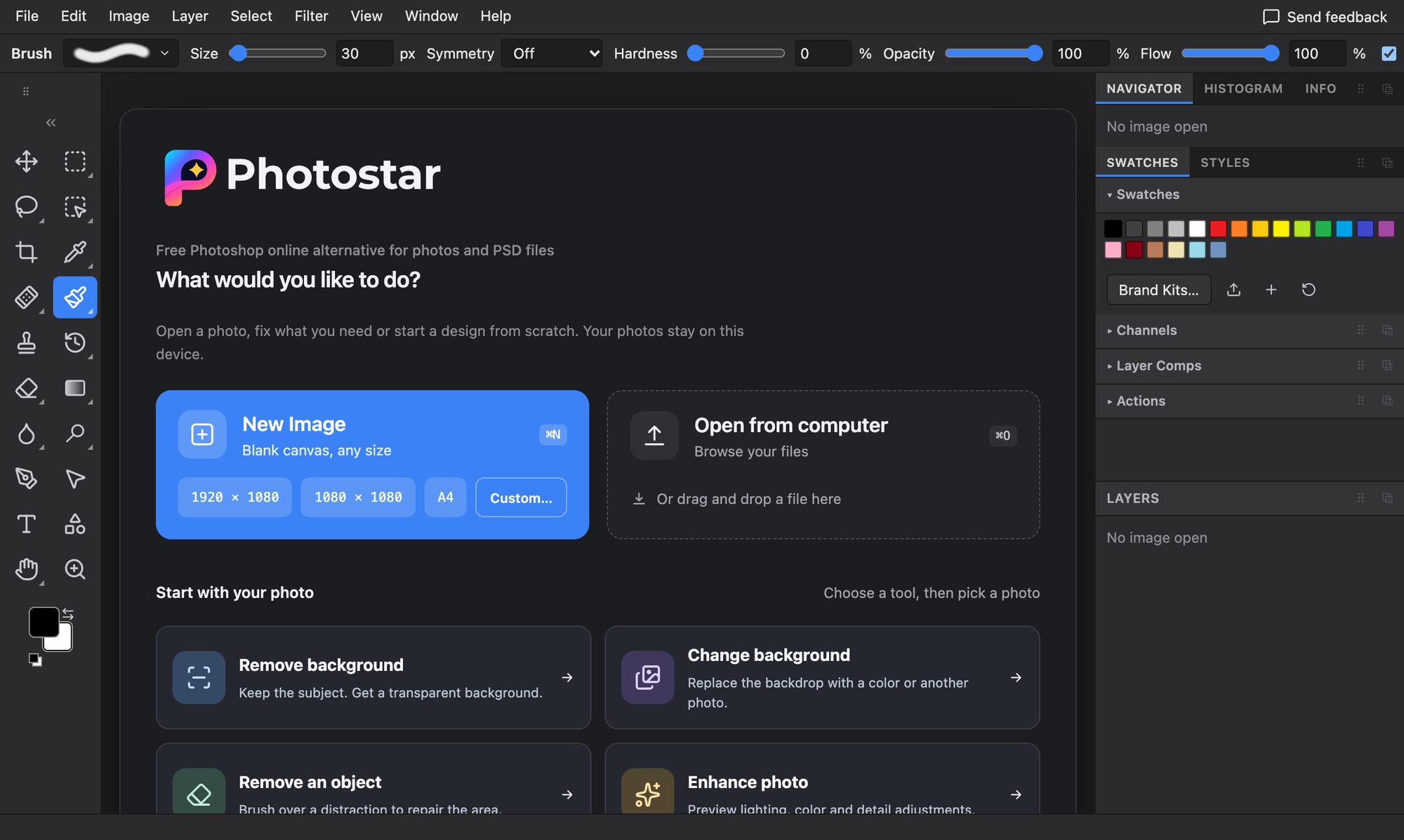
Photostar is a free online photo editor that works like a desktop editor but runs in your browser. If you want a free Photoshop alternative for quick edits or full layered projects, open the site and start: there is no signup and nothing to install.
Your images stay on your device. Editing, background removal and RAW processing happen locally in the browser, so files are not uploaded to a server. The one exception is the optional cloud Generative Fill, which asks you first and shows when it is uploading.
Photostar opens and saves PSD files with editable text and shapes, supports layers, masks and adjustment layers, and exports to PNG, JPEG, WebP, TIFF and PDF. It works offline once loaded and handles 8-bit and 16-bit images.
It is built for designers, photographers, students, sellers and anyone who needs real editing tools without a subscription.
Photoshop is a trademark of Adobe Inc. Photostar is not affiliated with or endorsed by Adobe.
Features
- Open, edit and save PSD files, with editable text and shapes kept
- Layers, layer masks, adjustment layers and blend modes
- One-click background removal and subject selection, processed on your device
- Healing brush, clone stamp and object removal
- Smart objects and smart filters
- Camera RAW editing in the browser
- 8-bit and 16-bit editing
- Export to PNG, JPEG, WebP, TIFF and PDF
- Editable design templates for social posts and more
- Works offline after the first visit
- Free, with no signup and no watermark
- Private by default: images never leave your device
Use Cases
- Open a PSD without Photoshop. Edit a client or template PSD on any computer, including a Chromebook.
- Remove a background for product photos, profile pictures or stickers.
- Retouch photos. Fix blemishes, clone out objects and adjust colour.
- Design social posts from editable templates.
- Edit on a school or work laptop where you cannot install software.
- Do quick edits privately, for documents or personal photos you don’t want uploaded.
- Edit RAW photos from your camera without desktop software.

Comments


Premium Products






















































Find your next favorite product or submit your own. Made by @FalakDigital.
Copyright ©2026. All Rights Reserved