
PhotoCompressor
Free image compressor that never uploads your photos
PhotoCompressor is for the everyday moments when an image is too big: a job portal that caps uploads at 200 KB, an email that bounces attachments, a slow product page, or a phone full of 5 MB photos. Open the site, drop the files in, and get smaller versions in seconds.
You choose how: a quality slider for fine control, presets for quick results, or an exact target size when a form demands one. Batch mode handles many images at once, and the before/after comparison shows exactly what changed. Supported formats are JPEG, PNG, WebP, AVIF and GIF.
Everything runs locally in your browser, so it's fast, private, and works without creating an account. The interface is available in 15 languages. PhotoCompressor is free to use with no limits on how many files you compress.
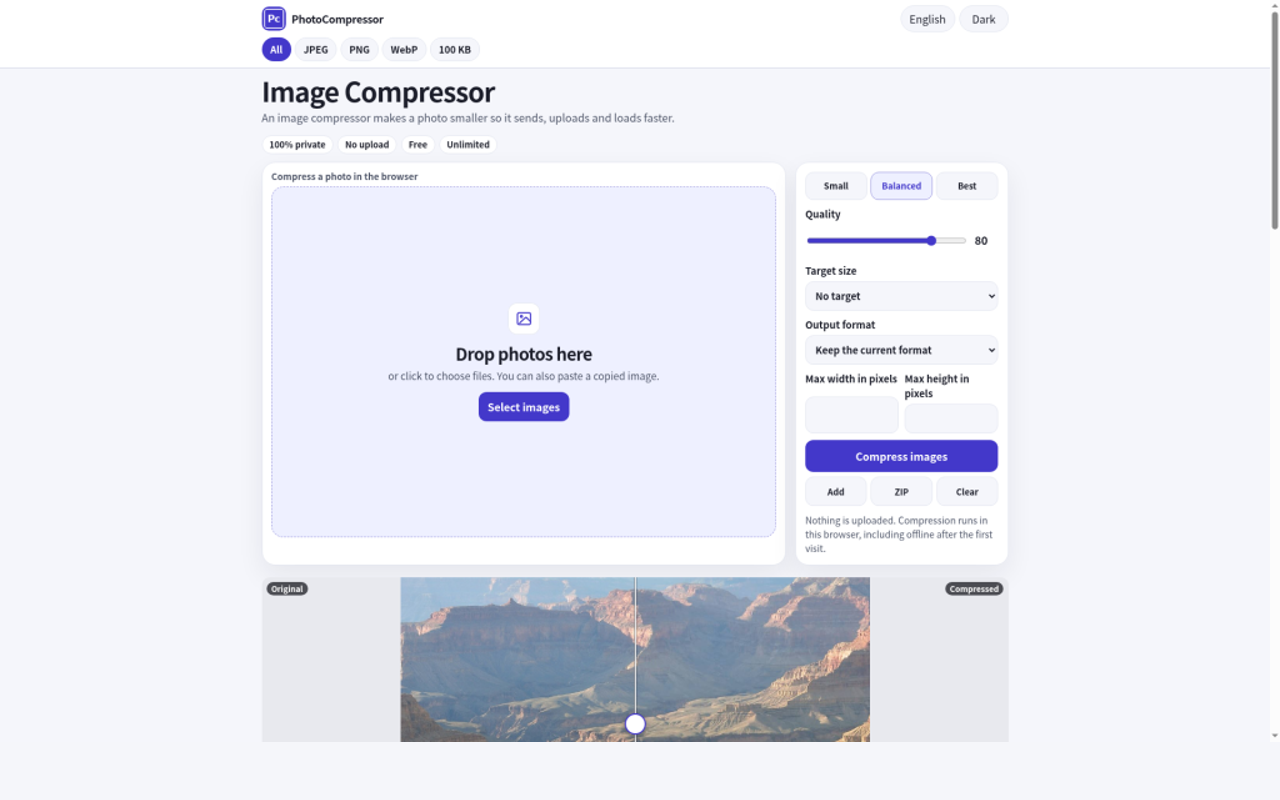
Features
- Runs 100% in the browser: no upload, no server, no account
- JPEG, PNG, WebP, AVIF and GIF support
- Batch compression of many files at once
- Quality slider plus an exact target-size mode (e.g. 100 KB, 200 KB)
- Before/after comparison slider and percent saved per file
- Download files one at a time or all at once
- WebAssembly codecs for fast, high-quality compression
- Works on desktop and mobile, with dark mode
- 15 languages, including right-to-left Arabic
- Free, with no watermark and no file-count limit
Use Cases
- Job portals and application forms that cap uploads at 200 KB
- Email attachments that bounce because they are too large
- Faster product pages, blog photos and social assets before they hit your CMS
- Phone photos of 5 MB or more that need to be shared or stored

Comments

The exact target-size mode is the standout for me — job portals that cap uploads at 200 KB are a constant headache, and a quality slider alone never quite lands on the number. Batch compression plus the before/after comparison is a smart combo too. One question: does the exact-size mode work as well for PNGs as for JPEG/WebP, since PNGs are harder to squeeze to a precise KB? It would also be great to see the estimated saving per file before downloading.

Two things I've had to handle when processing phone photos in the browser: the EXIF orientation tag (if the output drops it without rotating the pixels, portrait shots come out sideways) and GPS metadata. Does PhotoCompressor bake the rotation into the image, and is there an option to strip location data? For a tool built around privacy, removing location by default could be a nice touch.

Good to see AVIF and WebP output in a fully local tool. For those 200 KB form limits, a "max width/height" option next to the target-size mode would help a lot: a 4000px phone photo often only hits 200 KB after heavy quality loss, while resizing to ~1600px first keeps it sharp. Do you plan to remember the last preset or target size between visits? I'd use that every time.
Premium Products








































Sponsors
Buy
Makers
Makers
Comments
The exact target-size mode is the standout for me — job portals that cap uploads at 200 KB are a constant headache, and a quality slider alone never quite lands on the number. Batch compression plus the before/after comparison is a smart combo too. One question: does the exact-size mode work as well for PNGs as for JPEG/WebP, since PNGs are harder to squeeze to a precise KB? It would also be great to see the estimated saving per file before downloading.
Two things I've had to handle when processing phone photos in the browser: the EXIF orientation tag (if the output drops it without rotating the pixels, portrait shots come out sideways) and GPS metadata. Does PhotoCompressor bake the rotation into the image, and is there an option to strip location data? For a tool built around privacy, removing location by default could be a nice touch.
Good to see AVIF and WebP output in a fully local tool. For those 200 KB form limits, a "max width/height" option next to the target-size mode would help a lot: a 4000px phone photo often only hits 200 KB after heavy quality loss, while resizing to ~1600px first keeps it sharp. Do you plan to remember the last preset or target size between visits? I'd use that every time.
Premium Products
New to Fazier?

Find your next favorite product or submit your own. Made by @FalakDigital.
Copyright ©2026. All Rights Reserved