PDF to MD
Turn PDFs into editable Markdown for Obsidian and Notion
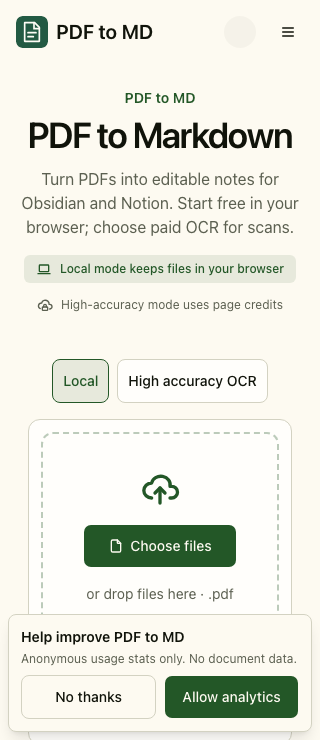
PDF to MD converts PDFs into editable Markdown for Obsidian, Notion, documentation, and AI workflows. Start with free local conversion for ordinary text PDFs, Word documents, and HTML: files stay in your browser. Use optional paid high-accuracy OCR for scanned PDFs and images, then review and edit the output before copying, downloading, or exporting a batch as ZIP. Developers can automate cloud conversions through the API and MCP with the same account credits.
Features
- Free local conversion for text PDFs, DOCX, and HTML
- Optional high-accuracy OCR for scans and images
- Review and edit Markdown before copying or downloading
- Batch conversion with ZIP downloads
- Markdown to PDF export
- Cloud API and MCP for automation
Use Cases
- Turn research papers and reports into Obsidian notes
- Prepare editable document content for Notion
- Convert scanned pages into searchable Markdown with OCR
- Clean up multiple documents and download a ZIP
- Automate document conversion in scripts and AI workflows

Comments

Hi Fazier! PDF to MD helps turn documents into editable Markdown for Obsidian, Notion, and everyday note-taking. Free local conversion keeps ordinary PDFs, Word documents, and HTML in your browser. Optional high-accuracy OCR handles scans and images, and the API and MCP support cloud automation. Please review the output against the original document, especially tables and formulas. I would love to hear which document types and note workflows you want us to improve.




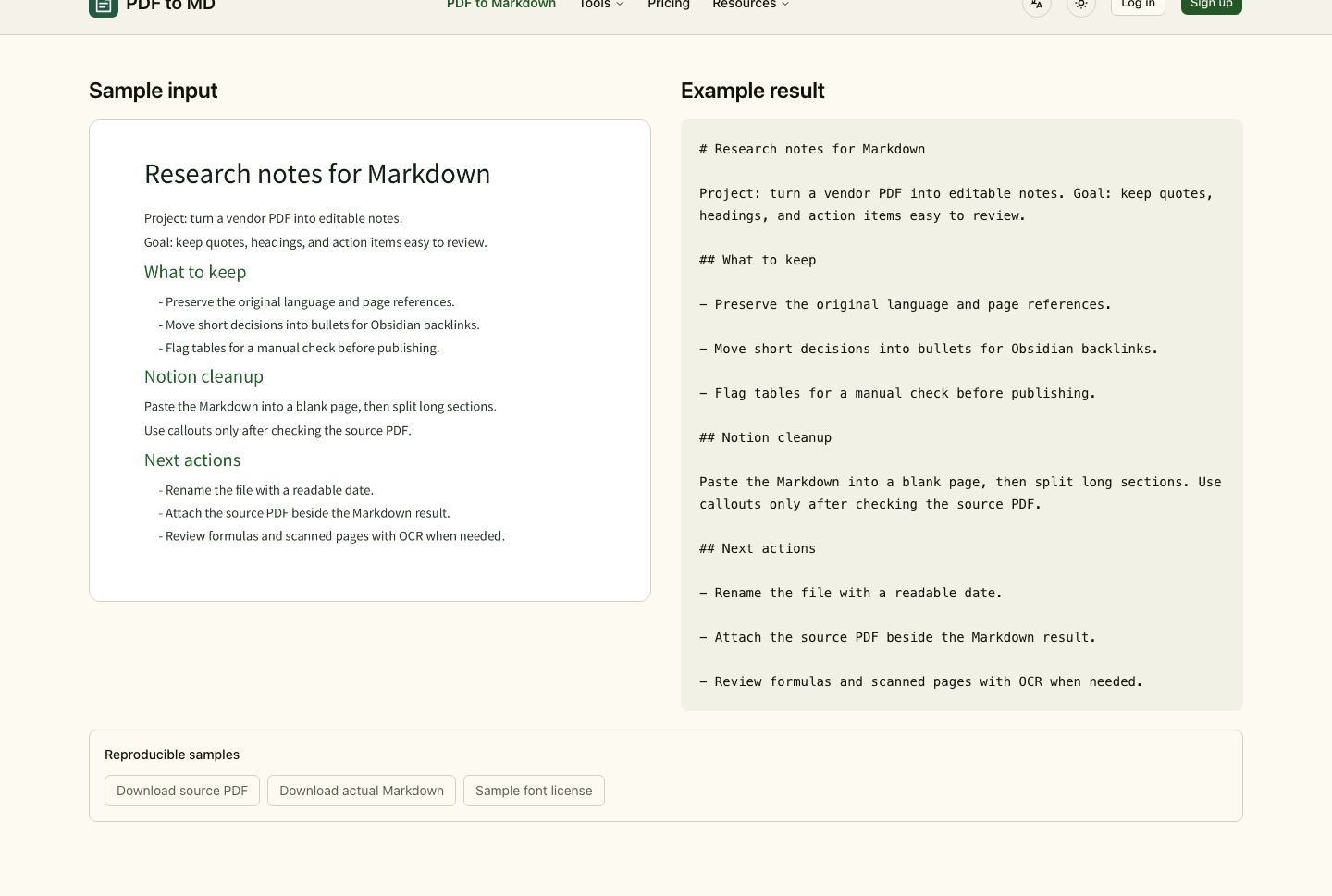
The sample output is a good signal: it keeps the original language and page references, and flags tables for a manual check instead of quietly mangling them. One suggestion: a short note on how multi-column academic PDFs are handled, since reading order is where most PDF-to-text converters break, or a two-column example in the demo would make it easier to trust before uploading.
Keeping ordinary text PDFs local and making OCR the optional paid step is a clear way to split free and paid. For the ZIP batch export, do the Markdown files keep the original file names, and are images from the PDFs included alongside them? That would matter for anyone importing the output straight into an Obsidian vault.
The split between free in-browser conversion and paid OCR only for scans is clear, and the review/edit step before export is a nice safeguard. For Obsidian users, how are images inside a PDF handled? It would help to export them as separate files with relative ![[...]] or ![]() links in the ZIP, so the vault works without manual fixing.

Ran a small test PDF through free local mode: headings and a two-column section came out in the right reading order, which is where many converters fail. Two things got flattened: a simple bordered 4-column table became plain lines ("Plan Projects Seats Price"), and a nested bullet list under a numbered item was merged into one line. Turning clean ruled tables into GFM tables locally would save most of the cleanup.

Free local conversion with paid OCR only for scans is a clear split. Two things I'd find useful: do formulas come out as LaTeX ($...$) so they render in Obsidian and Notion? And since you mention AI workflows, would you consider showing an approximate token count for the output, plus an option to split long documents by heading so each part fits a model's context window?

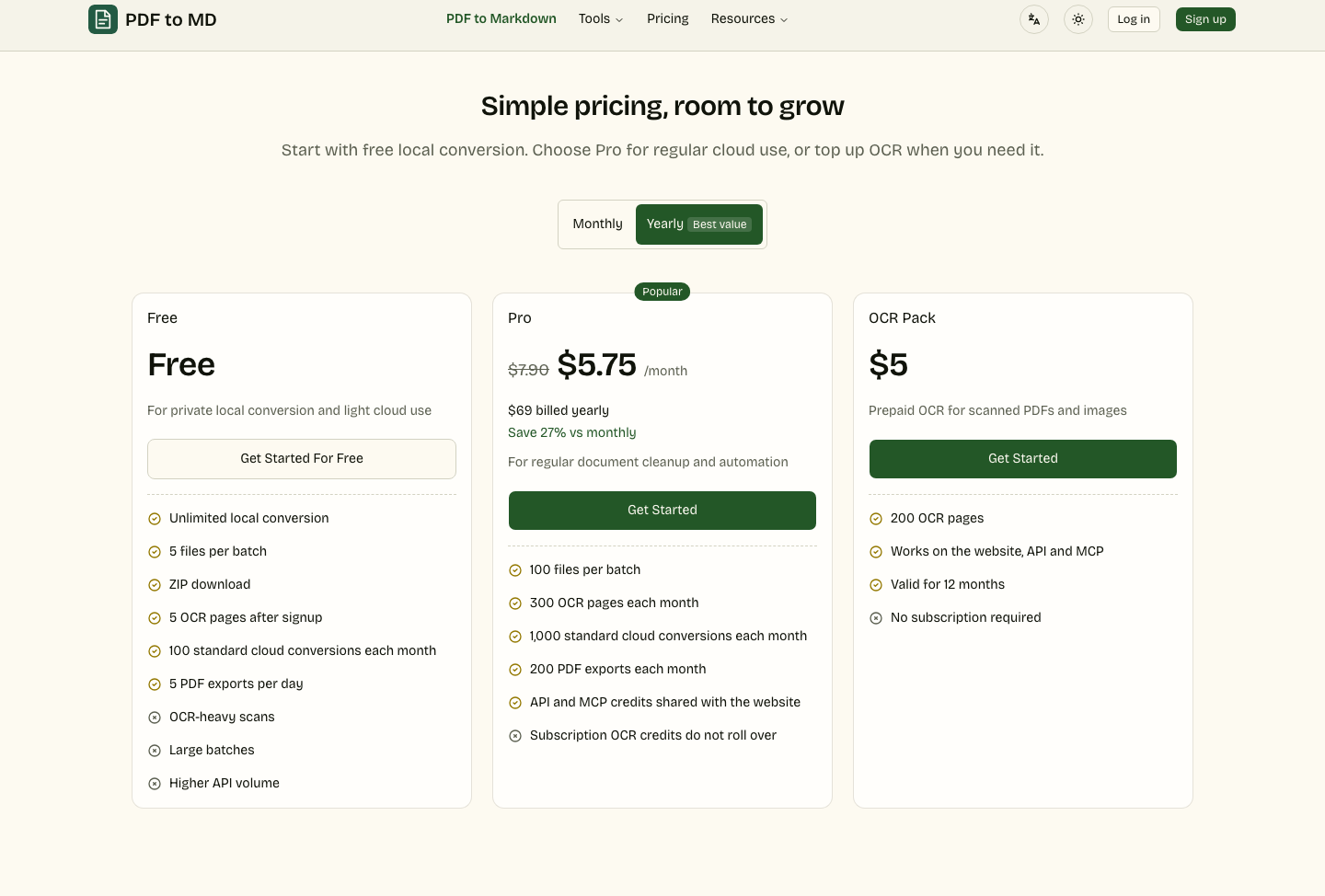
For the API and MCP path, it would help to know how credits behave on failures: if an OCR job times out or returns a partial result, is the page still charged? I'd also suggest optional YAML frontmatter with the source filename, page count and conversion mode, which makes downstream RAG indexing and auditing much easier.

For Obsidian users, the filename and frontmatter matter as much as the body text, so a batch ZIP that names each file from the document title and has an optional YAML header would save a lot of cleanup. PDF heading levels are often inconsistent, so a short outline preview before export would help catch that.
Premium Products















































Sponsors
Buy

Comments
Hi Fazier! PDF to MD helps turn documents into editable Markdown for Obsidian, Notion, and everyday note-taking. Free local conversion keeps ordinary PDFs, Word documents, and HTML in your browser. Optional high-accuracy OCR handles scans and images, and the API and MCP support cloud automation. Please review the output against the original document, especially tables and formulas. I would love to hear which document types and note workflows you want us to improve.
The sample output is a good signal: it keeps the original language and page references, and flags tables for a manual check instead of quietly mangling them. One suggestion: a short note on how multi-column academic PDFs are handled, since reading order is where most PDF-to-text converters break, or a two-column example in the demo would make it easier to trust before uploading.
Keeping ordinary text PDFs local and making OCR the optional paid step is a clear way to split free and paid. For the ZIP batch export, do the Markdown files keep the original file names, and are images from the PDFs included alongside them? That would matter for anyone importing the output straight into an Obsidian vault.
The split between free in-browser conversion and paid OCR only for scans is clear, and the review/edit step before export is a nice safeguard. For Obsidian users, how are images inside a PDF handled? It would help to export them as separate files with relative ![[...]] or ![]() links in the ZIP, so the vault works without manual fixing.
Ran a small test PDF through free local mode: headings and a two-column section came out in the right reading order, which is where many converters fail. Two things got flattened: a simple bordered 4-column table became plain lines ("Plan Projects Seats Price"), and a nested bullet list under a numbered item was merged into one line. Turning clean ruled tables into GFM tables locally would save most of the cleanup.
Free local conversion with paid OCR only for scans is a clear split. Two things I'd find useful: do formulas come out as LaTeX ($...$) so they render in Obsidian and Notion? And since you mention AI workflows, would you consider showing an approximate token count for the output, plus an option to split long documents by heading so each part fits a model's context window?
For the API and MCP path, it would help to know how credits behave on failures: if an OCR job times out or returns a partial result, is the page still charged? I'd also suggest optional YAML frontmatter with the source filename, page count and conversion mode, which makes downstream RAG indexing and auditing much easier.
For Obsidian users, the filename and frontmatter matter as much as the body text, so a batch ZIP that names each file from the document title and has an optional YAML header would save a lot of cleanup. PDF heading levels are often inconsistent, so a short outline preview before export would help catch that.
Premium Products
New to Fazier?

Find your next favorite product or submit your own. Made by @FalakDigital.
Copyright ©2026. All Rights Reserved