
PCalen
Free Printable Calendar
Create printable calendars in seconds. Free, clean, and ready for A4 or Letter with high-quality PDF export.
Features
Versatile Calendar Layouts
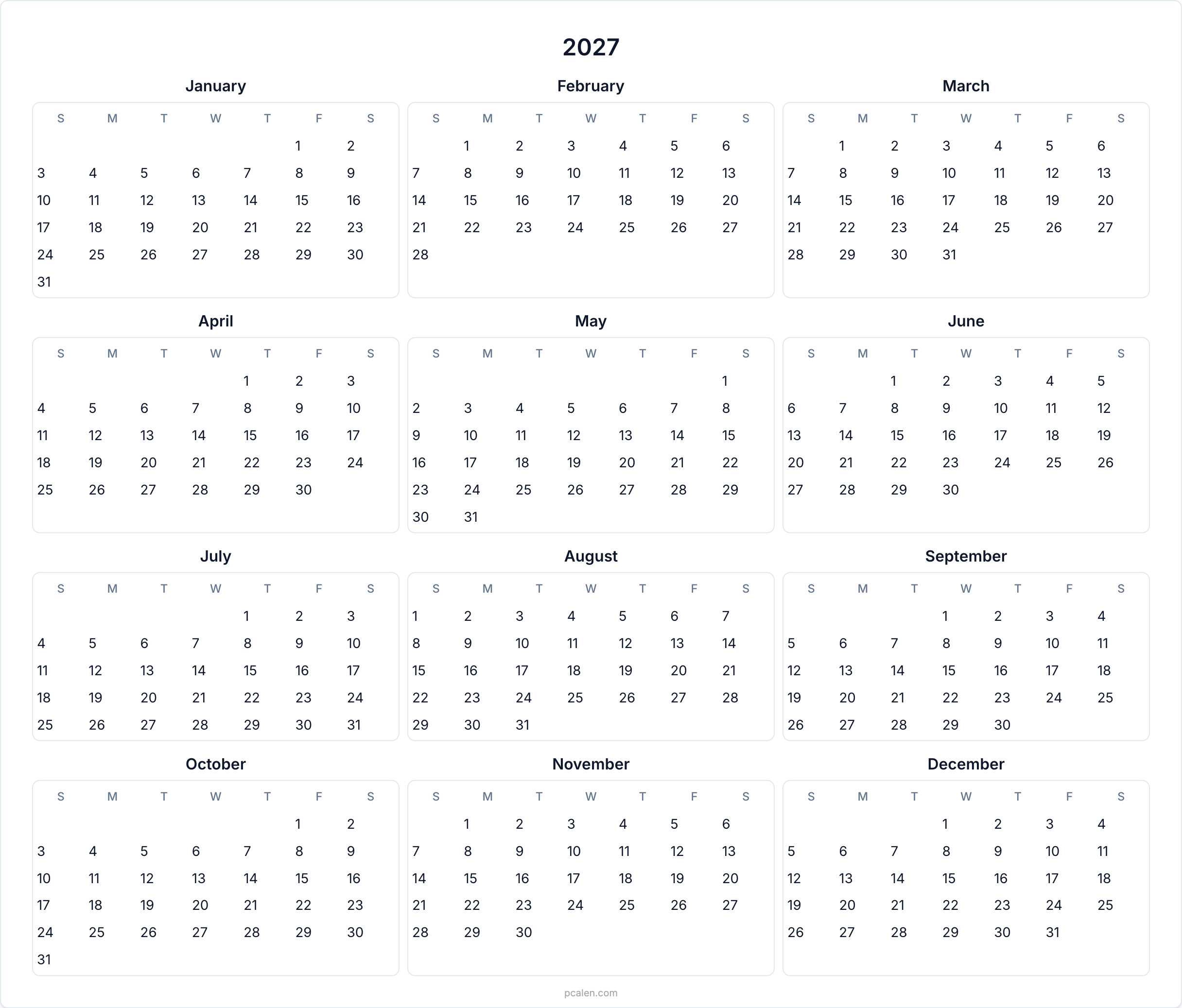
Plan at any scale with yearly overviews, detailed monthly grids, focused weekly layouts, or 3-month quarterly views — all perfectly formatted for print.
Planner & Tracker Templates
Boost productivity with undated monthly/weekly planners, daily timelines, bi-weekly plans, and specialized habit, budget, fitness, or baby trackers.
Smart Color-Coded Notes
Add multiple color-coded notes (red, yellow, green) to any date. Notes are saved locally and render beautifully in your printed or exported files.
Deep Customization Options
Toggle international holidays, highlight weekends, show week numbers, and choose from hand-selected Google fonts to make the calendar truly yours.
Precision Print Control
Adjust paper size (A4 to Poster), orientation, and margins directly in the preview. Includes binding edge offsets for easy hole-punching and filing.
Flexible PDF & Image Export
Download single-page PDFs, share high-res PNGs for social media, or export the entire year as a single, batch-ready PDF file.
Use Cases
Families: a shared wall calendar that everyone can read and write on, with space for appointments, school events, and chores.
Students and teachers: term overviews, weekly agendas, and habit trackers for revision routines.
Freelancers and small teams: quarterly plans, bi-weekly sprints, and budget trackers for keeping projects and cash flow visible.
Anyone reducing screen time: a paper system that stays visible without notifications competing for attention.

Comments


The binding edge offset for hole-punching is a thoughtful detail most printable calendar sites skip. When notes are saved locally, is there a way to export or move them to another device, or do they stay tied to one browser? I'd also like to know whether the holiday toggle supports regional holidays within a country, like state or provincial ones.

Going from A4 up to poster sizes is where printable calendars usually fall apart, so I'm curious how the export handles it. Is the PDF vector, so text and grid lines stay sharp at any size, or a rendered image? And what resolution does the high-res PNG come out at for a poster? Print shops ask for that number first, so showing something like "A2 · 4961x7016 px · 300 DPI" next to the export button would save people a round trip.
The red/yellow/green notes and A4/Letter PDF export cover a useful paper-planning workflow. Is there a grayscale-friendly mode that distinguishes note types with labels or symbols as well as color? That would help classroom and office users printing on black-and-white printers, especially when several notes share a date.
Premium Products


















































Sponsors
Buy
Makers

Makers
Comments
The binding edge offset for hole-punching is a thoughtful detail most printable calendar sites skip. When notes are saved locally, is there a way to export or move them to another device, or do they stay tied to one browser? I'd also like to know whether the holiday toggle supports regional holidays within a country, like state or provincial ones.
Going from A4 up to poster sizes is where printable calendars usually fall apart, so I'm curious how the export handles it. Is the PDF vector, so text and grid lines stay sharp at any size, or a rendered image? And what resolution does the high-res PNG come out at for a poster? Print shops ask for that number first, so showing something like "A2 · 4961x7016 px · 300 DPI" next to the export button would save people a round trip.
The red/yellow/green notes and A4/Letter PDF export cover a useful paper-planning workflow. Is there a grayscale-friendly mode that distinguishes note types with labels or symbols as well as color? That would help classroom and office users printing on black-and-white printers, especially when several notes share a date.
Premium Products
New to Fazier?

Find your next favorite product or submit your own. Made by @FalakDigital.
Copyright ©2026. All Rights Reserved