
Pastery
Turn everything you copy into a visual timeline
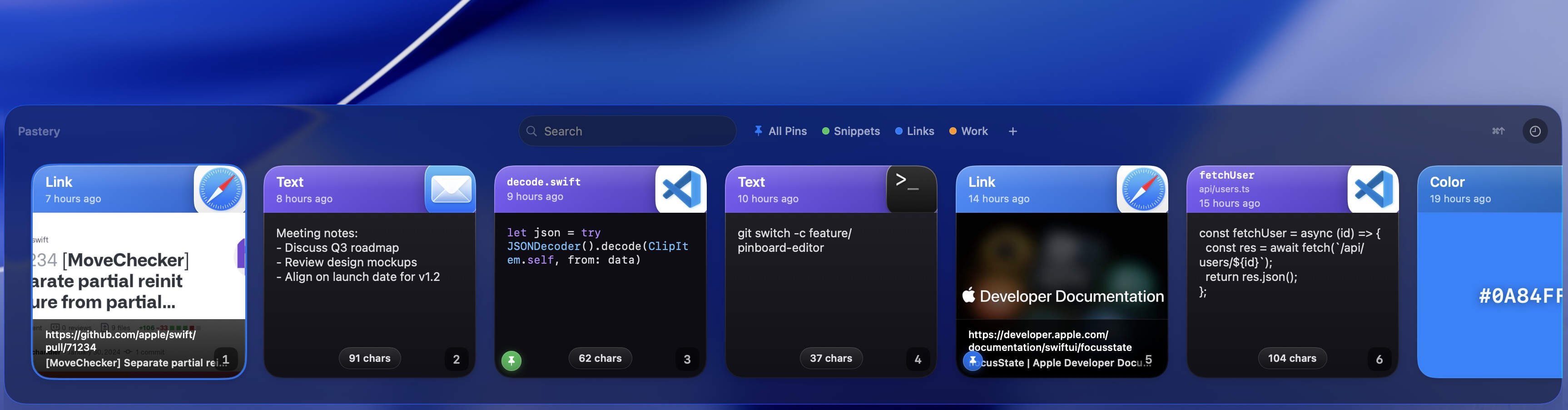
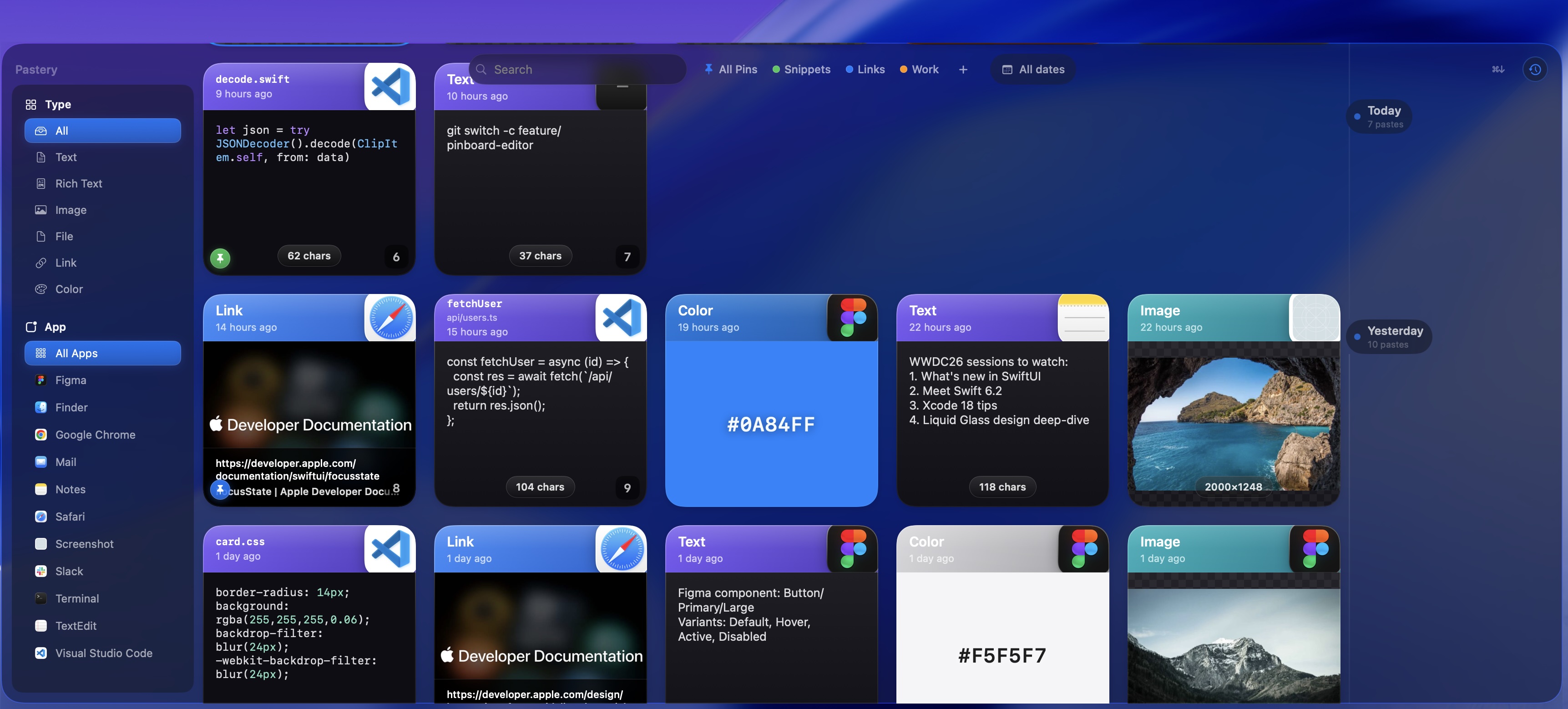
Pastery is a native macOS clipboard manager that turns everything you copy — text, screenshots, links, colors, and file paths — into a searchable, visual timeline. Hit ⌘⇧V and the panel opens instantly. It feels indistinguishable from a first-party Apple app, runs on Apple Silicon and Intel, and keeps all your data local — no cloud, no telemetry.
Features
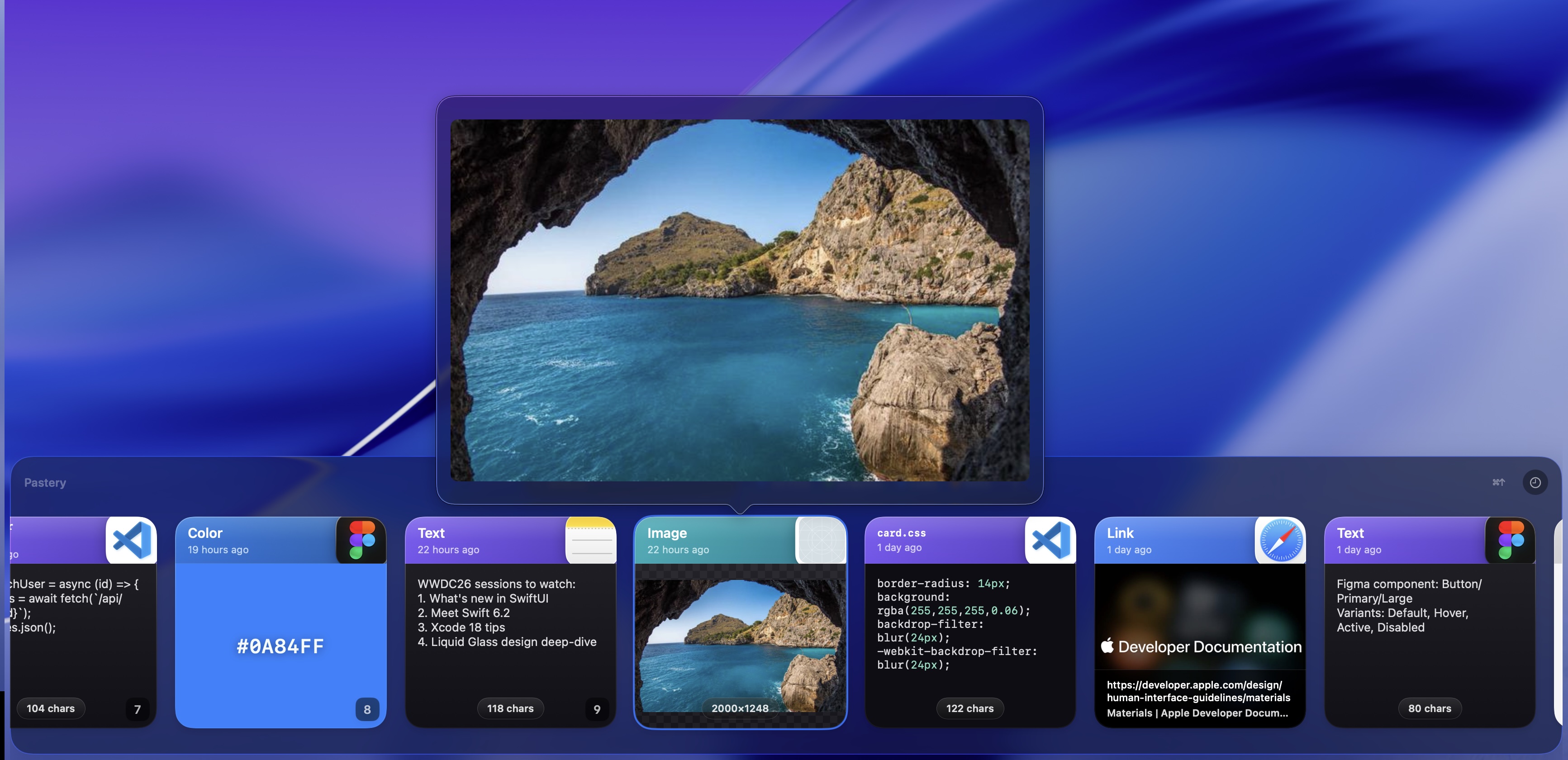
- Visual, typed history: every copy becomes a card (text, image, link, color, file)
- Instant search across all content types, including OCR text inside screenshots
- Global hotkey (⌘⇧V) opens the overlay immediately
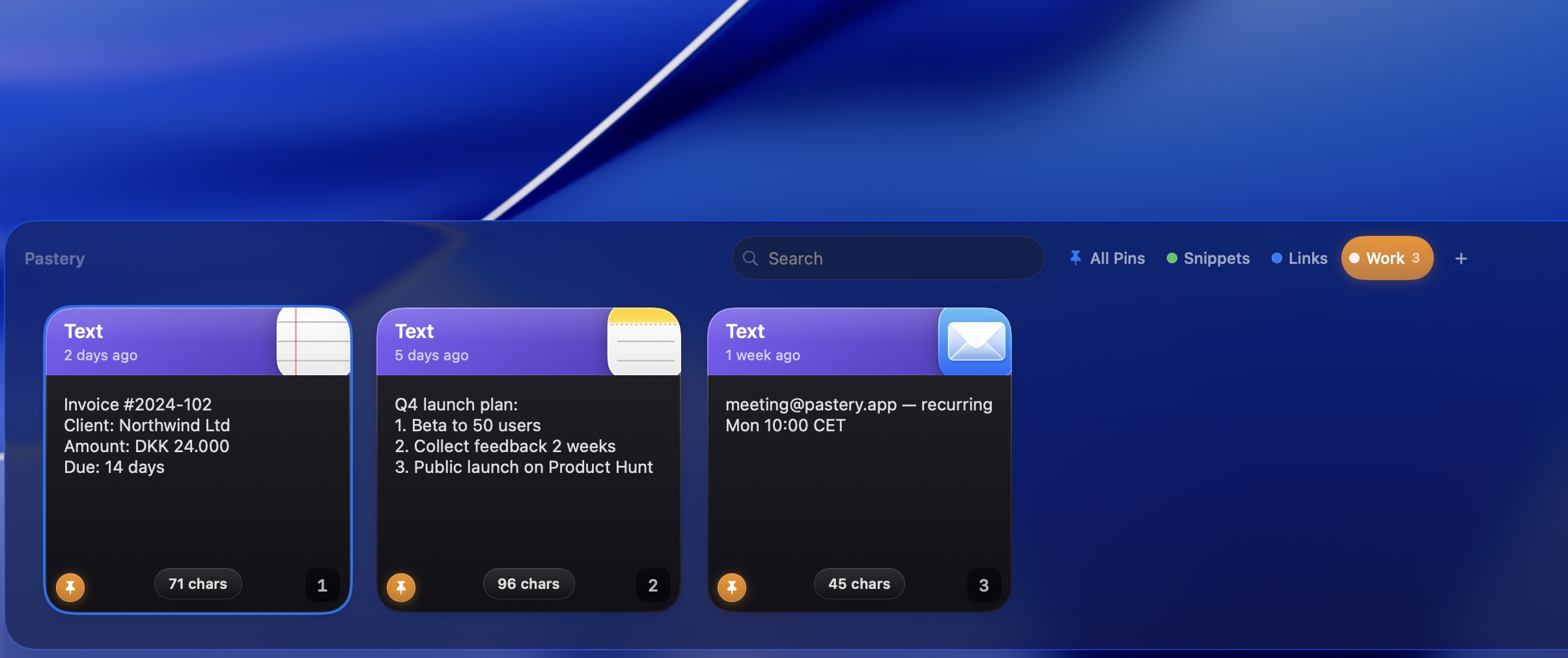
- Pinboards: pin clips with ⌘P so they never expire, organized into colorful named boards
- Quick text editor: press ⌘E to tweak any text clip and save it back to history
- Built-in text transforms for cleaning up clips on the fly
- 100% local storage — no cloud sync, no telemetry
- Native Swift, universal binary (Apple Silicon & Intel), macOS 15+
Use Cases
- Grab that screenshot or link you copied hours ago without digging through folders
- Search past clips by content — even text buried inside images (OCR)
- Keep frequently used snippets pinned so they never expire
- Clean up and reformat copied text before pasting with quick transforms
- Organize research, code snippets, and assets into dedicated pinboards
- A privacy-first alternative to Paste, Maccy, and Raycast clipboard history

Comments


The visual timeline and OCR search sound especially useful for research-heavy workflows where links, screenshots, and snippets get mixed together. Keeping storage local with a native universal binary is a strong privacy and performance choice; how does the timeline handle large image-heavy histories over time?

Hey everyone 👋 I'm Jannik, the maker of Pastery. I built it because every clipboard manager I tried either felt like a clunky list of text snippets or was a slow Electron wrapper pretending to be native. I wanted something that felt like Apple could have shipped it — instant, smooth, and genuinely nice to look at. So Pastery turns everything you copy — text, screenshots, links, colors, files — into a visual, searchable timeline. Hit ⌘⇧V and it's just there. Search even reads text inside your screenshots (OCR), you can pin clips so they never expire, and everything stays 100% local. No cloud, no telemetry. It's native Swift, runs on both Apple Silicon and Intel, and I've obsessed over every animation and scroll to make it feel first-party. I'd love your honest feedback — what's missing, what feels off, what you'd want next. I read and reply to everything. Thanks for checking it out! 🙏

Premium Products










































Sponsors
Buy

Makers
Makers
Comments
The visual timeline and OCR search sound especially useful for research-heavy workflows where links, screenshots, and snippets get mixed together. Keeping storage local with a native universal binary is a strong privacy and performance choice; how does the timeline handle large image-heavy histories over time?
Hey everyone 👋 I'm Jannik, the maker of Pastery. I built it because every clipboard manager I tried either felt like a clunky list of text snippets or was a slow Electron wrapper pretending to be native. I wanted something that felt like Apple could have shipped it — instant, smooth, and genuinely nice to look at. So Pastery turns everything you copy — text, screenshots, links, colors, files — into a visual, searchable timeline. Hit ⌘⇧V and it's just there. Search even reads text inside your screenshots (OCR), you can pin clips so they never expire, and everything stays 100% local. No cloud, no telemetry. It's native Swift, runs on both Apple Silicon and Intel, and I've obsessed over every animation and scroll to make it feel first-party. I'd love your honest feedback — what's missing, what feels off, what you'd want next. I read and reply to everything. Thanks for checking it out! 🙏
Premium Products
New to Fazier?

Find your next favorite product or submit your own. Made by @FalakDigital.
Copyright ©2026. All Rights Reserved