
Parse2ERP by Gentle Reminder
Turn PDF invoices into clean Excel and system-ready data
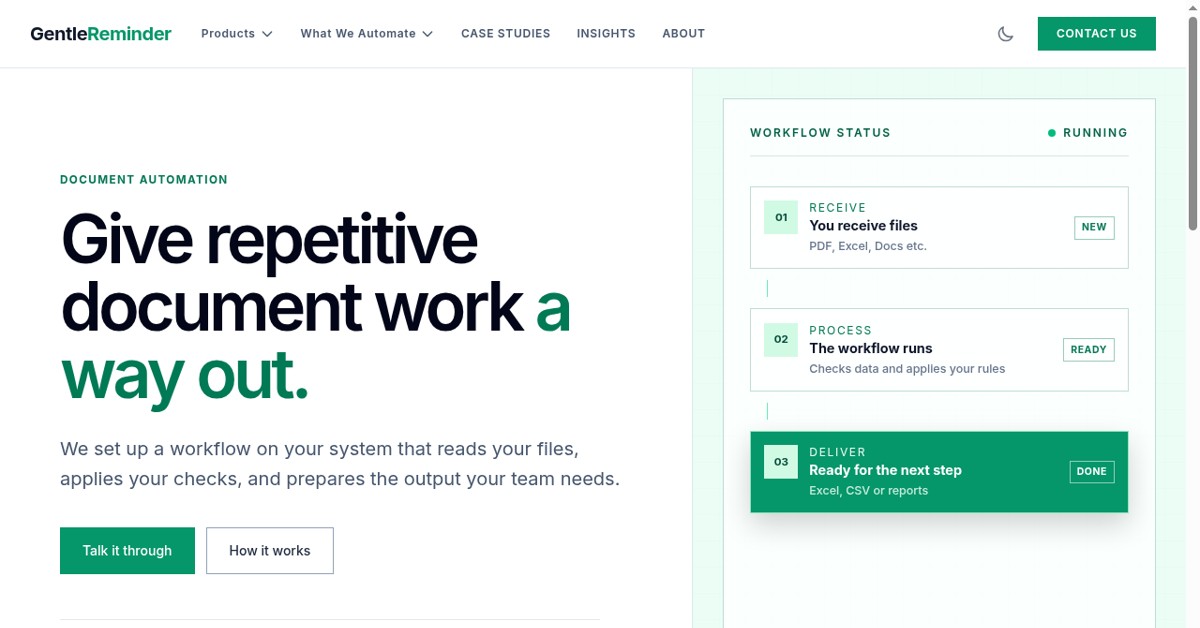
Parse2ERP by Gentle Reminder automates the boring part of document work. It reads PDF invoices, purchase orders and statements, extracts the fields your team needs, and outputs clean Excel or import-ready files, so no one has to retype data by hand. Gentle Reminder has built workflow automation for operations and manufacturing teams since 2019, covering PDF extraction, Excel/MIS reporting automation and desktop software automation.


Features
Reads PDF invoices, purchase orders and statements
Extracts the fields your team needs
Outputs clean Excel or import-ready files
Use Cases
Stop retyping invoice data by hand
Feed extracted data into your next system

Comments


Extracting structured data from messy PDF invoices and POs is always a headache for operations teams, so automating this straight into clean Excel or system-ready formats is a huge time-saver. Since your team has been in the workflow automation space since 2019, the parsing logic must be very solid. Does Parse2ERP support batch processing for high-volume PDFs, or webhooks for auto-triggering on incoming email attachments? Upvoted and congrats on the launch!

Curious how you handle the same field appearing in different layouts from different suppliers. I parse lab reports, and the same test comes as "Hemoglobin", "HGB" or "Hb", in g/dL from one lab and g/L from another, sometimes with the range in a separate column. Do customers map fields per supplier once, or does Parse2ERP learn the layout on its own? And what happens when it isn't sure about a value: does it flag the row for a person to check?

"Import-ready" is the part I'd want spelled out. For a lot of operations teams, especially in India, the next system is Tally, Zoho Books or SAP Business One, and each wants a different shape: Tally wants voucher XML with ledgers already mapped. Which targets do you output for directly? And on GST invoices, do you check the supplier GSTIN and the tax split (CGST/SGST vs IGST) against the place of supply before export, so a misread line gets flagged instead of flowing into the books?
The line-item problem is the real test for this kind of tool — most extractors handle a clean header fine and then fall apart on tables that run across pages, so I would want to see that specifically. Outputting import-ready files rather than just a spreadsheet is also the right goal, since retyping is only half the cost and reformatting is the other half. Is there a way to review and correct a field before export, so one bad read does not flow into the next system?

Premium Products














































Comments
Extracting structured data from messy PDF invoices and POs is always a headache for operations teams, so automating this straight into clean Excel or system-ready formats is a huge time-saver. Since your team has been in the workflow automation space since 2019, the parsing logic must be very solid. Does Parse2ERP support batch processing for high-volume PDFs, or webhooks for auto-triggering on incoming email attachments? Upvoted and congrats on the launch!
Curious how you handle the same field appearing in different layouts from different suppliers. I parse lab reports, and the same test comes as "Hemoglobin", "HGB" or "Hb", in g/dL from one lab and g/L from another, sometimes with the range in a separate column. Do customers map fields per supplier once, or does Parse2ERP learn the layout on its own? And what happens when it isn't sure about a value: does it flag the row for a person to check?
"Import-ready" is the part I'd want spelled out. For a lot of operations teams, especially in India, the next system is Tally, Zoho Books or SAP Business One, and each wants a different shape: Tally wants voucher XML with ledgers already mapped. Which targets do you output for directly? And on GST invoices, do you check the supplier GSTIN and the tax split (CGST/SGST vs IGST) against the place of supply before export, so a misread line gets flagged instead of flowing into the books?
The line-item problem is the real test for this kind of tool — most extractors handle a clean header fine and then fall apart on tables that run across pages, so I would want to see that specifically. Outputting import-ready files rather than just a spreadsheet is also the right goal, since retyping is only half the cost and reformatting is the other half. Is there a way to review and correct a field before export, so one bad read does not flow into the next system?
Premium Products
New to Fazier?

Find your next favorite product or submit your own. Made by @FalakDigital.
Copyright ©2026. All Rights Reserved