Parley Voice
Two-way live voice translation for your online meetings
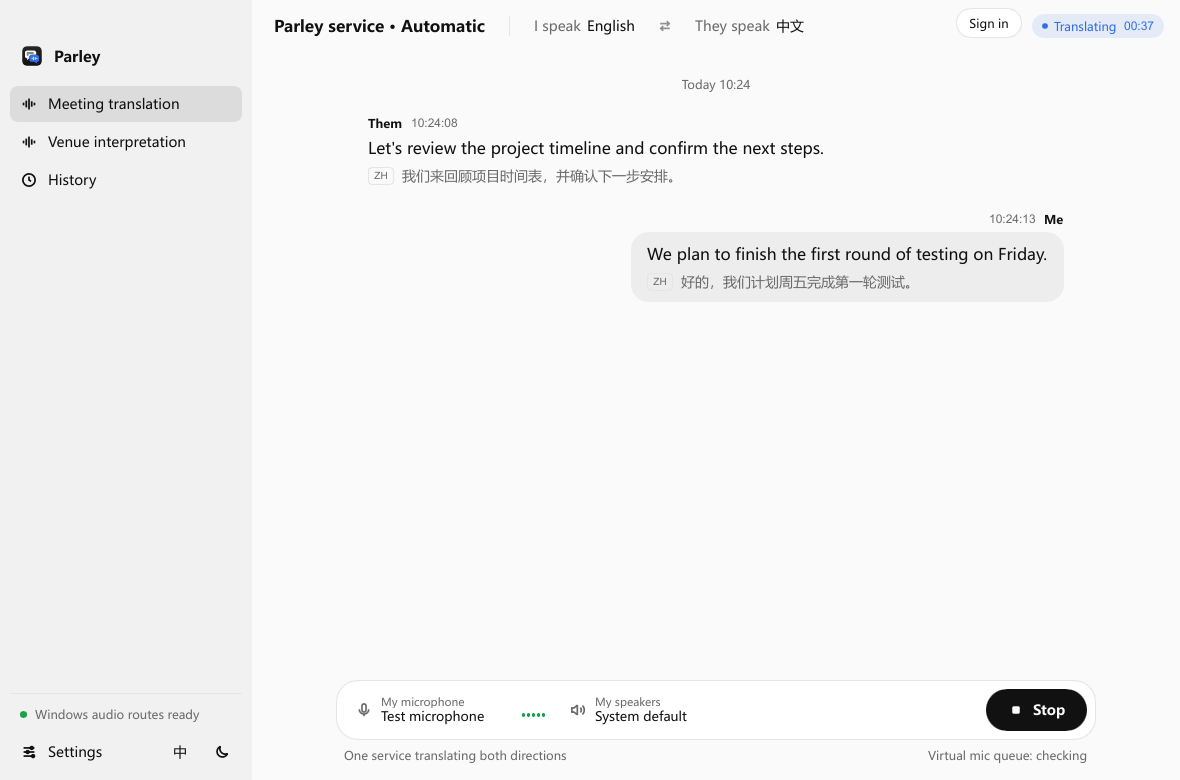
Parley Voice is a desktop app for macOS and Windows that does two-way simultaneous interpretation in online meetings. You speak your language; the other side hears a translated voice through a virtual microphone. Their speech comes back to you translated in your headphones. The other side doesn't need to install anything.
Pricing: pay per minute, no subscription. Qwen $0.070/min (multilingual), Doubao $0.148/min (Chinese ↔ English). A 60-minute meeting costs about $4.20 on Qwen or $8.88 on Doubao. Only Qwen and Doubao are live today; OpenAI and Gemini are coming soon.
Features
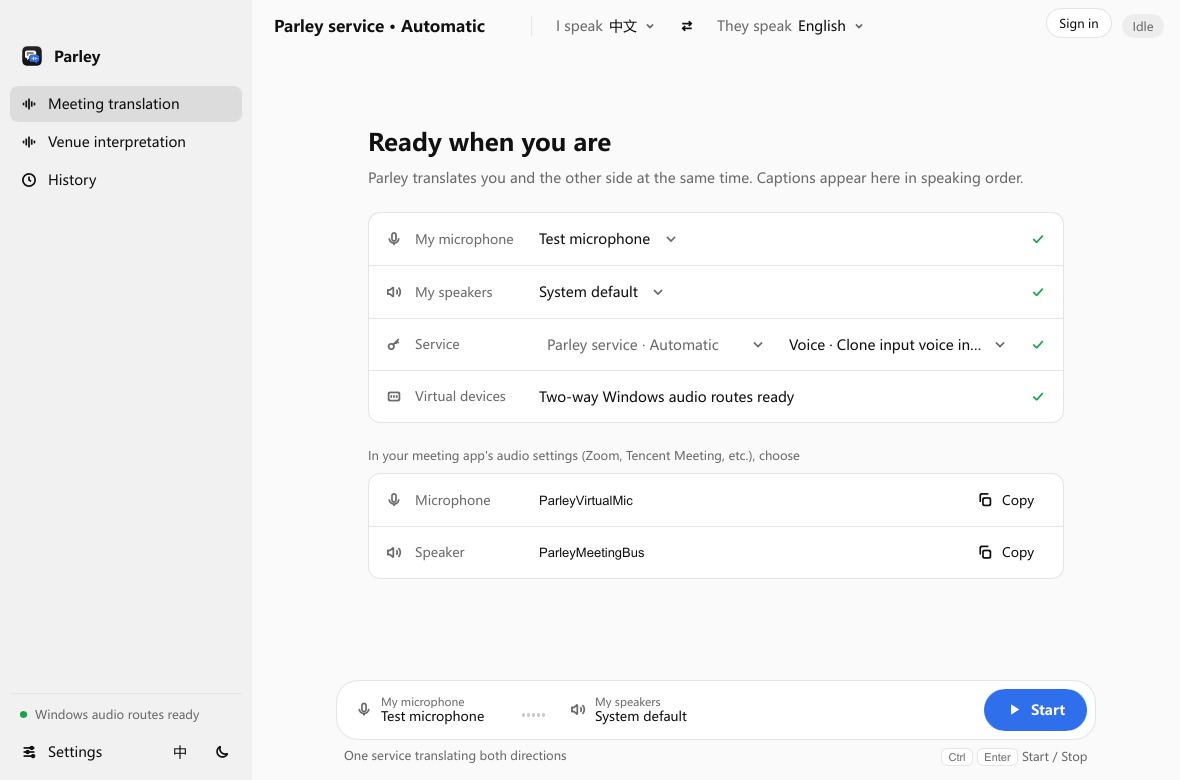
Two-way meeting translation through virtual audio devices
Venue mode for one-way multilingual output at in-person events
Optional voice cloning, so the translation can sound like you
A monitor channel to hear your translated voice
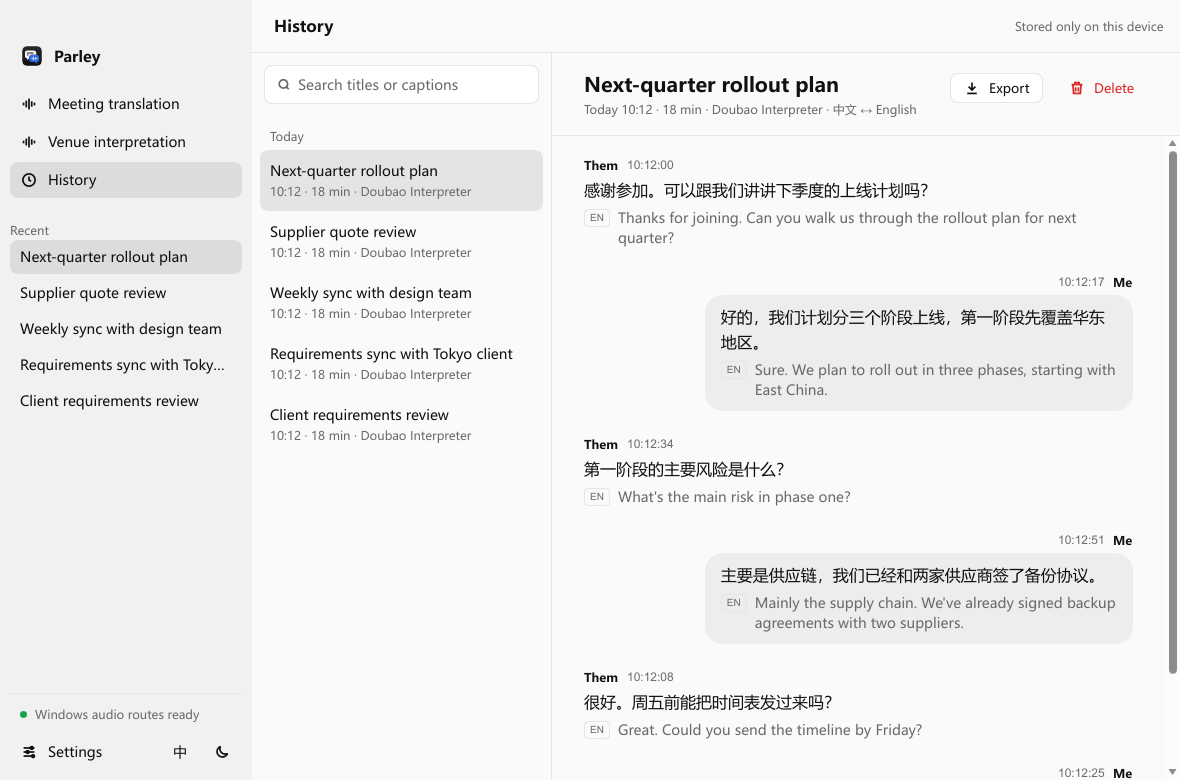
Transcript history and SRT caption export
Use Cases
Weekly Zoom, Teams or Meet calls where each side speaks a different language
In-person events or classrooms that need one-way multilingual output
Sessions where you want to monitor your translated voice and export captions

Comments


I attend a lot of international meetings but my English isn't great. Existing simultaneous-interpretation apps weren't good enough, and I didn't want to buy special headphones, so I built Parley myself (I'm the founder). It translates both sides of a Zoom, Teams or Meet call into live voice through a virtual mic — the other side doesn't need to install anything.

Paying per minute with no subscription makes sense for occasional calls. How does it handle domain vocabulary, like procurement or legal terms that a general model translates literally? A short glossary per meeting would make a big difference for technical calls. I'm also curious about the delay between a speaker finishing a sentence and the translated voice starting.


The virtual microphone approach is clever — the other side never has to install anything, which is the make-or-break detail for calls with clients or family who won't setup software. Coming from the transcription side of voice apps, latency is always the hard part: how does it handle a speaker who talks over the translation delay? A demo video of a real two-way meeting would sell this faster than any feature list.
Premium Products























































Sponsors
Buy

Makers
Makers
Comments
I attend a lot of international meetings but my English isn't great. Existing simultaneous-interpretation apps weren't good enough, and I didn't want to buy special headphones, so I built Parley myself (I'm the founder). It translates both sides of a Zoom, Teams or Meet call into live voice through a virtual mic — the other side doesn't need to install anything.
Paying per minute with no subscription makes sense for occasional calls. How does it handle domain vocabulary, like procurement or legal terms that a general model translates literally? A short glossary per meeting would make a big difference for technical calls. I'm also curious about the delay between a speaker finishing a sentence and the translated voice starting.
The virtual microphone approach is clever — the other side never has to install anything, which is the make-or-break detail for calls with clients or family who won't setup software. Coming from the transcription side of voice apps, latency is always the hard part: how does it handle a speaker who talks over the translation delay? A demo video of a real two-way meeting would sell this faster than any feature list.
Premium Products
New to Fazier?

Find your next favorite product or submit your own. Made by @FalakDigital.
Copyright ©2026. All Rights Reserved