
PaperTrack
Know exactly who's reading your documents — page by page
PaperTrack is a secure document-sharing and virtual data room platform for teams who send sensitive documents — pitch decks, sales proposals, contracts, and due diligence files.
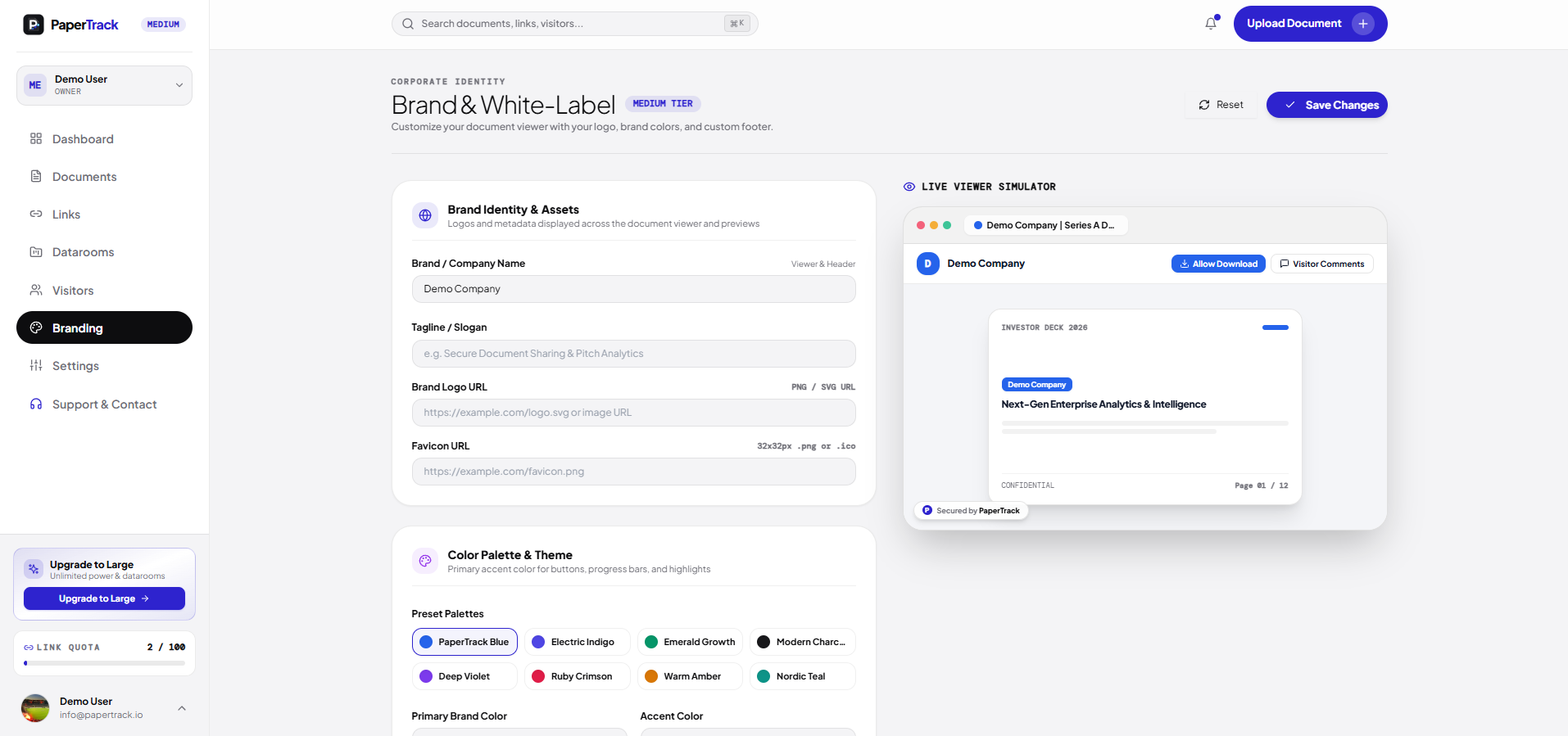
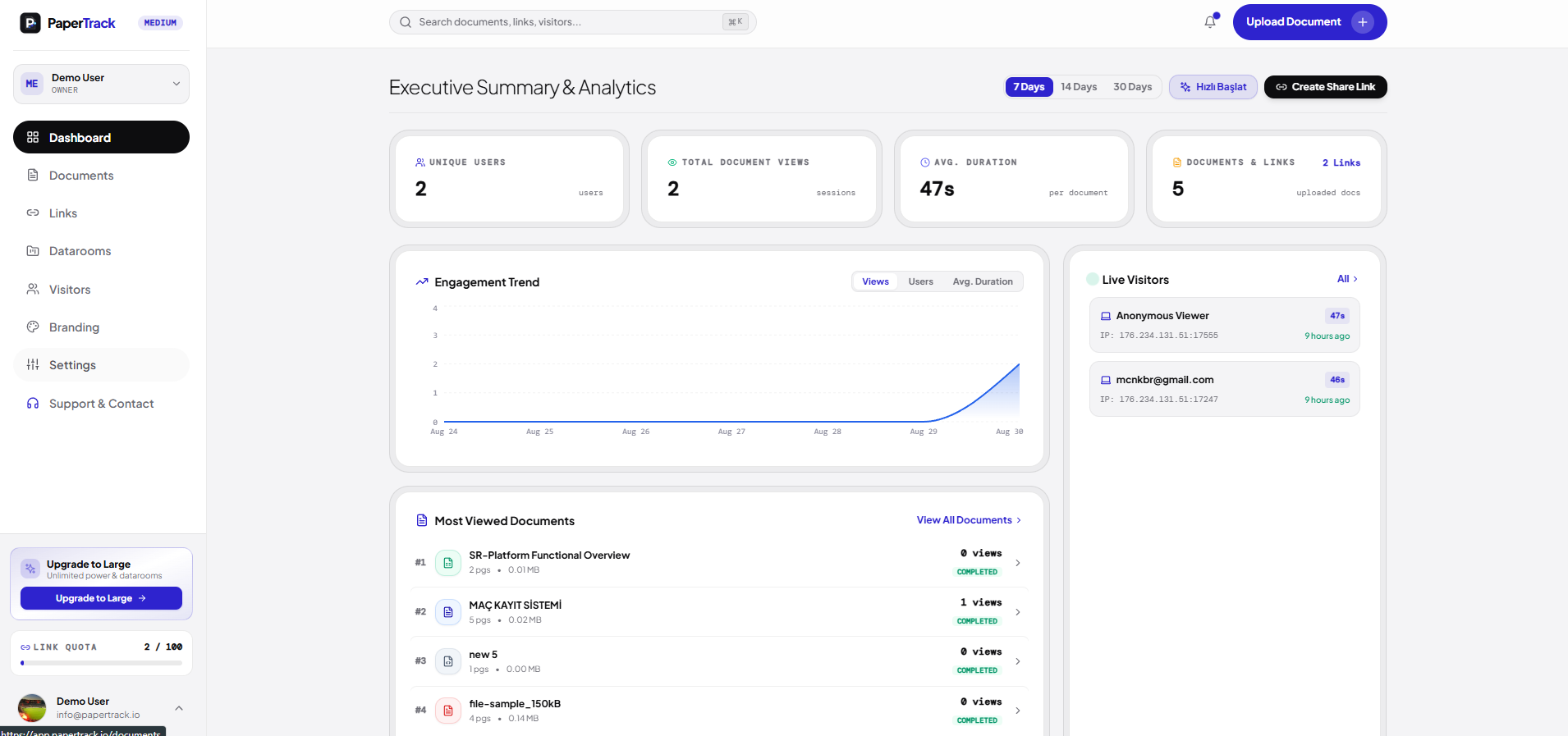
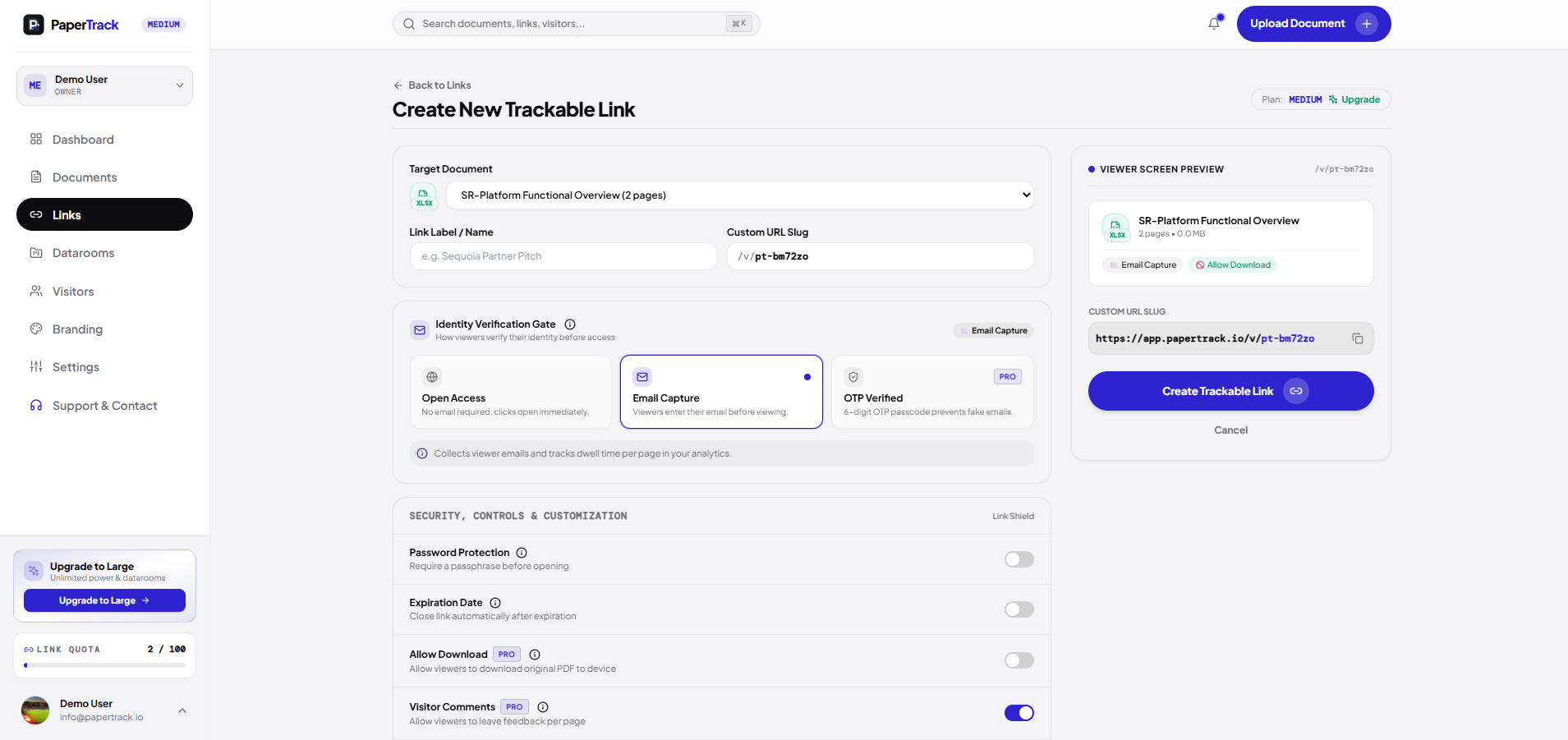
Instead of sending a file and hoping for the best, PaperTrack gives you page-by-page analytics on who opened your document, which pages they spent time on, and when they're viewing it live. Every link can be protected with a password, expiration date, dynamic watermarking, and NDA-gated access. For M&A and legal use cases, PaperTrack also offers full data rooms with folder-level permissions and audit logs.
Unlike most competitors (DocSend, Papermark), PaperTrack's free plan includes full page-level analytics — not a stripped-down version locked behind a paywall. Paid plans are flat-rate rather than per-seat, priced to be an affordable alternative for startups, sales teams, and dealmakers.
Built on Azure Functions (serverless Node.js/TypeScript backend), PostgreSQL, and Next.js, with Paddle handling global billing.
Features
- Documents Upload & Active Links
- In-Document Comments & Collaboration Threads
- Virtual Data Rooms (VDR) & Multi-folder
- Granular Per-User & Per-Folder Permissions
- Click-through NDA agreement workflow
- Custom Form Fields & Welcome Messages
- Custom Domain (docs.yourcompany.com)
- Full Visitor Audit Trail & Signed NDAs
- Visitor Audit Log & Geo telemetry
- Remove 'Secured by PaperTrack' badge

Comments

Putting full page-level analytics in the free plan is a real differentiator, since with DocSend that is exactly the part you end up paying for, and it is what tells you whether an investor actually reached the financials. Flat-rate pricing instead of per-seat also makes a shared data room much easier to justify for a small team.






Including full page-level analytics on the free plan is the right wedge against DocSend — founders sending their first pitch decks rarely have budget, and that timing insight on which pages investors linger on is genuinely actionable. I'm curious about the virtual data room side: for M&A or legal use cases, do folder-level permissions and the audit log cover the full export trail (downloads, prints) or just views? That distinction is usually what enterprise buyers ask about first.

The click-through NDA gate combined with per-folder permissions makes this feel built for real due diligence rather than just deck tracking. When an NDA is signed, is the signed copy attached to that visitor's audit trail entry so it can be exported alongside their page-view history? A one-click export of both for a single investor would save a lot of time at closing.


The per-page read-time signal is the part most document tools skip, and it is the one I would actually pay for. For anyone selling a guide or template, knowing that 60 percent of readers stop on page 3 is worth more than an open notification. One suggestion: let people compare read depth across two versions of the same document, since that is how you find out whether an edit actually helped. Does the current build track scroll depth, or just page opens?
The per-page read-time signal is the part most document tools skip, and it is the one I would actually pay for. For anyone selling a guide or template, knowing that 60 percent of readers stop on page 3 is worth more than an open notification. One suggestion: let people compare read depth across two versions of the same document, since that is how you find out whether an edit actually helped. Does the current build track scroll depth, or just page opens?
Page-level analytics on the free plan is a real differentiator against DocSend, where that's locked behind higher tiers. One question on the live view: when someone's reading right now, do you get an instant email or push notification, or is it dashboard-only? Timing a follow-up call while they're on page 3 of the deck would be the killer workflow.
The free plan including full page-level analytics, rather than locking it behind a paywall like DocSend does, is a strong angle for early-stage founders sending pitch decks. Flat-rate pricing instead of per-seat is also appealing for small sales teams. Do you plan to add email or Slack alerts when a specific investor reaches a given page, so the follow-up can happen while they are still reading?

For accounting and law firms this fits sending a client their engagement letter or year-end pack: knowing they reached the fee page is the useful signal. Two questions: can a link lock itself once the NDA or document is signed, and can a firm keep one data room per client and roll it forward each year with the previous year's folders kept read-only?
Including full page-by-page analytics on the free plan, plus password, expiry and NDA-gated links, makes this an easy thing to try against DocSend. How do the analytics handle a recipient forwarding the link to colleagues, are separate viewers identified or grouped under the original email? Showing that clearly in the visitor audit trail would be really valuable for fundraising decks.


Full page-level analytics on the free plan is a real differentiator, since most tools lock that behind a paywall. I track QR menu scans for restaurants, and I've found that "what people looked at" matters more than "who opened it". Can you show which pages people skip or drop off on across all viewers, not just per person? That would tell a founder exactly which slide of a pitch deck loses people.

aWent through the pricing page. The savings calculator compares DocSend against "PaperTrack Pro ($29/mo flat)", but the plans listed are Small, Medium ($19) and Large ($49), and the hero says up to 75% while the calculator says 85%. Someone comparing tools will notice that mismatch right when they're deciding. Lining the calculator up with the real tiers would make the DocSend comparison a lot more convincing.
Including full page-level analytics on the free plan is a clear differentiator, especially for sales proposals where knowing which pages got attention shapes the follow-up. I'm curious whether the live-viewing alert can trigger a notification in Slack or email, so a rep can reach out while the prospect is still reading.
Premium Products



















































Sponsors
Buy

Makers

Makers
Comments
Putting full page-level analytics in the free plan is a real differentiator, since with DocSend that is exactly the part you end up paying for, and it is what tells you whether an investor actually reached the financials. Flat-rate pricing instead of per-seat also makes a shared data room much easier to justify for a small team.
Including full page-level analytics on the free plan is the right wedge against DocSend — founders sending their first pitch decks rarely have budget, and that timing insight on which pages investors linger on is genuinely actionable. I'm curious about the virtual data room side: for M&A or legal use cases, do folder-level permissions and the audit log cover the full export trail (downloads, prints) or just views? That distinction is usually what enterprise buyers ask about first.
The click-through NDA gate combined with per-folder permissions makes this feel built for real due diligence rather than just deck tracking. When an NDA is signed, is the signed copy attached to that visitor's audit trail entry so it can be exported alongside their page-view history? A one-click export of both for a single investor would save a lot of time at closing.
The per-page read-time signal is the part most document tools skip, and it is the one I would actually pay for. For anyone selling a guide or template, knowing that 60 percent of readers stop on page 3 is worth more than an open notification. One suggestion: let people compare read depth across two versions of the same document, since that is how you find out whether an edit actually helped. Does the current build track scroll depth, or just page opens?
The per-page read-time signal is the part most document tools skip, and it is the one I would actually pay for. For anyone selling a guide or template, knowing that 60 percent of readers stop on page 3 is worth more than an open notification. One suggestion: let people compare read depth across two versions of the same document, since that is how you find out whether an edit actually helped. Does the current build track scroll depth, or just page opens?
Page-level analytics on the free plan is a real differentiator against DocSend, where that's locked behind higher tiers. One question on the live view: when someone's reading right now, do you get an instant email or push notification, or is it dashboard-only? Timing a follow-up call while they're on page 3 of the deck would be the killer workflow.
The free plan including full page-level analytics, rather than locking it behind a paywall like DocSend does, is a strong angle for early-stage founders sending pitch decks. Flat-rate pricing instead of per-seat is also appealing for small sales teams. Do you plan to add email or Slack alerts when a specific investor reaches a given page, so the follow-up can happen while they are still reading?
For accounting and law firms this fits sending a client their engagement letter or year-end pack: knowing they reached the fee page is the useful signal. Two questions: can a link lock itself once the NDA or document is signed, and can a firm keep one data room per client and roll it forward each year with the previous year's folders kept read-only?
Including full page-by-page analytics on the free plan, plus password, expiry and NDA-gated links, makes this an easy thing to try against DocSend. How do the analytics handle a recipient forwarding the link to colleagues, are separate viewers identified or grouped under the original email? Showing that clearly in the visitor audit trail would be really valuable for fundraising decks.
Full page-level analytics on the free plan is a real differentiator, since most tools lock that behind a paywall. I track QR menu scans for restaurants, and I've found that "what people looked at" matters more than "who opened it". Can you show which pages people skip or drop off on across all viewers, not just per person? That would tell a founder exactly which slide of a pitch deck loses people.
aWent through the pricing page. The savings calculator compares DocSend against "PaperTrack Pro ($29/mo flat)", but the plans listed are Small, Medium ($19) and Large ($49), and the hero says up to 75% while the calculator says 85%. Someone comparing tools will notice that mismatch right when they're deciding. Lining the calculator up with the real tiers would make the DocSend comparison a lot more convincing.
Including full page-level analytics on the free plan is a clear differentiator, especially for sales proposals where knowing which pages got attention shapes the follow-up. I'm curious whether the live-viewing alert can trigger a notification in Slack or email, so a rep can reach out while the prospect is still reading.
Premium Products
New to Fazier?

Find your next favorite product or submit your own. Made by @FalakDigital.
Copyright ©2026. All Rights Reserved