Page to Image
A screenshot extension that I wanted for myself
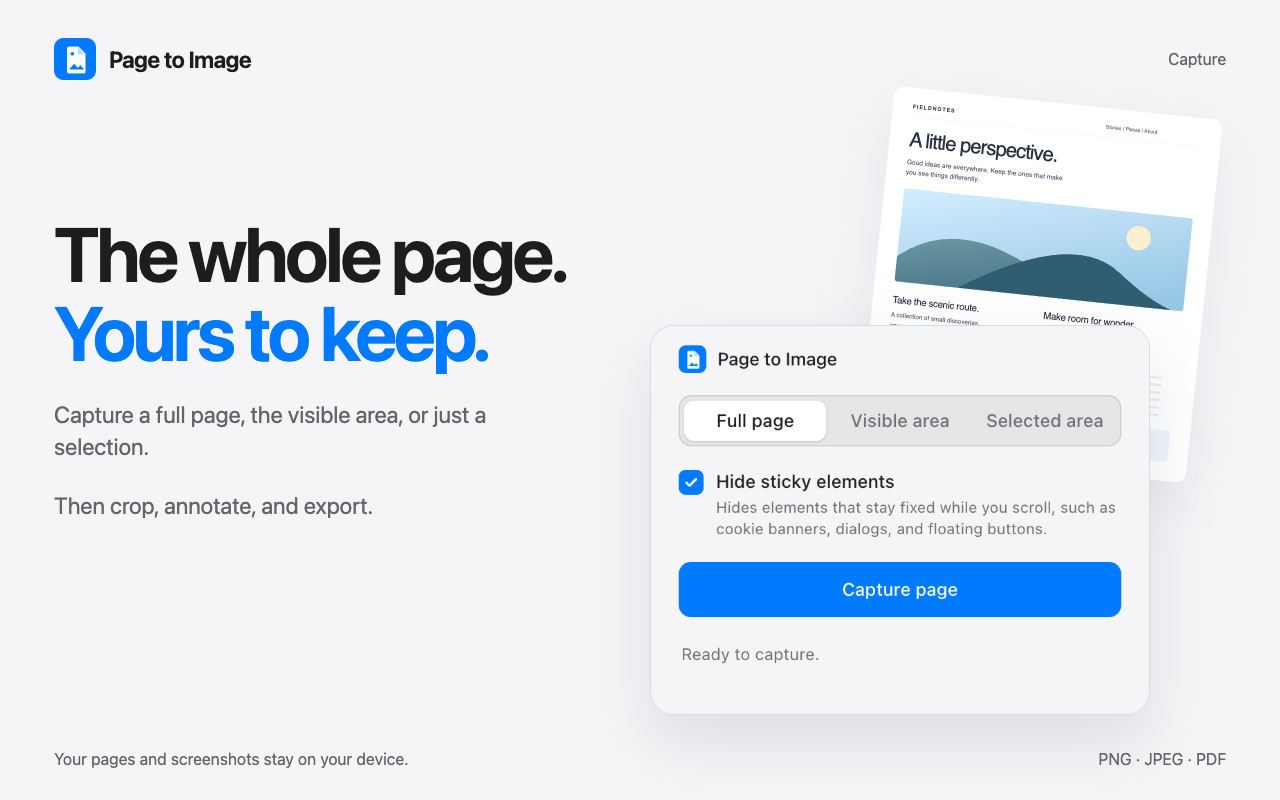
Turn any webpage into a clean image or PDF. Capture the full page, visible screen, or a selected area, refine it in a private review tab with crop and annotation tools, and export or copy in seconds.
🚀 QUICK START
1. Open any webpage you want to capture
2. Click the Page to Image extension icon
3. Select Full page, Visible area, or Selected area
4. Click Capture page
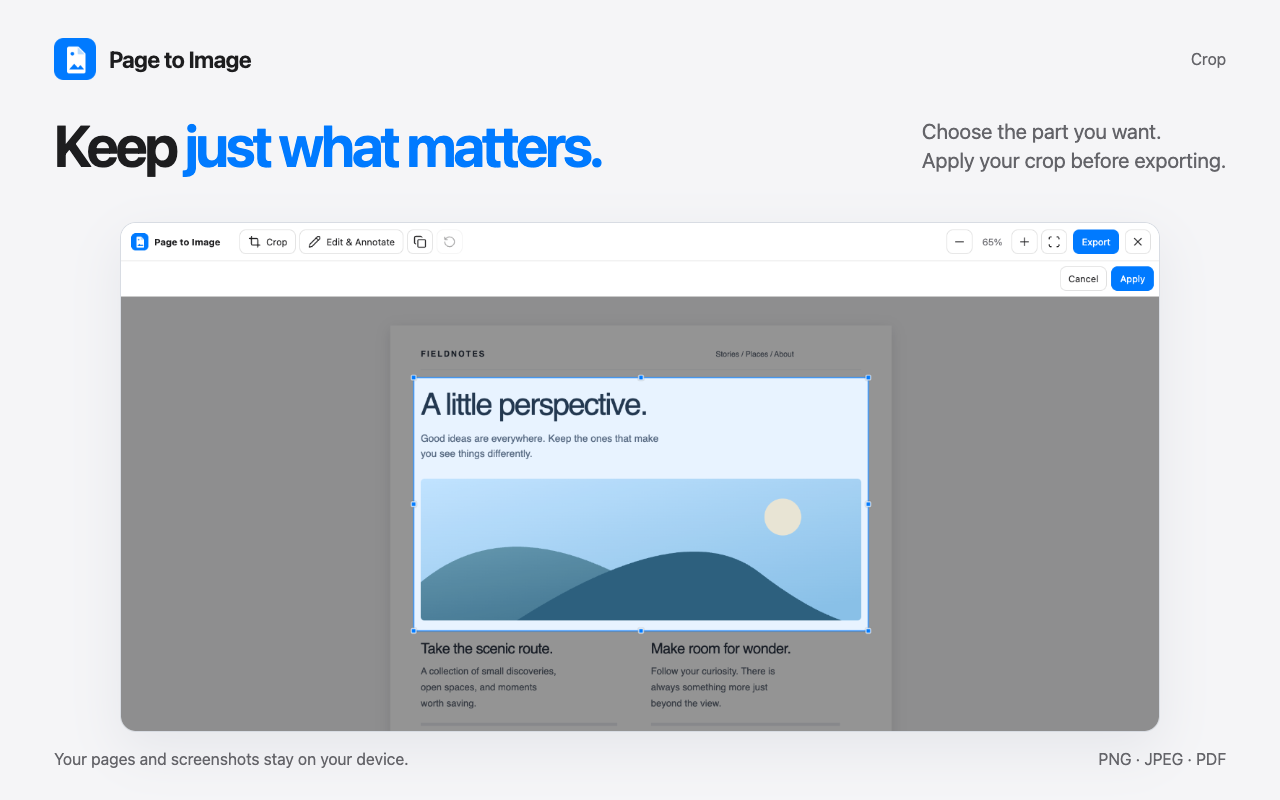
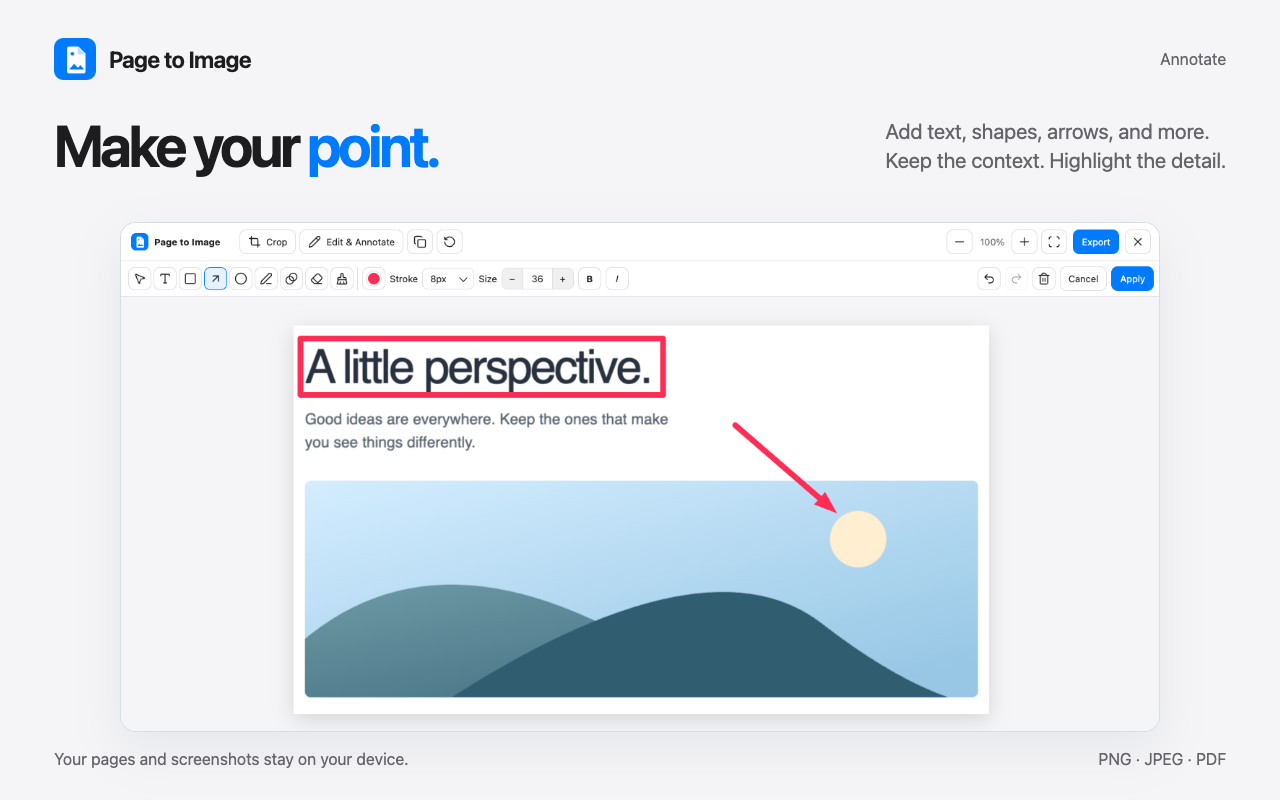
5. Crop, annotate, or blur details in Capture review, then copy or export
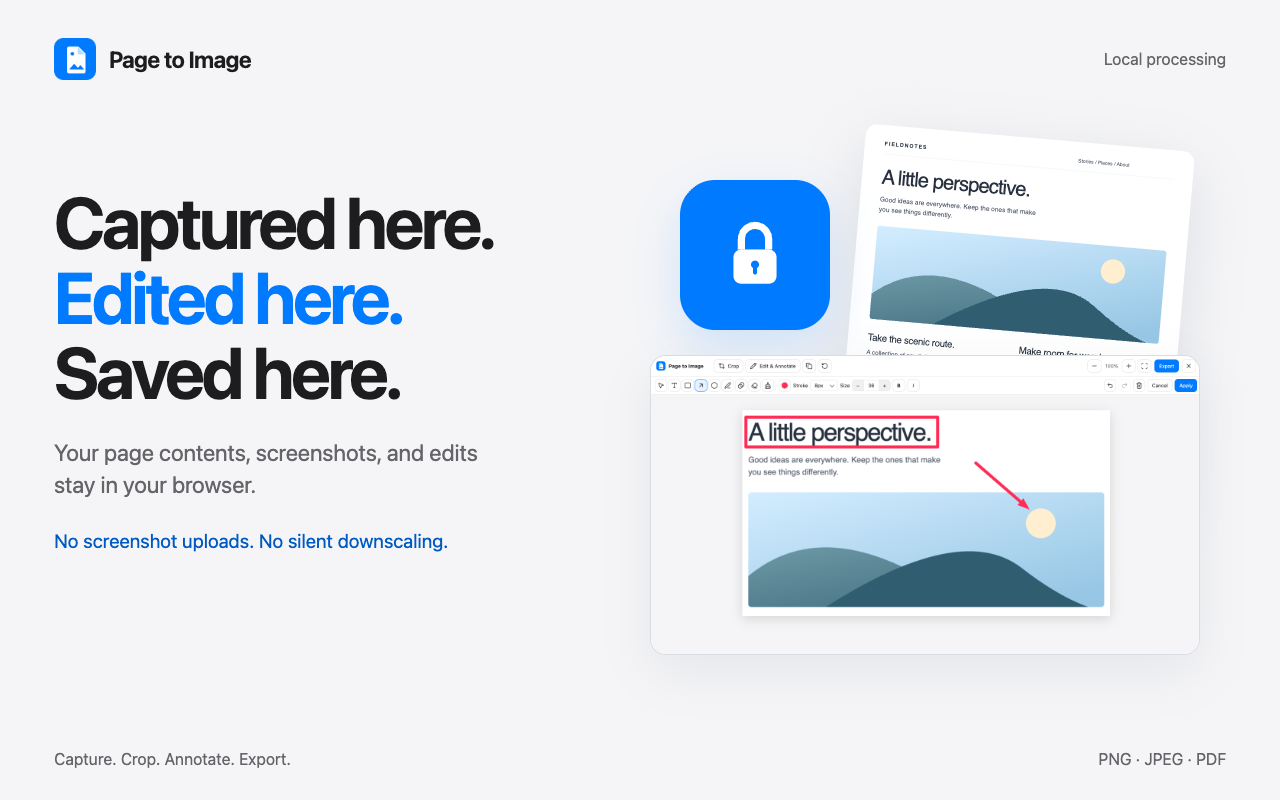
Your captures, edits, and exported files never leave your device. Everything runs 100% locally in your browser.
Features
1️⃣ Real full-page screenshots — captures the entire document from top to bottom, including scrolling elements
2️⃣ Selected area capture — click and drag to capture an exact section of the page
3️⃣ Built-in editor & review — crop, annotate, draw, and redact before saving
4️⃣ Blur & redact — hide sensitive information, emails, passwords, and private data in one click
5️⃣ Copy to clipboard — paste screenshots straight into Slack, Notion, Docs, Figma, or email
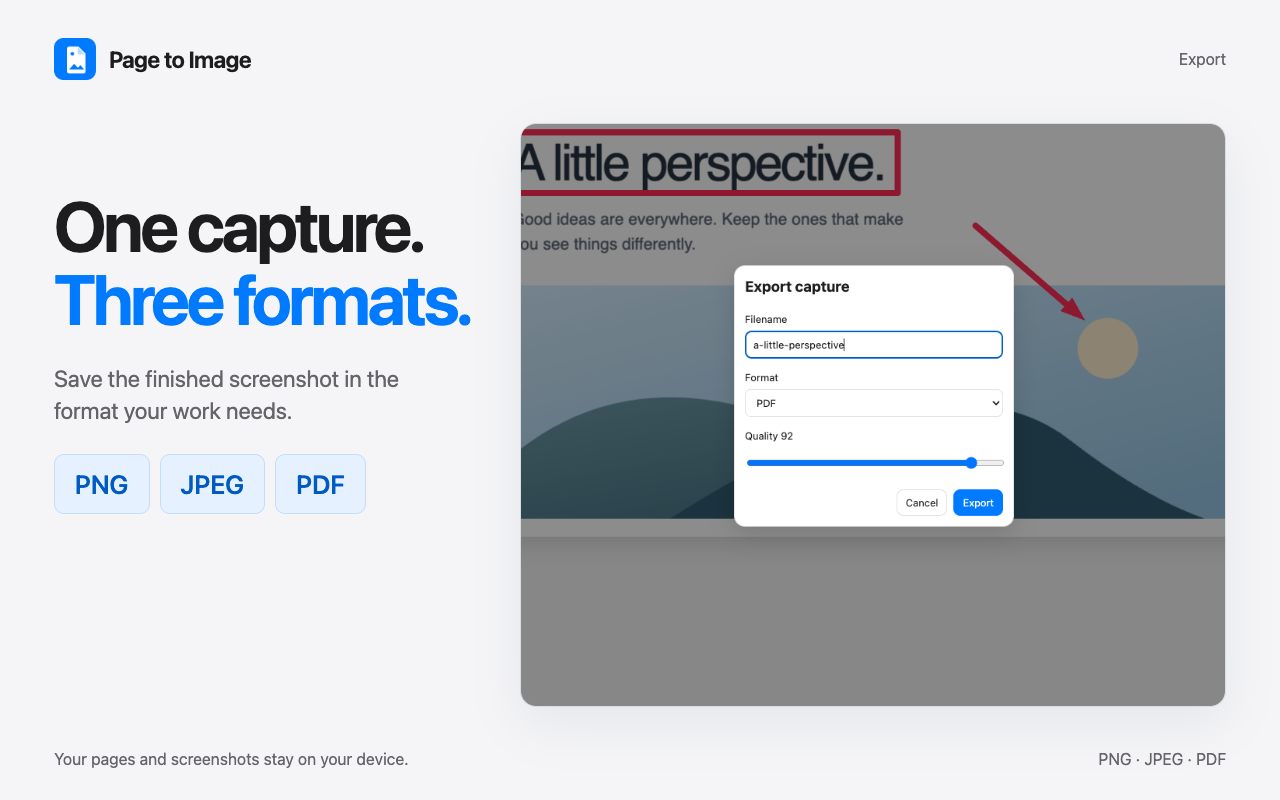
6️⃣ Multiple export formats — save as crisp PNG, adjustable-quality JPEG, or clean paginated PDF
7️⃣ No silent downscaling — ultra-long pages retain full capture resolution
8️⃣ Local-only privacy — zero uploads; your pages and screenshots remain strictly on your machine
9️⃣ Hide page clutter — automatically hide cookie banners, sticky headers, and floating overlays
🔟 No account, analytics, or ads — lightweight, private, and distraction-free
Use Cases
Bug reports and QA
Capture the exact page state, crop to the issue, add arrows or notes, blur sensitive data, and attach the result to a ticket.
Design feedback and handoffs
Mark up a live page before sharing it with colleagues, clients, or AI agents. Use arrows, text, drawing, highlights, and blur to make feedback clear.
Research and documentation
Save full webpages, long Notion documents, chat threads, and reference material at full resolution as PNG, JPEG, or PDF.
Private or sensitive pages
Capture and edit screenshots locally in the browser, without uploading page content or screenshots to a third-party service.

Comments


Hi Fazier! I'm Kirill and this is my first launch here! So, the reason I created Page to Image is simple. I have tried many screenshot extensions for my personal use and kept running into the same trade-offs: 1️⃣ Auto-downscaling of images if the page is really long. For example, I couldn't find any extension that would handle full-page capture for my long Notion document without turning it into blurry pixels. 2️⃣ No editing or annotation capabilities after capture. At least from my experience, there are times when you need to take a screenshot and edit it before sending it out, to blur private data or crop it, for example. 3️⃣ Concerns about the privacy of my screenshots. In a lot of cases, screenshots taken with extensions are sent to developers' servers, which is a drawback I am not willing to accept. So I created a Chrome extension bringing together the features I was missing: • Full-page, visible-area, or selected-area images without the risk of silent downscaling. I even created my own algorithm for it. • Cropping, text, arrows, drawing, highlights, and blur tools for annotating a screenshot before sending it to your colleague or AI agent. • Captures and edits remain in your browser. • Support for web services with complex layouts like Notion, ChatGPT, Claude, Wikipedia, Google Docs, and many others. I’d love to hear what pages you capture most often, what does not work in your current workflow, and what you'd want Page to Image to handle next. Cheers!



You mention ChatGPT and Claude support. I build an extension that adds a side panel inside those chat apps, so I'm curious: when another extension injects its own UI into the page, does the full-page capture include it, or does it get hidden along with cookie banners and sticky headers? Being able to choose would be handy for bug reports.

Doing everything locally is a big plus for capturing anything private. A question from experience: how does the full-page mode handle sticky headers and fixed buttons? In my own full-page captures this week the sticky header ended up sitting over the content. And do lazy-loaded images below the fold come out, or do they need a scroll first? If it handles both, that's worth saying on the page, because those are the first things I'd test.


The 'no silent downscaling' point is what caught my eye – most full-page capture tools quietly shrink very long pages. How do you handle pages longer than the browser's maximum canvas size: do you stitch them into multiple tiles, or split them into PDF pages? The one-click blur for emails before sharing a bug report is a really practical touch.
Premium Products




















































Sponsors
Buy

Makers
Makers
Comments
Hi Fazier! I'm Kirill and this is my first launch here! So, the reason I created Page to Image is simple. I have tried many screenshot extensions for my personal use and kept running into the same trade-offs: 1️⃣ Auto-downscaling of images if the page is really long. For example, I couldn't find any extension that would handle full-page capture for my long Notion document without turning it into blurry pixels. 2️⃣ No editing or annotation capabilities after capture. At least from my experience, there are times when you need to take a screenshot and edit it before sending it out, to blur private data or crop it, for example. 3️⃣ Concerns about the privacy of my screenshots. In a lot of cases, screenshots taken with extensions are sent to developers' servers, which is a drawback I am not willing to accept. So I created a Chrome extension bringing together the features I was missing: • Full-page, visible-area, or selected-area images without the risk of silent downscaling. I even created my own algorithm for it. • Cropping, text, arrows, drawing, highlights, and blur tools for annotating a screenshot before sending it to your colleague or AI agent. • Captures and edits remain in your browser. • Support for web services with complex layouts like Notion, ChatGPT, Claude, Wikipedia, Google Docs, and many others. I’d love to hear what pages you capture most often, what does not work in your current workflow, and what you'd want Page to Image to handle next. Cheers!
You mention ChatGPT and Claude support. I build an extension that adds a side panel inside those chat apps, so I'm curious: when another extension injects its own UI into the page, does the full-page capture include it, or does it get hidden along with cookie banners and sticky headers? Being able to choose would be handy for bug reports.
Doing everything locally is a big plus for capturing anything private. A question from experience: how does the full-page mode handle sticky headers and fixed buttons? In my own full-page captures this week the sticky header ended up sitting over the content. And do lazy-loaded images below the fold come out, or do they need a scroll first? If it handles both, that's worth saying on the page, because those are the first things I'd test.
The 'no silent downscaling' point is what caught my eye – most full-page capture tools quietly shrink very long pages. How do you handle pages longer than the browser's maximum canvas size: do you stitch them into multiple tiles, or split them into PDF pages? The one-click blur for emails before sharing a bug report is a really practical touch.
Premium Products
New to Fazier?

Find your next favorite product or submit your own. Made by @FalakDigital.
Copyright ©2026. All Rights Reserved