
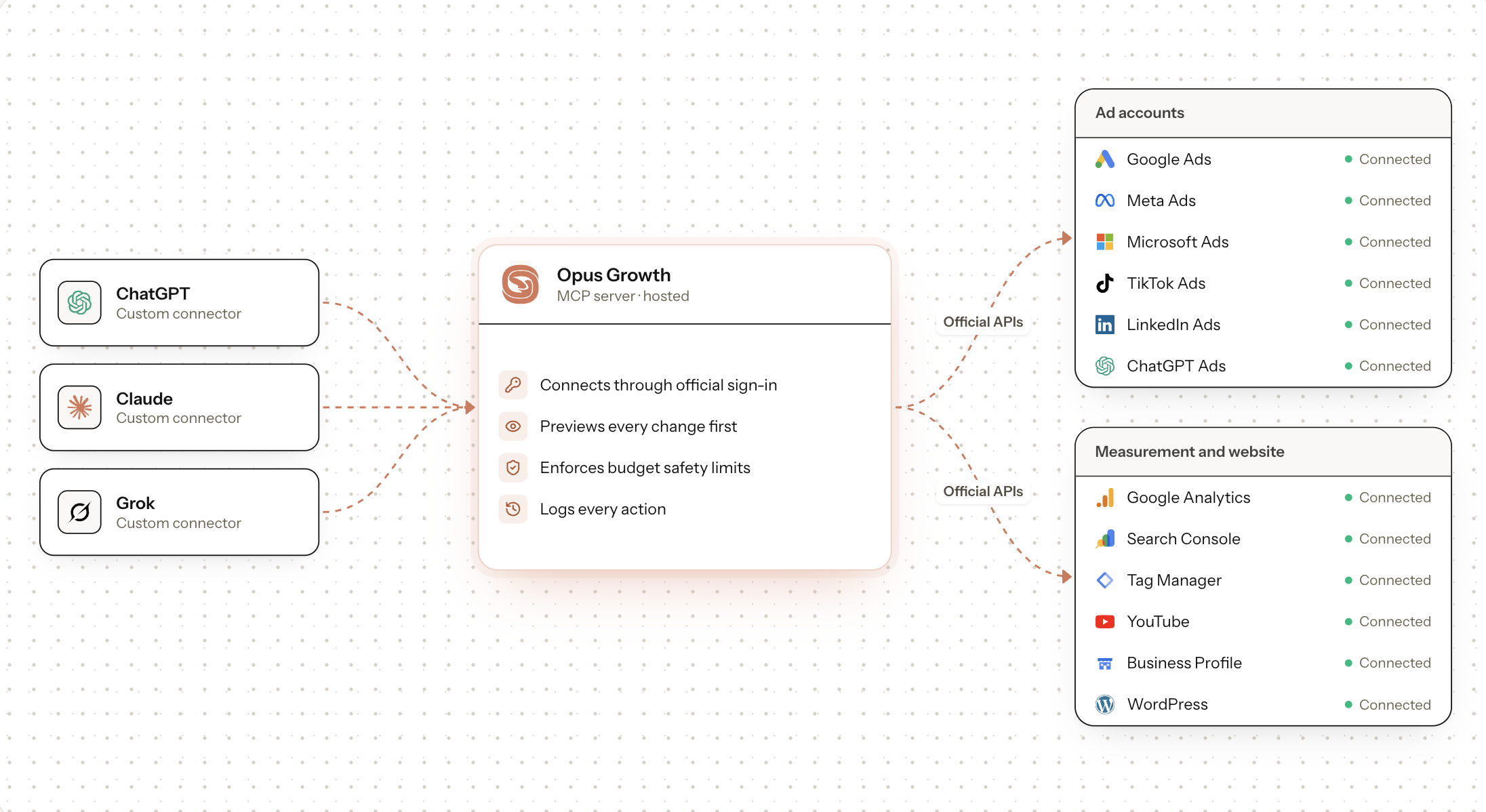
Opus Growth is a single MCP server for Google Ads, Meta Ads, TikTok Ads, LinkedIn Ads, Microsoft Ads and ChatGPT Ads. ChatGPT, Claude, Codex, Perplexity, Cursor and other assistants connect with the same address.
Features
Builds campaigns
Turns your brief into a finished campaign. It stays paused until you approve, so nothing is spent before you say so.
Works where you work
ChatGPT, Claude, Codex, Perplexity, Cursor or the terminal. No new dashboard to learn.
Finds wasted spend
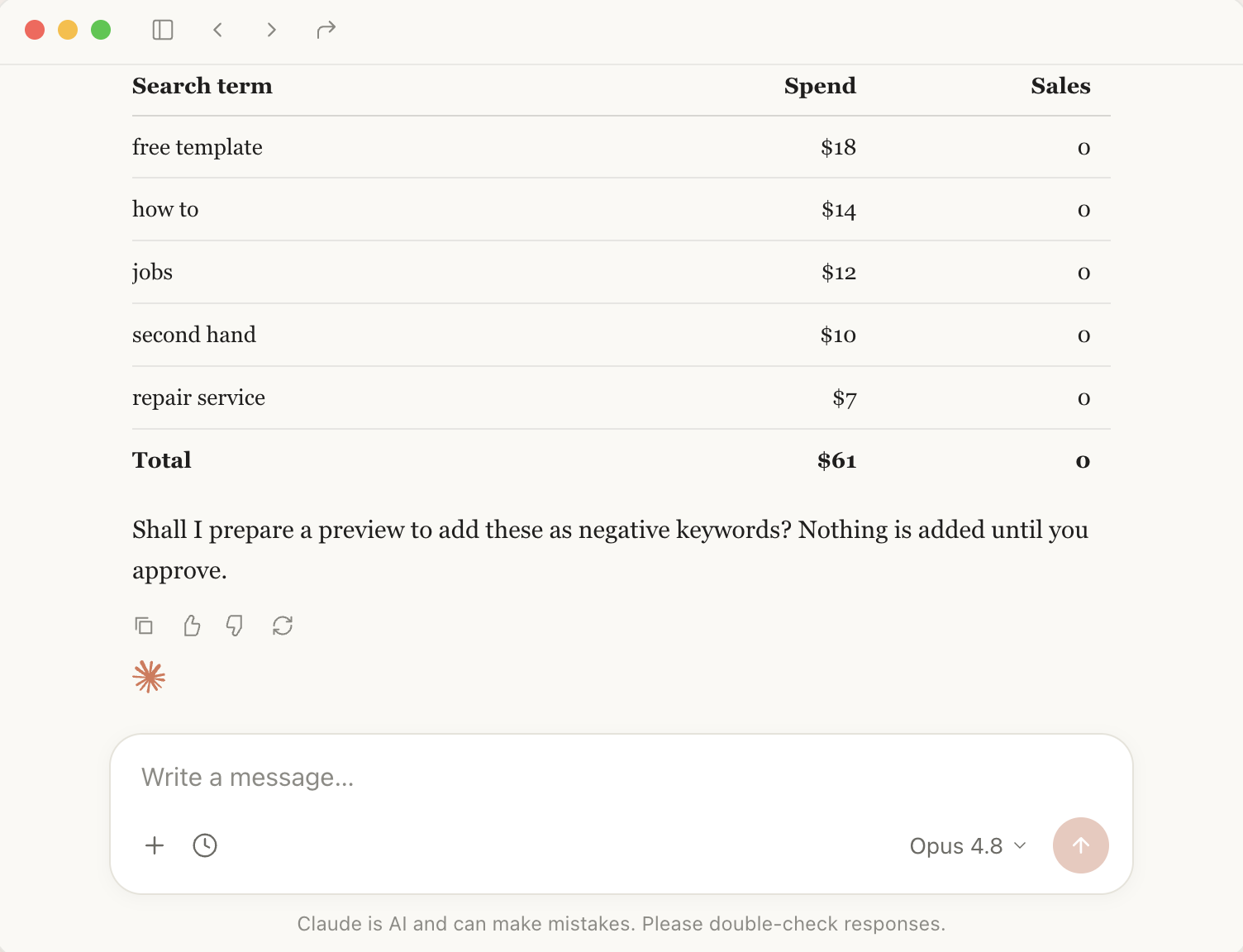
Names the spend that brings no sales and prepares a pause preview.
Catches uncounted sales
Checks the ad account, Analytics and Tag Manager together.
Shows where you stand on Google and in AI answers
Your rank, the search volume and whether ChatGPT recommends you.
Puts every account side by side
Google, Meta, TikTok and Microsoft over the same dates and the same metric.
Writes the report from one sentence
Ads, website and search data in one PDF; the reader needs no account.
Use Cases
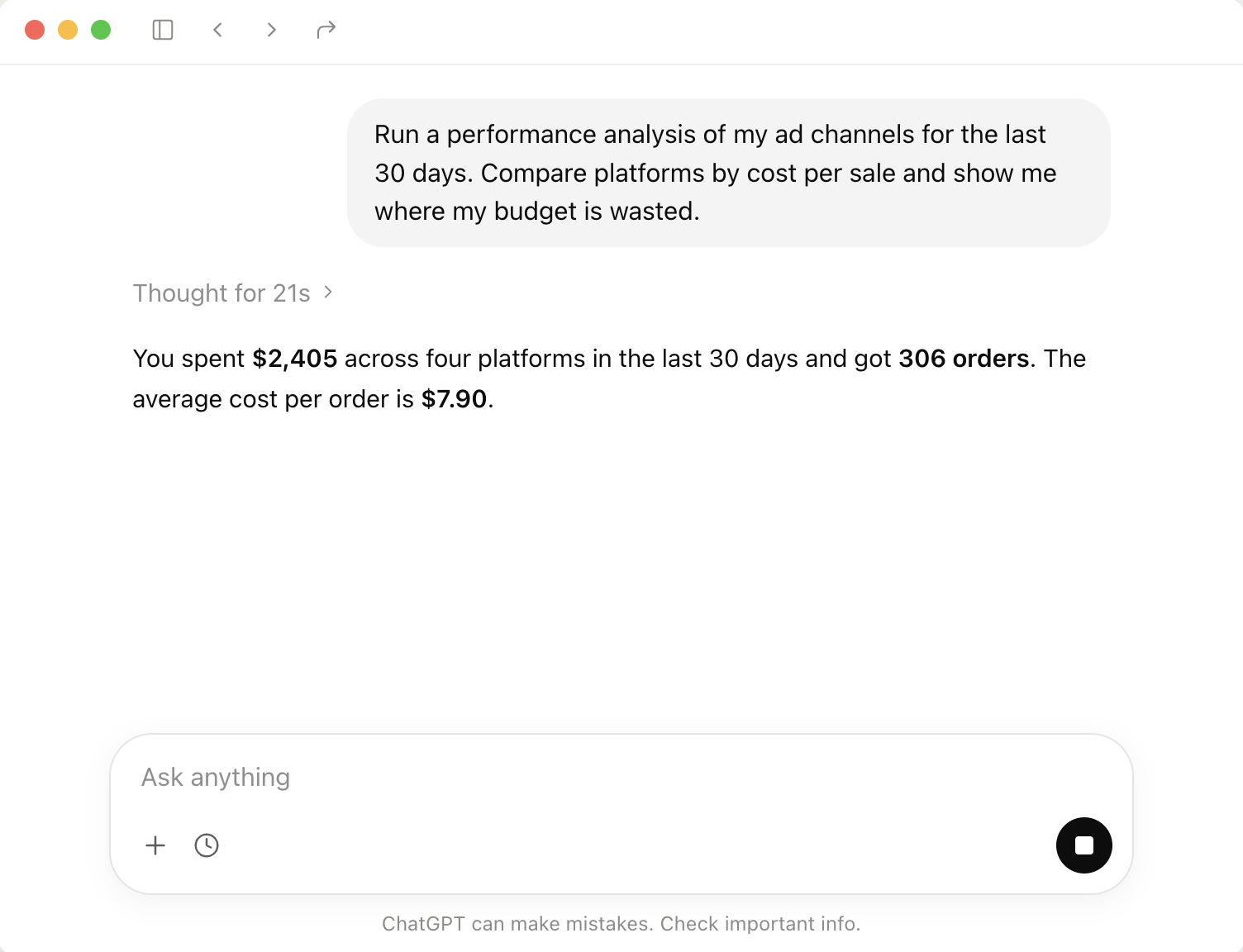
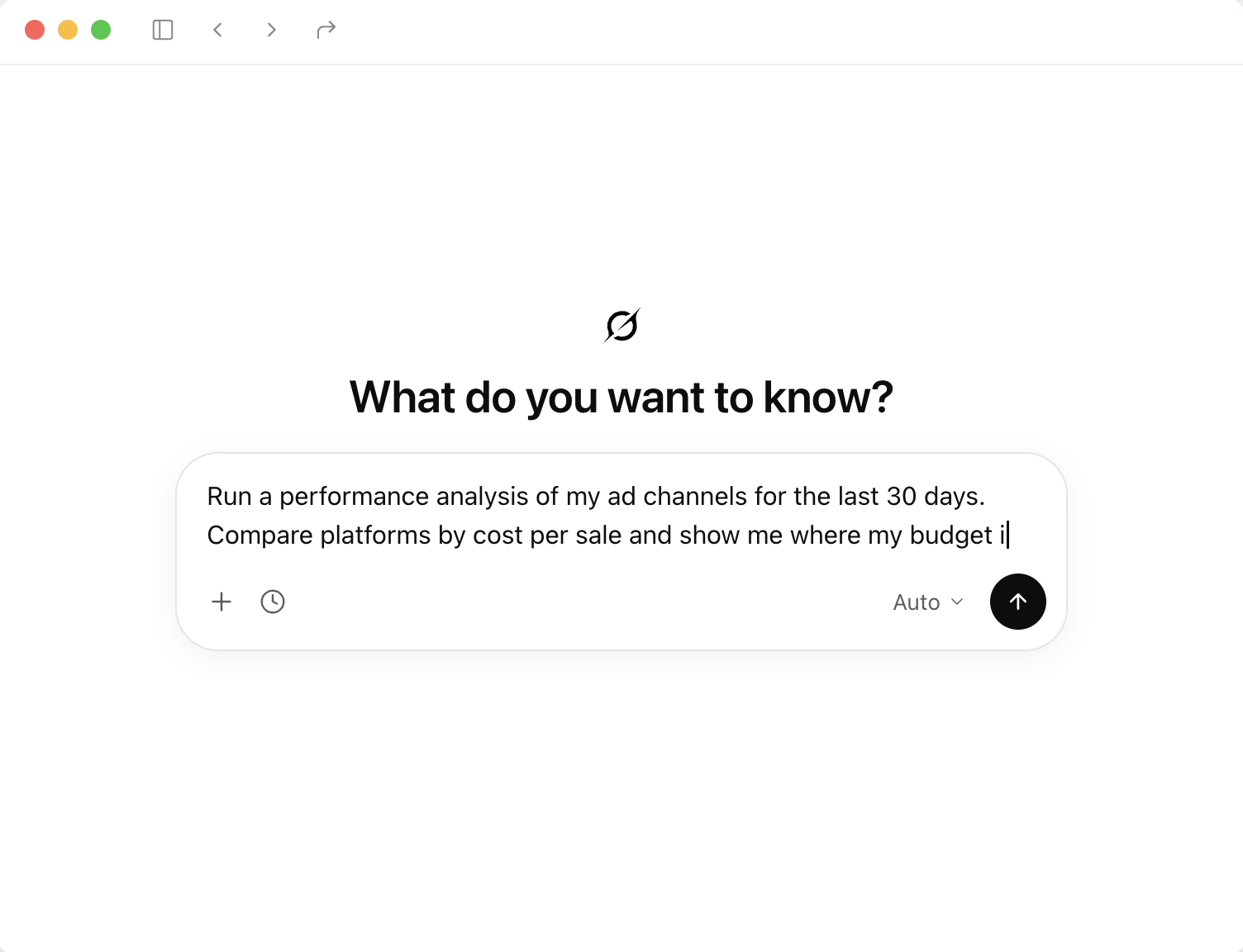
Run a performance analysis of my ad channels for the last 30 days. Compare platforms by cost per sale and show me where my budget is wasted.
Find the Google Ads searches that spend money without bringing sales. Identify keywords to pause and list search terms to add as negatives.
Compare my Instagram ads with last month. Explain what improved, what got worse and why.
Check my conversion tracking. Are orders counted correctly in Google, Meta and Microsoft? Tell me if a tag is missing.
Prepare the October marketing report. Put ads, website and search data in one PDF; I'm sending it to the client.
Fazier Deal

Comments


Hi Fazier 👋 I'm Talat, the maker of Opus Growth. Managing ads meant living in five different dashboards: Google Ads, Meta, Microsoft, TikTok, LinkedIn. Each with its own menus, reports and quirks. I wanted to just ask "where am I wasting budget this week?" and get a real answer. So Opus Growth connects your ad accounts to Claude and ChatGPT. You paste one link, sign in once, and then you can: • Ask how campaigns are doing across every platform in one answer • Find wasted spend and add negative keywords • Create and edit campaigns, ads and budgets by chatting Nothing changes without you. Every edit is shown first and only runs after you approve it, and large budget jumps need a second confirmation. We launched on Product Hunt in July as a Google Ads connector and have added Meta, Microsoft, TikTok, LinkedIn and ChatGPT Ads since. Fazier offer: 10% off Pro, monthly or yearly, with code FAZIER10. I'd love your honest feedback. What's the first thing you'd ask your ad accounts?

Keeping every change paused until you approve it is what would make me comfortable letting an assistant touch ad budgets. The one-sentence report that the reader can open without an account is a nice touch too, since a lot of founders just want a PDF in their inbox. Does the report include conversions that come from forms or booking tools on the website, or only what the ad platforms and Analytics track?


Keeping generated campaigns paused until the user approves is a sensible default for letting an assistant near ad spend. When the same MCP address is connected from several clients, say Claude and Cursor, is the approval tied to the person or to each client, and is there a log of which assistant proposed which change?
Getting one answer across Google, Meta and LinkedIn is the real win here, since each dashboard counts conversions differently. How do you handle attribution windows that don't match when you compare platforms in one reply? A daily cap on budget changes made through chat would make me more comfortable letting it edit live campaigns.


Keeping new campaigns paused until approval is the right default for an assistant that can spend money. How do you scope access when a user connects through Claude or ChatGPT? For example, is there a per-connection spend cap, or a read-only mode for someone who only wants the wasted-spend report and doesn't want the assistant creating anything?
Premium Products















































Fazier Deal
Makers
Makers
Comments
Hi Fazier 👋 I'm Talat, the maker of Opus Growth. Managing ads meant living in five different dashboards: Google Ads, Meta, Microsoft, TikTok, LinkedIn. Each with its own menus, reports and quirks. I wanted to just ask "where am I wasting budget this week?" and get a real answer. So Opus Growth connects your ad accounts to Claude and ChatGPT. You paste one link, sign in once, and then you can: • Ask how campaigns are doing across every platform in one answer • Find wasted spend and add negative keywords • Create and edit campaigns, ads and budgets by chatting Nothing changes without you. Every edit is shown first and only runs after you approve it, and large budget jumps need a second confirmation. We launched on Product Hunt in July as a Google Ads connector and have added Meta, Microsoft, TikTok, LinkedIn and ChatGPT Ads since. Fazier offer: 10% off Pro, monthly or yearly, with code FAZIER10. I'd love your honest feedback. What's the first thing you'd ask your ad accounts?
Keeping every change paused until you approve it is what would make me comfortable letting an assistant touch ad budgets. The one-sentence report that the reader can open without an account is a nice touch too, since a lot of founders just want a PDF in their inbox. Does the report include conversions that come from forms or booking tools on the website, or only what the ad platforms and Analytics track?
Keeping generated campaigns paused until the user approves is a sensible default for letting an assistant near ad spend. When the same MCP address is connected from several clients, say Claude and Cursor, is the approval tied to the person or to each client, and is there a log of which assistant proposed which change?
Getting one answer across Google, Meta and LinkedIn is the real win here, since each dashboard counts conversions differently. How do you handle attribution windows that don't match when you compare platforms in one reply? A daily cap on budget changes made through chat would make me more comfortable letting it edit live campaigns.
Keeping new campaigns paused until approval is the right default for an assistant that can spend money. How do you scope access when a user connects through Claude or ChatGPT? For example, is there a per-connection spend cap, or a read-only mode for someone who only wants the wasted-spend report and doesn't want the assistant creating anything?
Premium Products
New to Fazier?

Find your next favorite product or submit your own. Made by @FalakDigital.
Copyright ©2026. All Rights Reserved