
OpsReveal
Zero-trust in-browser security and financial audit tool
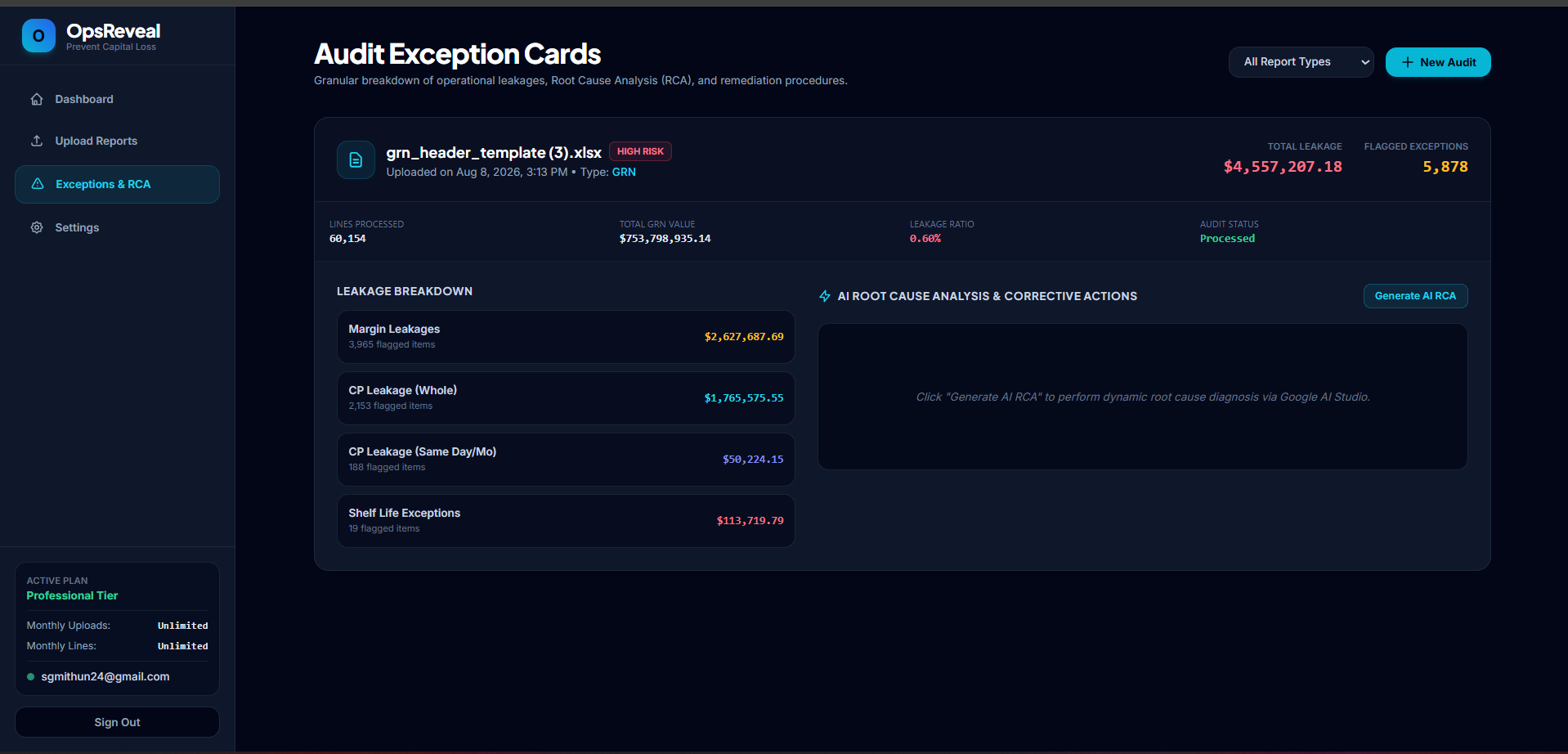
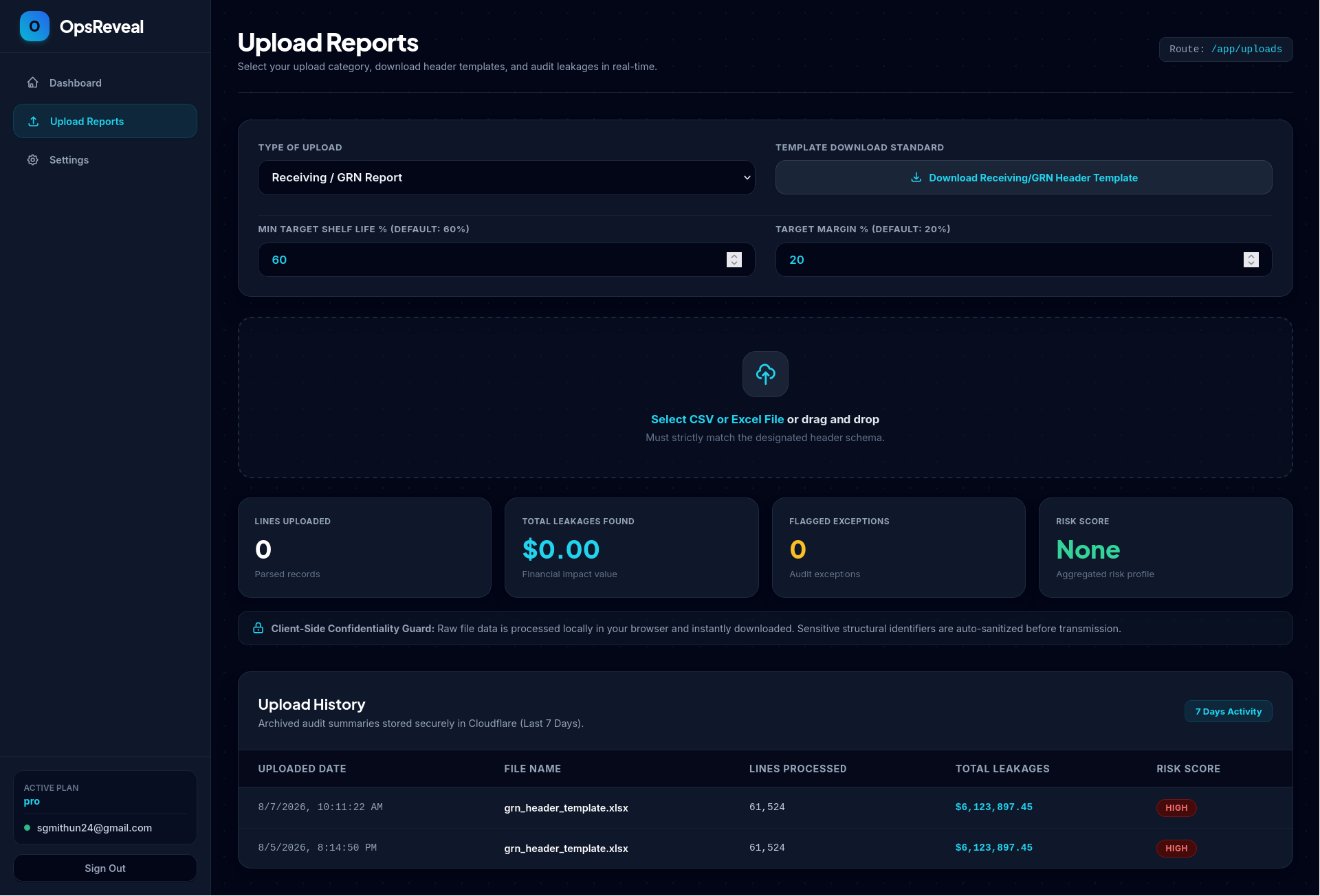
OpsReveal is an in-browser, zero-trust loss prevention and transaction audit engine designed for retail and operational safety. It processes large financial and inventory datasets locally within the user's browser, eliminating security risks and third-party data leaks associated with uploading raw costs and margin data to cloud platforms.
Features
- Local In-Browser Execution: Processes raw CSV and Excel transaction logs directly within local RAM, keeping sensitive financial data safe on the user's machine.
- Metadata Summarization: Retains and aggregates only high-level summary metadata while ensuring raw purchase costs and supplier margins never leave the local environment.
- Universal ERP & POS Parser: Out-of-the-box compatibility to parse raw transaction logs, register dumps, and receiving records from systems like SAP, Oracle, LS Retail, Tally, and custom POS formats without requiring API integrations.
- Goods Received Note (GRN) Audit Engine: Automatically checks inventory receiving logs to flag unauthorized vendor price spikes, billing discrepancies, or unit price creep.
- Negative Margin & Discount Detection: Scans point-of-sale logs to highlight cashier margin overrides, incorrect pricing rules, rogue promo codes, and negative-margin transactions.
- Stock Ageing & Shrinkage Tracking: Cross-references inventory degradation and stock age against real-time sales velocity to isolate inventory leakages and unaccounted-for shrink.
Use Cases
- Vendor Overcharge Recovery: Internal audit teams can cross-verify bulk vendor invoices and GRNs against purchase orders to catch overcharges before payments are disbursed.
- Retail Loss Prevention & Fraud Audit: Store operations and loss prevention managers can analyze register transactions to spot internal employee theft, unsanctioned cashier discounts, or register errors.
- Data-Sensitive Privacy Audits: Enterprises operating under strict compliance policies (such as GDPR or corporate zero-trust guidelines) can perform deep financial audits without exposing sensitive raw costs to external cloud services.
- Inventory Shrink Management: Warehouse and store managers can track missing stock, spoilage, and operational damage patterns across multiple store locations.

Comments


Processing raw margin data in the browser is a smart trust move for retail finance teams - the usual objection to loss-prevention tools is exactly that the data leaves the building. Two things I would want spelled out on the page: how large a transaction log can realistically be processed locally before it needs chunking, and what the audit trail looks like when a finding has to be handed to an auditor or insurer. A one-click export with the input hash and the rule that fired would make findings much easier to defend.





Processing retail cost and margin files in the browser, instead of uploading them, is the right default for this kind of audit. The listing says raw CSV and Excel stay in local RAM. I could not tell what happens to the summary after it is built: does the aggregated result stay on the machine too, or is that the part that gets sent out? For a store owner, that is the line between a local tool and another place their margins end up.

Premium Products


















































Awards
View all
Awards
View allMakers

Makers
Comments
Processing raw margin data in the browser is a smart trust move for retail finance teams - the usual objection to loss-prevention tools is exactly that the data leaves the building. Two things I would want spelled out on the page: how large a transaction log can realistically be processed locally before it needs chunking, and what the audit trail looks like when a finding has to be handed to an auditor or insurer. A one-click export with the input hash and the rule that fired would make findings much easier to defend.
Processing retail cost and margin files in the browser, instead of uploading them, is the right default for this kind of audit. The listing says raw CSV and Excel stay in local RAM. I could not tell what happens to the summary after it is built: does the aggregated result stay on the machine too, or is that the part that gets sent out? For a store owner, that is the line between a local tool and another place their margins end up.
Premium Products
New to Fazier?

Find your next favorite product or submit your own. Made by @FalakDigital.
Copyright ©2026. All Rights Reserved