OpenTag
openTag — Open source AI coworker for Slack and Lark
What is openTag
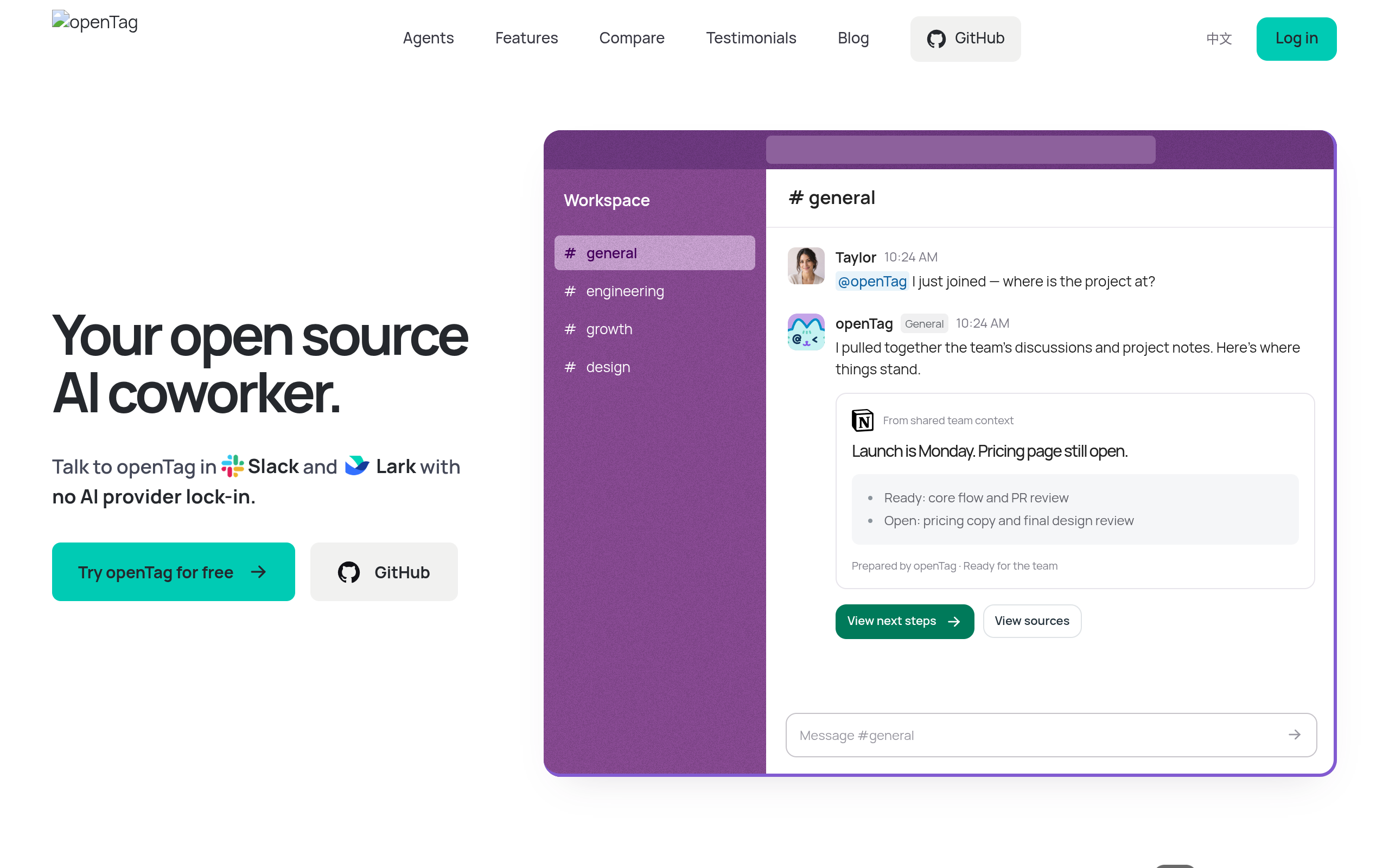
openTag is an open-source AI coworker designed to enhance productivity in team environments by integrating seamlessly with popular messaging platforms like Slack and Lark. It allows users to run AI models locally, providing flexibility and control over their AI interactions.
Features
Features of openTag
Open Source: Fully customizable and free to use, allowing users to modify and adapt the software to their needs.
Local Execution: Runs AI models on your own machine, ensuring data privacy and reducing dependency on external servers.
Multi-Agent Support: Users can connect various AI models, including Claude Code, Codex, and Pi, without being locked into a single provider.
Team Collaboration: Facilitates teamwork by allowing agents to share context and collaborate on tasks within messaging platforms.
Integration with Popular Tools: Connects with over 1000 services, including GitHub, Notion, and Google Drive, enhancing workflow efficiency.
Use Cases
Use Cases of openTag
Project Management: Teams can use openTag to manage projects by delegating tasks and tracking progress through AI interactions in Slack or Lark.
Coding Assistance: Developers can leverage openTag to assist with coding tasks, providing suggestions and automating repetitive tasks.
Knowledge Sharing: Teams can maintain a shared knowledge base, allowing agents to pull context from previous discussions and documents.
Custom AI Solutions: Organizations can create tailored AI solutions that fit their specific workflows and requirements, enhancing productivity.
Data Privacy: By running locally, users can ensure that sensitive information remains secure and under their control.

Comments






The multi-agent support stood out: being able to plug Claude Code, Codex or Pi into the same Slack thread without being locked to one provider is practical. When several agents share context in a channel, how do you stop one agent's output from being treated as instructions by another? It might be worth documenting a recommended permissions setup for teams running it locally.
Running the models locally while living inside Slack or Lark is a smart combo for teams with data-privacy concerns. The multi-agent support, letting people plug in Claude Code, Codex and others without lock-in, is a nice touch. How do agents share context in a busy channel so they don't step on each other's tasks?
Premium Products















































Sponsors
Buy

Awards
View all
Awards
View allMakers

Makers
Comments
The multi-agent support stood out: being able to plug Claude Code, Codex or Pi into the same Slack thread without being locked to one provider is practical. When several agents share context in a channel, how do you stop one agent's output from being treated as instructions by another? It might be worth documenting a recommended permissions setup for teams running it locally.
Running the models locally while living inside Slack or Lark is a smart combo for teams with data-privacy concerns. The multi-agent support, letting people plug in Claude Code, Codex and others without lock-in, is a nice touch. How do agents share context in a busy channel so they don't step on each other's tasks?
Premium Products
New to Fazier?

Find your next favorite product or submit your own. Made by @FalakDigital.
Copyright ©2026. All Rights Reserved