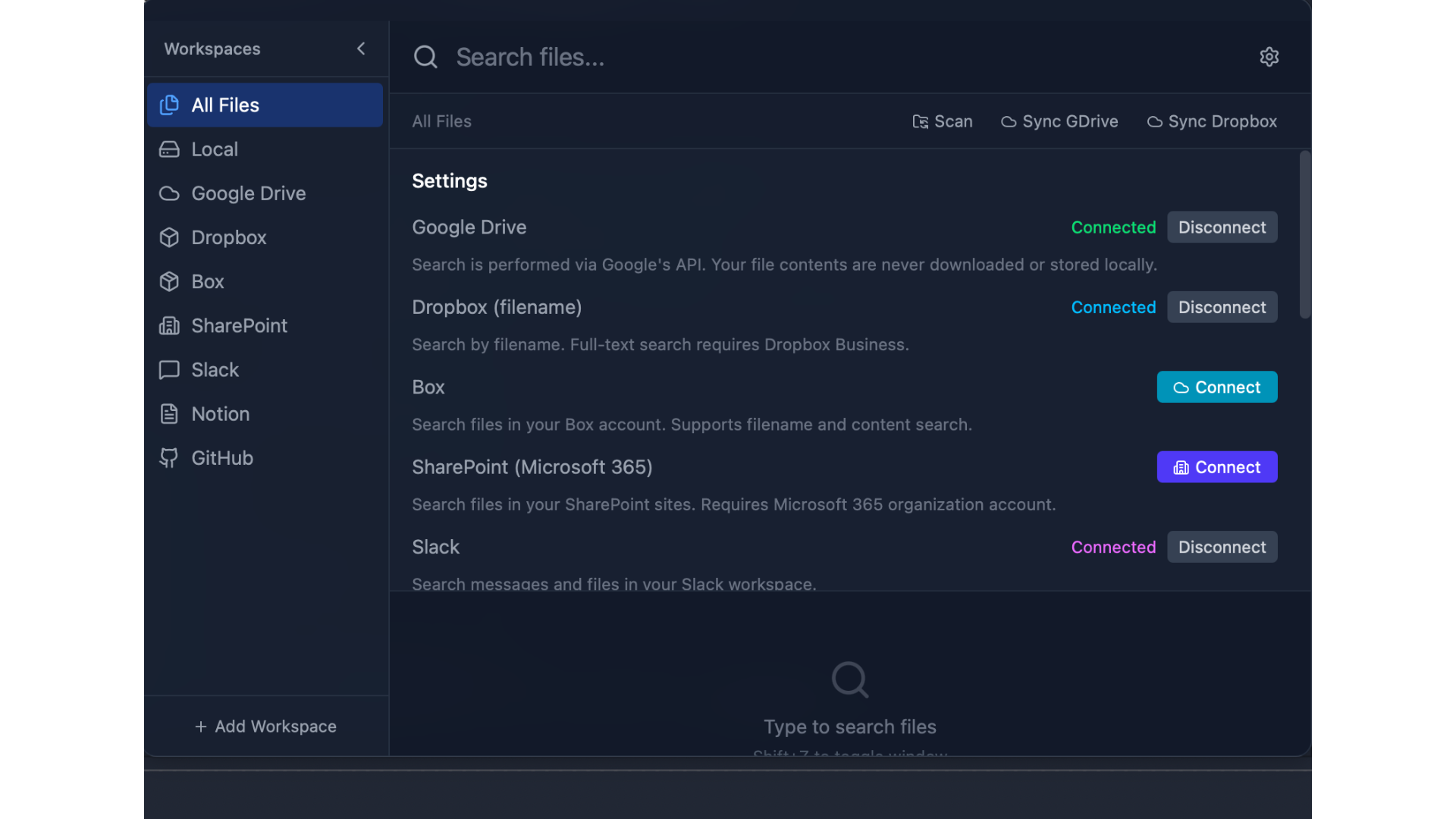
OmniFile is a privacy-first desktop file search app for Mac and Windows. It finds your local files and cloud storage from one place: press a single keyboard shortcut to instantly search across your computer plus Google Drive, Dropbox, Box, SharePoint, Slack, Notion, and GitHub — all from one unified search bar.
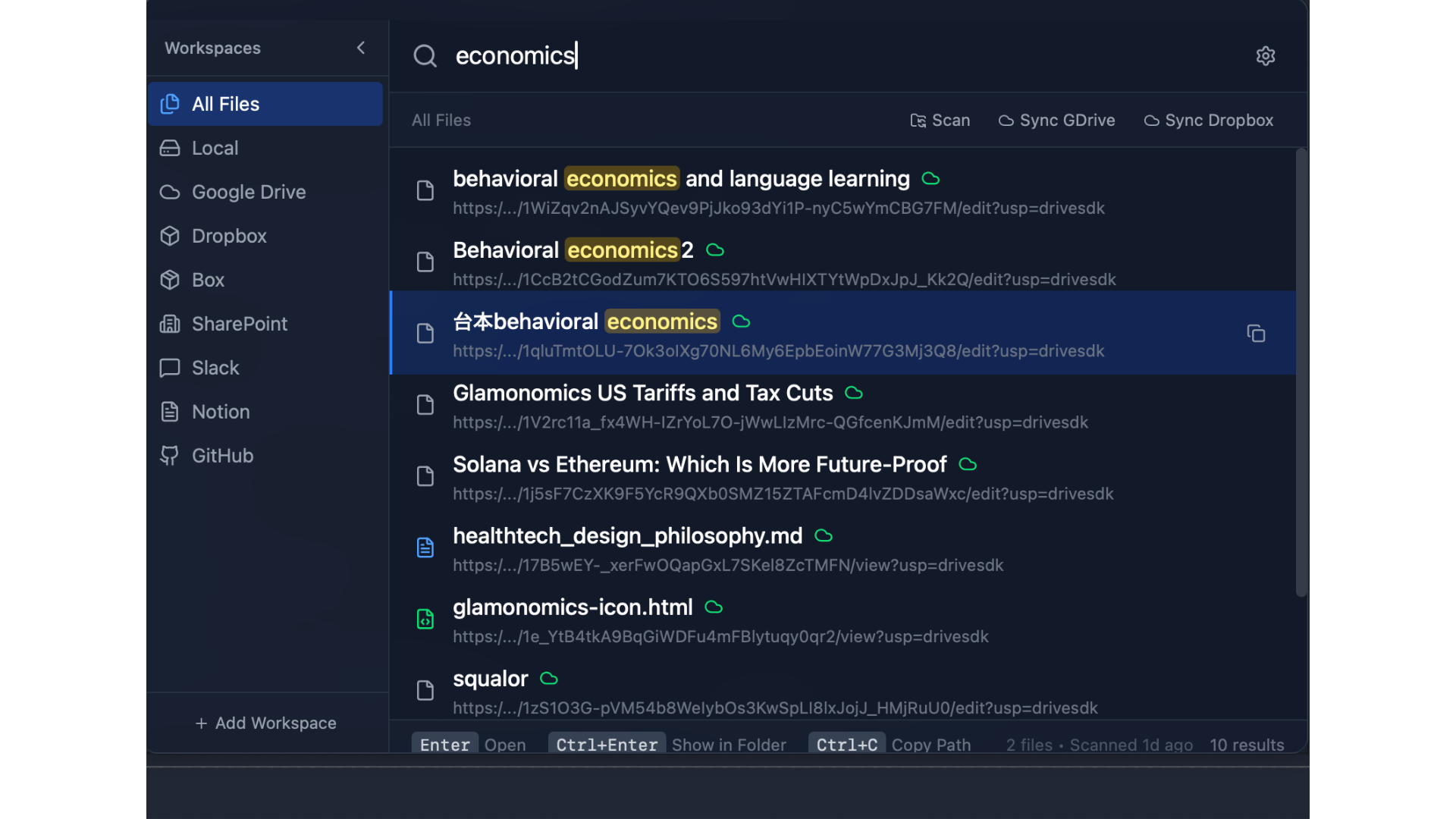
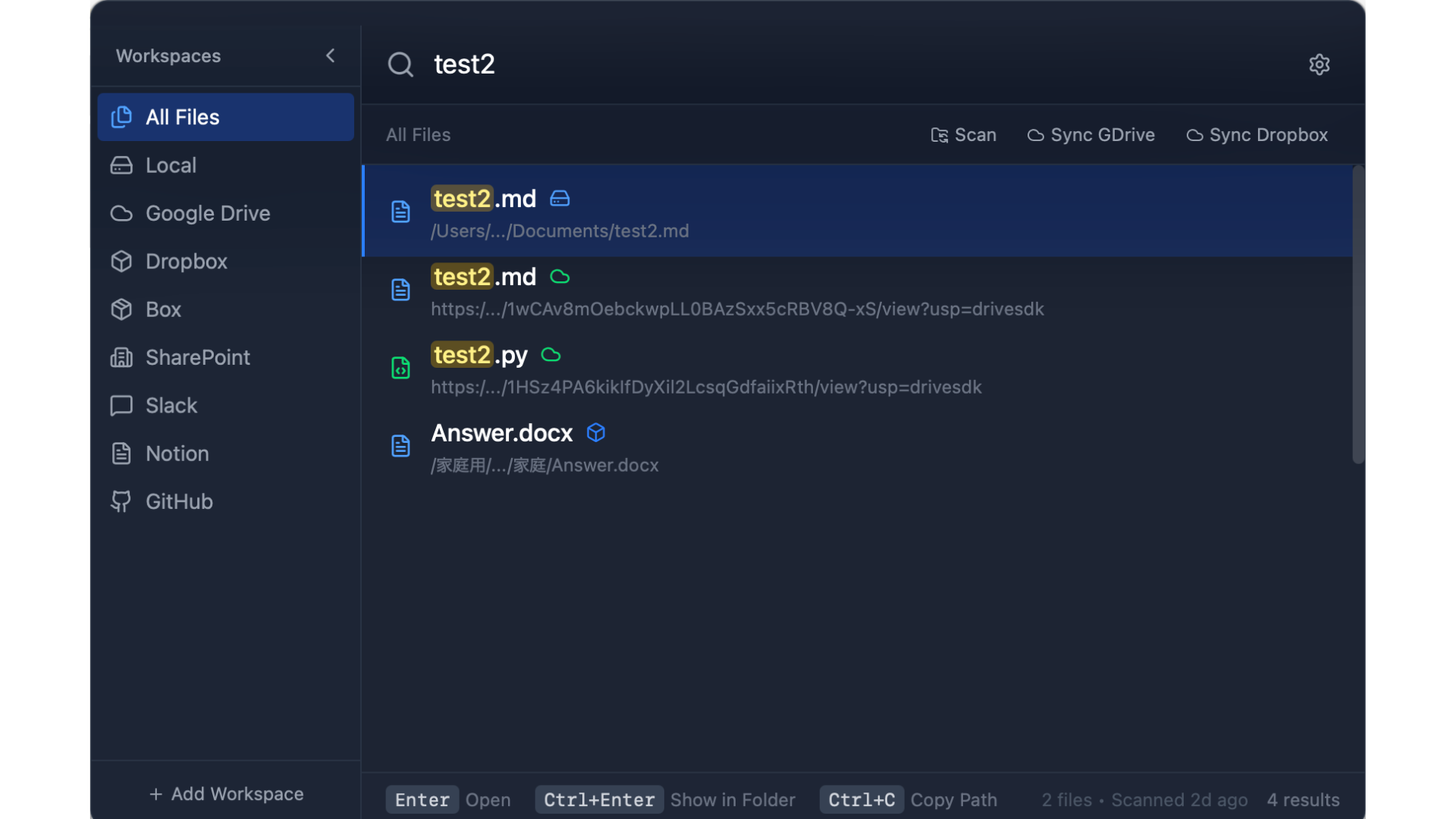
Unlike Spotlight or Windows Search, OmniFile matches on file name, path, and extension, and also searches inside the contents of documents such as PDF, Word, and text files. Fuzzy matching surfaces the right file in milliseconds as you type.
Privacy comes first: your file index is stored entirely on your own device and never touches a server. Start free with local file search, then upgrade to OmniFile Pro ($129, one-time) to unlock unified search across every connected cloud and workspace. It is the fast, unified alternative to Spotlight, Everything, and the old Google Desktop Search — built for anyone whose files live across both their computer and the cloud.
Features
- Unified search across local files plus Google Drive, Dropbox, Box, SharePoint, Slack, Notion, and GitHub
- Full-text search inside documents — PDF, Word, Excel, Markdown, and code
- Instant fuzzy matching that finds files in milliseconds as you type
- One global keyboard shortcut to search from anywhere
- Privacy-first: your file index stays on your device, never on a server
- Native macOS and Windows apps — free local search, Pro unlocks all cloud integrations
Use Cases
- Find a file by name when you cannot remember where you saved it — on your computer or in the cloud
- Search every Google Drive, Dropbox, and SharePoint file from your desktop without opening a browser
- Pull up a document by the text inside it, not just its filename
- Replace Spotlight or Windows Search with one bar that also covers your cloud and team tools
- Locate shared files across Slack, Notion, and GitHub without switching apps

Comments




The local index + cloud connectors combination is the interesting part. A lot of search tools are fast locally but fall apart once the real mess is split across Drive, Slack, Notion, and GitHub. I’d be curious how permissions and deleted/moved cloud files are handled: does OmniFile mirror each provider’s access rules in the local index, and how quickly does it invalidate stale results when a shared file disappears?

Hey everyone — maker here 👋 I built OmniFile because my files were scattered across my Mac, my Windows PC, Google Drive, Dropbox, Slack, Notion... and I kept wasting time hopping between apps just to find one document. OmniFile puts everything behind a single keyboard shortcut: search your local files plus Google Drive, Dropbox, Box, SharePoint, Slack, Notion, and GitHub from one bar. It's privacy-first — your search index stays entirely on your device, never on a server — and local search is free and unlimited (Pro adds the cloud integrations). I'd genuinely love your feedback and feature requests!

Keeping the index fully local instead of pushing everything to a server is the right tradeoff for something that's reading into file contents — a lot of "smart search" tools quietly upload metadata or snippets to speed up cloud sync, which is a hard no for anything work-related. How big does the local index get on a drive with a lot of PDFs/large documents, and does content indexing run continuously in the background or only on-demand? That's usually the thing that makes or breaks daily use on an older machine.
Premium Products











































Sponsors
Buy

Makers
Makers
Comments
The local index + cloud connectors combination is the interesting part. A lot of search tools are fast locally but fall apart once the real mess is split across Drive, Slack, Notion, and GitHub. I’d be curious how permissions and deleted/moved cloud files are handled: does OmniFile mirror each provider’s access rules in the local index, and how quickly does it invalidate stale results when a shared file disappears?
Hey everyone — maker here 👋 I built OmniFile because my files were scattered across my Mac, my Windows PC, Google Drive, Dropbox, Slack, Notion... and I kept wasting time hopping between apps just to find one document. OmniFile puts everything behind a single keyboard shortcut: search your local files plus Google Drive, Dropbox, Box, SharePoint, Slack, Notion, and GitHub from one bar. It's privacy-first — your search index stays entirely on your device, never on a server — and local search is free and unlimited (Pro adds the cloud integrations). I'd genuinely love your feedback and feature requests!
Keeping the index fully local instead of pushing everything to a server is the right tradeoff for something that's reading into file contents — a lot of "smart search" tools quietly upload metadata or snippets to speed up cloud sync, which is a hard no for anything work-related. How big does the local index get on a drive with a lot of PDFs/large documents, and does content indexing run continuously in the background or only on-demand? That's usually the thing that makes or breaks daily use on an older machine.
Premium Products
New to Fazier?

Find your next favorite product or submit your own. Made by @FalakDigital.
Copyright ©2026. All Rights Reserved