
Omni Voice
Free AI voice generator for natural text to speech
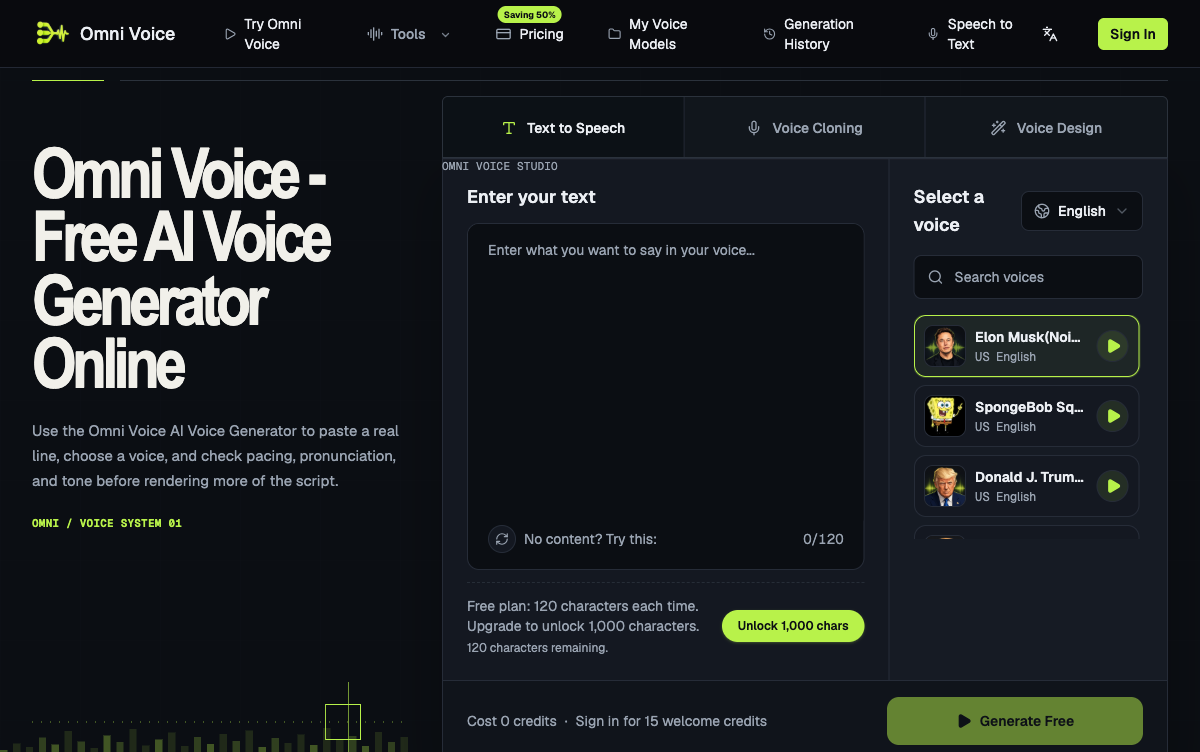
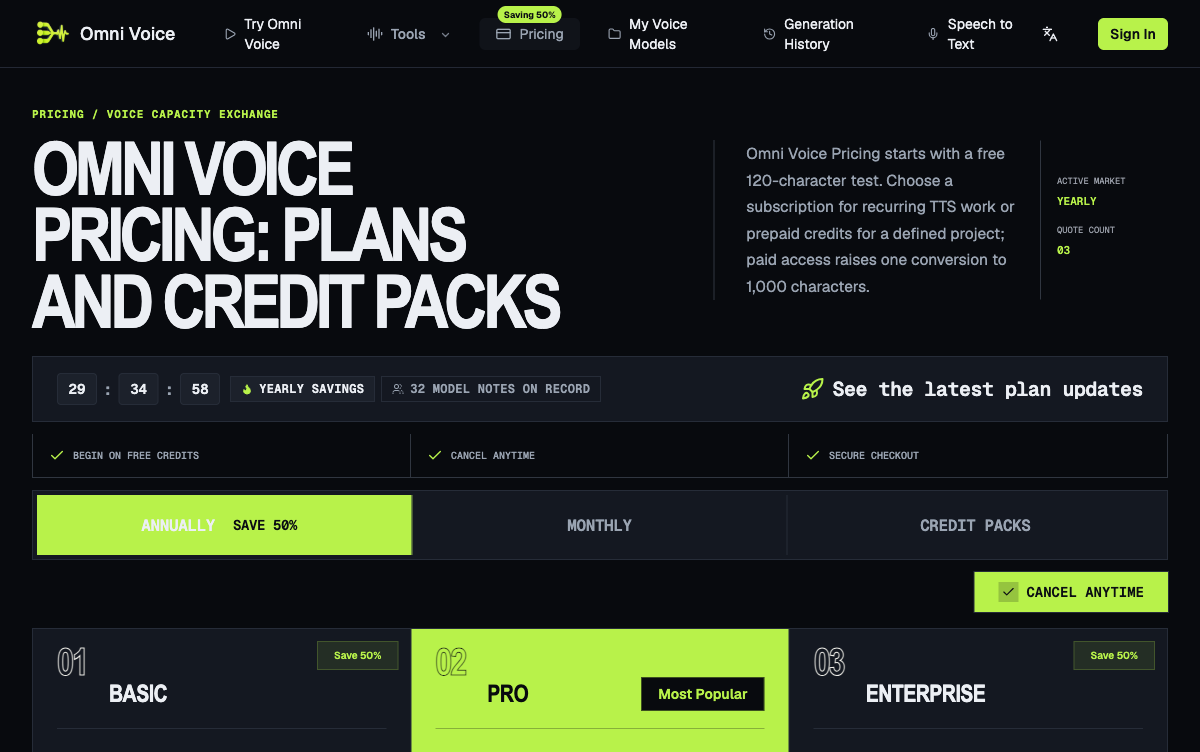
Omni Voice is a browser-based AI voice generator that turns written scripts into natural text to speech, with consent-based voice cloning and voice design in the same workspace. Omni Voice treats punctuation, line breaks, and sentence length as practical controls for rhythm, emphasis, and pauses, so rewriting a line changes the delivery and not just the words. Creators audition public library voices on a real sentence from the project, then render the full script once a voice handles the hardest name or hook. Omni Voice supports English, Chinese, Japanese, and Korean, and the free plan renders 120 characters per conversion.
Features
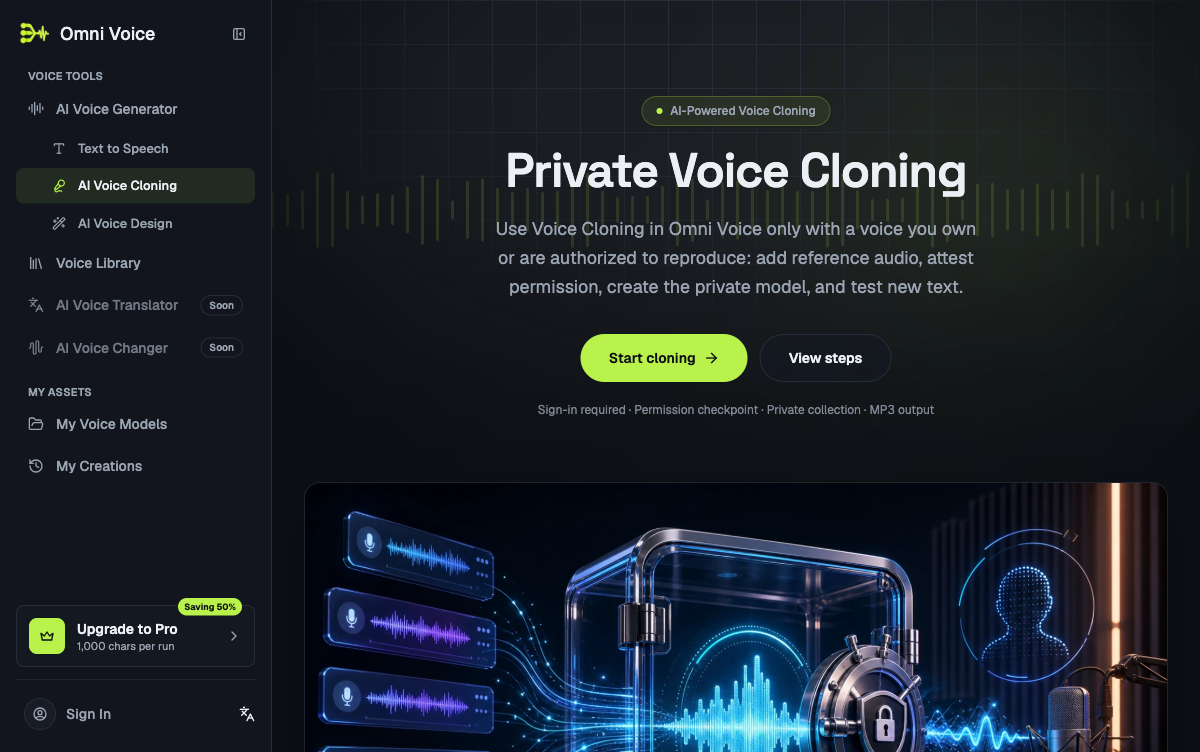
Text to speech that responds to punctuation, line breaks, and sentence length for rhythm and emphasis. Public voice library with audition playback before rendering a full script. Consent-based voice cloning into account-only private voice models. Voice Design for building new voice profiles from the same credit balance. Generation history keeping earlier takes available for comparison and download. Speech to text alongside the TTS workspace. English, Chinese, Japanese, and Korean output in one workspace.
Use Cases
Voiceover for short-form and long-form video. Audiobook and online course narration. Game dialogue and app prompt prototyping. Brand narrator continuity when a script correction arrives after the recording window. Accessibility and screen-reading audio.

Comments


Hi Fazier! Omni Voice started from a simple annoyance: most TTS tools make you commit to a full render before you can hear whether a voice handles the one line that actually matters — a product name, a hook, an unusual word. So we built the workflow around auditioning first: paste a real sentence, compare library voices on it, and only then render the script. Cloning, voice design, history and downloads live in the same page, and the free plan lets you test 120 characters per conversion without signing up for anything heavy. Happy to answer questions about the cloning consent flow or the language coverage (EN/ZH/JA/KO).
Premium Products

































Sponsors
Buy

Makers
Makers
Comments
Hi Fazier! Omni Voice started from a simple annoyance: most TTS tools make you commit to a full render before you can hear whether a voice handles the one line that actually matters — a product name, a hook, an unusual word. So we built the workflow around auditioning first: paste a real sentence, compare library voices on it, and only then render the script. Cloning, voice design, history and downloads live in the same page, and the free plan lets you test 120 characters per conversion without signing up for anything heavy. Happy to answer questions about the cloning consent flow or the language coverage (EN/ZH/JA/KO).
Premium Products
New to Fazier?

Find your next favorite product or submit your own. Made by @FalakDigital.
Copyright ©2025. All Rights Reserved