OLBO Website Checker
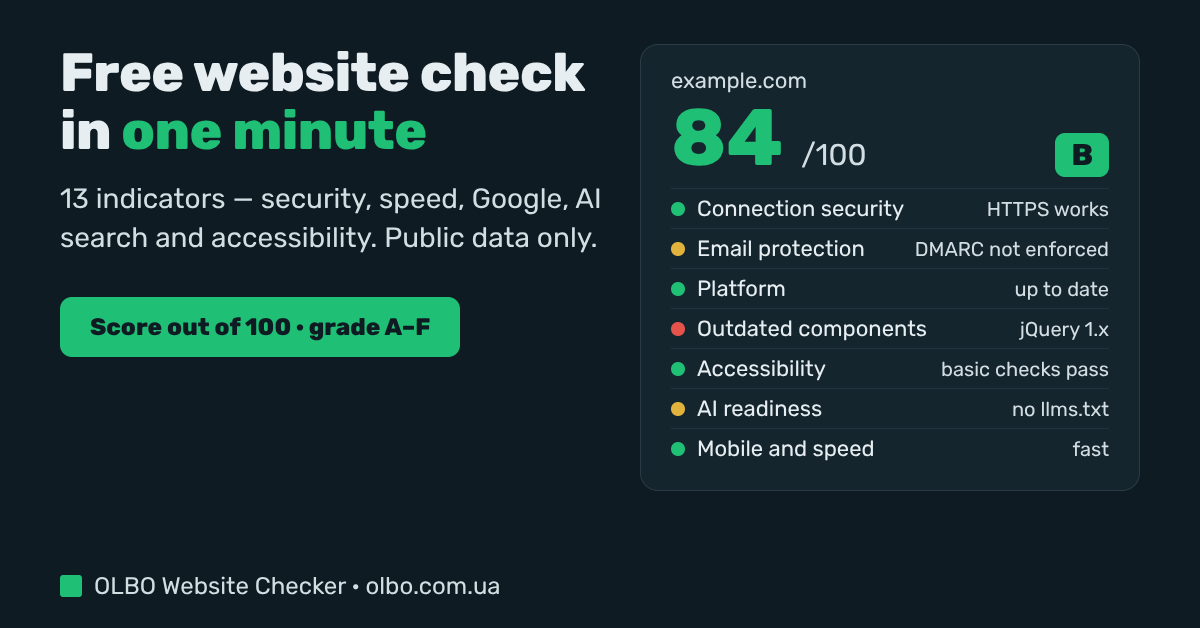
Free 13-point website health check in one minute
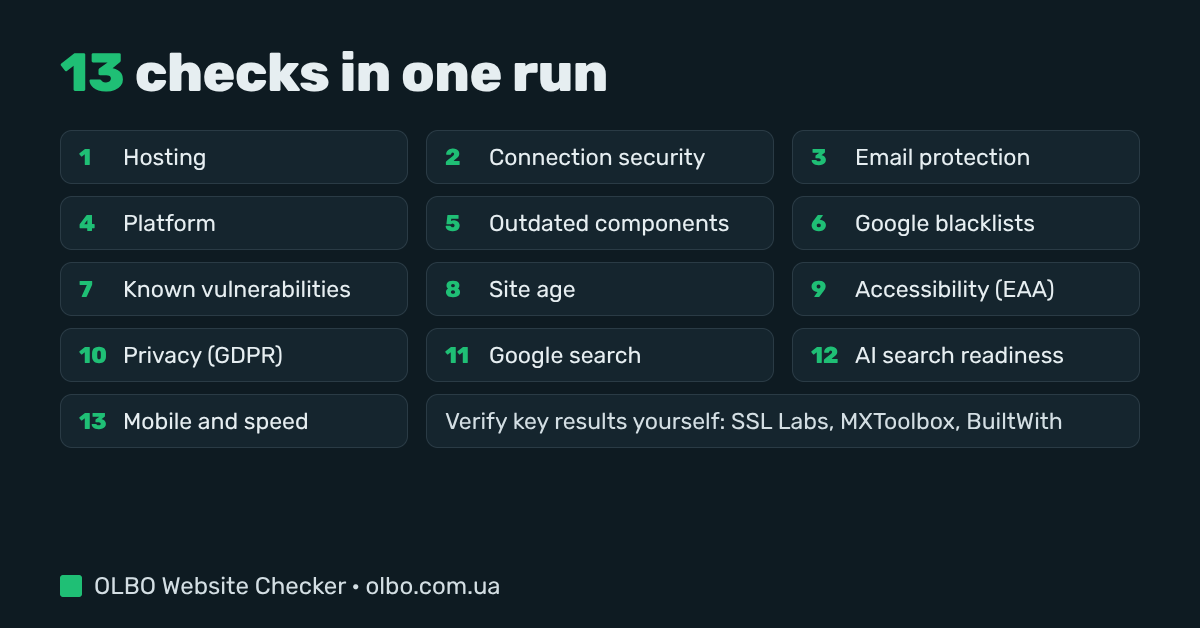
OLBO Website Checker runs 13 checks on any public website in about a minute: hosting, HTTPS and security headers, email protection (SPF, DMARC), platform and outdated components, known vulnerabilities, Google blacklists, site age, accessibility (European Accessibility Act), privacy (GDPR), Google search, AI search readiness (GPTBot, ClaudeBot, llms.txt) and mobile speed.
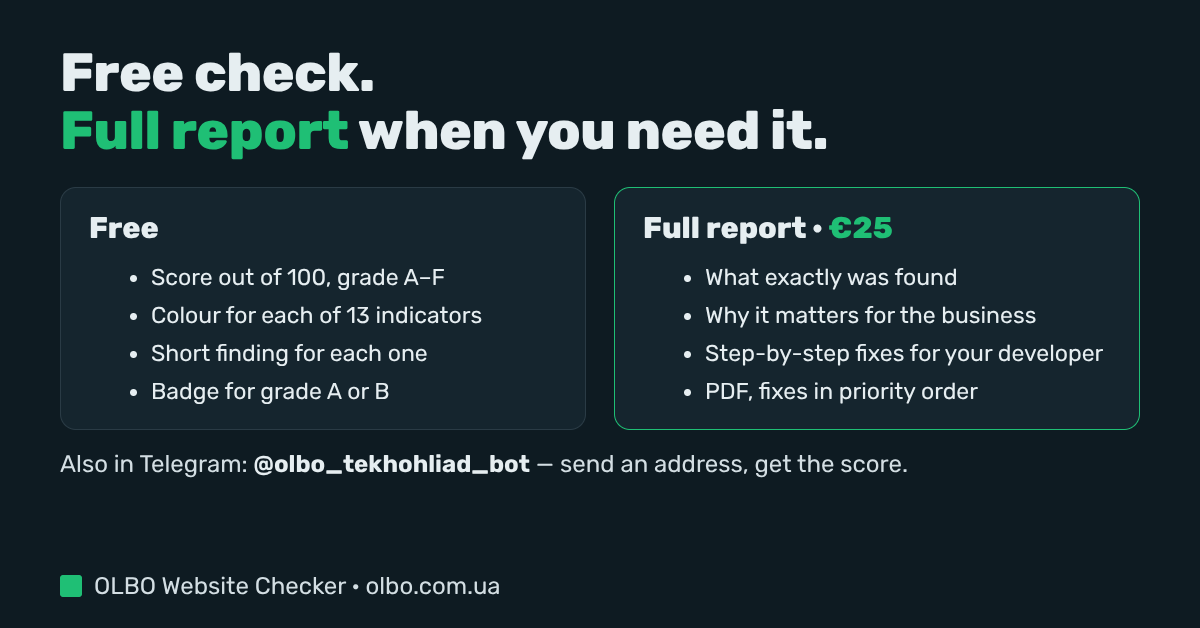
Free: an overall score out of 100, a grade from A to F, and a colour with a short finding for every indicator. Each of the first results links to independent free tools (SSL Labs, MXToolbox, BuiltWith), so you can verify we are not wrong.
Full report (€25): what exactly was found, why it matters for the business, and step-by-step fixes for your developer, as a PDF.
Public data only: no hacking, no logins, no code changes. Works in English and Ukrainian, also as a Telegram bot.
Built in Lviv, Ukraine, by OLBO web studio. Part of the revenue supports Balabony, a Ukrainian reading platform accessible to people with disabilities.
Features
13 checks in about one minute, watched live step by step
Free score out of 100 with an A–F grade
Accessibility check for the European Accessibility Act
AI search readiness: GPTBot, ClaudeBot, llms.txt
Independent links to verify every key result
Full PDF report with prioritized fixes for developers
Badge for websites with grade A or B
Telegram bot: @olbo_tekhohliad_bot
Use Cases
Small business owner: check whether the website is outdated before paying for a redesign
Agency or freelancer: show a client the problems in one minute before a sales call
Online shop in the EU: quick accessibility signal ahead of the European Accessibility Act
Developer: get a prioritized fix list for a site you inherited
Marketer: see whether AI assistants like ChatGPT can read your site

Comments


Hi Fazier! I'm Bohdan from Lviv, Ukraine. Small business owners keep asking me the same thing: "Is my website OK, or do I need a new one?" Existing tools answer only part of it: PageSpeed shows speed, SSL Labs shows the certificate, someone else checks email security. Nobody puts it all in one plain answer. So we built OLBO Website Checker: 13 checks in about a minute, from hosting and outdated components to accessibility (European Accessibility Act) and whether AI assistants like ChatGPT can read your site. You watch every step live, and the first results link to independent tools so you can verify we're not wrong. The score is free. The full report with fixes for your developer is €25, and part of that revenue supports Balabony, our Ukrainian reading platform for people with disabilities. I'd love blunt feedback: which check is missing, and what would make the free result more useful?

A one-minute, 13-point check with a score and an A–F grade is exactly what a small business owner needs before paying for a redesign — it turns a vague worry into something concrete. Linking each result to SSL Labs, MXToolbox and BuiltWith so people can verify it is a good touch. Does the free score flag the European Accessibility Act items separately, so an EU shop can see that risk at a glance?


Answering your "which check is missing" question, from running our own site: on AI search readiness, split "AI crawlers allowed in robots.txt" from "has llms.txt". The first matters far more today, and a site can skip llms.txt and still be fine. A redirect/canonical check (http to https, www vs no-www, one canonical per page) would also catch a lot of SEO issues small businesses don't know they have. And for the free result, putting the single most urgent fix at the top would make it actionable straight away.

The AI search readiness check is the part I'd use most. A question on how deep it goes: does it only read robots.txt and llms.txt, or does it also compare the raw HTML with the rendered page? A site can allow GPTBot and ClaudeBot and still serve them an almost empty page if the main text only appears after JavaScript runs. Flagging that would catch something most site checkers miss.

The agency use case, showing a client the problems before a sales call, looks like where this gets used most. Can the free result be shared as a public link, so the agency sends it instead of a screenshot? For local businesses one more check would help: whether the address and phone on the site match the Google Business Profile and sit in LocalBusiness schema, since that mismatch is common and hurts map rankings.
Blunt answer to "which check is missing", from a tool that makes one-page sites for shop owners: two of the leaks that cost local businesses the most calls never show up in a 13-point checklist. First, the phone number as plain text instead of a tel: link, and hours sitting inside a photo. Both read fine to a crawler and both cost the owner calls every single day. Second, test the mobile speed from more than one region and print the test location. A short shop site hosted in Asia scores badly from a US node and gets blamed on the owner for something that is the host's problem. On the €25 report: mark each fix with who can do it — host, developer, or the owner in five minutes. An owner can't rank "missing SPF record" against "no tap-to-call", and the five-minute fixes are the ones they'll actually finish, which is what makes them come back for the full report.


The AI search readiness check is a smart addition; most health checkers stop at SEO basics. When you test llms.txt and GPTBot/ClaudeBot access, do you also flag the case where robots.txt allows the bots but a CDN bot-protection rule still returns 403 to them? That mismatch is easy to miss, and the robots file alone won't show it.

Linking each finding to an independent tool like SSL Labs or MXToolbox is a good way to earn trust in a free score. For the email checks: do you look at DKIM as well as SPF and DMARC, and do you say whether the DMARC policy is only "none" rather than enforced? That's where many small sites stop halfway.
Premium Products



































Sponsors
Buy
Makers
Makers
Comments
Hi Fazier! I'm Bohdan from Lviv, Ukraine. Small business owners keep asking me the same thing: "Is my website OK, or do I need a new one?" Existing tools answer only part of it: PageSpeed shows speed, SSL Labs shows the certificate, someone else checks email security. Nobody puts it all in one plain answer. So we built OLBO Website Checker: 13 checks in about a minute, from hosting and outdated components to accessibility (European Accessibility Act) and whether AI assistants like ChatGPT can read your site. You watch every step live, and the first results link to independent tools so you can verify we're not wrong. The score is free. The full report with fixes for your developer is €25, and part of that revenue supports Balabony, our Ukrainian reading platform for people with disabilities. I'd love blunt feedback: which check is missing, and what would make the free result more useful?
A one-minute, 13-point check with a score and an A–F grade is exactly what a small business owner needs before paying for a redesign — it turns a vague worry into something concrete. Linking each result to SSL Labs, MXToolbox and BuiltWith so people can verify it is a good touch. Does the free score flag the European Accessibility Act items separately, so an EU shop can see that risk at a glance?
Answering your "which check is missing" question, from running our own site: on AI search readiness, split "AI crawlers allowed in robots.txt" from "has llms.txt". The first matters far more today, and a site can skip llms.txt and still be fine. A redirect/canonical check (http to https, www vs no-www, one canonical per page) would also catch a lot of SEO issues small businesses don't know they have. And for the free result, putting the single most urgent fix at the top would make it actionable straight away.
The AI search readiness check is the part I'd use most. A question on how deep it goes: does it only read robots.txt and llms.txt, or does it also compare the raw HTML with the rendered page? A site can allow GPTBot and ClaudeBot and still serve them an almost empty page if the main text only appears after JavaScript runs. Flagging that would catch something most site checkers miss.
The agency use case, showing a client the problems before a sales call, looks like where this gets used most. Can the free result be shared as a public link, so the agency sends it instead of a screenshot? For local businesses one more check would help: whether the address and phone on the site match the Google Business Profile and sit in LocalBusiness schema, since that mismatch is common and hurts map rankings.
Blunt answer to "which check is missing", from a tool that makes one-page sites for shop owners: two of the leaks that cost local businesses the most calls never show up in a 13-point checklist. First, the phone number as plain text instead of a tel: link, and hours sitting inside a photo. Both read fine to a crawler and both cost the owner calls every single day. Second, test the mobile speed from more than one region and print the test location. A short shop site hosted in Asia scores badly from a US node and gets blamed on the owner for something that is the host's problem. On the €25 report: mark each fix with who can do it — host, developer, or the owner in five minutes. An owner can't rank "missing SPF record" against "no tap-to-call", and the five-minute fixes are the ones they'll actually finish, which is what makes them come back for the full report.
The AI search readiness check is a smart addition; most health checkers stop at SEO basics. When you test llms.txt and GPTBot/ClaudeBot access, do you also flag the case where robots.txt allows the bots but a CDN bot-protection rule still returns 403 to them? That mismatch is easy to miss, and the robots file alone won't show it.
Linking each finding to an independent tool like SSL Labs or MXToolbox is a good way to earn trust in a free score. For the email checks: do you look at DKIM as well as SPF and DMARC, and do you say whether the DMARC policy is only "none" rather than enforced? That's where many small sites stop halfway.
Premium Products
New to Fazier?

Find your next favorite product or submit your own. Made by @FalakDigital.
Copyright ©2026. All Rights Reserved