Offcode Web remote control
Completely free, and self-hosted
The Web Remote Control System is a high-performance, completely free, and self-hosted platform that lets you manage Windows devices directly from any web browser. Combining a lightweight Windows Agent with a Blazor-based control panel, you can monitor and control remote computers in real time without being physically present.
AES-256 GCM Encryption: The system is built with security as its absolute foundation. All sensitive payloads and communication between the Agent and the Backend are encrypted end-to-end using AES-256 GCM. This guarantees that even if your connection is intercepted using packet sniffers like Wireshark, the data remains completely unreadable and protected. A dedicated Server Manager tool securely generates cryptographic Master Keys and directly embeds them into the Agent executables, ensuring zero-configuration deployment without compromising security.
Features
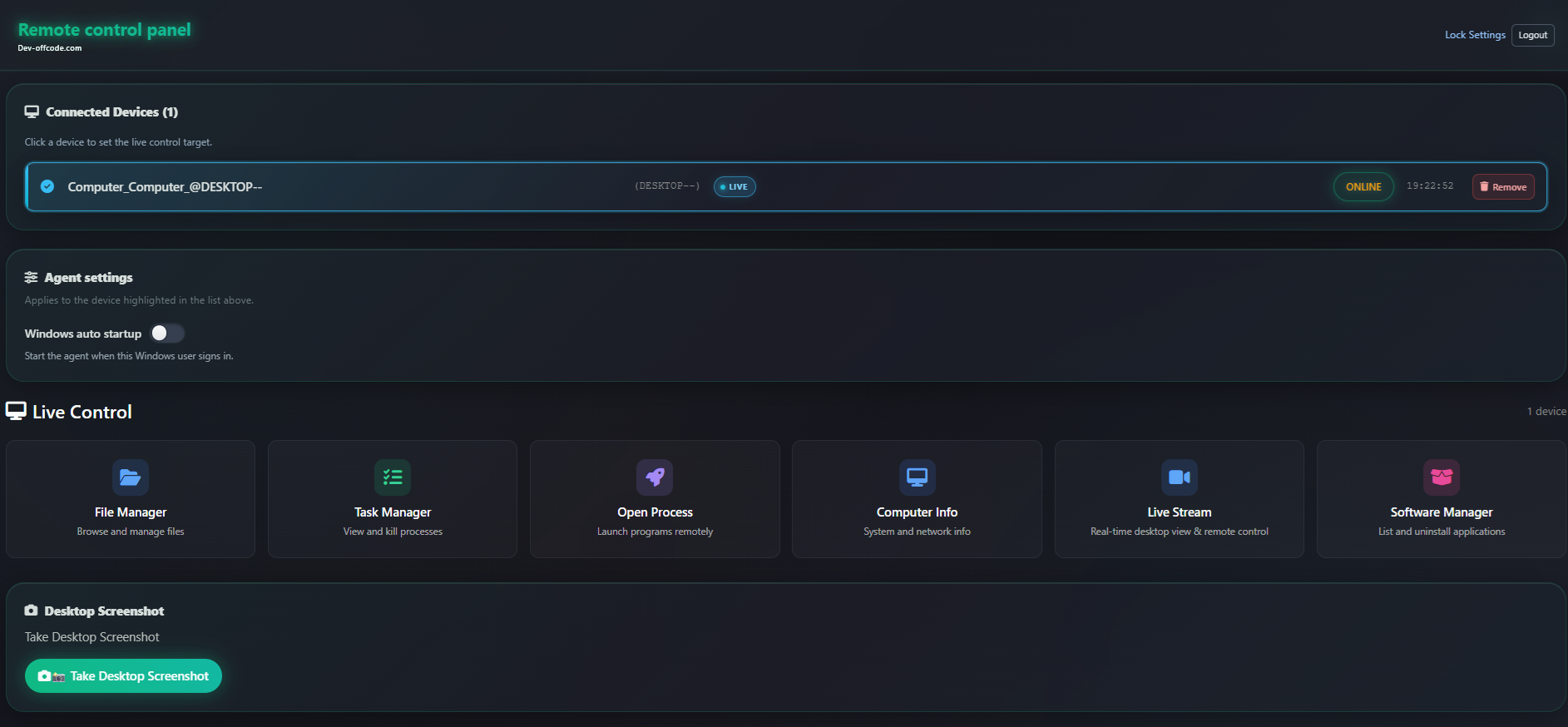
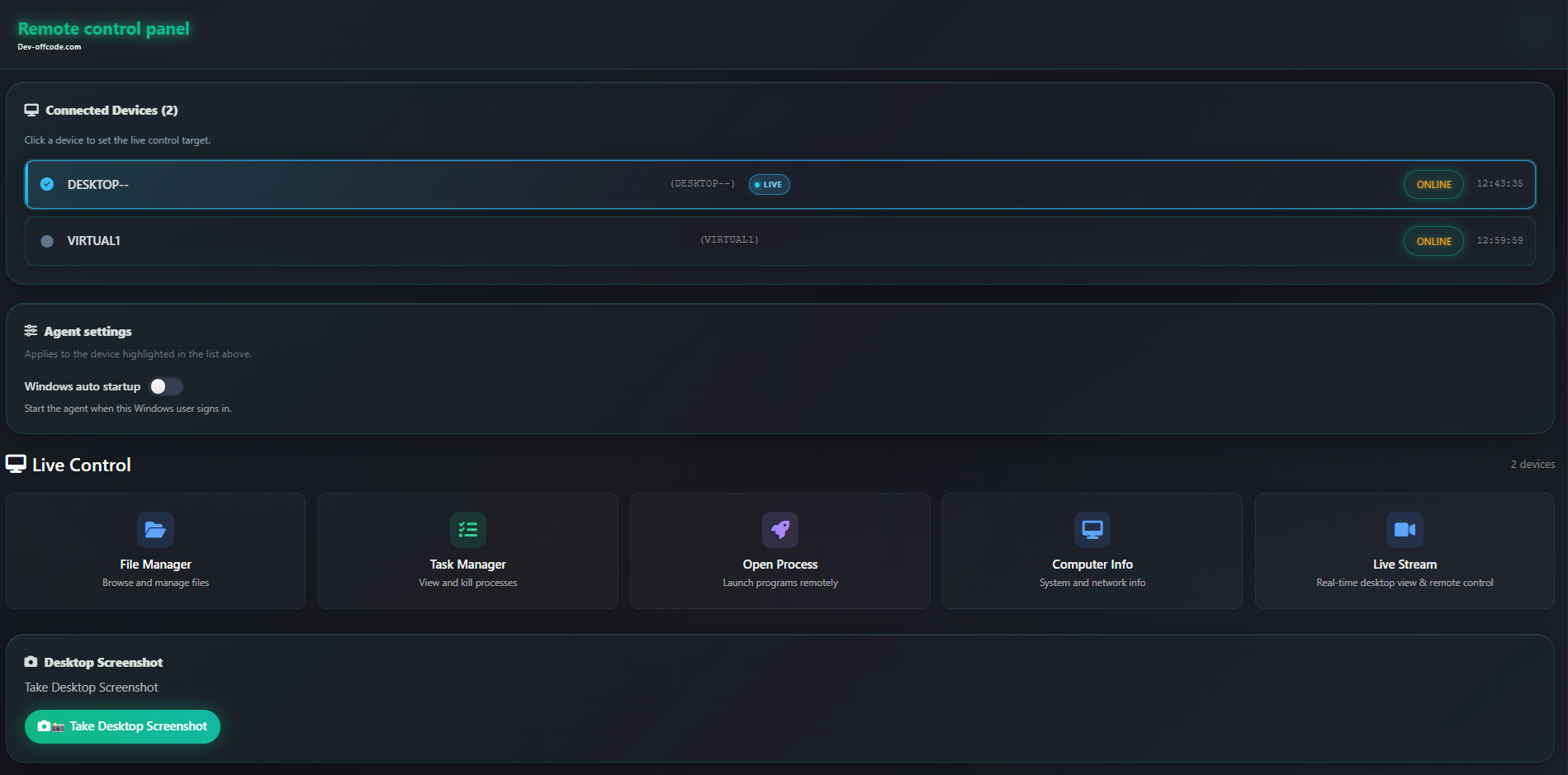
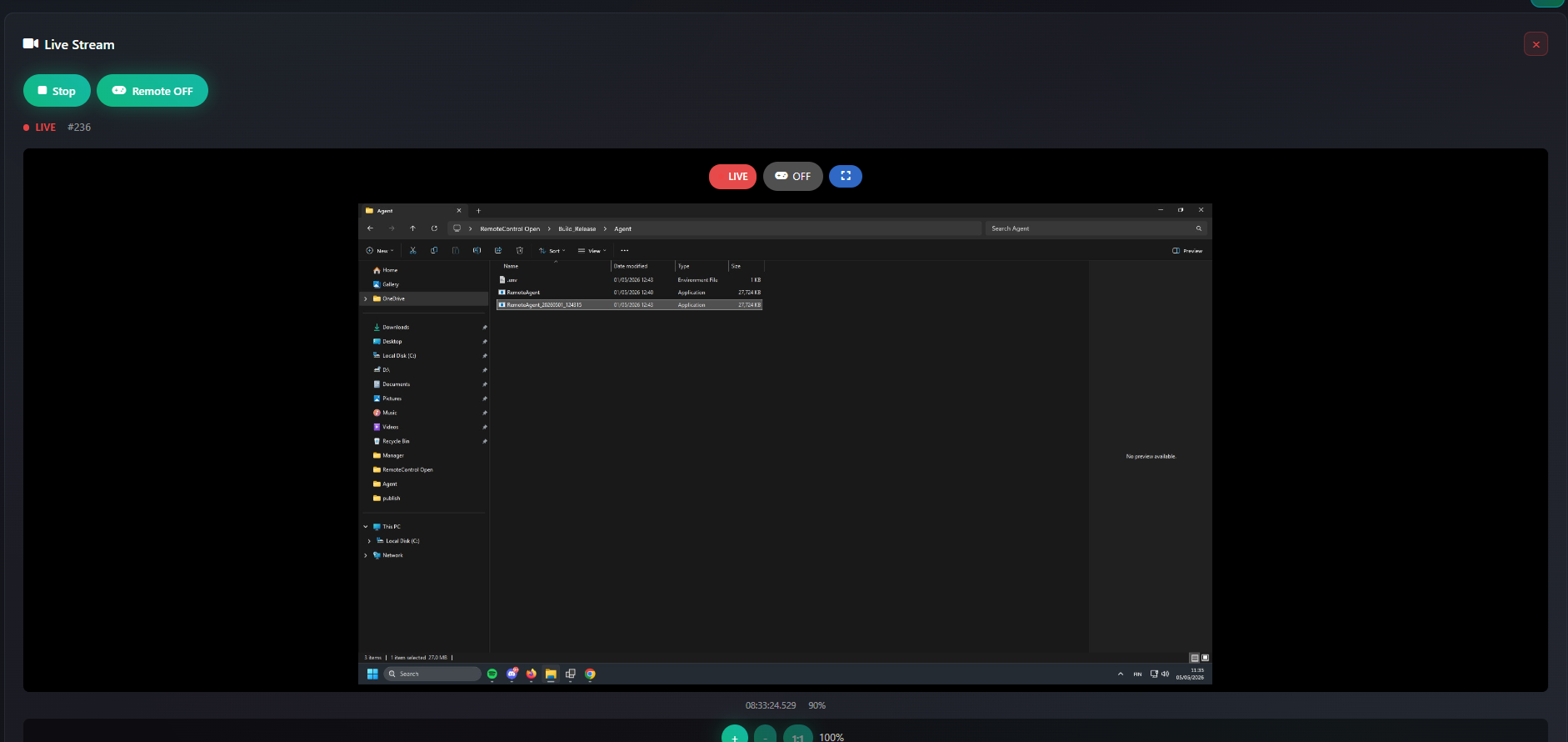
Live stream & remote control
View the remote desktop in the browser and send mouse and keyboard input in real time.
- Adjustable stream quality and frame rate
- Interactive control over SignalR for responsive remote desktop use
- Works with the same encrypted channel model as the rest of the stack
Streaming file manager
Browse drives and folders, upload and download large files without loading everything into memory.
- Quick paths for Desktop, Documents, Downloads, Program Files, AppData, and more
- Drive list from the agent for fixed, removable, and network volumes
- Optional Upload and run to open a transferred file on the agent after upload
Desktop screenshot
Capture a JPEG preview of the remote desktop from the control panel.
- Quality and resolution suited for quick diagnostics
- Close Image dismisses the preview without leaving the page
Task manager & power actions
Inspect running processes and shut down or restart the remote machine when allowed.
- Process list and termination from the web UI
- Power controls for shutdown and restart through the dashboard workflow
Software manager
List installed applications on the agent using Windows registry data and uninstall remotely.
- Inventory style listing suitable for maintenance windows
- Silent-style uninstall flow driven from the hub
Remote process execution
Launch commands, open files, or start programs on the agent from the dashboard.
- Path and arguments sent over the encrypted control channel
- Useful for tooling, installers, and scripted maintenance
Device history
See previously connected devices with names and status for faster reconnection.
Dashboard lock (optional)
Optional password gate for the web dashboard with secure password storage on the server.
- Cookie session for the Blazor UI plus short-lived JWT for SignalR and protected APIs
- Lock settings include a Dashboard shortcut back to the devices view
- Agent file-transfer endpoints can remain callable while admin routes stay protected
Use Cases
The Web Remote Control System is a high-performance, completely free, and self-hosted platform that lets you manage Windows devices directly from any web browse

Comments

Premium Products


















Find your next favorite product or submit your own. Made by @FalakDigital.
Copyright ©2025. All Rights Reserved