Notchet
Clipboard history that drops out of your MacBook notch
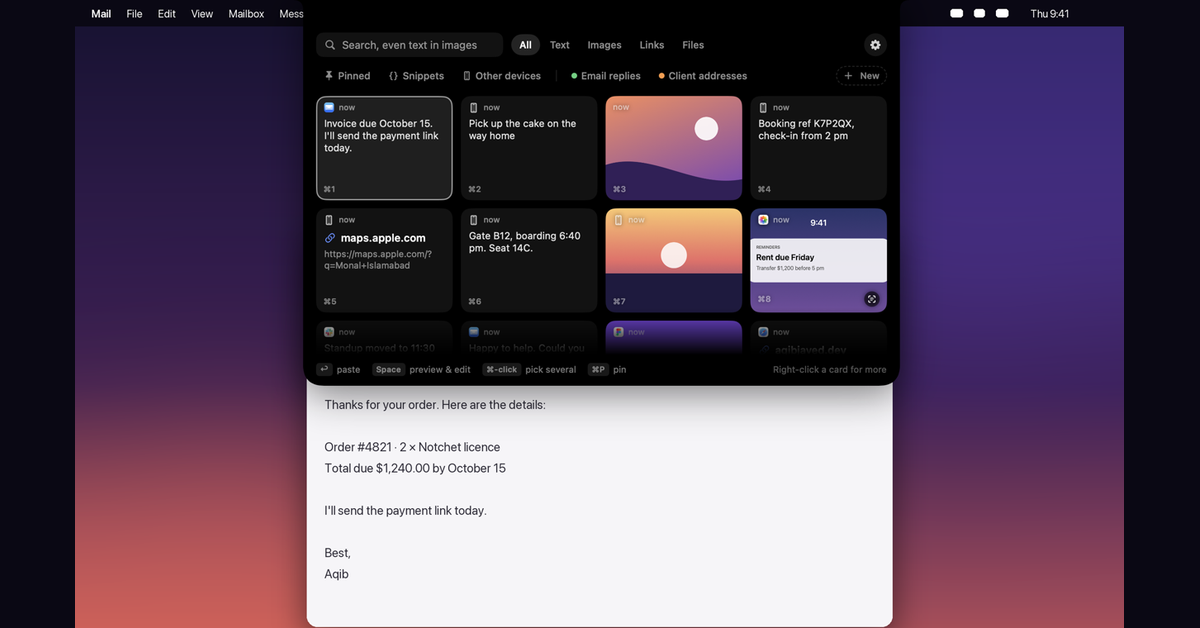
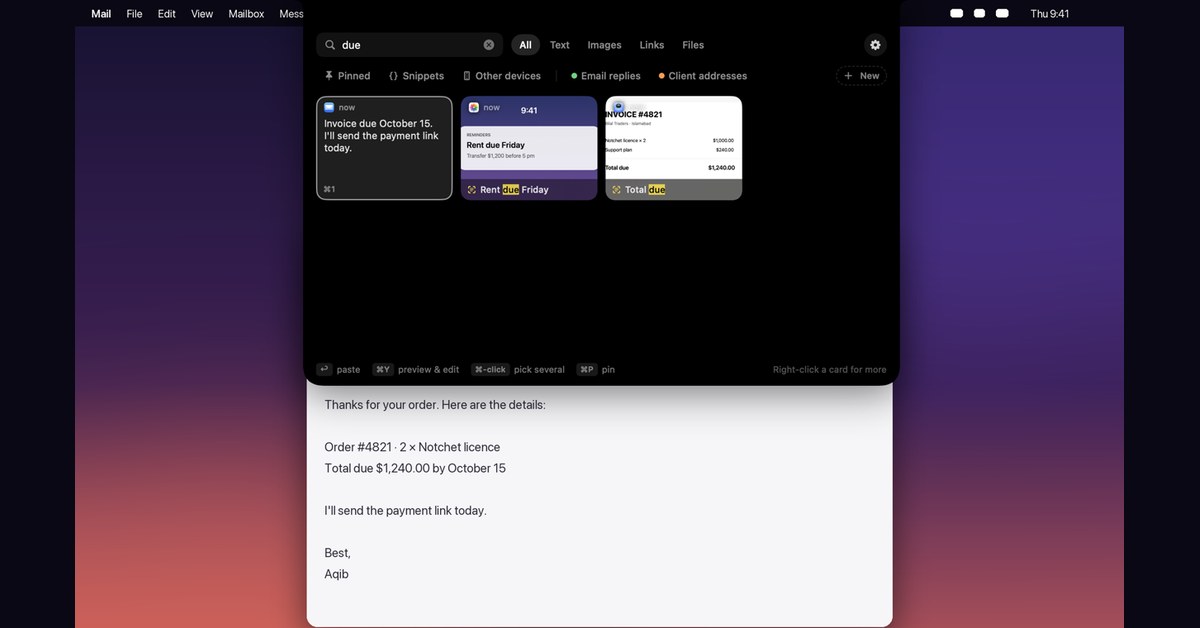
Notchet is a clipboard manager for the Mac that lives in the MacBook notch. It keeps everything you copy, text, links, images, colours and files, and drops a shelf out of the notch when you press Option Command V or rest the pointer on the notch. Pick a card and it pastes straight into the app you were using.
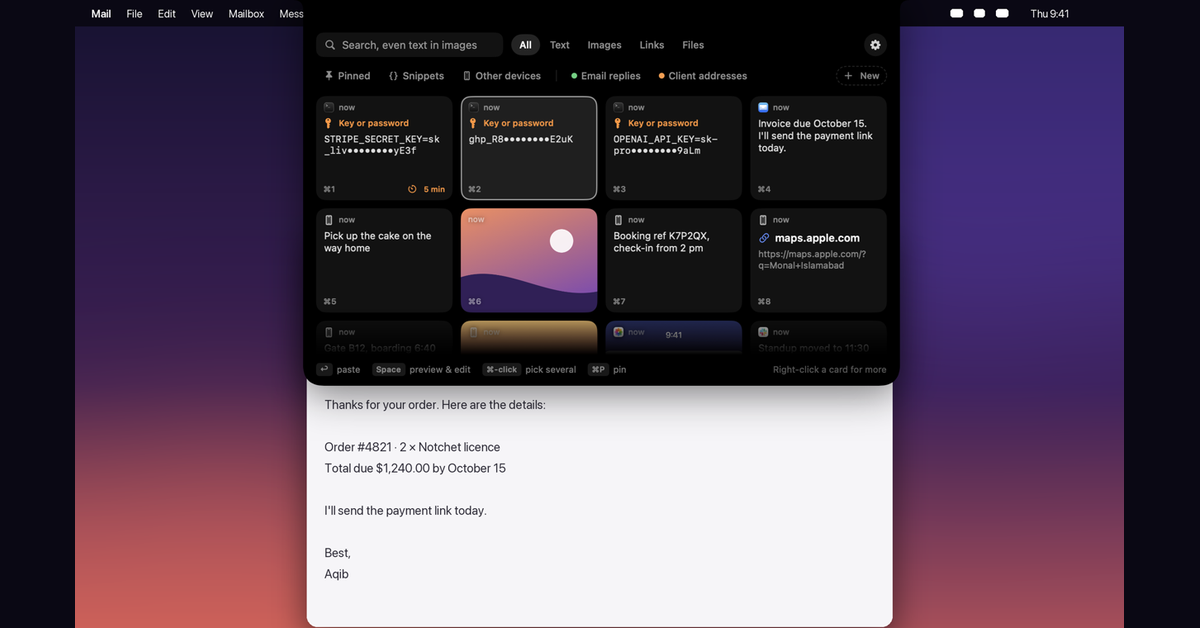
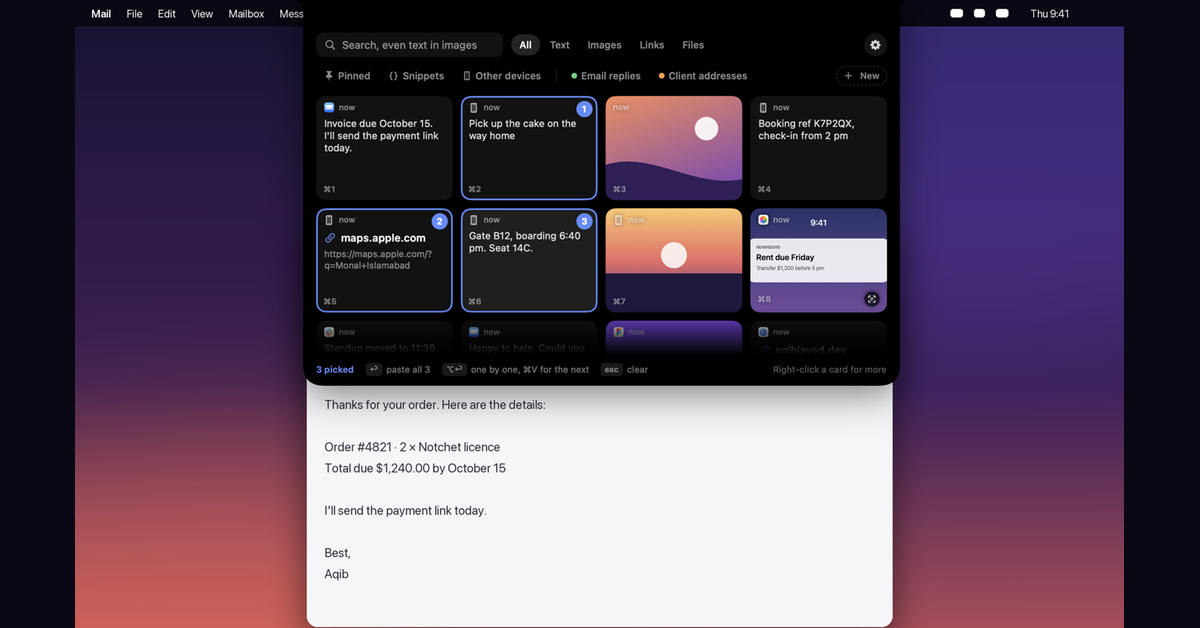
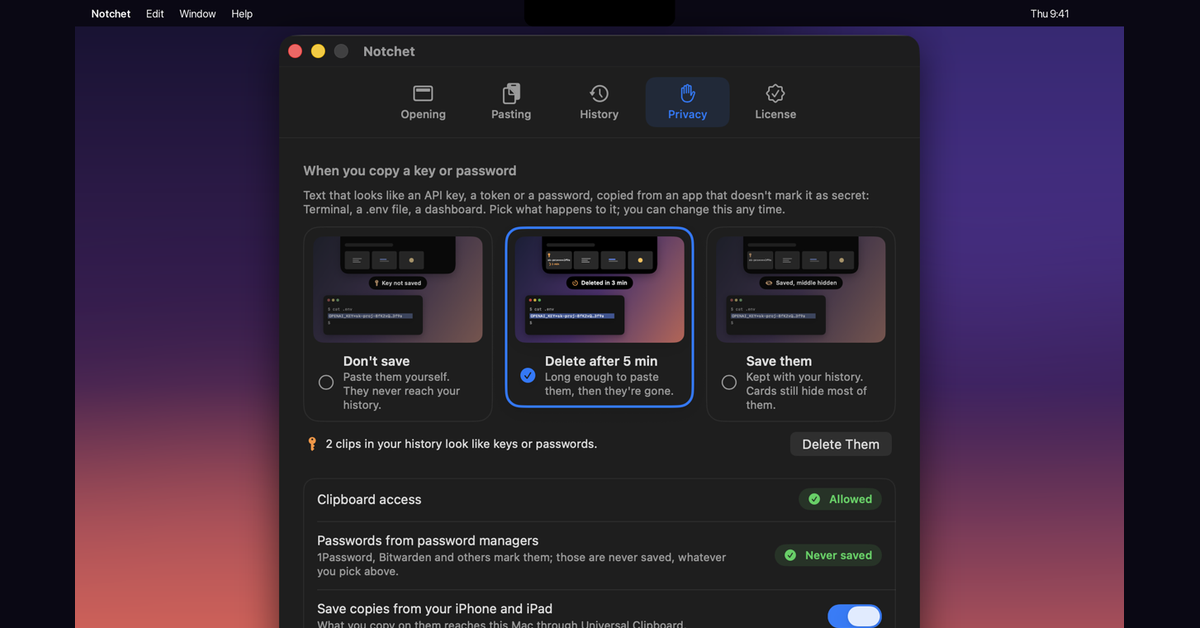
Pick several cards and paste them all at once. Search finds words inside screenshots and photos, read on your Mac. What you copy on your iPhone arrives too. API keys and passwords copied from Terminal show only their ends and can delete themselves after 5 minutes.
Your history stays on your Mac. No account, no analytics. Free for 7 days, then $2.99 once, on up to 2 Macs.
Features
- Opens from the notch with Option Command V, from the menu bar, or next to your pointer
- Keeps text, rich text, links, colours, images and files, all searchable
- Paste several cards at once, or one by one
- Search the text inside screenshots and photos, read on your Mac
- iPhone and iPad copies arrive through Universal Clipboard
- Snippets with date, time and clipboard fields, plus pins and collections
- API keys and passwords stay hidden and can delete themselves after 5 minutes
Use Cases
- Developers: paste a command, a path and an API key without switching windows, with the key hidden
- Writers and students: collect quotes and links, then paste them all at once
- Designers: keep colours and screenshots, and find a screenshot by the words in it
- iPhone users: copy on the phone, paste on the Mac later, even after copying other things
- Anyone who copies the same reply or address every week: keep it as a snippet

Comments


Hi Fazier! I'm Aqib, I made Notchet. I kept copying a link, then some text, then a screenshot, and losing the first one by the time I pasted. Clipboard history fixes that, but I wanted it one keystroke away without leaving what I was doing, and the MacBook notch was sitting right there. Press Option Command V (or rest the pointer on the notch) and your history drops out. Pick a card and it pastes where you were. A few things I couldn't find together elsewhere: paste several cards at once, search the words inside screenshots, iPhone copies kept properly, and API keys copied from Terminal hidden or deleted after 5 minutes. It's $2.99 once after a 7-day trial, no subscription, and everything stays on your Mac. I'd love to hear what would make it part of your day.
Premium Products


















































Makers
Makers
Comments
Hi Fazier! I'm Aqib, I made Notchet. I kept copying a link, then some text, then a screenshot, and losing the first one by the time I pasted. Clipboard history fixes that, but I wanted it one keystroke away without leaving what I was doing, and the MacBook notch was sitting right there. Press Option Command V (or rest the pointer on the notch) and your history drops out. Pick a card and it pastes where you were. A few things I couldn't find together elsewhere: paste several cards at once, search the words inside screenshots, iPhone copies kept properly, and API keys copied from Terminal hidden or deleted after 5 minutes. It's $2.99 once after a 7-day trial, no subscription, and everything stays on your Mac. I'd love to hear what would make it part of your day.
Premium Products
New to Fazier?

Find your next favorite product or submit your own. Made by @FalakDigital.
Copyright ©2026. All Rights Reserved