
NeoPhoto
NeoPhoto.ai — Generate & Edit Images with AI
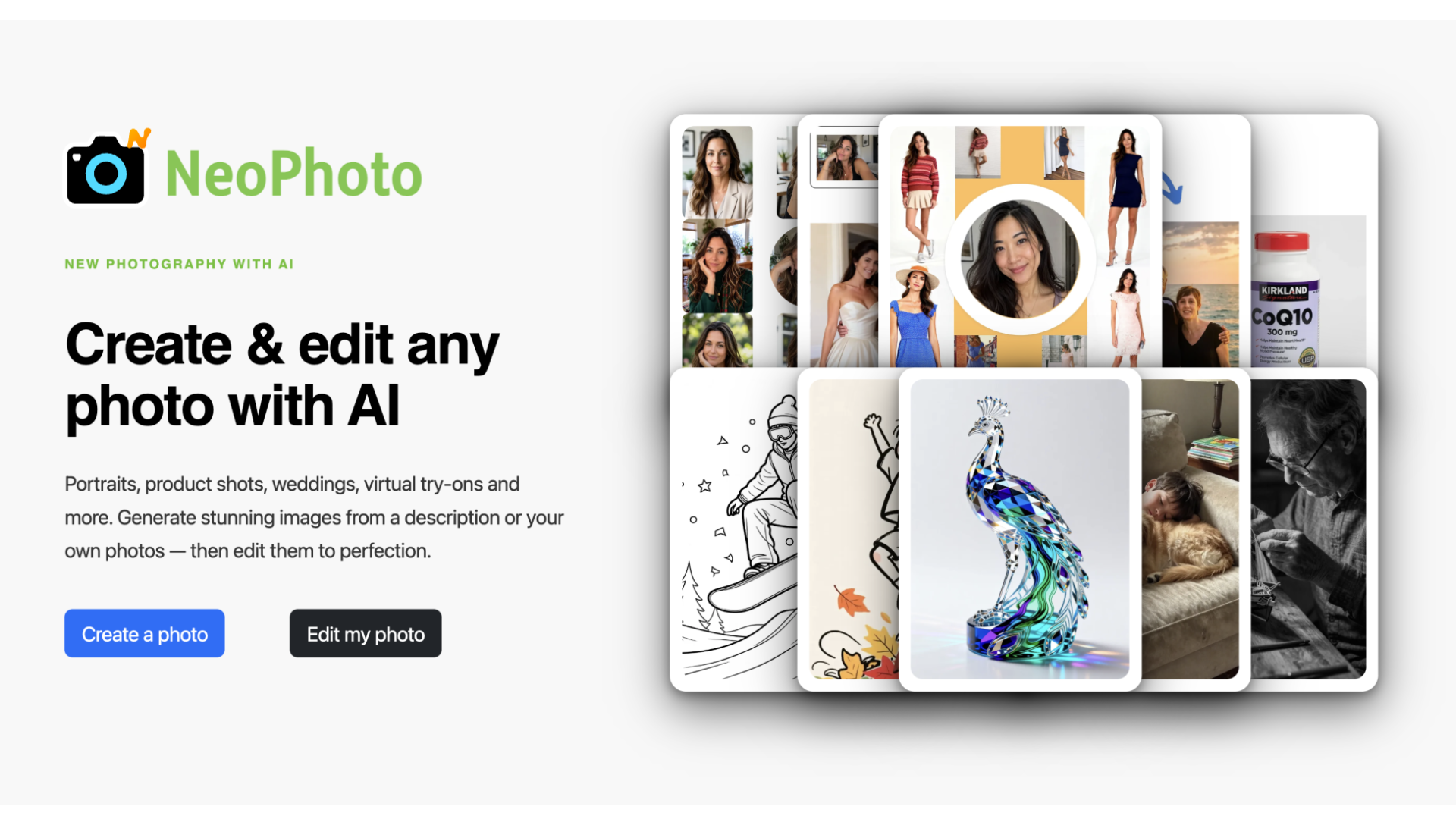
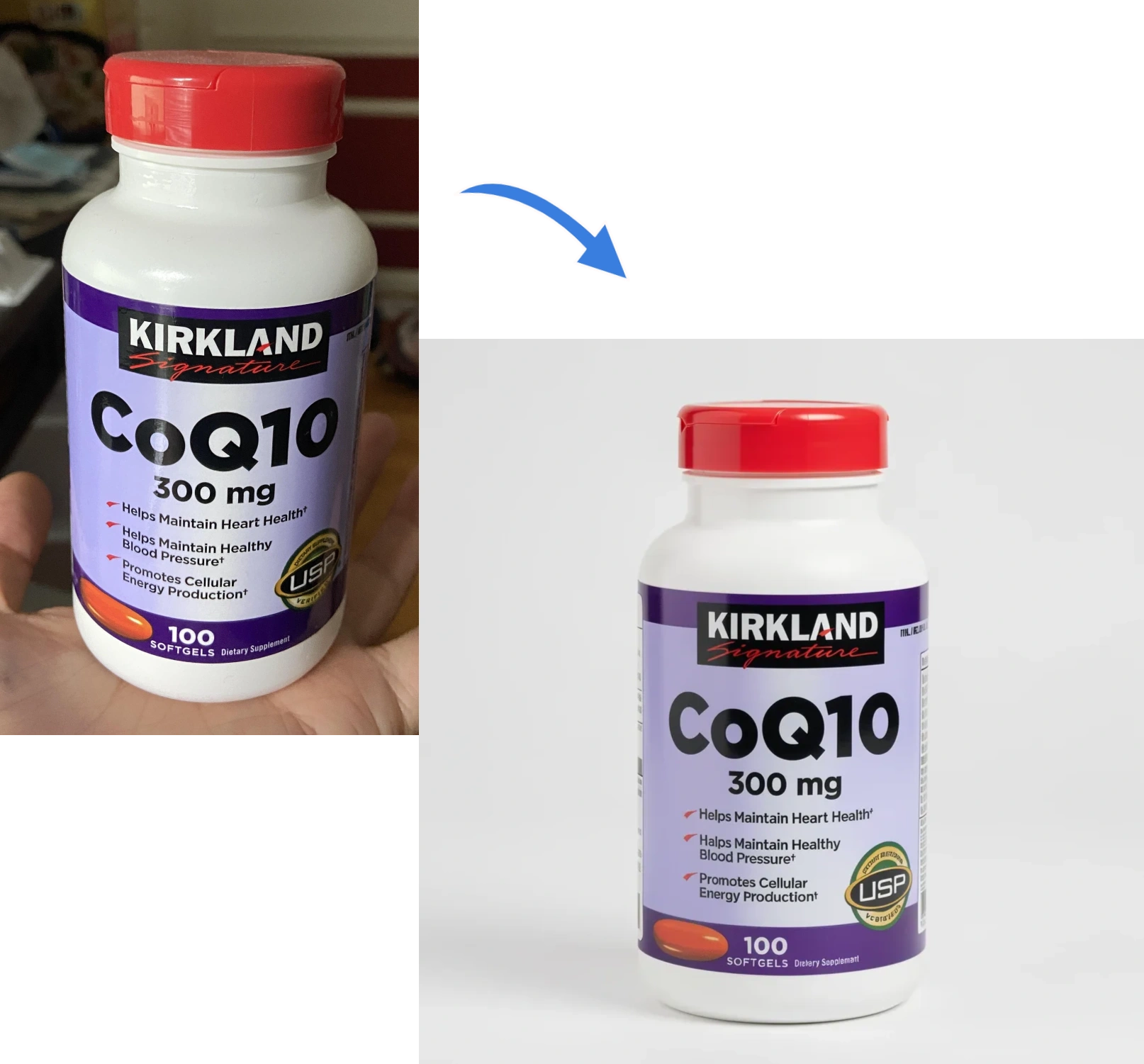
NeoPhoto is an AI photo creation and editing platform. It helps people make portraits, group shots, wedding photos, product images, virtual try-ons, and custom visuals from text or reference photos. You can also edit images with tools like background removal, magic erase, magic fill, expand, upscale, restore, and photo-to-art. It’s built to give the right model for each task, so results stay sharp and useful. The platform also includes a searchable stock image library and free daily generations to get started fast.
Features
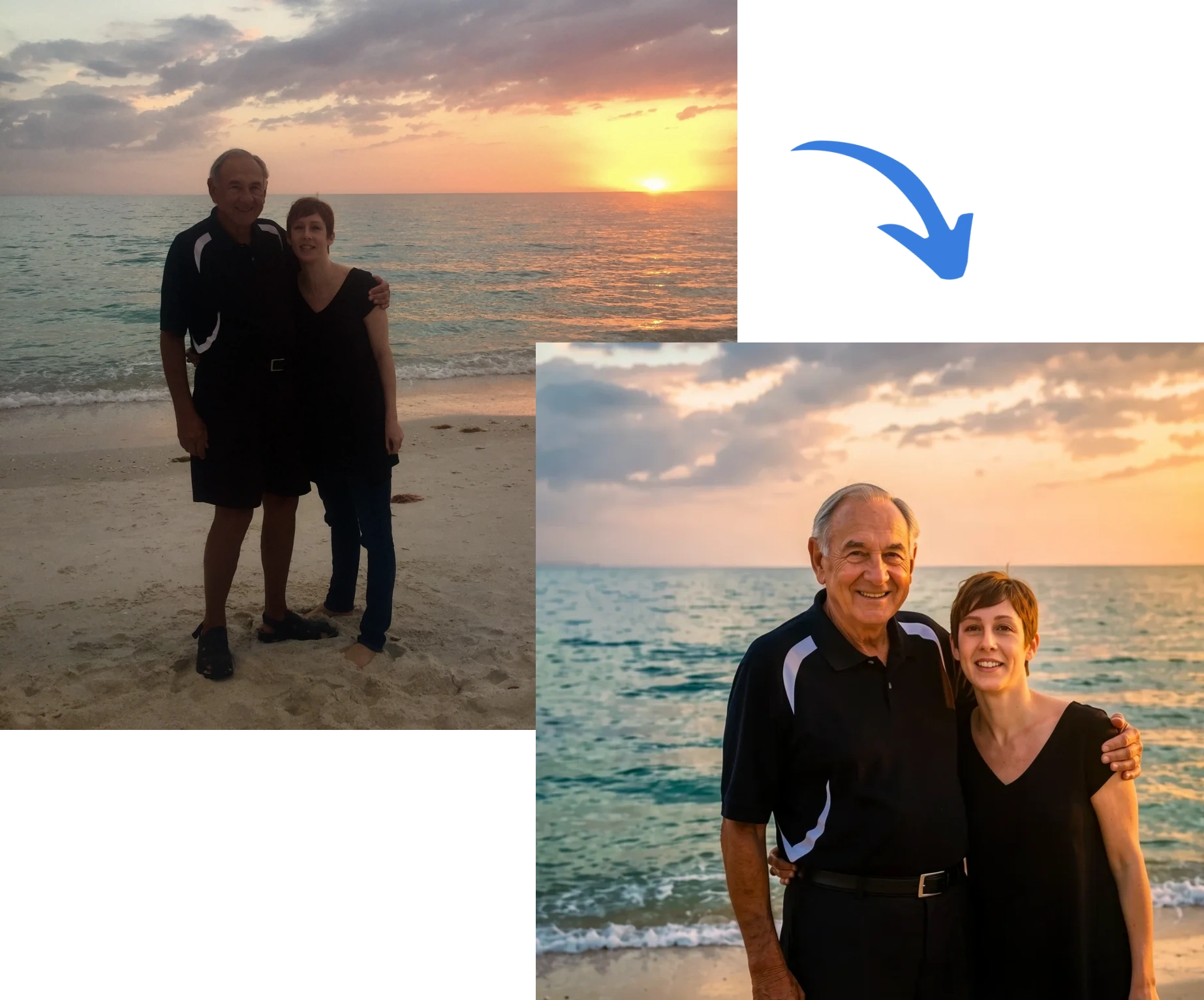
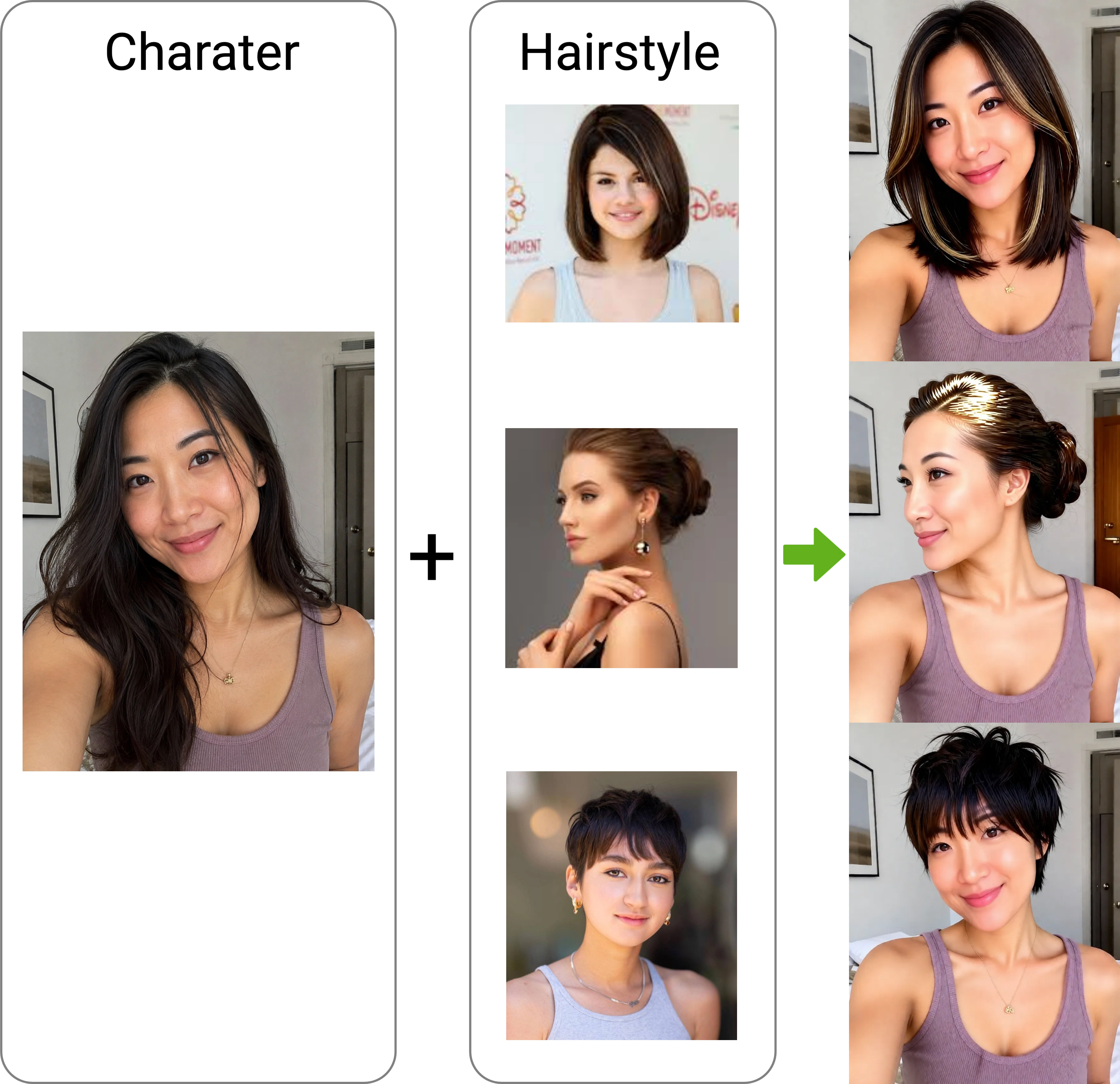
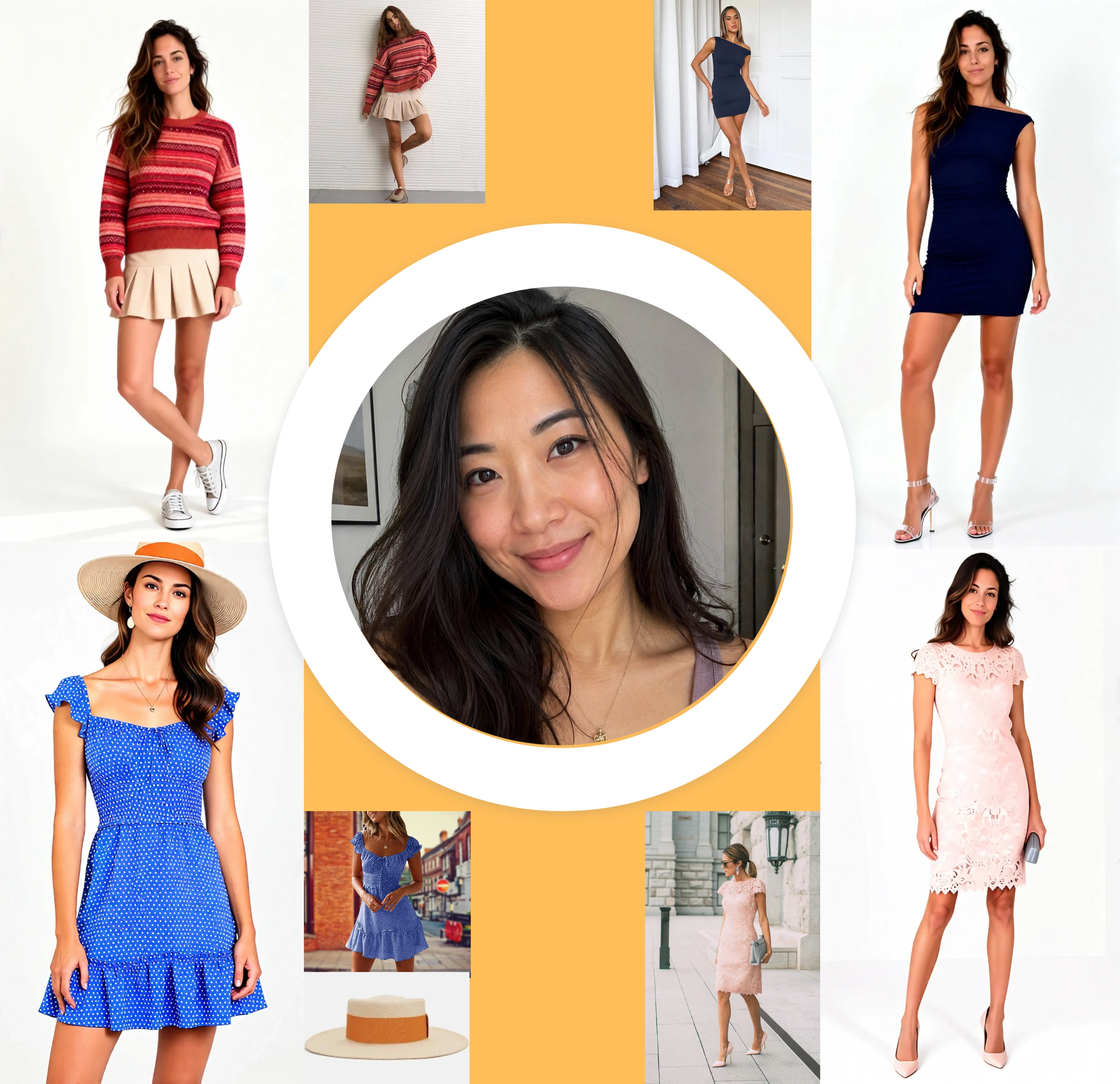
The creation tools include text-to-image, portraits, group photos, wedding photos, virtual try-ons, and product staging. For existing images, tools include background removal and replacement, Magic Eraser, Magic Fill, Magic Expand, basic cropping and filters, and editing by asking. Users can also turn photos into art, upscale images to 4MP, restore blurry or damaged photos, and convert illustrations or line art into SVG or PDF vectors. NeoPhoto says it routes tasks to models suited to each job, and local edits can retain the original image resolution. The site lists 20+ AI tools, 80+ art styles, and access to more than one million stock images.
Use Cases
E-commerce: replacing product shoots with generated shots, with a claimed conversion lift.
Personal branding: headshots for LinkedIn and team pages.
Photography post-production: cleaning up event and wedding frames, restoring old photos.
Creative pitching: pre-production concept and visual-direction work for clients.
Grants and proposals: generating visuals when there’s no budget to photograph them.
Print and design: vector export and 4MP upscaling for printing and scalable assets.
Stock imagery: a free library of AI-generated stock images to browse, download, or customize.

Comments


Hi everyone, I’m Steve, the maker of NeoPhoto. 👋 I’ve spent the past few years building AI creative tools, and one thing kept coming up. People weren’t short on AI image generators. They were short on a place where they could make a photo and then finish it. You’d generate something in one app, fix the background in another, upscale it in a third, and clean up a stray object in a fourth. Every handoff cost time and quality. NeoPhoto puts it in one workspace: create (portraits, group and wedding photos, virtual try-on, product staging, text-to-image) and edit (Magic Eraser, Magic Fill, Magic Expand, background removal, 4MP upscale, photo restoration, vector export to SVG/PDF). One design decision I want feedback on: I didn’t want one model stretched across every job. NeoPhoto routes each task to the model that does it best, so a headshot and a product shot don’t go through the same pipeline. Local edits also keep your original resolution, because nothing frustrates me more than a “fixed” photo that comes back soft. Behind the scenes: the tools came from real requests. E-commerce sellers wanted studio-quality product shots without a $300 shoot. Photographers wanted a faster way to remove a garbage truck from 40 wedding frames. Founders wanted a headshot that didn’t look like it was from 2018. I’m a solo-ish builder (Flask, MongoDB, a lot of late nights), so every piece of feedback shapes the roadmap directly. Try it free: you get 3 AI generations a day, no card needed. I’d love to hear from you: Which tool would you use first, and which is missing? What’s the one photo task you still dread doing by hand? Where did the results fall short for you? I’ll be here all day replying to every comment. Thanks for checking it out! 🙏

Congrats on the launch! Having an all-in-one platform definitely solves the constant app-switching during editing. For portrait and headshot workflows, combining generation with targeted retouching like https://skylum.com/luminar/body-editor makes a noticeable difference in keeping proportions realistic without messing up the background texture. Looking forward to testing how NeoPhoto handles subtle post-processing tweaks!
Premium Products


















































Sponsors
Buy
Makers
Makers
Comments
Hi everyone, I’m Steve, the maker of NeoPhoto. 👋 I’ve spent the past few years building AI creative tools, and one thing kept coming up. People weren’t short on AI image generators. They were short on a place where they could make a photo and then finish it. You’d generate something in one app, fix the background in another, upscale it in a third, and clean up a stray object in a fourth. Every handoff cost time and quality. NeoPhoto puts it in one workspace: create (portraits, group and wedding photos, virtual try-on, product staging, text-to-image) and edit (Magic Eraser, Magic Fill, Magic Expand, background removal, 4MP upscale, photo restoration, vector export to SVG/PDF). One design decision I want feedback on: I didn’t want one model stretched across every job. NeoPhoto routes each task to the model that does it best, so a headshot and a product shot don’t go through the same pipeline. Local edits also keep your original resolution, because nothing frustrates me more than a “fixed” photo that comes back soft. Behind the scenes: the tools came from real requests. E-commerce sellers wanted studio-quality product shots without a $300 shoot. Photographers wanted a faster way to remove a garbage truck from 40 wedding frames. Founders wanted a headshot that didn’t look like it was from 2018. I’m a solo-ish builder (Flask, MongoDB, a lot of late nights), so every piece of feedback shapes the roadmap directly. Try it free: you get 3 AI generations a day, no card needed. I’d love to hear from you: Which tool would you use first, and which is missing? What’s the one photo task you still dread doing by hand? Where did the results fall short for you? I’ll be here all day replying to every comment. Thanks for checking it out! 🙏
Congrats on the launch! Having an all-in-one platform definitely solves the constant app-switching during editing. For portrait and headshot workflows, combining generation with targeted retouching like https://skylum.com/luminar/body-editor makes a noticeable difference in keeping proportions realistic without messing up the background texture. Looking forward to testing how NeoPhoto handles subtle post-processing tweaks!
Premium Products
New to Fazier?

Find your next favorite product or submit your own. Made by @FalakDigital.
Copyright ©2026. All Rights Reserved