NativeCode
Native macOS AI coding IDE powered by local LLMs
NativeCode is a native macOS IDE that runs AI coding assistance entirely locally using MLX (Apple Silicon) or Ollama. No cloud, no subscription, and no data ever leaves your machine. Built for developers who want fast, private AI coding without depending on external APIs.
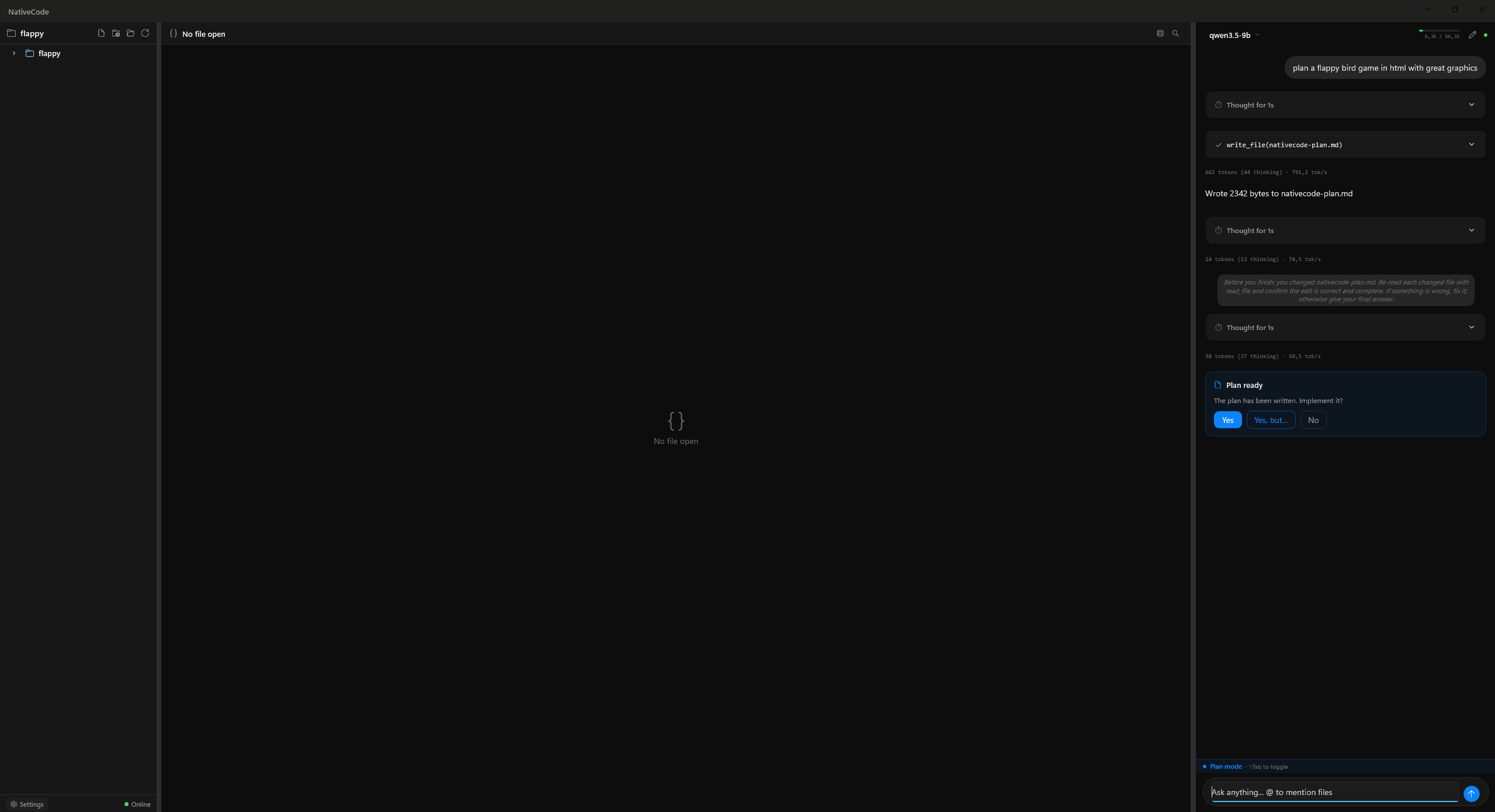
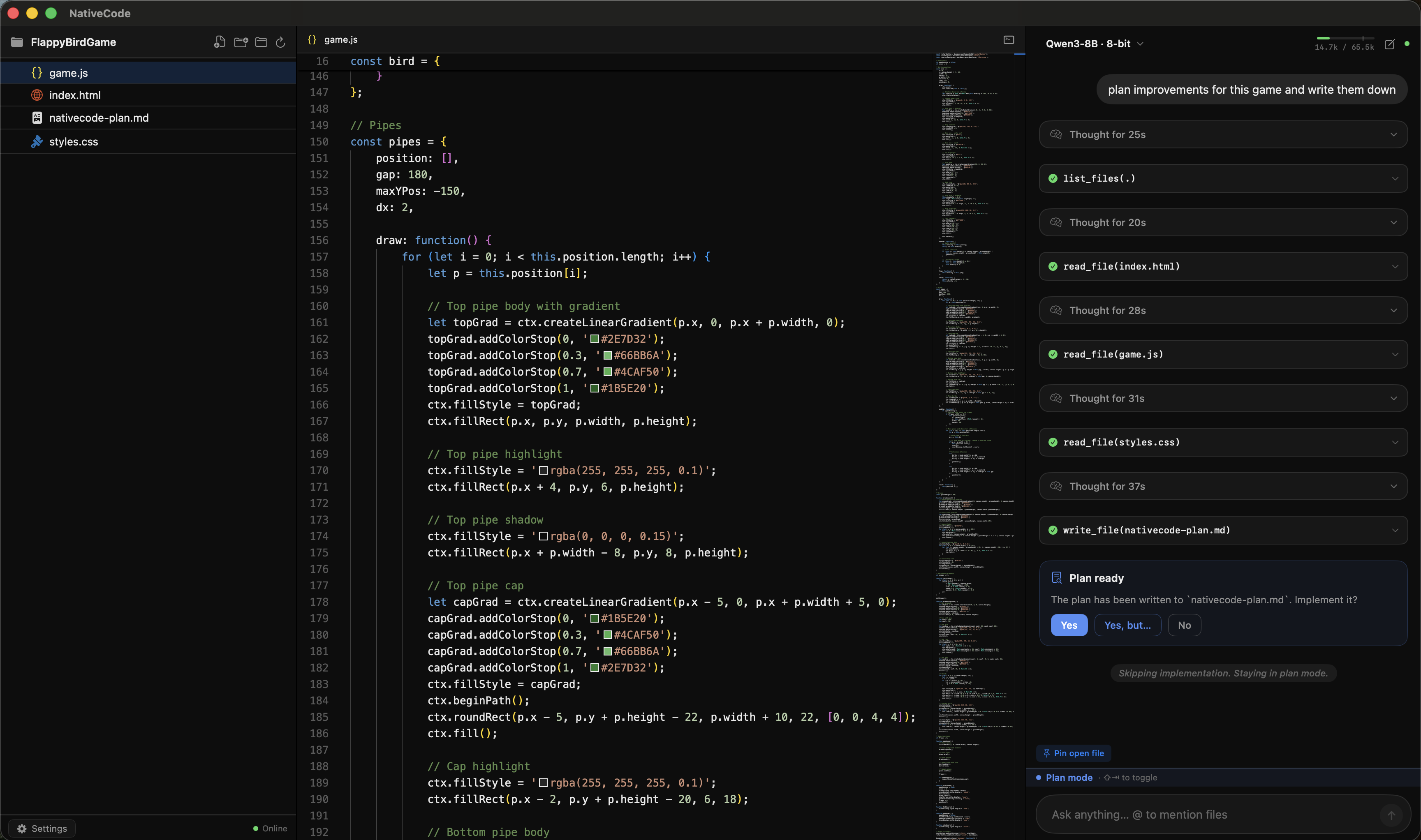
Features Monaco editor, local LLM inference, LAN model discovery to share models across devices, a self-verification agent that checks its own output, and a skills system for reusable coding patterns. Windows beta available via WinUI 3 + Ollama.
Features
Monaco editor with syntax highlighting
Local LLM inference via MLX (Apple Silicon) or Ollama
LAN model discovery — share models across devices
Self-verification agent that checks its own output
Skills system for reusable coding patterns
Windows beta via WinUI 3 + Ollama
Use Cases
Developers who want private AI coding without sending code to the cloud
Apple Silicon users running local LLMs like Qwen3
Teams sharing models over LAN without internet

Comments


NativeCode is a very interesting product for developers who want AI coding assistance without sending their code to the cloud. The strongest point is the local-first approach. Running AI assistance through MLX on Apple Silicon or Ollama makes the product much more appealing for developers who care about privacy, control, and independence from external APIs. No cloud, no subscription, and no data leaving the machine are clear advantages in a market where many coding tools depend heavily on remote services. I also like that NativeCode is not just a simple chat wrapper. Features like Monaco editor integration, LAN model discovery, reusable skills, and a self-verification agent show a more serious attempt to build a practical local AI coding environment. For Mac developers especially, the native macOS focus makes the product stand out. It feels lightweight, private, and aligned with how local AI tools should evolve. A promising IDE for developers who want private, local, and more independent AI-assisted coding.

The LAN model discovery is the part that jumps out — local-LLM coding tools usually assume one beefy machine, but letting a team share models over the LAN means not everyone needs 64GB of RAM. And a self-verification agent matters most exactly here, since with a small local model you can't fall back on a frontier model to catch mistakes. Curious how the verifier handles a local model being confidently wrong — does it re-check against a second model, or re-prompt the same one?
Premium Products



































Sponsors
Buy

Makers

Makers
Comments
NativeCode is a very interesting product for developers who want AI coding assistance without sending their code to the cloud. The strongest point is the local-first approach. Running AI assistance through MLX on Apple Silicon or Ollama makes the product much more appealing for developers who care about privacy, control, and independence from external APIs. No cloud, no subscription, and no data leaving the machine are clear advantages in a market where many coding tools depend heavily on remote services. I also like that NativeCode is not just a simple chat wrapper. Features like Monaco editor integration, LAN model discovery, reusable skills, and a self-verification agent show a more serious attempt to build a practical local AI coding environment. For Mac developers especially, the native macOS focus makes the product stand out. It feels lightweight, private, and aligned with how local AI tools should evolve. A promising IDE for developers who want private, local, and more independent AI-assisted coding.
The LAN model discovery is the part that jumps out — local-LLM coding tools usually assume one beefy machine, but letting a team share models over the LAN means not everyone needs 64GB of RAM. And a self-verification agent matters most exactly here, since with a small local model you can't fall back on a frontier model to catch mistakes. Curious how the verifier handles a local model being confidently wrong — does it re-check against a second model, or re-prompt the same one?
Premium Products
New to Fazier?

Find your next favorite product or submit your own. Made by @FalakDigital.
Copyright ©2026. All Rights Reserved