
MUSICTOOL
Create songs, edit audio, and make music with an AI agent
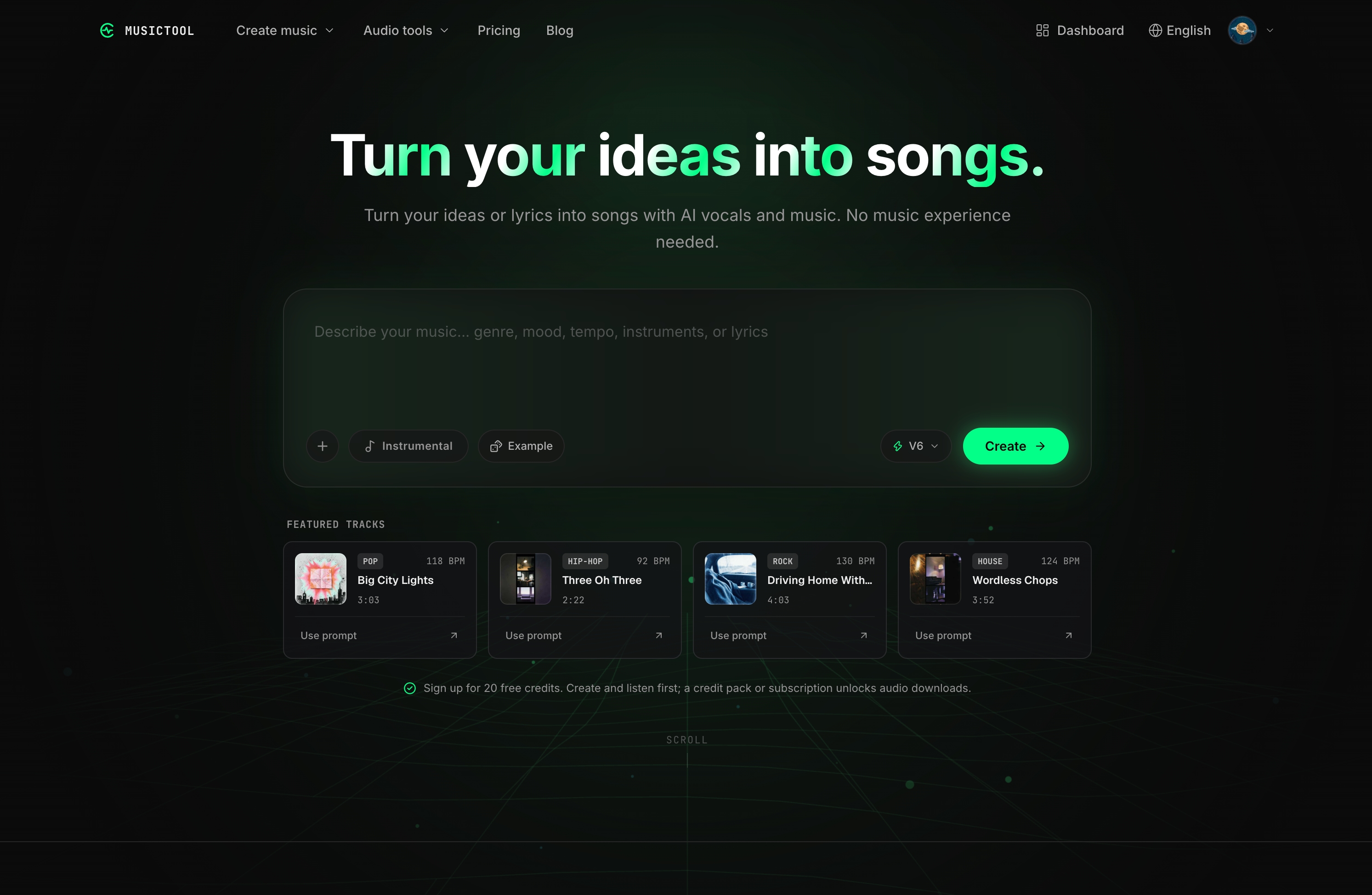
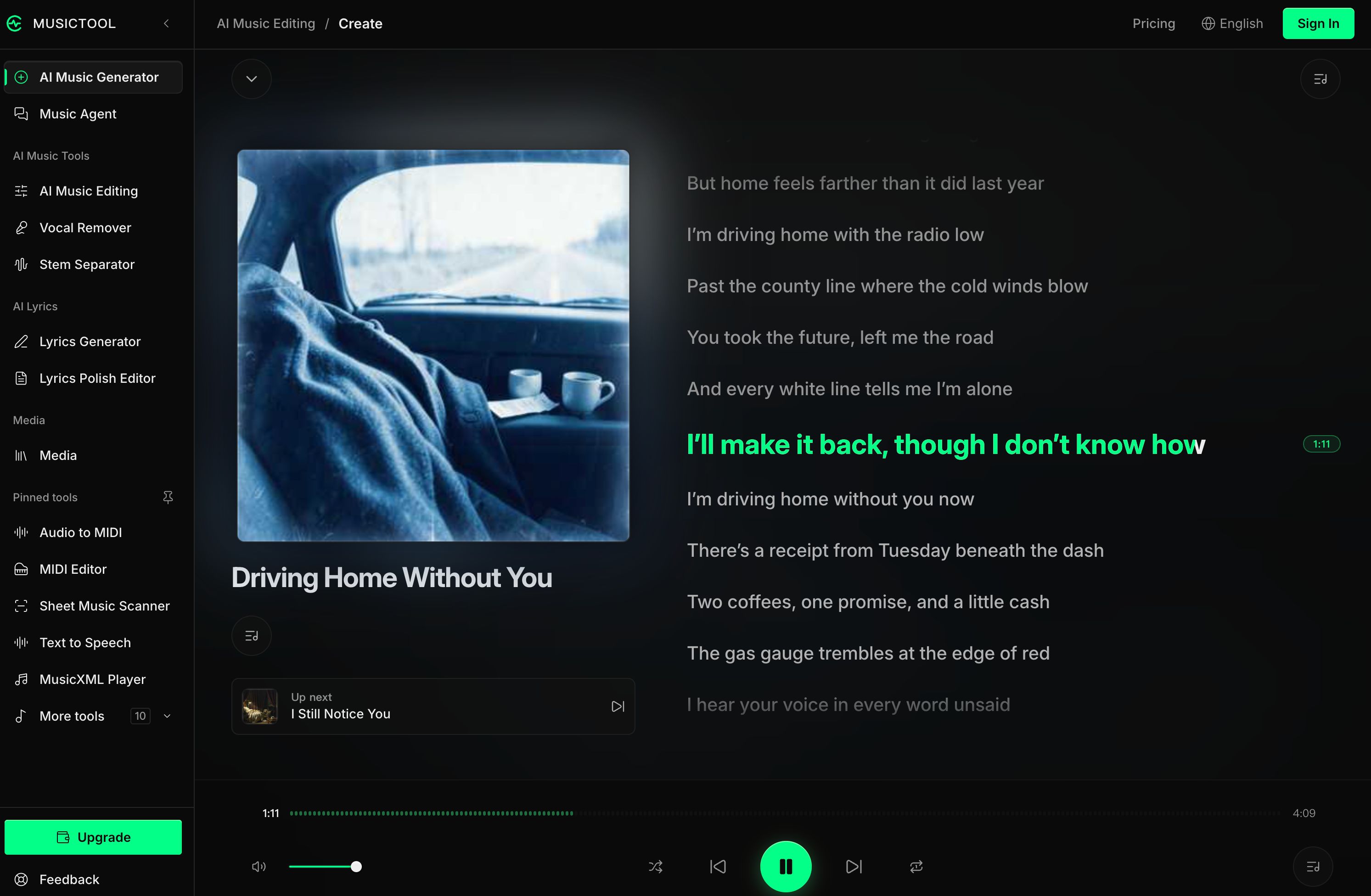
MUSICTOOL brings AI song creation, lyric writing, stem separation, and audio editing into one browser workspace. Create from a prompt or your own audio, or ask the Music Agent to guide the workflow. Start with free credits.
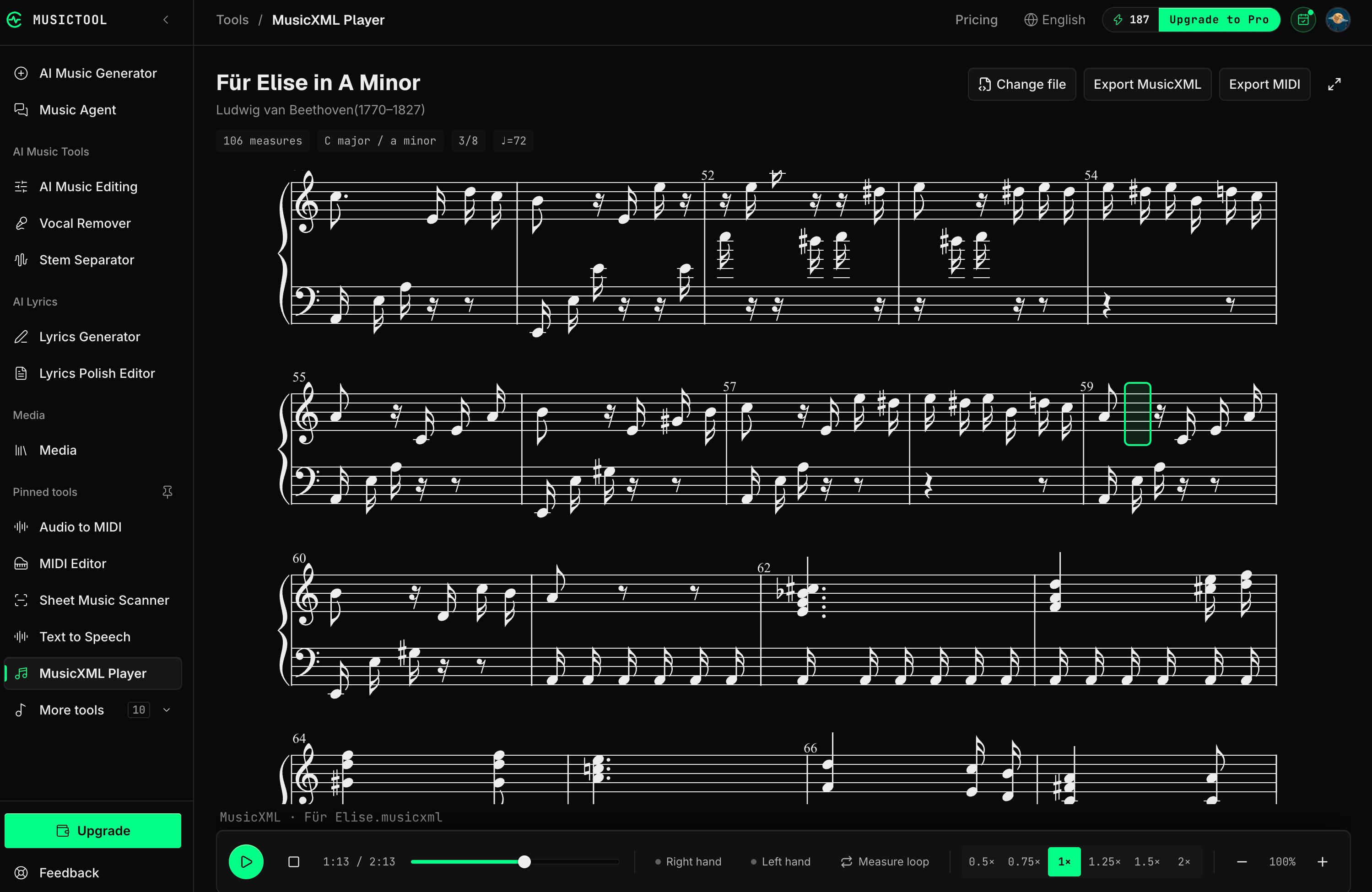
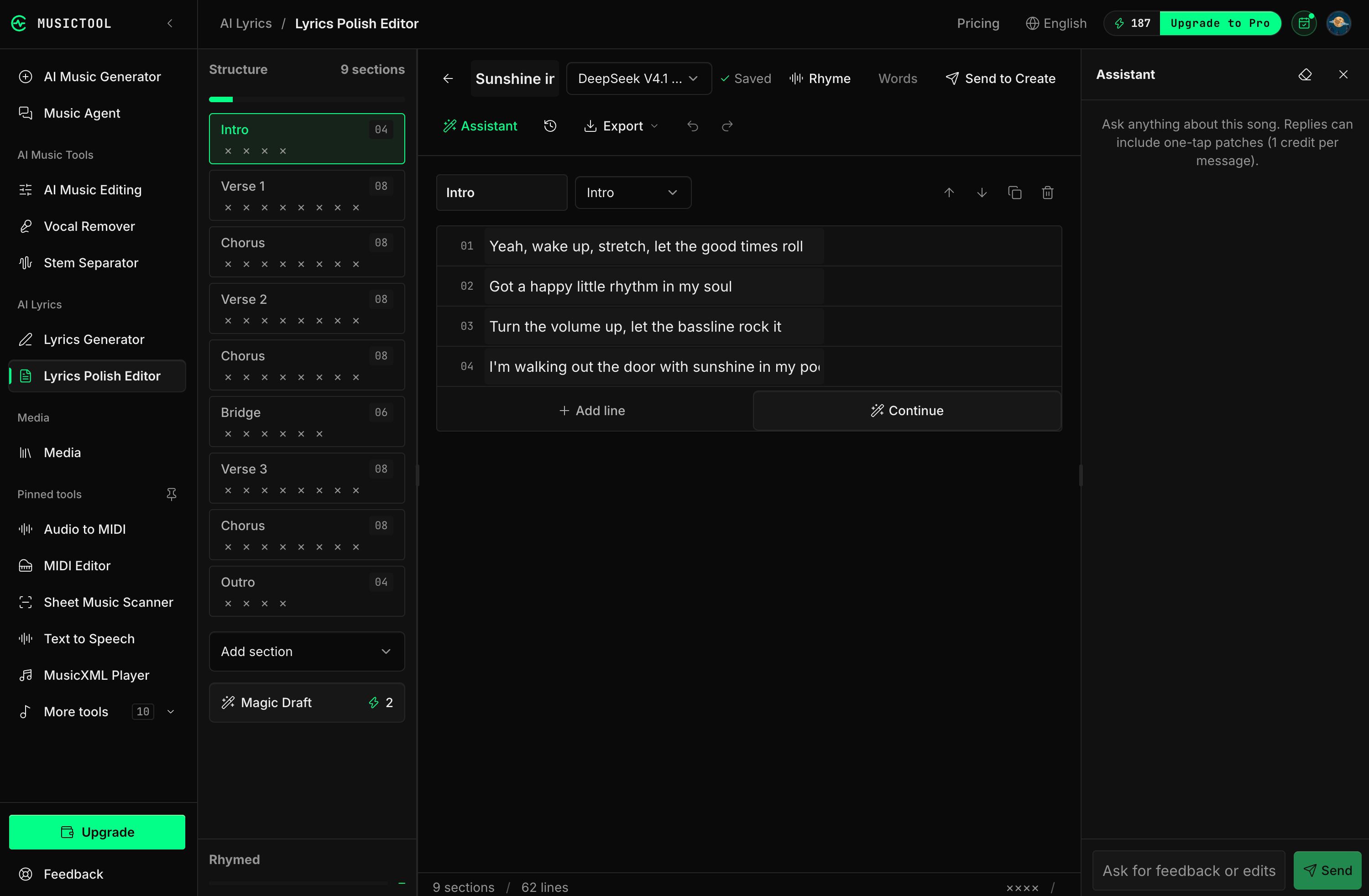
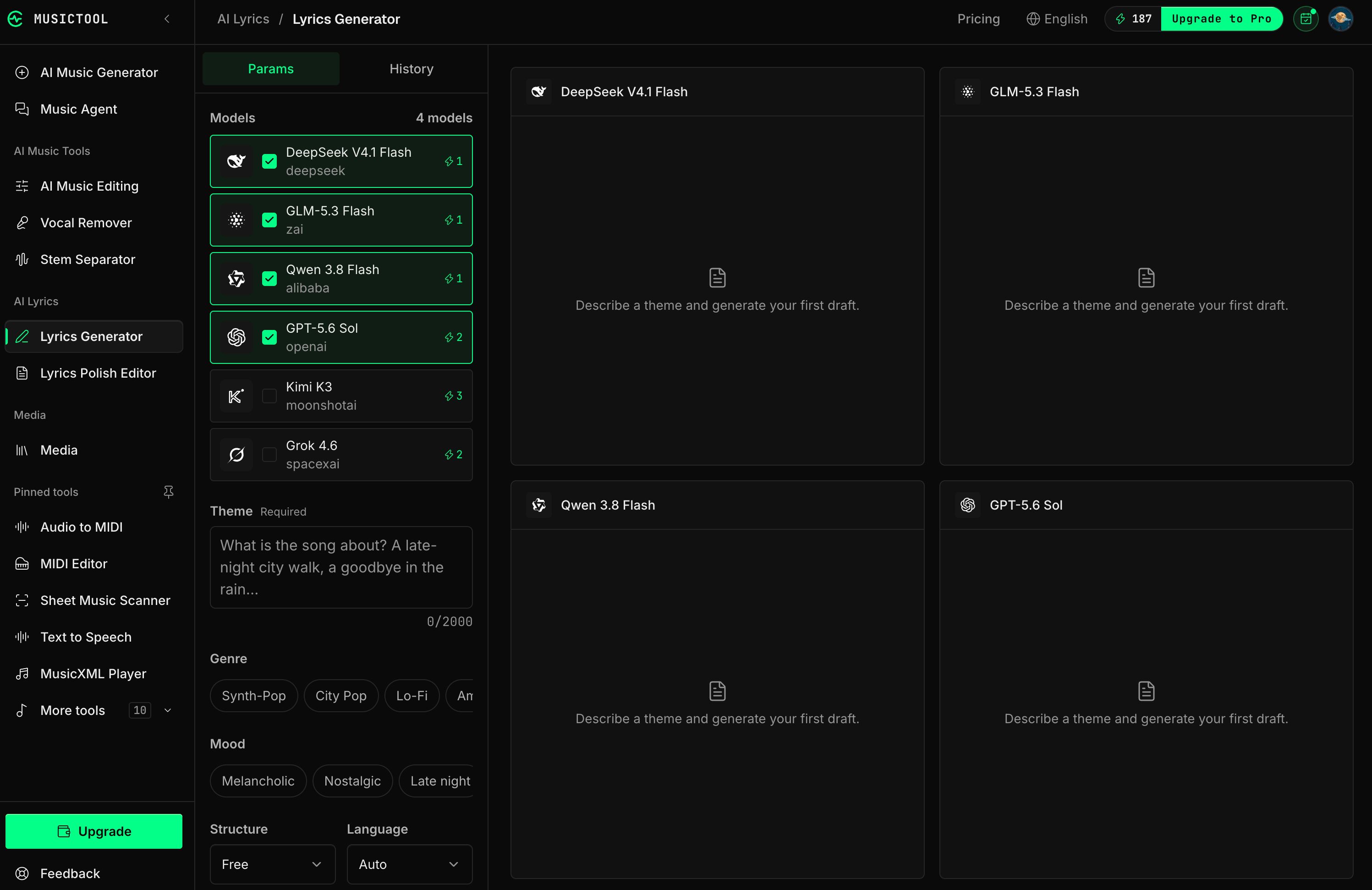
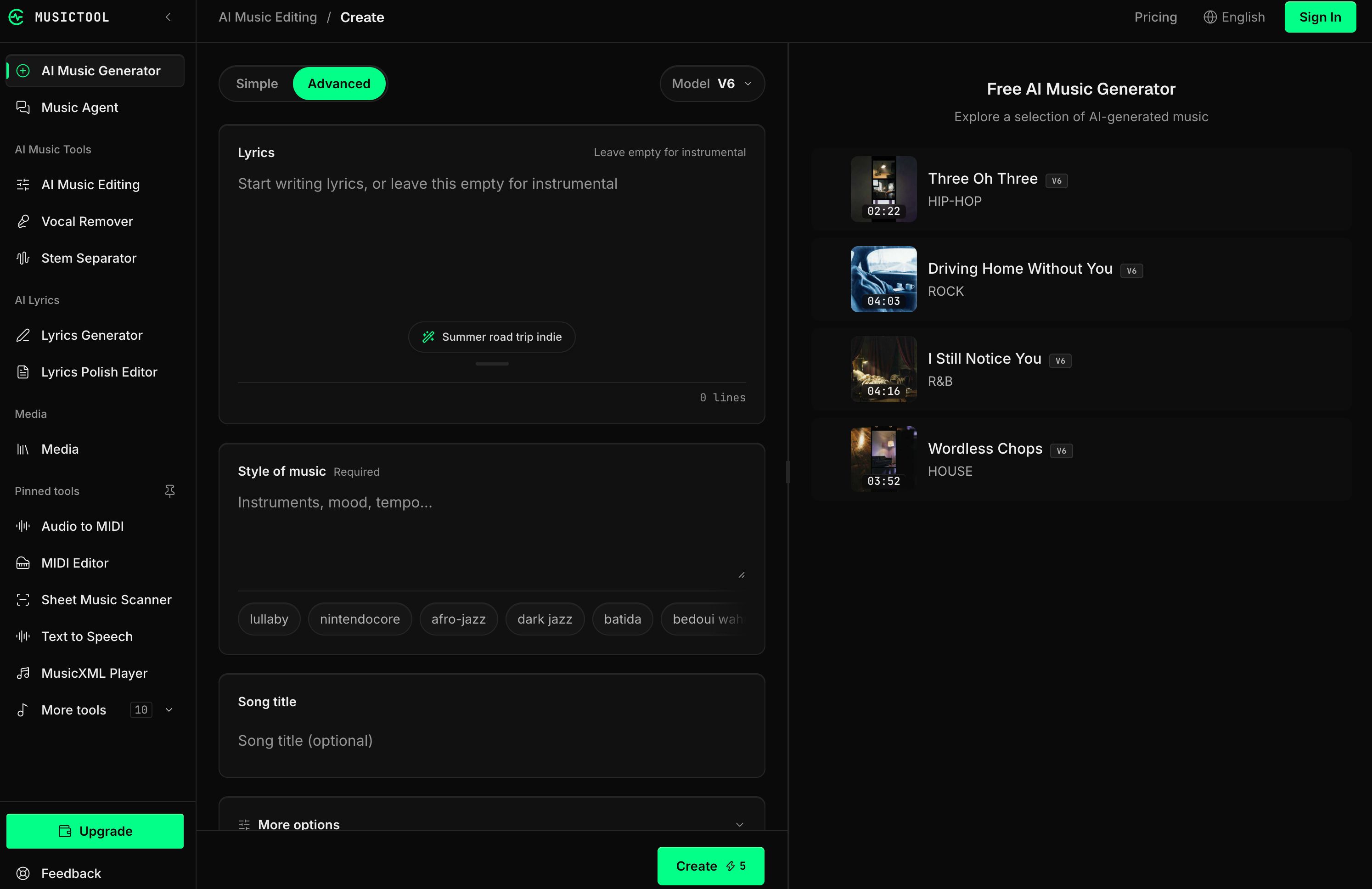
Features
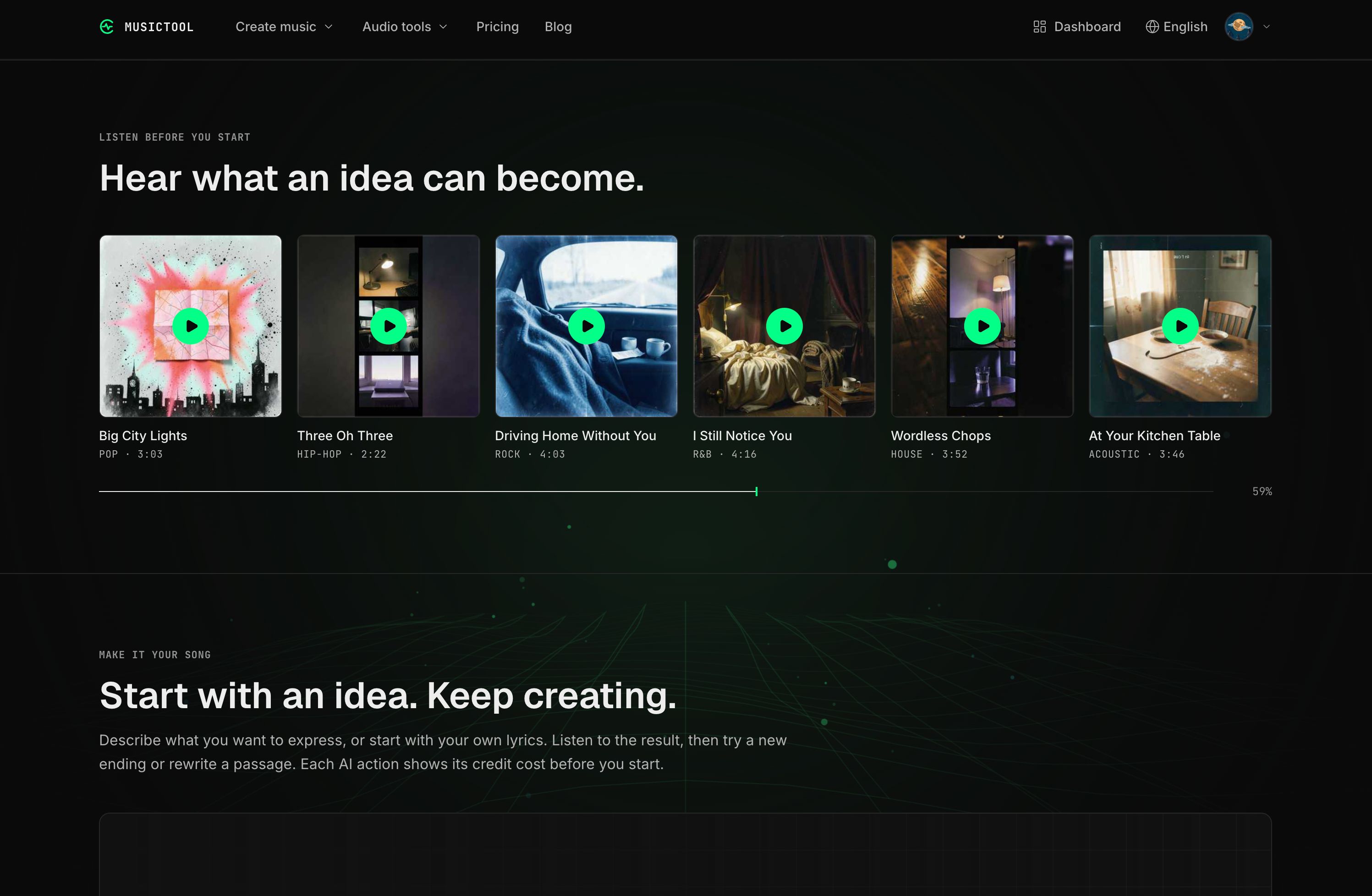
- AI song generation — Turn prompts or lyrics into songs with vocals, or create instrumental tracks.
- AI lyrics and lyric editor — Generate lyric drafts, compare alternatives, and rewrite or continue sections.
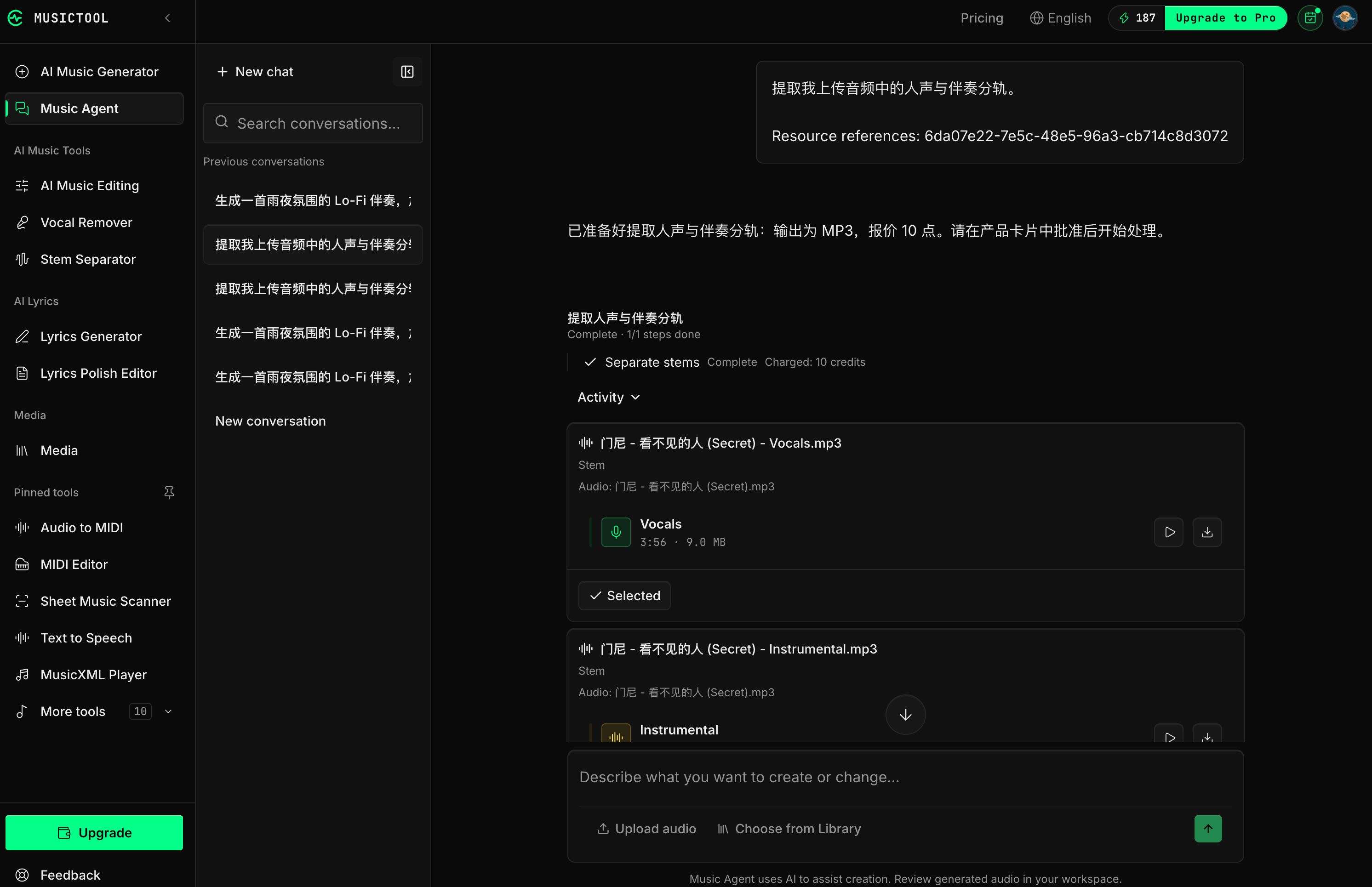
- Music Agent — Describe what you want to create or change. Review the proposed workflow and credit cost before paid steps run.
- AI music editing — Create covers, extend tracks, replace sections, and combine songs into mashups.
- Stem separation — Separate vocals and instruments for further editing.
- AI mastering — Prepare mastered versions of your tracks.
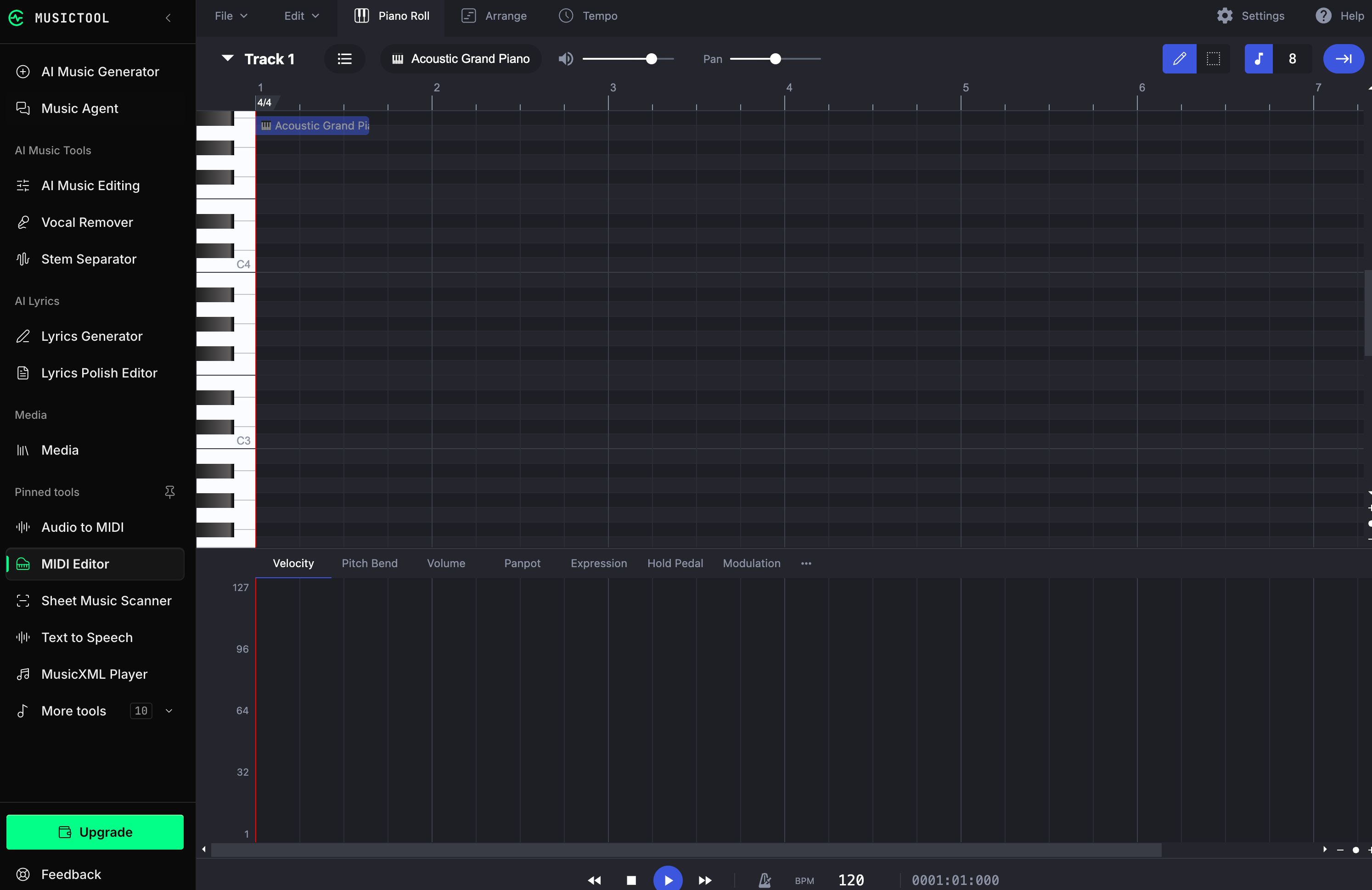
- Audio-to-MIDI conversion — Convert supported audio into editable MIDI.
- Sheet music recognition — Turn sheet music images into digital notation for playback and editing.
- Browser-based music tools — Find BPM and key, generate chord progressions, trim audio, adjust speed and pitch, and use a metronome or tuner.
- Music library and playback — Organize generated songs and uploaded audio, preview results, and return to them for further work.
- Flexible credits — Try AI features with free credits, then continue with a subscription or credit pack.
Use Cases
- Songwriting and demos — Explore song ideas, develop lyrics, and hear different arrangements before recording.
- Content creation — Create music for videos, podcasts, streams, and social posts.
- Audio editing and remixing — Extend a track, change a section, create a cover, or experiment with a mashup.
- Vocal and instrumental practice — Separate a song into vocals and backing tracks, then adjust playback speed or pitch.
- Music production — Extract stems, convert audio to MIDI, and master tracks within the same workspace.
- Music learning — Identify tempo and key, explore chord progressions, and practice with browser-based tools.
- Working with sheet music — Digitize notation and use playback to study or check a piece.
- Guided music workflows — Ask the Music Agent to plan supported tasks and continue creating from completed results.

Comments


Hi Product Hunt! I'm the maker of MUSICTOOL. MUSICTOOL brings song creation and audio editing into the same browser workspace. You can start with an idea, your own lyrics, or an audio file. Here's what you can do: • Generate songs with vocals or create instrumentals. • Write and refine lyrics. • Separate vocals and instrumentals, then keep working with the results. • Use the Music Agent to plan and run supported music workflows. You review the plan and credit cost before paid steps run. You can use the individual tools directly or work through the agent. Your songs and uploaded audio stay in your library so you can return to them later. There's a free credit allowance to try the AI features, with subscriptions and credit packs for further use. I'd love to hear what you try first. Which part of your music workflow would you want to handle here, and where does the experience feel confusing?

Showing the proposed workflow and its credit cost before any paid step runs is a thoughtful choice. With multi-step music jobs it's easy to spend credits on a stage you would have changed. Question: when you replace a section or extend a track, does the new part keep the original vocal timbre and key, or is it generated independently? And can stems separated from a generated song go straight back into the editor as new input?
Online Quran Classes for Ladies provide a convenient way to learn the Holy Quran from home. Our experienced female Quran tutors offer personalized lessons in Quran reading, Tajweed, Noorani Qaida, and proper pronunciation. Enjoy flexible class timings and a comfortable learning environment. Strengthen your Quranic knowledge with expert guidance and support.https://thequrannest.com/online-quran-classes-for-ladies/

Having the Music Agent show the workflow and its credit cost before any paid step runs is exactly the right default. A question from the video side: if I generate a score for a scene and then extend or replace a section, does it keep the same key and tempo so the new part cuts in cleanly? And can stems be exported separately so dialogue can sit over the instrumental?

Having all these AI tools—from stem separation and audio-to-MIDI to sheet music recognition—under one browser workspace makes the workflow so seamless. The Music Agent reviewing credit costs before running is a really user-friendly touch. If anyone is looking for tools to save, archive, or back up their AI-generated tracks and musical creations, check out https://starsongsaver.com/ . Congrats on the launch!

What stands out to me is how much of the music production workflow you've managed to bring together in one browser-based workspace. Having AI song generation, lyric writing, stem separation, mastering and audio-to-MIDI conversion under one roof could save creators a lot of time jumping between different tools. I particularly like the Music Agent concept, especially the ability to review the proposed workflow and credit cost before committing to paid actions. That level of transparency is important when working with AI tools. I'm curious whether you plan to introduce more advanced manual editing capabilities for users who want greater control over the final output. Exciting project!

The browser-based workspace is smart - all the fragmented tools (stem separation, lyric writing, mastering) in one place cuts friction significantly. The Music Agent angle with cost transparency before execution is genuinely useful - most AI music tools leave you guessing at credits until you commit. Stem separation + audio-to-MIDI conversion combo could be a legitimate workflow accelerant for remix and production work.


Interesting that this works as an AI agent rather than a one-shot generator. When I ask it to tweak a song, say a different tempo or swapping the chorus, does it edit the existing track or regenerate everything from scratch? Also curious what the free tier limits are (export length, number of songs per month) and whether the audio editing works on files I upload myself.




Premium Products

















































Sponsors
Buy

Awards
View all
Awards
View allMakers
Makers
Comments
Hi Product Hunt! I'm the maker of MUSICTOOL. MUSICTOOL brings song creation and audio editing into the same browser workspace. You can start with an idea, your own lyrics, or an audio file. Here's what you can do: • Generate songs with vocals or create instrumentals. • Write and refine lyrics. • Separate vocals and instrumentals, then keep working with the results. • Use the Music Agent to plan and run supported music workflows. You review the plan and credit cost before paid steps run. You can use the individual tools directly or work through the agent. Your songs and uploaded audio stay in your library so you can return to them later. There's a free credit allowance to try the AI features, with subscriptions and credit packs for further use. I'd love to hear what you try first. Which part of your music workflow would you want to handle here, and where does the experience feel confusing?
Showing the proposed workflow and its credit cost before any paid step runs is a thoughtful choice. With multi-step music jobs it's easy to spend credits on a stage you would have changed. Question: when you replace a section or extend a track, does the new part keep the original vocal timbre and key, or is it generated independently? And can stems separated from a generated song go straight back into the editor as new input?
Online Quran Classes for Ladies provide a convenient way to learn the Holy Quran from home. Our experienced female Quran tutors offer personalized lessons in Quran reading, Tajweed, Noorani Qaida, and proper pronunciation. Enjoy flexible class timings and a comfortable learning environment. Strengthen your Quranic knowledge with expert guidance and support.https://thequrannest.com/online-quran-classes-for-ladies/
Having the Music Agent show the workflow and its credit cost before any paid step runs is exactly the right default. A question from the video side: if I generate a score for a scene and then extend or replace a section, does it keep the same key and tempo so the new part cuts in cleanly? And can stems be exported separately so dialogue can sit over the instrumental?
Having all these AI tools—from stem separation and audio-to-MIDI to sheet music recognition—under one browser workspace makes the workflow so seamless. The Music Agent reviewing credit costs before running is a really user-friendly touch. If anyone is looking for tools to save, archive, or back up their AI-generated tracks and musical creations, check out https://starsongsaver.com/ . Congrats on the launch!
What stands out to me is how much of the music production workflow you've managed to bring together in one browser-based workspace. Having AI song generation, lyric writing, stem separation, mastering and audio-to-MIDI conversion under one roof could save creators a lot of time jumping between different tools. I particularly like the Music Agent concept, especially the ability to review the proposed workflow and credit cost before committing to paid actions. That level of transparency is important when working with AI tools. I'm curious whether you plan to introduce more advanced manual editing capabilities for users who want greater control over the final output. Exciting project!
The browser-based workspace is smart - all the fragmented tools (stem separation, lyric writing, mastering) in one place cuts friction significantly. The Music Agent angle with cost transparency before execution is genuinely useful - most AI music tools leave you guessing at credits until you commit. Stem separation + audio-to-MIDI conversion combo could be a legitimate workflow accelerant for remix and production work.
Interesting that this works as an AI agent rather than a one-shot generator. When I ask it to tweak a song, say a different tempo or swapping the chorus, does it edit the existing track or regenerate everything from scratch? Also curious what the free tier limits are (export length, number of songs per month) and whether the audio editing works on files I upload myself.
Premium Products
New to Fazier?

Find your next favorite product or submit your own. Made by @FalakDigital.
Copyright ©2026. All Rights Reserved