
Mozonic Studio
Free Mac DAW whose AI measures first, then suggests
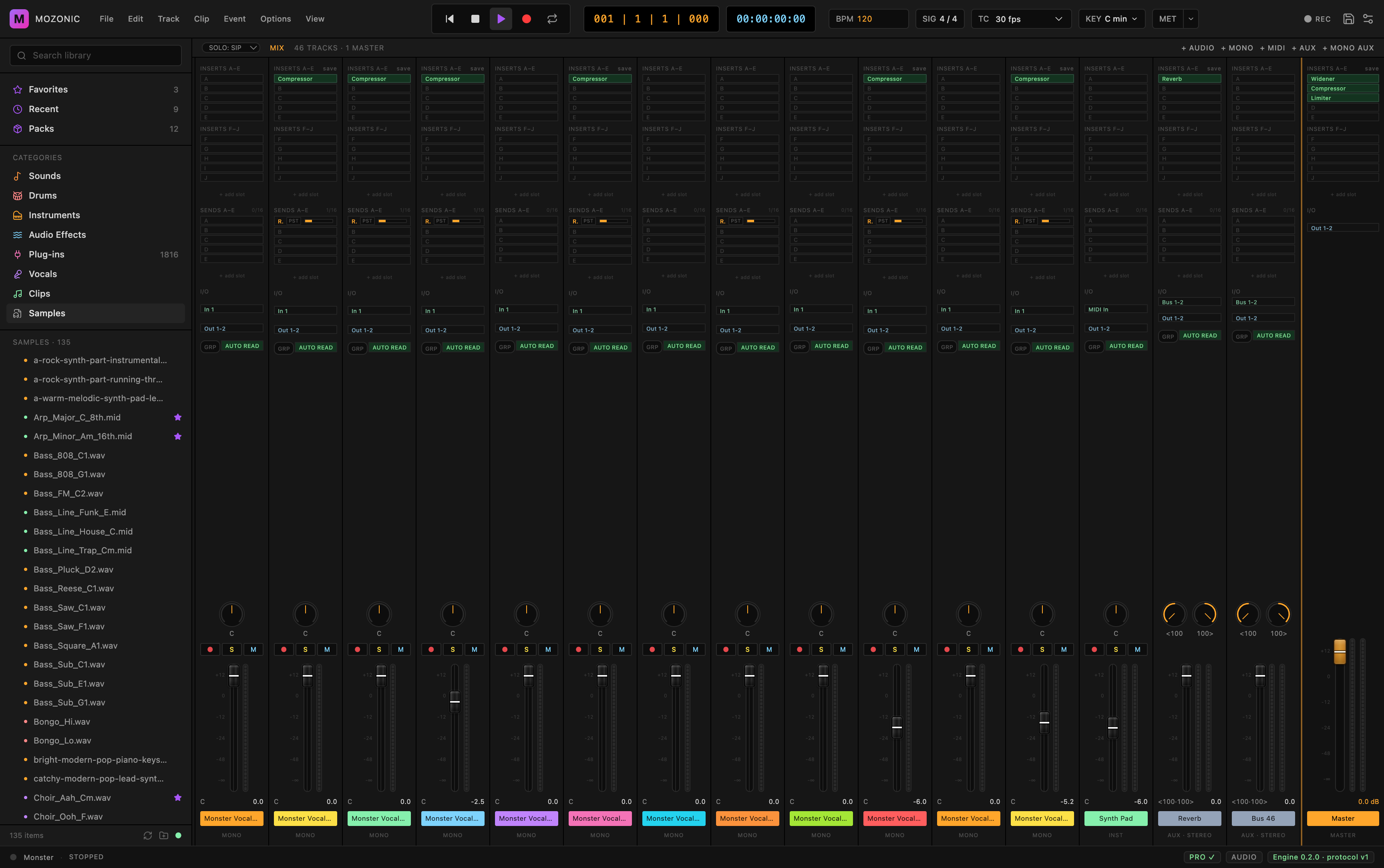
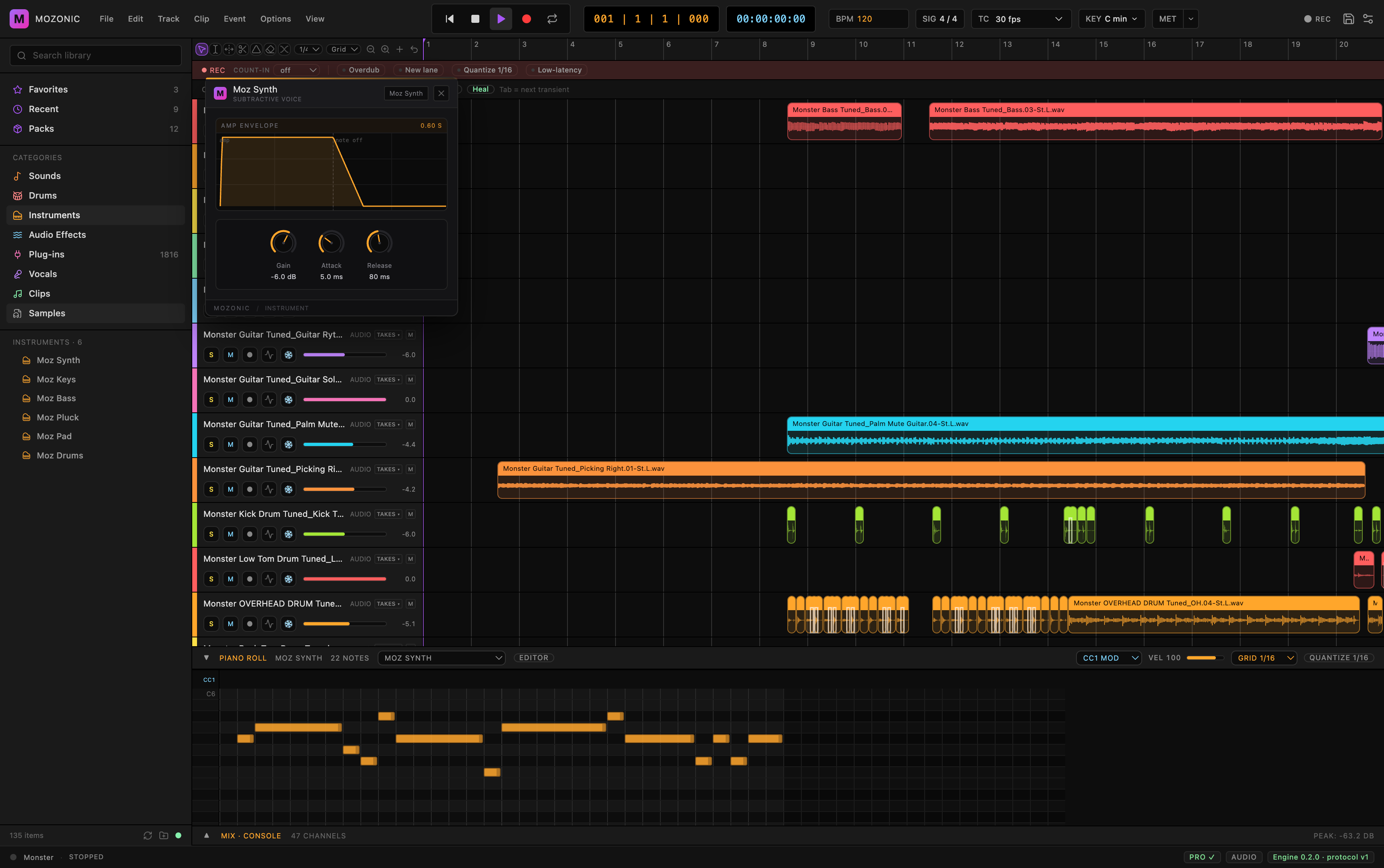
Mozonic Studio is a free digital audio workstation for Apple silicon Macs. Multitrack recording with take lanes and comping, MIDI with a piano roll, built-in instruments and effects, automation, sidechain, a tempo map, no track limit, and your own VST3 and Audio Unit plugins running in sandboxed processes so one crash doesn't take the session down.
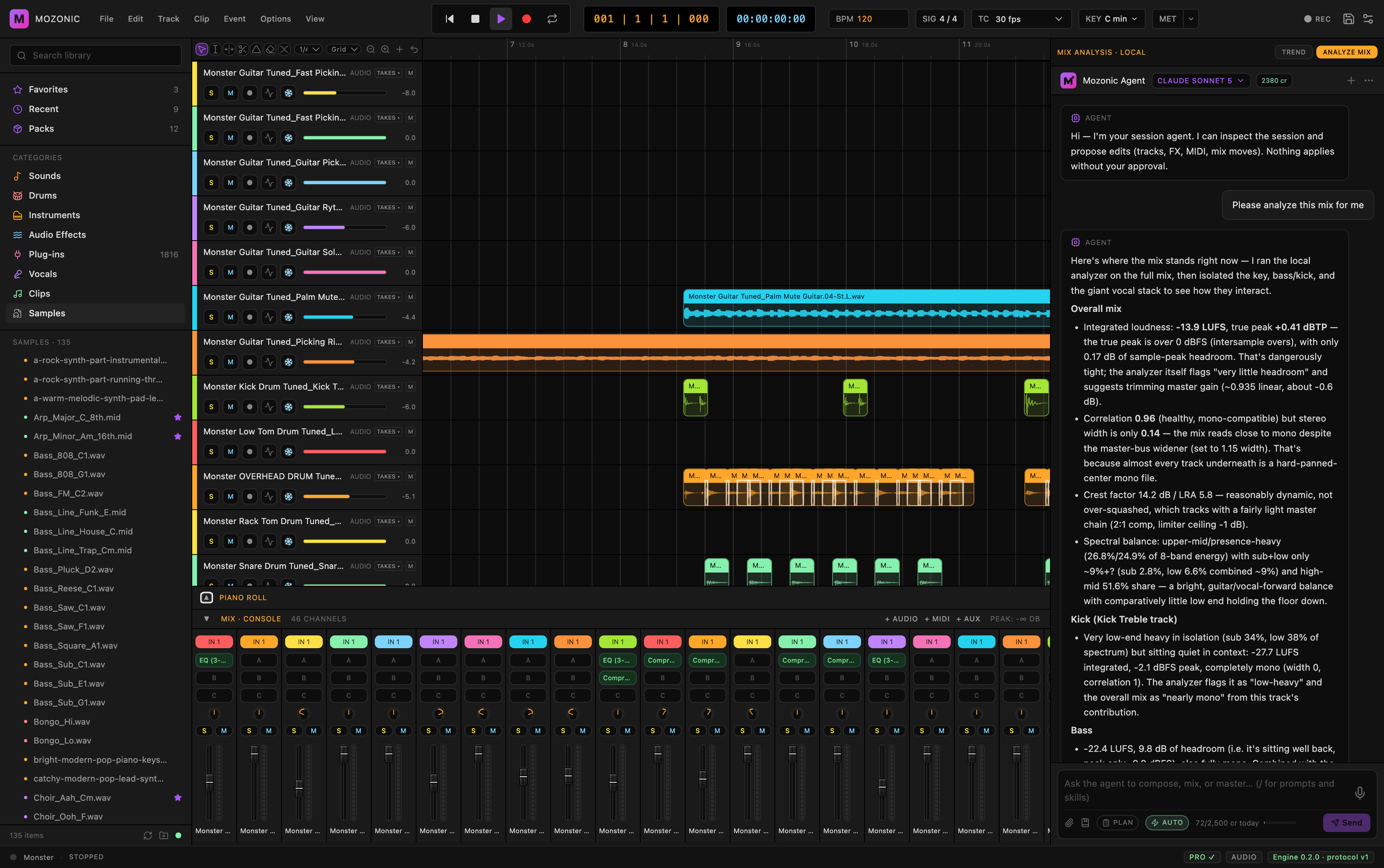
The AI assistant measures your session on your machine (true peak, 8-band spectrum, stereo width and correlation, loudness range) and proposes changes as cards you A/B preview, then accept or decline. Nothing changes until you say so. Recording, mixing, plugins and export never need a sign-in; the AI features run on credits (100 credits = $1).
Also in the same window: a master chain with streaming, loud, club and broadcast targets the assistant can prepare and audit against, and music generation (Lyria, Stable Audio) briefed with your session's tempo, key, sections and chords. You see exactly what will be uploaded before anything leaves your Mac.
macOS 12 or later, Apple silicon only for now.
Features
- Measures before it suggests: true peak, 8-band spectrum, stereo width and correlation, loudness range, computed on your Mac
- Suggestions arrive as cards you A/B preview, then accept or decline; every accepted change is one undo step
- Complete DAW: multitrack recording with take lanes and comping, MIDI piano roll, built-in instruments and effects, automation, sidechain, tempo map, no track limit
- VST3 and Audio Unit plugins run in sandboxed processes grouped by manufacturer, so one crash doesn't stop playback
- Master chain with streaming, loud, club and broadcast targets the assistant can prepare and audit against
- Music generation (Lyria, Stable Audio) briefed with your session's tempo, key, sections and chords; you see what will be uploaded first
- No account needed for recording, mixing, plugins or export; AI features run on credits (100 = $1)
- macOS 12+, Apple silicon
Use Cases
Home-studio producers who want measurements and a second opinion while they mix, without leaving the DAW.
Musicians who record and edit on a Mac and want a free, complete workstation that hosts their existing VST3 and Audio Unit plugins.
Anyone preparing a master for streaming, club or broadcast who wants the assistant to prepare and audit it against a loudness target.
Writers who want generated parts (Lyria, Stable Audio) that fit the song's tempo, key and chords instead of a generic loop.

Comments


Founder here. Every DAW assistant I tried would "fix" a mix without telling me what it measured or why. Studio measures first (true peak, spectrum, width, loudness range) and shows you the numbers with each suggestion, which you preview and accept or decline. The DAW itself is free and needs no account; only the AI features use credits. Mac (Apple silicon) only for now. Windows is the most-asked question and I'll answer it honestly.
Premium Products















































Sponsors
Buy

Makers
Makers
Comments
Founder here. Every DAW assistant I tried would "fix" a mix without telling me what it measured or why. Studio measures first (true peak, spectrum, width, loudness range) and shows you the numbers with each suggestion, which you preview and accept or decline. The DAW itself is free and needs no account; only the AI features use credits. Mac (Apple silicon) only for now. Windows is the most-asked question and I'll answer it honestly.
Premium Products
New to Fazier?

Find your next favorite product or submit your own. Made by @FalakDigital.
Copyright ©2026. All Rights Reserved