
MindDory: Vocabulary & Grammar
Learn from the words you read and the mistakes you make
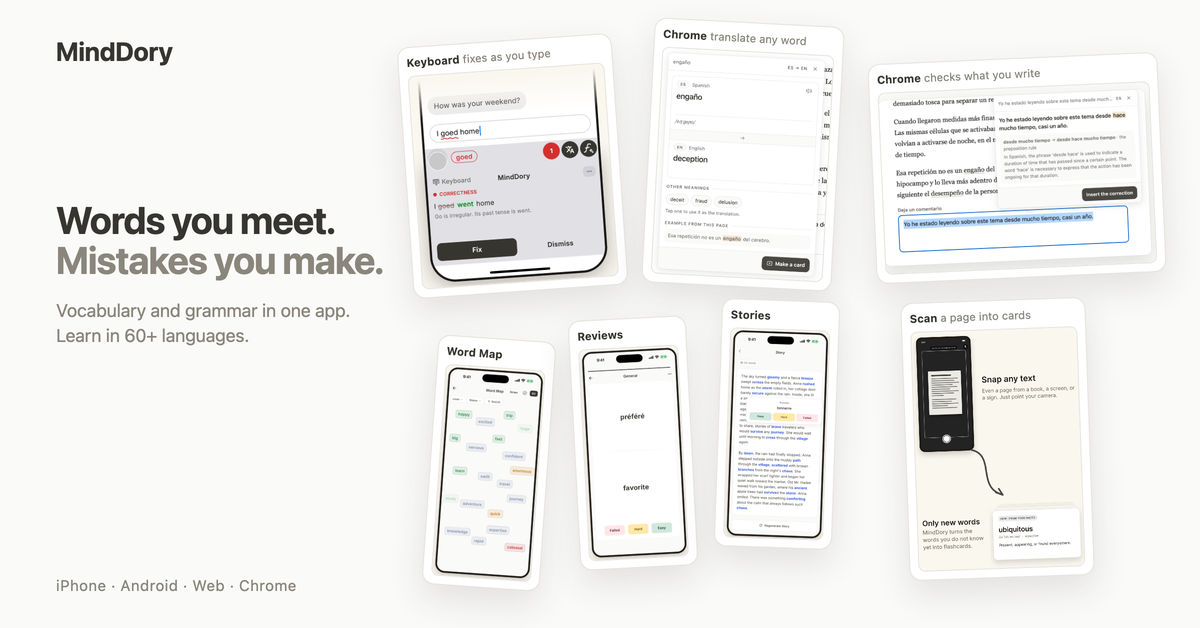
MindDory is a vocabulary and grammar app that learns from the words you read and the mistakes you make when you write. Save a word from a book, a web page or a chat, check a sentence with the MindDory keyboard, and everything you keep comes back as a short review. Learn in 60+ languages, free on iPhone, Android, the web and Chrome, with an optional Premium plan.
Features
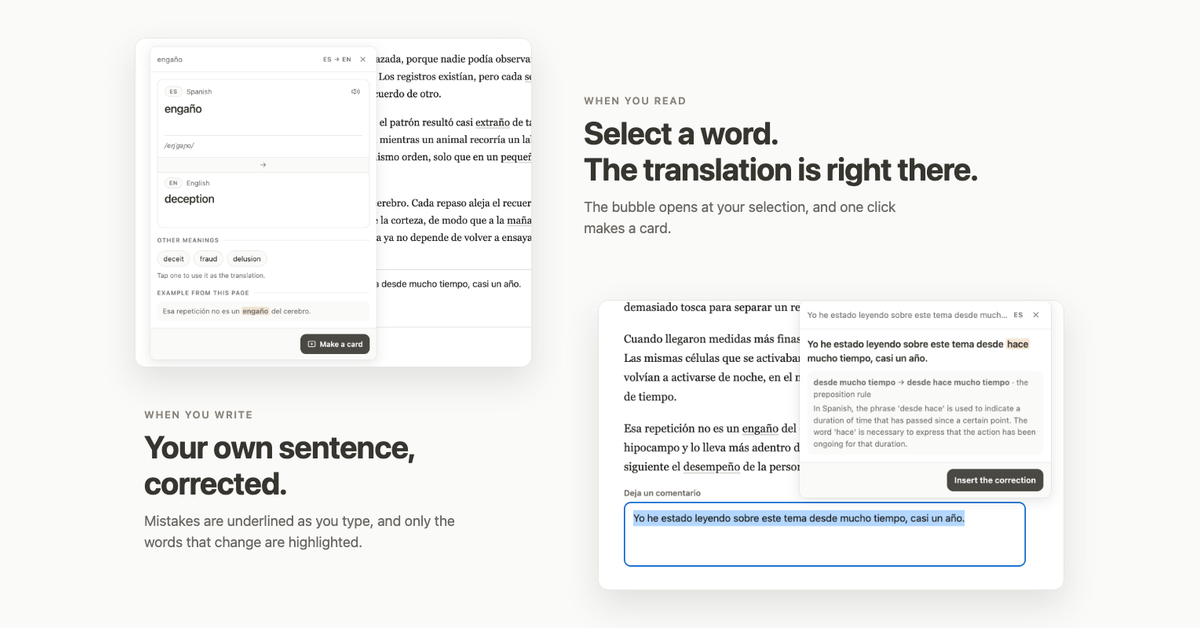
- Keyboard for iPhone and Android: check a sentence in any app, see how a fluent speaker would say it, or translate it. Every fix comes with an explanation.
- Grammar tab: the mistakes you keep show which topics keep slipping, and they come back as short reviews.
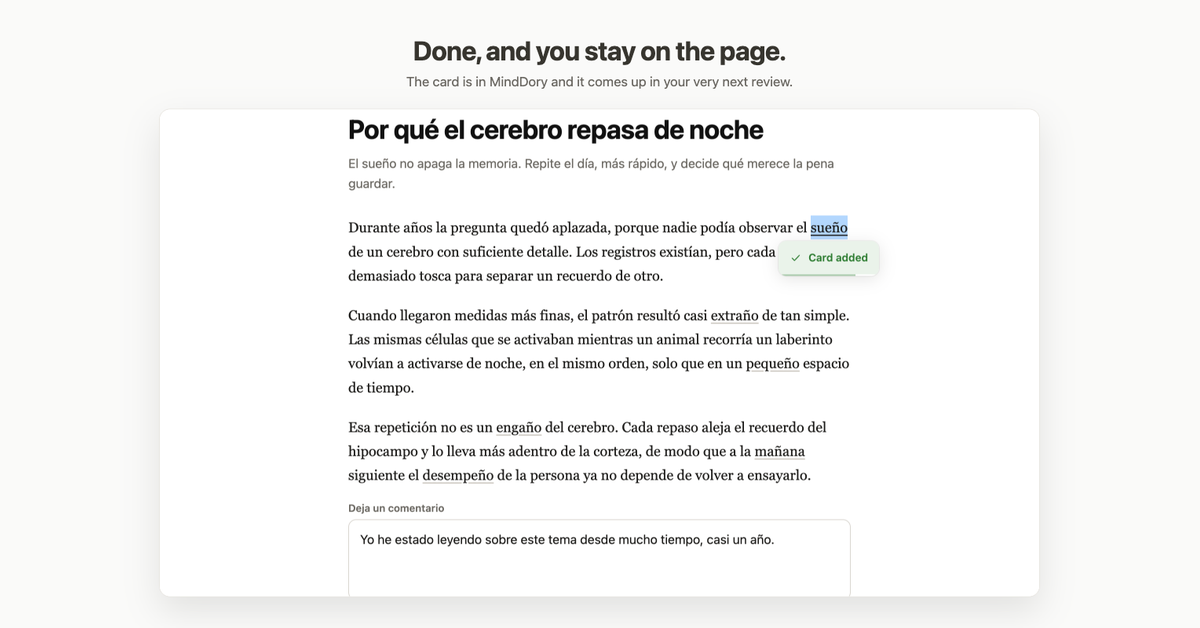
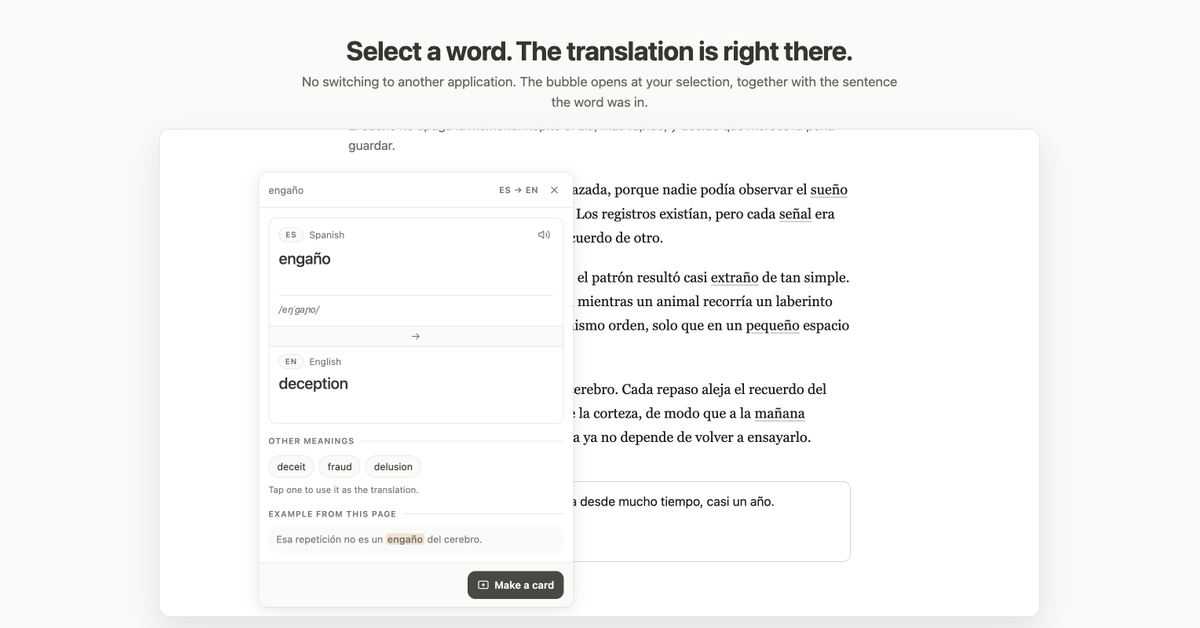
- Chrome extension: select a word on any web page and save it in one click.
- Scan: snap a page with your camera and pick the words you do not know.
- Spaced repetition with nothing to configure: a hard word returns in three days, an easy one in a week.
- Connect Claude, Cursor or another MCP-compatible assistant and save words straight from the chat.
Use Cases
- You read in a new language and want to keep the words you look up.
- You write emails or messages in a second language and want to stop repeating the same mistakes.
- You are preparing for an exam and want vocabulary from your own textbook, not a generic list.
- You learn with an AI assistant and want the new words to end up in your review queue.

Comments


Hi Fazier! I am Hynek, the maker of MindDory. I kept running into the same problem: I would look up a word, understand it, and a week later it was gone. The same with grammar. I made the same mistake in every email and no tool ever brought it back to me. So MindDory does two things. It keeps the words you meet while reading, from a book, a web page or a chat, and it keeps the mistakes you make while writing, through its own keyboard on iPhone and Android and the Chrome extension. Everything you keep comes back as a short review, with nothing to set up. It is free, with an optional Premium plan. I would love your honest feedback, especially on the keyboard: what would make you use it every day?

Bringing back the mistakes from my own writing, not just the words I looked up, is the part most vocab apps miss. On the keyboard: when it shows how a fluent speaker would say it, does it take register into account? A sentence can be correct but too casual for a work email, and that is the slip I would want flagged every day.
Most language apps focus only on saving searched words, completely overlooking the actual errors made during day-to-day writing. Regarding the keyboard suggestions: does the natural phrasing adapt to the tone and formality of the context? Grammatically sound phrasing can still feel out of place in a formal or professional setting, and catching subtle tone mismatches like that is where a tool like this would provide real daily value.
I like that MindDory ties review cards to the mistakes you actually make while writing, with the keyboard explaining each fix, instead of using generic word lists. The Chrome extension for saving a word in one click also fits real reading habits. How does the Grammar tab decide which topics to resurface first?


In Switzerland a lot of apprentices have to learn French or English at school while working, so saving words from their own textbook with the scan feature sounds really useful. Quick question: if you write in German with Swiss spelling (ss instead of ß), does the keyboard flag that as a mistake or can you set the regional variant?

Saving words straight from a Claude or Cursor chat via MCP is a smart distribution choice — that's where a lot of language questions already happen, so capture costs the learner nothing. The camera scan for textbook pages also fits real study habits better than typing words into a list. One question on the spaced repetition: does scheduling take into account whether you actually used a saved word correctly in your own writing (via the keyboard), or is it based only on how you rate the review cards?
Premium Products
















































Sponsors
Buy

Makers
Makers
Comments
Hi Fazier! I am Hynek, the maker of MindDory. I kept running into the same problem: I would look up a word, understand it, and a week later it was gone. The same with grammar. I made the same mistake in every email and no tool ever brought it back to me. So MindDory does two things. It keeps the words you meet while reading, from a book, a web page or a chat, and it keeps the mistakes you make while writing, through its own keyboard on iPhone and Android and the Chrome extension. Everything you keep comes back as a short review, with nothing to set up. It is free, with an optional Premium plan. I would love your honest feedback, especially on the keyboard: what would make you use it every day?
Bringing back the mistakes from my own writing, not just the words I looked up, is the part most vocab apps miss. On the keyboard: when it shows how a fluent speaker would say it, does it take register into account? A sentence can be correct but too casual for a work email, and that is the slip I would want flagged every day.
Most language apps focus only on saving searched words, completely overlooking the actual errors made during day-to-day writing. Regarding the keyboard suggestions: does the natural phrasing adapt to the tone and formality of the context? Grammatically sound phrasing can still feel out of place in a formal or professional setting, and catching subtle tone mismatches like that is where a tool like this would provide real daily value.
I like that MindDory ties review cards to the mistakes you actually make while writing, with the keyboard explaining each fix, instead of using generic word lists. The Chrome extension for saving a word in one click also fits real reading habits. How does the Grammar tab decide which topics to resurface first?
In Switzerland a lot of apprentices have to learn French or English at school while working, so saving words from their own textbook with the scan feature sounds really useful. Quick question: if you write in German with Swiss spelling (ss instead of ß), does the keyboard flag that as a mistake or can you set the regional variant?
Saving words straight from a Claude or Cursor chat via MCP is a smart distribution choice — that's where a lot of language questions already happen, so capture costs the learner nothing. The camera scan for textbook pages also fits real study habits better than typing words into a list. One question on the spaced repetition: does scheduling take into account whether you actually used a saved word correctly in your own writing (via the keyboard), or is it based only on how you rate the review cards?
Premium Products
New to Fazier?

Find your next favorite product or submit your own. Made by @FalakDigital.
Copyright ©2026. All Rights Reserved