
MermaidViewer
Free Mermaid editor & viewer with an AI diagram generator
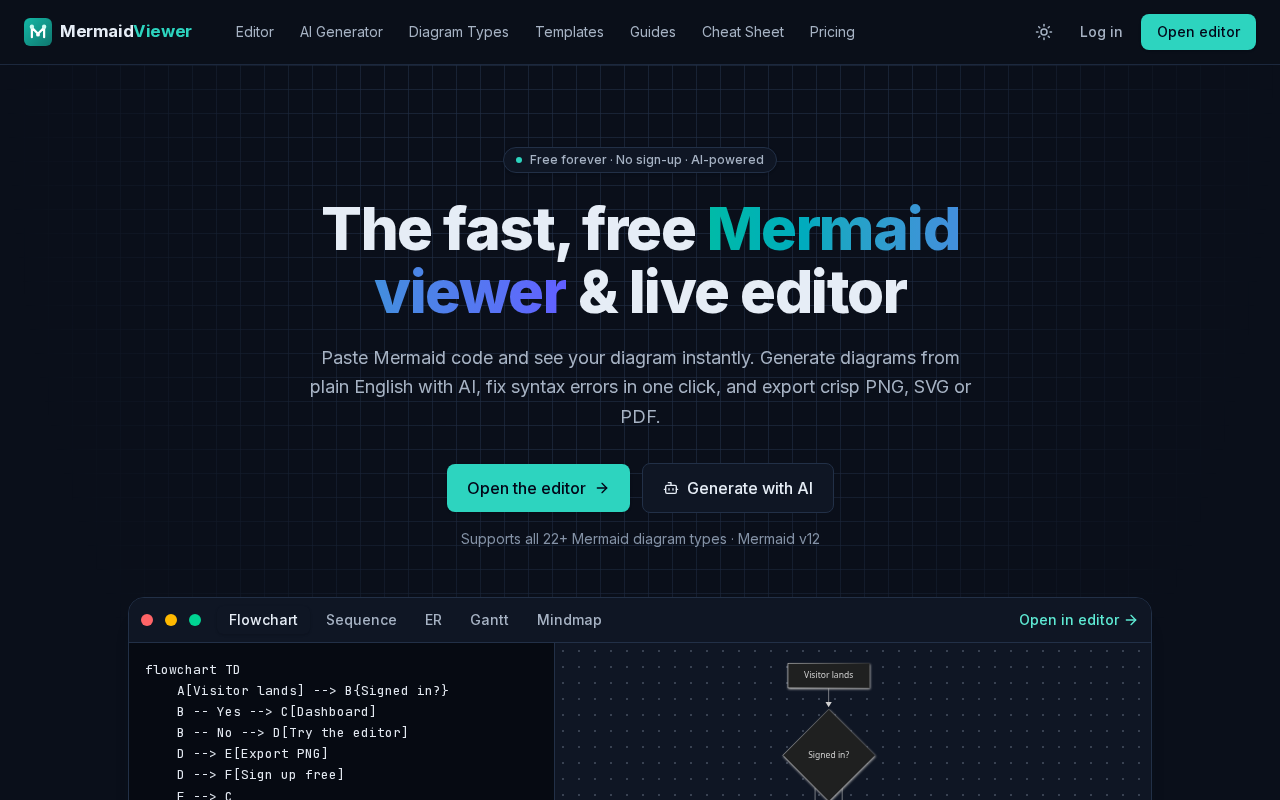
MermaidViewer is a fast, free Mermaid diagram editor that runs in your browser. Paste code for an instant live preview, or describe a diagram in plain English and let AI write the Mermaid for you. It supports all 22+ diagram types, fixes syntax errors in one click, and exports PNG with no sign-up.
Features
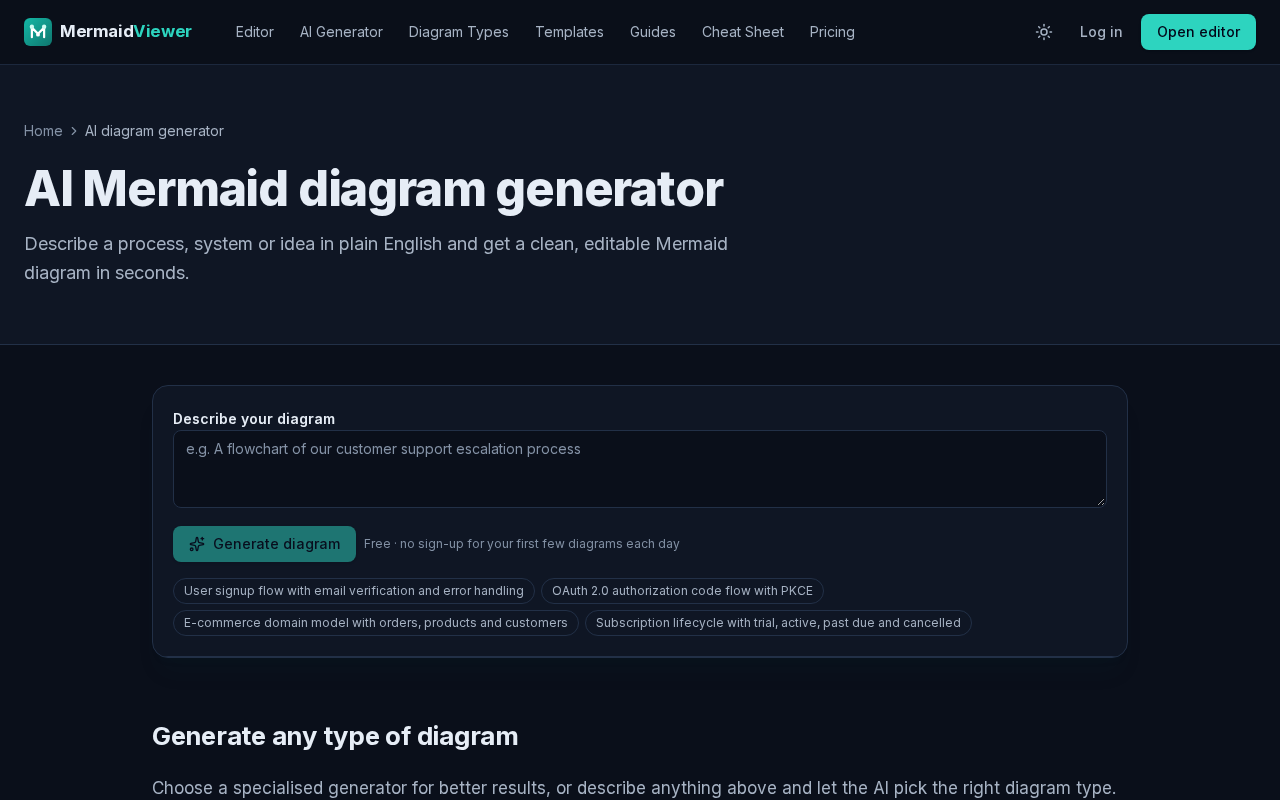
AI generates, edits, fixes and explains Mermaid diagrams
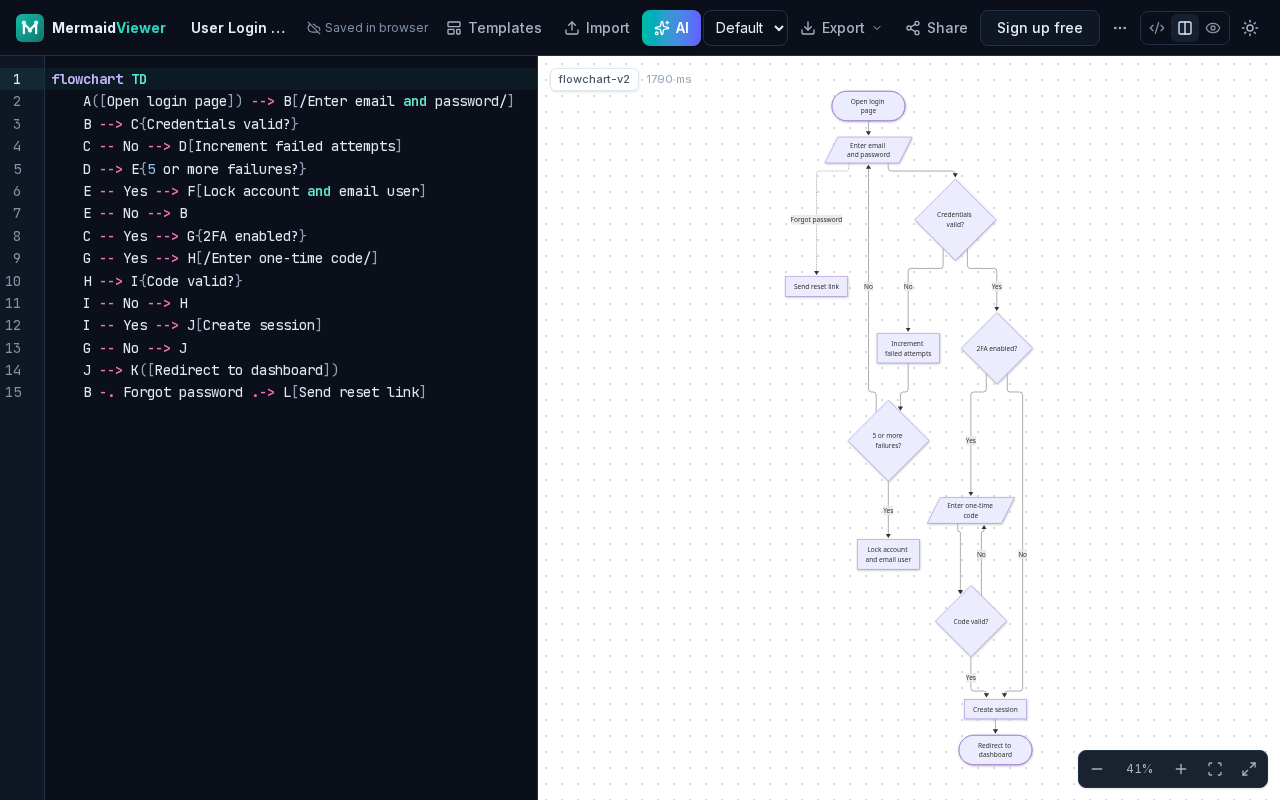
Live preview with line-specific error messages
All 22+ Mermaid diagram types, 30+ templates
Share links and live iframe embeds
PNG export without an account
Use Cases
Documenting software architecture and flows in READMEs
Turning meeting notes into flowcharts with AI
Fixing broken Mermaid code from docs or LLM output

Comments



The plain-English-to-Mermaid feature looks particularly useful. I often work with software architecture and workflow diagrams, so having AI generate diagrams and catch syntax errors without switching between tools could save quite a bit of time. Does the AI also handle editing existing complex diagrams while preserving their structure?


The plain-English-to-Mermaid feature looks particularly useful. I often work with software architecture and workflow diagrams, so having AI generate diagrams and catch syntax errors without switching between tools could save quite a bit of time. Does the AI also handle editing existing complex diagrams while preserving their structure?

Tried the editor on the homepage with a flowchart where I left a bracket open on line 4 (D[Charging). The error box said "Parse error on line 6", but the snippet only has 5 lines, and the preview kept spinning instead of holding the last good render. Mermaid reports end of input in that case, so a hint like "unclosed [ from line 4" would save a hunt. Does the AI fix handle unclosed brackets like that?

The line-specific error messages are the part I would use most. Mermaid's own renderer mostly says "syntax error" and leaves you bisecting the diagram by hand, especially with LLM-generated code. Two questions: does the live iframe embed re-render when the source changes, so a README or wiki page always shows the latest version? And is SVG export on the roadmap? PNG is fine for slides, but SVG stays sharp in docs and scales with dark mode themes.

Congrats on the launch! Having an instant live preview combined with one-click syntax error fixing is a huge timesaver, especially when working with LLM-generated Mermaid code. The no-signup PNG export and live iframe embedding are super practical features. Are there any plans to add real-time collaborative editing in future updates? Upvoted and best of luck!


The AI-assisted diagram generation is the standout feature here - being able to describe a flow or sequence diagram in plain language and have it rendered to Mermaid is a real time-saver for technical docs. One question: does the editor support importing existing .mmd files, and are there any limits on diagram size or node count in the free tier?


The live preview and line-specific errors make it easier to catch Mermaid issues while writing docs, and the prompt-to-diagram path lowers the setup cost. Do shared links and iframe embeds stay in sync when the source is edited, or does each revision create a new link? A note on that would help teams choose between a static example and a maintained diagram.

The line-specific error messages in the live preview are the feature I would keep coming back for. Mermaid's default errors tell you almost nothing, and hunting a missing bracket in a big architecture diagram is painful, so pointing at the exact line is a real time-saver. The plain-English-to-Mermaid path plus one-click syntax fixing also makes this genuinely useful for READMEs and docs. One question: does the live iframe embed re-render when the source changes, so a doc page stays up to date without re-embedding?
Congrats on the launch! The line-specific error messages are the detail that stands out most to me — Mermaid's default errors are famously cryptic, so pointing at the exact line would save a lot of trial and error when pasting code from docs or LLM output. Two questions: does the AI generator also work for the less common diagram types (for example gitGraph or timeline), and do the shared links keep working if the source is edited later? The no-sign-up PNG export is a nice touch too.

The one-click syntax fix is the part I'd use most. Mermaid from AI output often breaks on small things like labels with parentheses. Does the fix show what it changed, so I can learn the rule instead of just getting a corrected block? And does the iframe embed update when the shared diagram changes?

The meeting-notes-to-flowchart use case is the one I'd want to test first. When the notes leave a branch implicit (for example "if approved, ship it" with no stated rejection path), does the AI ask, leave it out, or invent a decision node? An invented branch would give a diagram that looks complete but isn't what the notes said, so I'm curious how you handle that.
Congrats on the launch! The line-specific error messages are the detail I'd use most — Mermaid's default errors make it hard to find a missing bracket in a long diagram. Pairing that with plain-English-to-Mermaid generation and PNG export with no sign-up makes this genuinely useful for documenting architecture in READMEs. Curious whether the live iframe embeds re-render automatically when the source changes.
The plain-English-to-Mermaid flow is the part I would reach for first — turning rough meeting notes into a first-draft flowchart without hand-writing syntax saves a lot of fiddling. Line-specific error messages are also a real pain point solved, since Mermaid's default errors rarely say where the problem is. One question: do the share links stay live if the source is edited later, or do they snapshot the diagram at share time? Congrats on the launch!
Line-specific errors in the live preview are the part I'd reach for most — Mermaid's default output just says "syntax error" and leaves you bisecting the diagram by hand. Combining that with an AI that fixes broken Mermaid from LLM output and can draft from plain English would save a lot of context switching. Curious whether the AI fix shows a diff of what it changed, and if the iframe embed re-renders when the source is edited so a wiki page always shows the latest version.
The line-specific error messages and one-click syntax fix stand out — most Mermaid errors are cryptic when pasting in AI-generated code. Does the live iframe embed update automatically when the source diagram changes, or does it need a manual refresh? That would matter for keeping diagrams in docs and READMEs in sync.

Congrats on the launch! The line-specific error messages and one-click syntax fix are the parts I would use most — Mermaid's default errors are cryptic when pasting code from docs or AI output. One question: do the live iframe embeds re-render automatically when the source changes, so a README or wiki page stays up to date?

Congrats on the launch! The live preview with line-specific error messages is genuinely useful — Mermaid's default errors are cryptic when pasting AI-generated code. The plain-English to diagram flow also looks like a real time-saver for turning meeting notes into flowcharts. One thing I'd love to see: a quick way to save or share a diagram without exporting, for teams iterating on the same chart.



The line-specific error messages in the live preview are the feature I would use most — Mermaid's default errors are cryptic when pasting code from an LLM. Does the PNG export preserve the diagram at high resolution for READMEs, and does the live iframe embed re-render when the source changes? I document software architecture in READMEs, so that would save a lot of manual fixing.
The line-specific error messages are the feature I would use most — Mermaid's default errors are cryptic when a diagram breaks, so knowing exactly which line failed plus a one-click fix would save a lot of time. The plain-English to Mermaid flow also looks useful for turning meeting notes into a first flowchart draft. Does the live iframe embed re-render automatically when the source changes, so a README stays current?

I use Mermaid for ER and sequence diagrams of database schemas, and the usual break is a missing bracket from an LLM. Pasting that source, getting a line-specific error, fixing it in the browser, and exporting PNG with no account is a tighter loop than mermaid.live plus a separate renderer. Does the one-click fix keep the node ids stable so an existing diagram does not get rearranged?



EmuDeck is a useful platform for gaming enthusiasts who enjoy exploring retro games and emulation tools. It offers helpful features that can make the gaming experience more convenient. Thanks for sharing this informative guide about EmuDeck.https://emudecks.com/

Premium Products











































Sponsors
Buy
Awards
View all
Awards
View allMakers
Makers
Comments
The plain-English-to-Mermaid feature looks particularly useful. I often work with software architecture and workflow diagrams, so having AI generate diagrams and catch syntax errors without switching between tools could save quite a bit of time. Does the AI also handle editing existing complex diagrams while preserving their structure?
The plain-English-to-Mermaid feature looks particularly useful. I often work with software architecture and workflow diagrams, so having AI generate diagrams and catch syntax errors without switching between tools could save quite a bit of time. Does the AI also handle editing existing complex diagrams while preserving their structure?
Tried the editor on the homepage with a flowchart where I left a bracket open on line 4 (D[Charging). The error box said "Parse error on line 6", but the snippet only has 5 lines, and the preview kept spinning instead of holding the last good render. Mermaid reports end of input in that case, so a hint like "unclosed [ from line 4" would save a hunt. Does the AI fix handle unclosed brackets like that?
The line-specific error messages are the part I would use most. Mermaid's own renderer mostly says "syntax error" and leaves you bisecting the diagram by hand, especially with LLM-generated code. Two questions: does the live iframe embed re-render when the source changes, so a README or wiki page always shows the latest version? And is SVG export on the roadmap? PNG is fine for slides, but SVG stays sharp in docs and scales with dark mode themes.
Congrats on the launch! Having an instant live preview combined with one-click syntax error fixing is a huge timesaver, especially when working with LLM-generated Mermaid code. The no-signup PNG export and live iframe embedding are super practical features. Are there any plans to add real-time collaborative editing in future updates? Upvoted and best of luck!
The AI-assisted diagram generation is the standout feature here - being able to describe a flow or sequence diagram in plain language and have it rendered to Mermaid is a real time-saver for technical docs. One question: does the editor support importing existing .mmd files, and are there any limits on diagram size or node count in the free tier?
The live preview and line-specific errors make it easier to catch Mermaid issues while writing docs, and the prompt-to-diagram path lowers the setup cost. Do shared links and iframe embeds stay in sync when the source is edited, or does each revision create a new link? A note on that would help teams choose between a static example and a maintained diagram.
The line-specific error messages in the live preview are the feature I would keep coming back for. Mermaid's default errors tell you almost nothing, and hunting a missing bracket in a big architecture diagram is painful, so pointing at the exact line is a real time-saver. The plain-English-to-Mermaid path plus one-click syntax fixing also makes this genuinely useful for READMEs and docs. One question: does the live iframe embed re-render when the source changes, so a doc page stays up to date without re-embedding?
Congrats on the launch! The line-specific error messages are the detail that stands out most to me — Mermaid's default errors are famously cryptic, so pointing at the exact line would save a lot of trial and error when pasting code from docs or LLM output. Two questions: does the AI generator also work for the less common diagram types (for example gitGraph or timeline), and do the shared links keep working if the source is edited later? The no-sign-up PNG export is a nice touch too.
The one-click syntax fix is the part I'd use most. Mermaid from AI output often breaks on small things like labels with parentheses. Does the fix show what it changed, so I can learn the rule instead of just getting a corrected block? And does the iframe embed update when the shared diagram changes?
The meeting-notes-to-flowchart use case is the one I'd want to test first. When the notes leave a branch implicit (for example "if approved, ship it" with no stated rejection path), does the AI ask, leave it out, or invent a decision node? An invented branch would give a diagram that looks complete but isn't what the notes said, so I'm curious how you handle that.
Congrats on the launch! The line-specific error messages are the detail I'd use most — Mermaid's default errors make it hard to find a missing bracket in a long diagram. Pairing that with plain-English-to-Mermaid generation and PNG export with no sign-up makes this genuinely useful for documenting architecture in READMEs. Curious whether the live iframe embeds re-render automatically when the source changes.
The plain-English-to-Mermaid flow is the part I would reach for first — turning rough meeting notes into a first-draft flowchart without hand-writing syntax saves a lot of fiddling. Line-specific error messages are also a real pain point solved, since Mermaid's default errors rarely say where the problem is. One question: do the share links stay live if the source is edited later, or do they snapshot the diagram at share time? Congrats on the launch!
Line-specific errors in the live preview are the part I'd reach for most — Mermaid's default output just says "syntax error" and leaves you bisecting the diagram by hand. Combining that with an AI that fixes broken Mermaid from LLM output and can draft from plain English would save a lot of context switching. Curious whether the AI fix shows a diff of what it changed, and if the iframe embed re-renders when the source is edited so a wiki page always shows the latest version.
The line-specific error messages and one-click syntax fix stand out — most Mermaid errors are cryptic when pasting in AI-generated code. Does the live iframe embed update automatically when the source diagram changes, or does it need a manual refresh? That would matter for keeping diagrams in docs and READMEs in sync.
Congrats on the launch! The line-specific error messages and one-click syntax fix are the parts I would use most — Mermaid's default errors are cryptic when pasting code from docs or AI output. One question: do the live iframe embeds re-render automatically when the source changes, so a README or wiki page stays up to date?
Congrats on the launch! The live preview with line-specific error messages is genuinely useful — Mermaid's default errors are cryptic when pasting AI-generated code. The plain-English to diagram flow also looks like a real time-saver for turning meeting notes into flowcharts. One thing I'd love to see: a quick way to save or share a diagram without exporting, for teams iterating on the same chart.
The line-specific error messages in the live preview are the feature I would use most — Mermaid's default errors are cryptic when pasting code from an LLM. Does the PNG export preserve the diagram at high resolution for READMEs, and does the live iframe embed re-render when the source changes? I document software architecture in READMEs, so that would save a lot of manual fixing.
The line-specific error messages are the feature I would use most — Mermaid's default errors are cryptic when a diagram breaks, so knowing exactly which line failed plus a one-click fix would save a lot of time. The plain-English to Mermaid flow also looks useful for turning meeting notes into a first flowchart draft. Does the live iframe embed re-render automatically when the source changes, so a README stays current?
I use Mermaid for ER and sequence diagrams of database schemas, and the usual break is a missing bracket from an LLM. Pasting that source, getting a line-specific error, fixing it in the browser, and exporting PNG with no account is a tighter loop than mermaid.live plus a separate renderer. Does the one-click fix keep the node ids stable so an existing diagram does not get rearranged?
EmuDeck is a useful platform for gaming enthusiasts who enjoy exploring retro games and emulation tools. It offers helpful features that can make the gaming experience more convenient. Thanks for sharing this informative guide about EmuDeck.https://emudecks.com/
Premium Products
New to Fazier?

Find your next favorite product or submit your own. Made by @FalakDigital.
Copyright ©2026. All Rights Reserved