
MEGAKILL
The Mac task killer with a shotgun. One click, app dead.
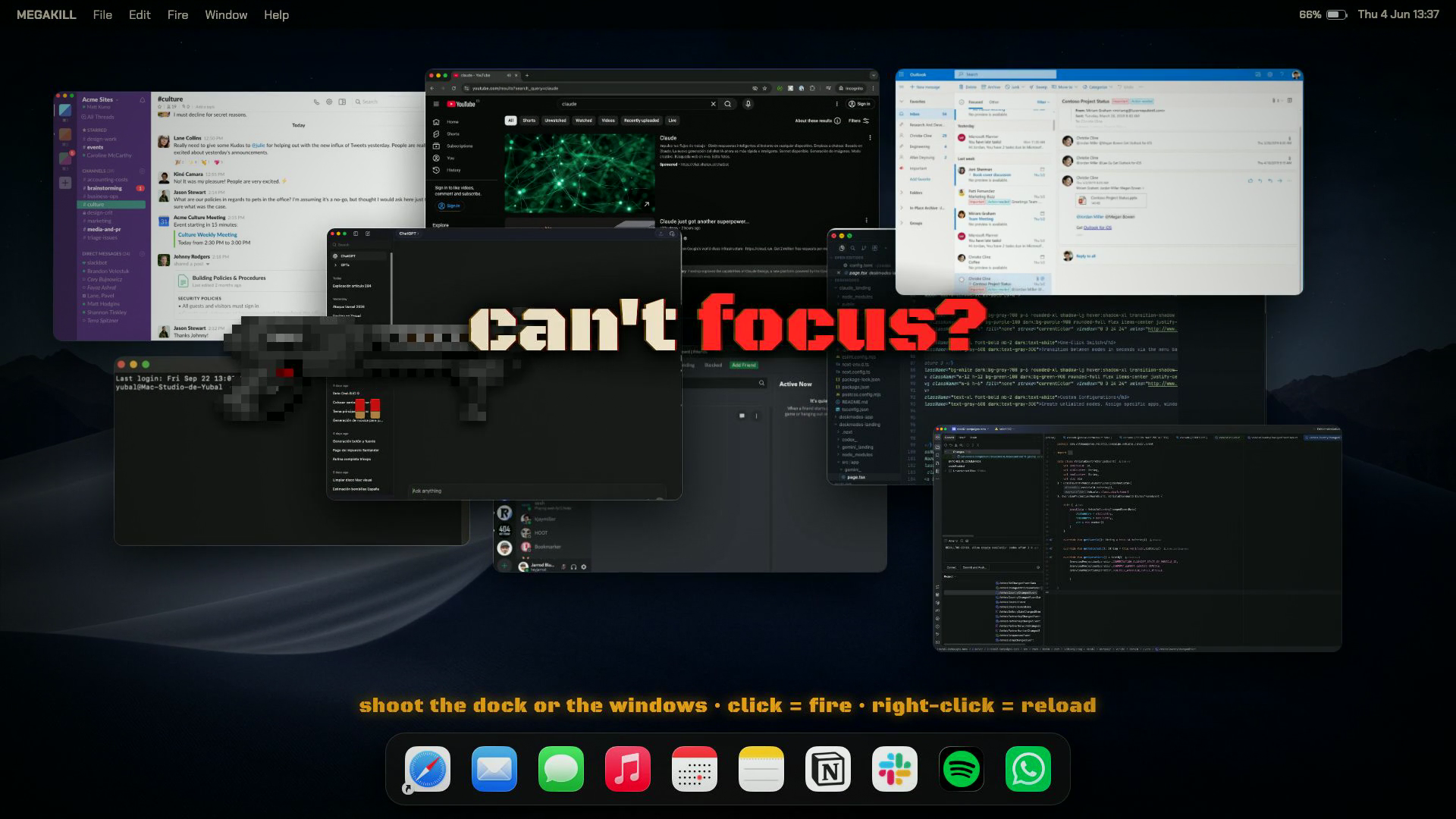
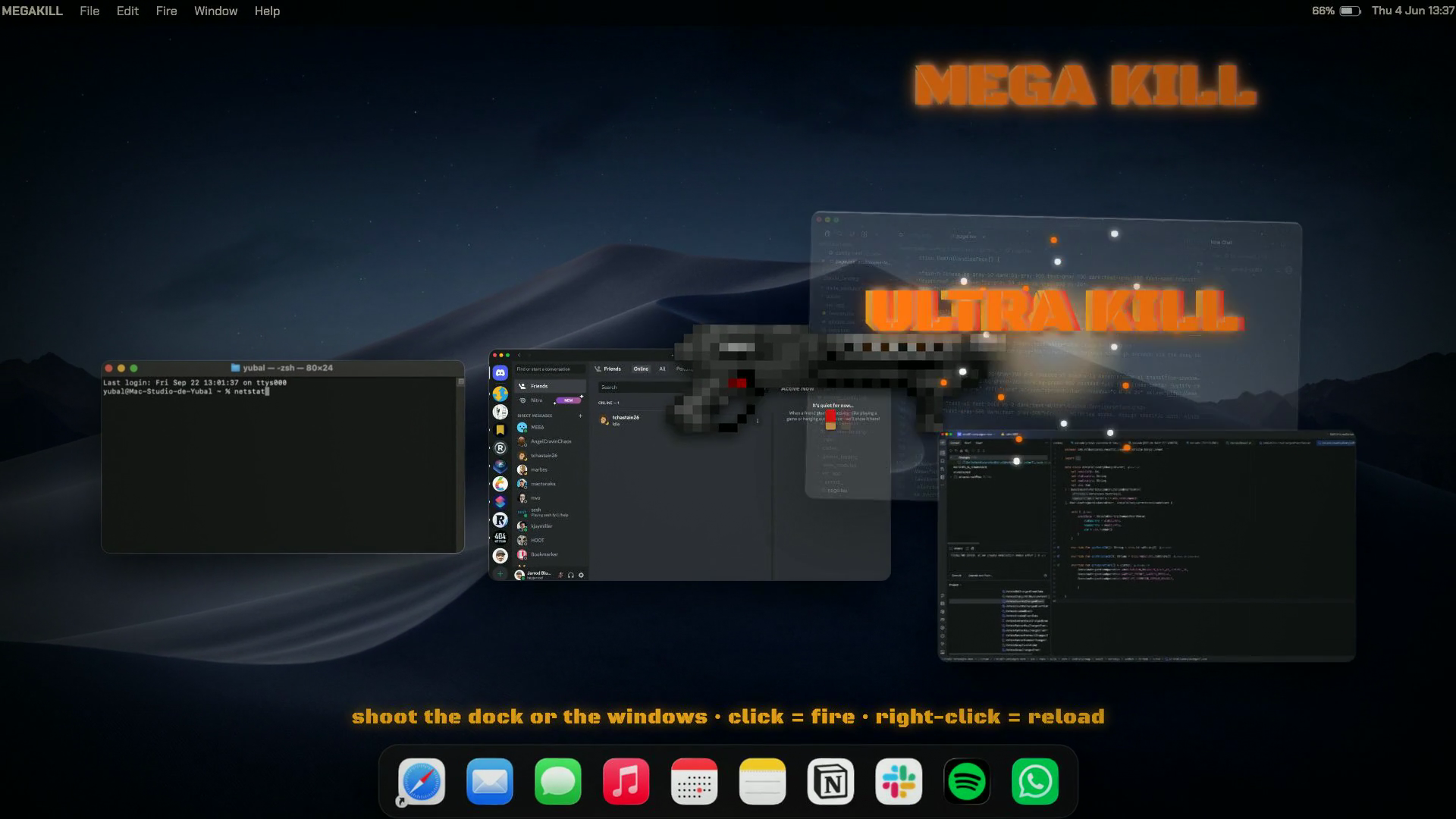
MEGAKILL turns closing Mac apps into a shooting gallery. Press the shortcut and your cursor becomes a pixel-art shotgun: click an app window or a Dock icon and that app dies instantly, with shell casings, recoil and sound. It is genuinely useful when something hangs. Kill mode force quits the process, faster than the Force Quit dialog, and it works on beachballing apps that ignore Cmd+Q. Wound mode closes only the window you shot and force quits the app if the window refuses to close. The first 100 kills are free, then a one-time 1.99 EUR purchase unlocks unlimited kills. Signed and notarized, macOS 14+, Apple Silicon and Intel. A loving tribute to DOOM (1993).

Features
Shotgun cursor: one click per app, instant force quit. Kill mode ends the process; wound mode closes just the window you shot. Works on frozen and beachballing apps that ignore Cmd+Q. Shell casings, recoil, reload animation and sound effects. Configurable shortcut, Option+Command by default. Signed, notarized, auto-updates via Sparkle.
Use Cases
Force quitting a frozen app without opening Activity Monitor. Clearing a dozen open apps in seconds at the end of the day. Closing the one window that refuses to die. Making the most boring chore on a Mac genuinely fun.

Comments


I made MEGAKILL because force quitting apps is the most boring chore on a Mac. Now I press a shortcut, the cursor becomes a pixel-art shotgun, and the frozen app dies with a satisfying blast. Kill mode force quits the process, wound mode closes just the window you shot. It is a real signed and notarized app with Sparkle updates, and the first 100 kills are free. Ask me anything, and yes, it kills Steam windows too.


MEGAKILL is such a fun take on a genuinely boring Mac problem. Turning the cursor into a pixel-art shotgun makes force quitting memorable, but the practical details are what really stand out: Kill mode for frozen processes and Wound mode for closing only the window you target. The signed and notarized build with Sparkle updates is a nice touch too. Curious whether you plan to add per-app exclusions or a confirmation option for apps with unsaved work. Great launch — “one click, app dead” is a perfect tagline!


MEGAKILL solves one of the most annoying Mac productivity friction points - force quitting unresponsive apps. Most people fumble through Activity Monitor, lose time, or just force-restart. The pixel-art shotgun theme is clever, but what actually matters is the execution: instant force quit for frozen processes, plus the option to close just the window you target. The fact that it's signed and notarized with real auto-updates means this isn't just a novelty - it's a legitimately useful tool. For Mac users who spend time managing apps, this removes real friction while keeping the experience enjoyable rather than frustrating.
MEGAKILL hits a great balance between making a genuinely annoying task (force quitting Mac apps) actually fun, and keeping the practical execution rock solid. The pixel-art shotgun aesthetic is clever, but what really matters is the Kill/Wound split - you get instant force quit for frozen processes, plus the option to close only the window you target. The fact that it's signed and notarized with real auto-updates means this isn't just a novelty - it's a legit tool. For Mac users who spend any time force quitting apps, this removes friction without sacrificing safety.

MEGAKILL has great potential! A few improvements could make it even better. I'd love to share my feedback and suggestions. Email: [email protected]
Premium Products












































Sponsors
Buy

Comments
I made MEGAKILL because force quitting apps is the most boring chore on a Mac. Now I press a shortcut, the cursor becomes a pixel-art shotgun, and the frozen app dies with a satisfying blast. Kill mode force quits the process, wound mode closes just the window you shot. It is a real signed and notarized app with Sparkle updates, and the first 100 kills are free. Ask me anything, and yes, it kills Steam windows too.
MEGAKILL is such a fun take on a genuinely boring Mac problem. Turning the cursor into a pixel-art shotgun makes force quitting memorable, but the practical details are what really stand out: Kill mode for frozen processes and Wound mode for closing only the window you target. The signed and notarized build with Sparkle updates is a nice touch too. Curious whether you plan to add per-app exclusions or a confirmation option for apps with unsaved work. Great launch — “one click, app dead” is a perfect tagline!
MEGAKILL solves one of the most annoying Mac productivity friction points - force quitting unresponsive apps. Most people fumble through Activity Monitor, lose time, or just force-restart. The pixel-art shotgun theme is clever, but what actually matters is the execution: instant force quit for frozen processes, plus the option to close just the window you target. The fact that it's signed and notarized with real auto-updates means this isn't just a novelty - it's a legitimately useful tool. For Mac users who spend time managing apps, this removes real friction while keeping the experience enjoyable rather than frustrating.
MEGAKILL hits a great balance between making a genuinely annoying task (force quitting Mac apps) actually fun, and keeping the practical execution rock solid. The pixel-art shotgun aesthetic is clever, but what really matters is the Kill/Wound split - you get instant force quit for frozen processes, plus the option to close only the window you target. The fact that it's signed and notarized with real auto-updates means this isn't just a novelty - it's a legit tool. For Mac users who spend any time force quitting apps, this removes friction without sacrificing safety.
MEGAKILL has great potential! A few improvements could make it even better. I'd love to share my feedback and suggestions. Email: [email protected]
Premium Products
New to Fazier?

Find your next favorite product or submit your own. Made by @FalakDigital.
Copyright ©2026. All Rights Reserved