MeetWave
Record meetings locally, get AI summaries, no bot joins
MeetWave is a privacy-first meeting assistant for Windows. It records system audio and microphone locally, transcribes with Whisper, and generates structured summaries, decisions and action items using Claude and GPT. No bot ever joins the call, so it works in Teams, Zoom, Google Meet and anywhere else without announcing a third-party attendee to participants. Recording is always user-initiated and the data stays under your control.
Features
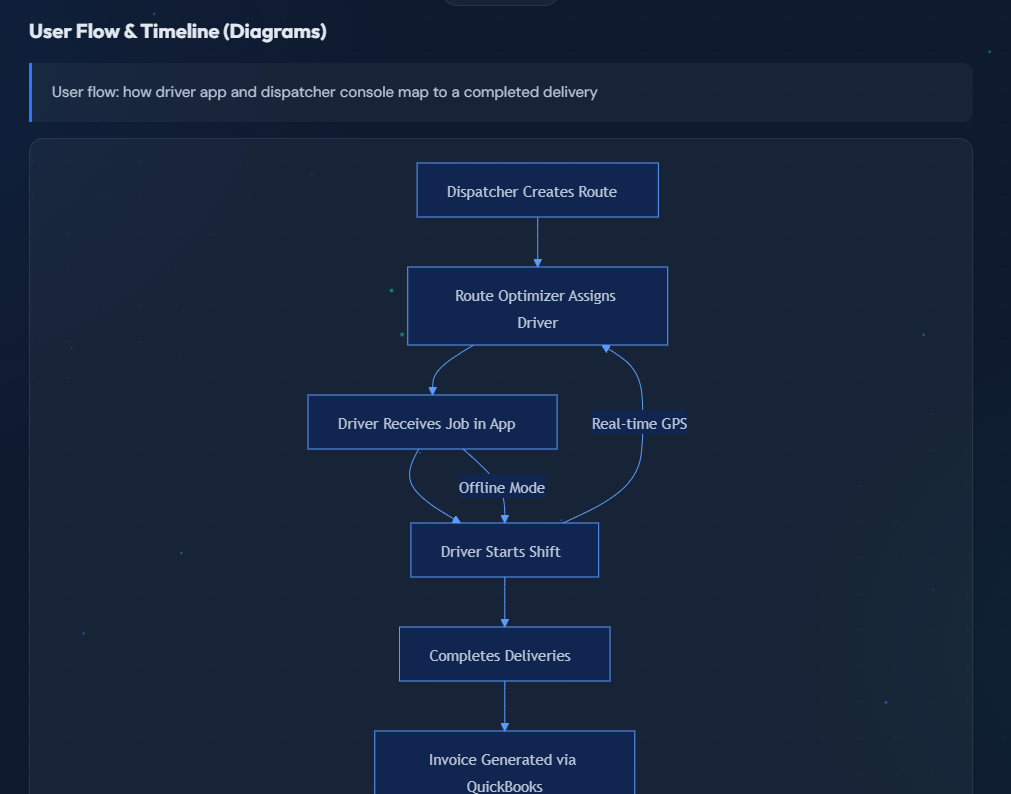
Captures Windows loopback audio and your microphone in one session, so both sides of the call are recorded without a meeting bot.
Works with any conferencing tool: Teams, Zoom, Google Meet, Webex, Discord, or a phone call on speaker.
Whisper transcription with speaker diarization, including long meetings.
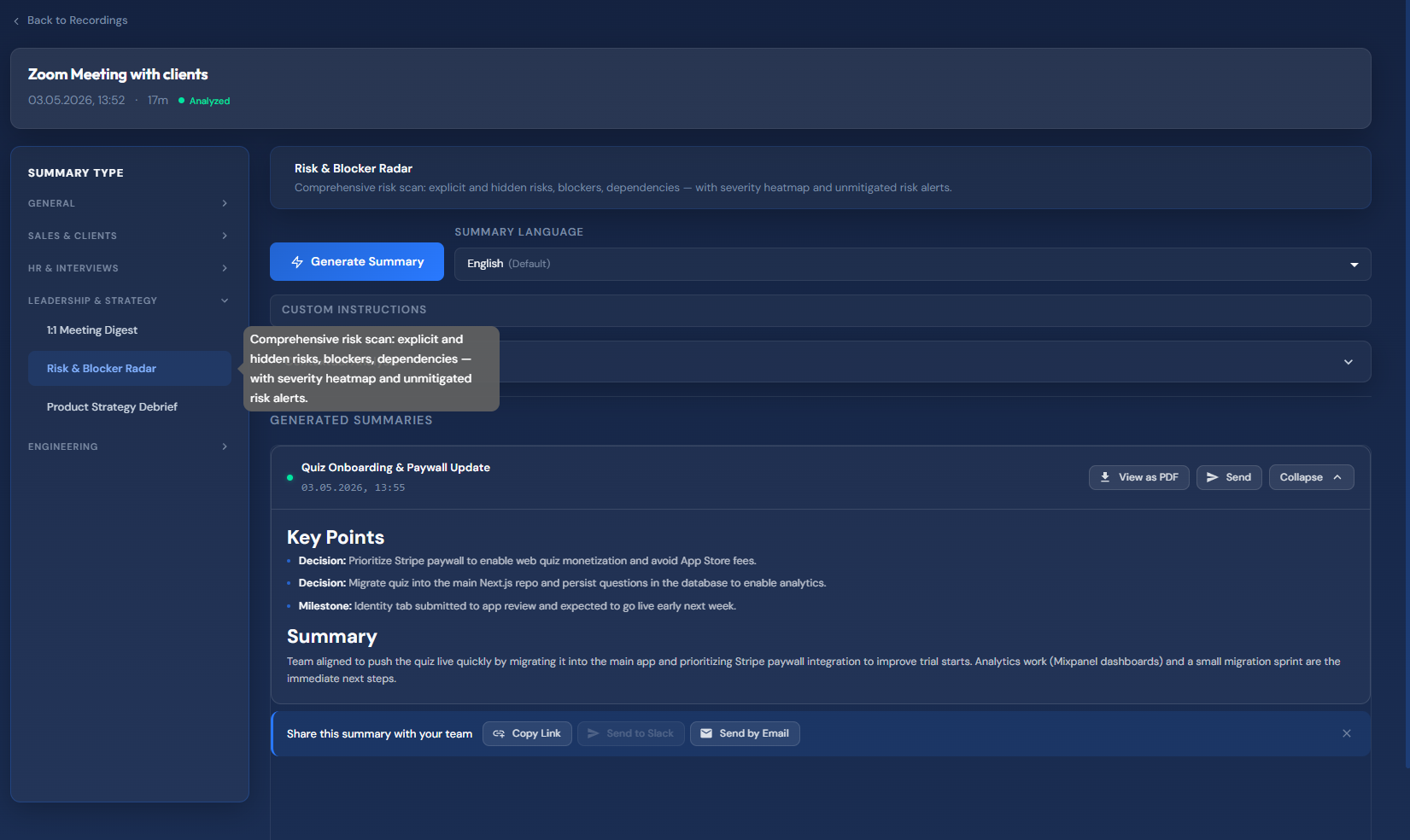
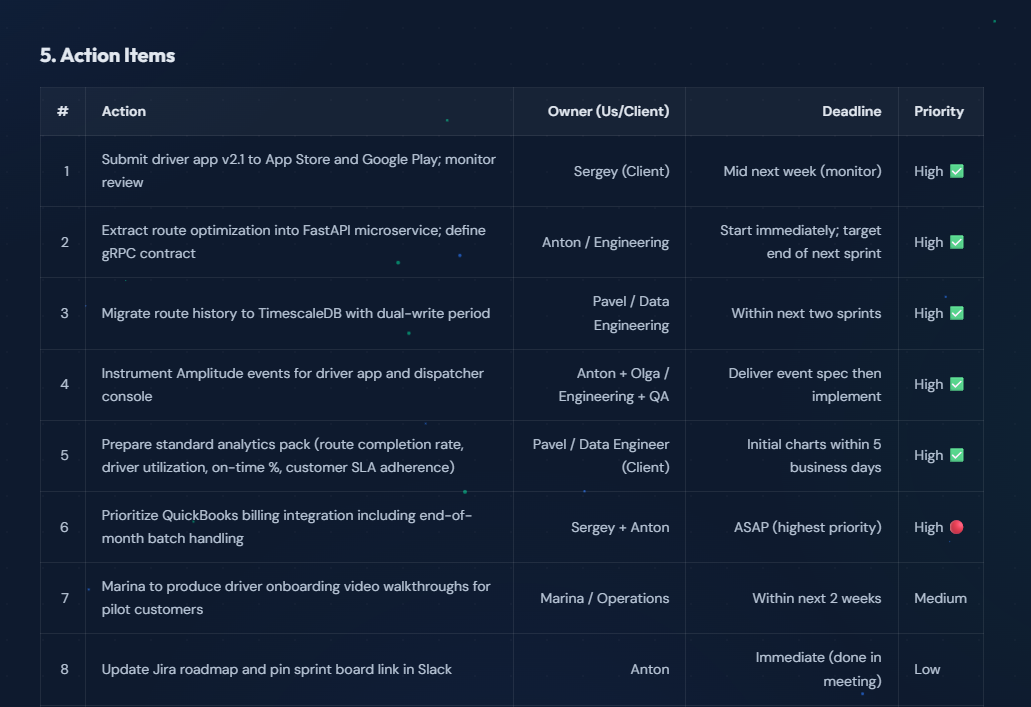
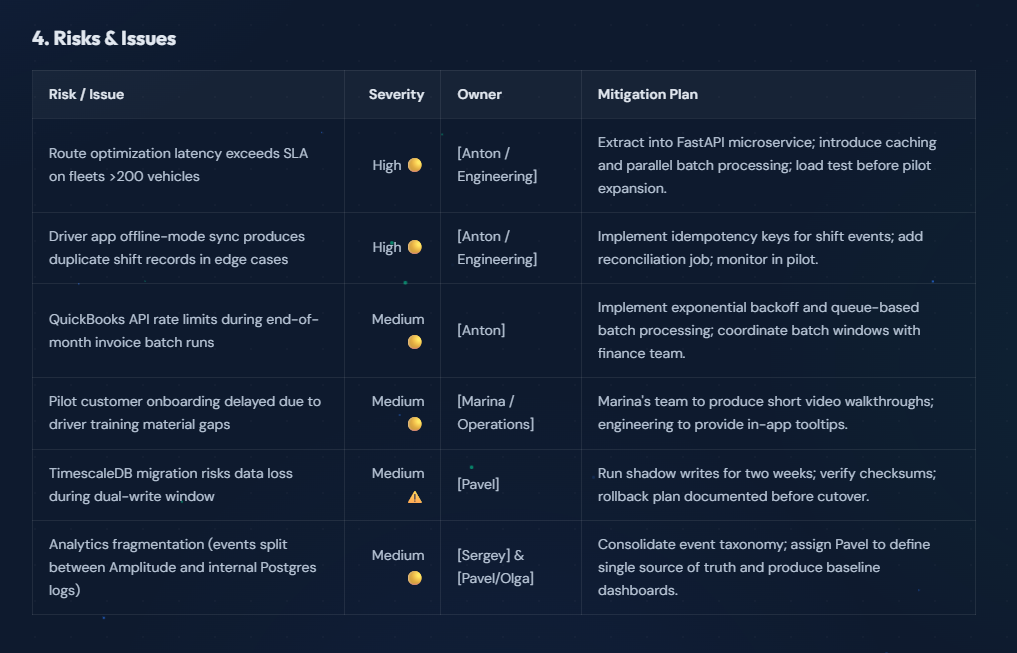
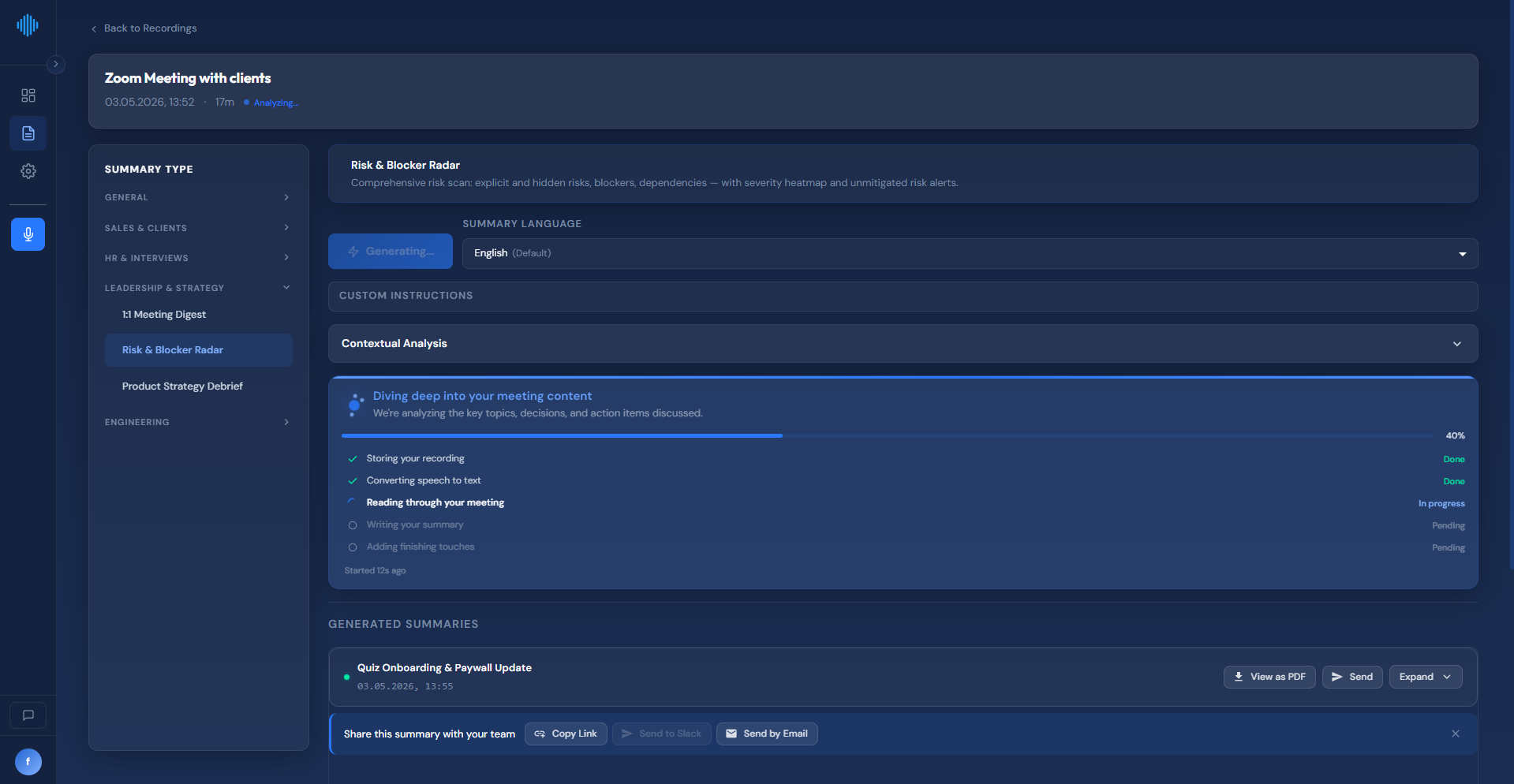
Structured AI summaries: key points, decisions, action items with owners and deadlines, risks and blockers.
Summary types tuned per context: 1:1 digest, sales call, HR interview, product strategy debrief, engineering sync.
Shareable summary pages and PDF export, plus sending to email or Slack.
Recording is user-initiated, files stay local, and nothing is uploaded without your action.
Use Cases
Client and sales calls where inviting a recording bot would look unprofessional or is blocked by the client.
Consultants and agencies who need an accurate record of scope, commitments and deadlines.
Managers running 1:1s and wanting a digest of what was agreed instead of raw notes.
Recruiters and hiring managers summarizing interviews into comparable candidate notes.
Product and engineering teams turning long syncs into decisions, risks and follow-ups.
Regulated or privacy-sensitive teams where a third-party attendee in the call is not acceptable.

Comments


I built MeetWave because every meeting recorder I tried wanted to join the call as a visible bot. On client calls that is awkward, and in a few companies it is simply not allowed. On Windows you can capture loopback audio directly, so the recording happens on your machine and nobody in the meeting sees a third participant. Everything after that is the boring but useful part: Whisper for the transcript, Claude and GPT for a structured summary with decisions and action items, and a shareable page or PDF for the people who missed the call. Recording only starts when you press the button, and the files stay on your machine until you choose to do something with them. I am a solo dev and I use it in my own client calls every week, so feedback goes straight into the next build.

MeetWave Your product has strong potential, but I found a few key improvements that could make it even better. I'd love to share my feedback and suggestions—please contact me at [email protected]
Premium Products



















































Sponsors
Buy

Makers
Makers
Comments
I built MeetWave because every meeting recorder I tried wanted to join the call as a visible bot. On client calls that is awkward, and in a few companies it is simply not allowed. On Windows you can capture loopback audio directly, so the recording happens on your machine and nobody in the meeting sees a third participant. Everything after that is the boring but useful part: Whisper for the transcript, Claude and GPT for a structured summary with decisions and action items, and a shareable page or PDF for the people who missed the call. Recording only starts when you press the button, and the files stay on your machine until you choose to do something with them. I am a solo dev and I use it in my own client calls every week, so feedback goes straight into the next build.
MeetWave Your product has strong potential, but I found a few key improvements that could make it even better. I'd love to share my feedback and suggestions—please contact me at [email protected]
Premium Products
New to Fazier?

Find your next favorite product or submit your own. Made by @FalakDigital.
Copyright ©2026. All Rights Reserved