
MCPlato
MCPlato is a local-first desktop AI engine designed as a lon
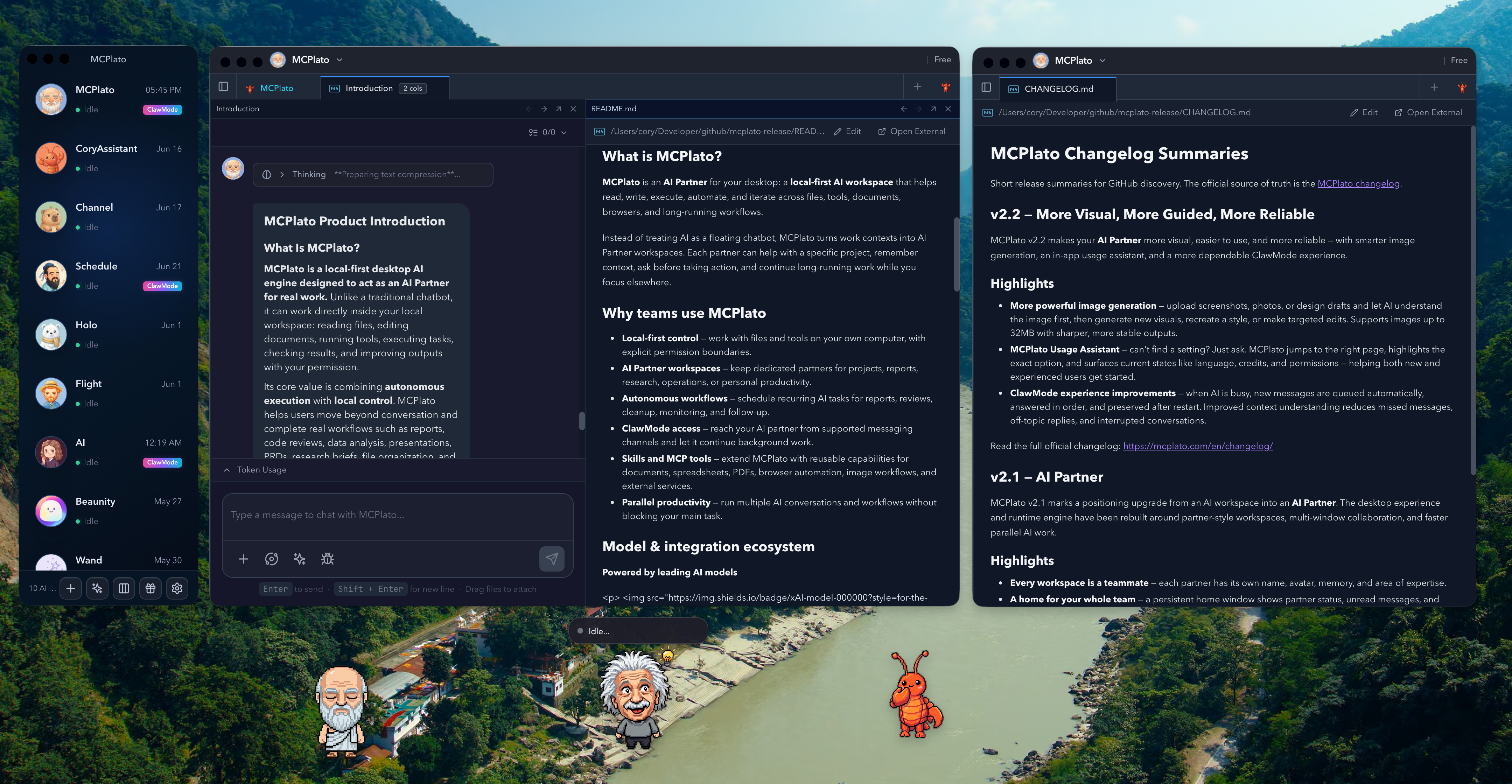
MCPlato is a local-first desktop AI engine designed to act as an AI Partner for real work. Unlike a traditional chatbot, it can work directly inside your local workspace: reading files, editing documents, running tools, executing tasks, checking results, and improving outputs with your permission.
Its core value is combining autonomous execution with local control. MCPlato helps users move beyond conversation and complete real workflows such as reports, code reviews, data analysis, presentations, PRDs, research briefs, file organization, and recurring automation.
Features
1. Local-First Execution
MCPlato runs on your own machine and works with local files, folders, tools, and workspace context. This gives users stronger control over data access, file permissions, and task boundaries.
Highlights:
- Works with local files and folders
- Uses local tools and workspace context
- Requires permission before sensitive actions
- Designed around privacy and user control
2. Autonomous Task Execution
MCPlato can handle multi-step tasks instead of only giving one-off answers. It can inspect results, improve outputs, and iterate until the work is complete. Examples include polishing documents, fixing code, running tests, analyzing spreadsheets, generating reports, preparing presentations, and batch-processing files.
3. Wand: Structured AI Workflows
Wand is one of MCPlato’s most distinctive features. A Wand is a structured, stateful AI workflow that guides an agent through phases, tools, boundaries, validation gates, and expected outputs.
Instead of giving AI only a prompt, a Wand gives it a real job. It can produce PRDs, pitch decks, financial reports, contract reviews, meeting notes, videos, and research documents. The key advantage is turning AI work into validated, exportable artifacts instead of a wall of chat text.
4. ClawMode: Remote AI Workspace Access
ClawMode lets users interact with MCPlato through messaging platforms such as Slack, Discord, Telegram, Feishu/Lark, WeCom, QQ, and WeChat. A workspace can stay “on duty,” receive tasks remotely, send updates, and request approval for sensitive actions.
5. Scheduled Tasks and Workspace Memory
MCPlato supports background execution and scheduled AI tasks, including daily briefs, weekly reports, automated code reviews, research updates, file cleanup, and batch document processing.
Its diary-based memory also preserves workspace context across days, summarizes progress, reuses prior context, and creates an audit trail of actions, decisions, and outcomes.
Use Cases
- Knowledge workers: consultants, analysts, product managers, researchers, writers, and operations teams working with documents, reports, spreadsheets, presentations, or research materials.
- Product and business teams: teams creating PRDs, roadmaps, sprint plans, competitive analysis, weekly reports, meeting summaries, and proposals.
- Developers and technical teams: teams handling code review, bug fixing, test execution, PR preparation, documentation updates, and repository analysis.
- Content creators and marketers: users producing blog drafts, social posts, newsletters, campaign briefs, SEO audits, and presentation decks.
- Teams needing controlled automation: organizations that want AI automation with permission boundaries, workspace separation, audit trails, and human review.
Fazier Deal

Comments

Premium Products























Fazier Deal
Sponsors
Buy

Makers

Makers
Comments
Premium Products
New to Fazier?

Find your next favorite product or submit your own. Made by @FalakDigital.
Copyright ©2025. All Rights Reserved