
Mask
Hide private details before your text reaches any AI
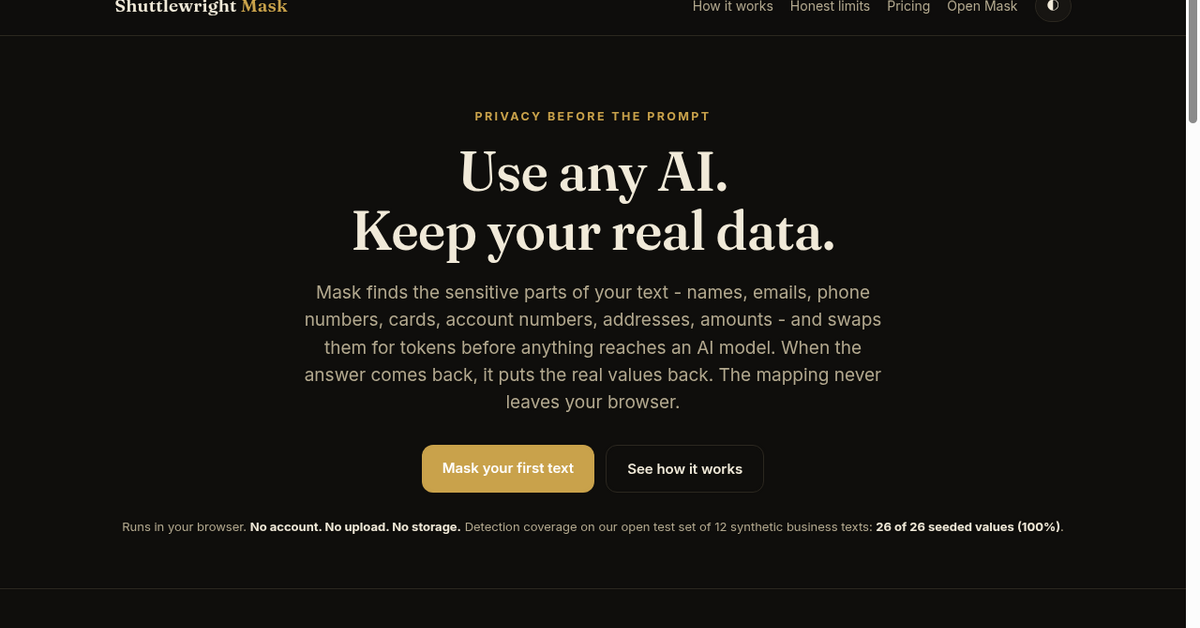
Mask reads your text in the browser and swaps private details for placeholders before anything leaves your machine. It catches names, companies, emails, phone numbers, account numbers and addresses, plus your own saved term lists for client names and codenames. The original text stays on your machine. If you want the AI to help with the text, the optional Ask-the-AI relay sends only the masked version and swaps the real details back into the reply. Mask is $9 a month, unlimited text length.
Features
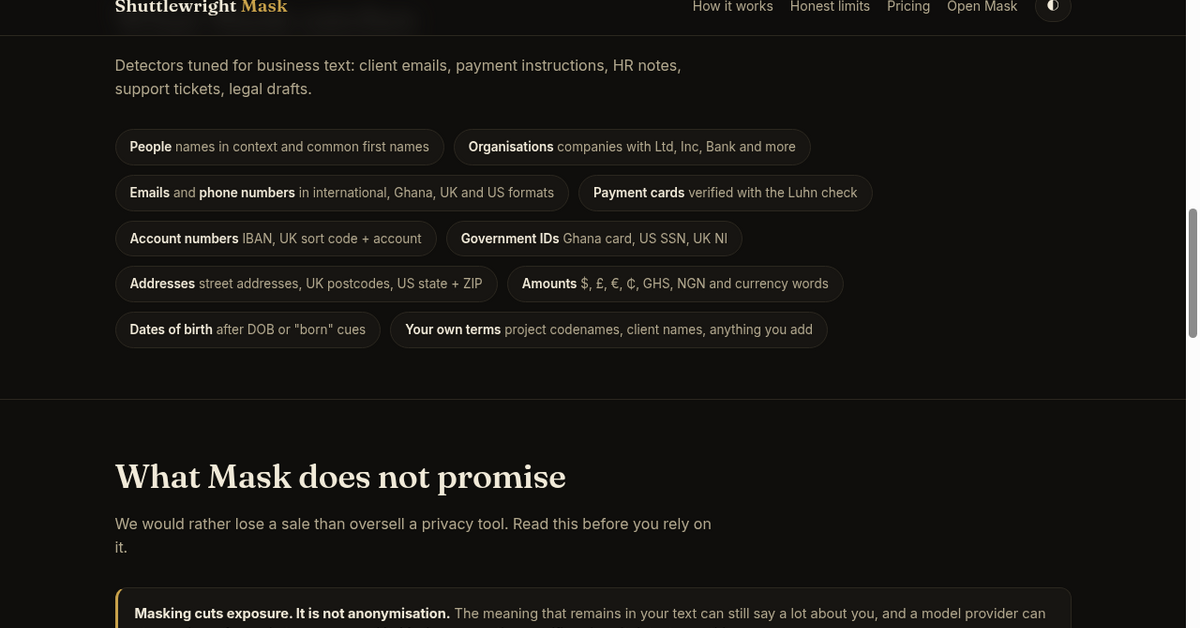
Catches names, companies, emails, phone numbers, account numbers and addresses. Custom term lists for client names and codenames. One click to copy or insert into ChatGPT or Claude. Optional Ask-the-AI relay sends only the masked text. Unmask swaps the real details back into the reply. Tested: 26 of 26 seeded values (100%) caught across 12 synthetic business texts.
Use Cases
Support agents summarising long complaint threads. Founders pasting investor or client emails into ChatGPT. Teams writing proposals, quotes and follow-ups with AI help. Anyone whose work text contains customer details they do not want on an AI provider server.

Comments


Work text is full of client names, account numbers and addresses, and it gets pasted into AI tools every day. Mask swaps those details for placeholders in your browser before anything leaves your machine, and puts the real values back into the reply. The mapping never leaves your device. Masking lowers exposure - it is not anonymisation. Tested on 12 synthetic business texts: 26 of 26 seeded values (100%) caught. Happy to answer questions.
The unmask step is what makes this usable day to day: hiding a client's name is easy, but getting the AI's reply back with the real names in the right places is where manual redaction falls apart. Do placeholders stay consistent within a session, so the same client is always the same token when I ask a follow-up?


Keeping the placeholder mapping on the device is a useful boundary. Is there a review step that highlights uncertain matches before copying or sending the masked text? For customer emails, being able to catch a missed name or correct an over-redacted sentence before the relay runs would be particularly helpful.
Doing the masking in the browser so the original text never leaves the machine is a sensible design, and the Ask-the-AI relay that swaps real values back into the reply makes it practical for daily use. The custom term lists for client names and codenames are a nice touch. How does it handle ambiguous cases, like a person's name that is also a common word, and can the term lists be shared across a team?
The second check on the relay that nothing raw slipped through is a nice touch. When the detector misses something, like a client's nickname or a misspelled surname, can I add it to my term list straight from the masked preview so it gets caught next time? A quick count of what was masked by type before I copy would also be a handy sanity check.

Masking pasted text makes sense, but in my experience a lot of client data goes into ChatGPT as attachments: PDFs, exported email threads, spreadsheets. Does Mask handle files too, or only text in the box? And when it inserts into ChatGPT or Claude, does it type into their editor directly or go through the clipboard?
Premium Products
























































Sponsors
Buy

Makers
Makers
Comments
Work text is full of client names, account numbers and addresses, and it gets pasted into AI tools every day. Mask swaps those details for placeholders in your browser before anything leaves your machine, and puts the real values back into the reply. The mapping never leaves your device. Masking lowers exposure - it is not anonymisation. Tested on 12 synthetic business texts: 26 of 26 seeded values (100%) caught. Happy to answer questions.
The unmask step is what makes this usable day to day: hiding a client's name is easy, but getting the AI's reply back with the real names in the right places is where manual redaction falls apart. Do placeholders stay consistent within a session, so the same client is always the same token when I ask a follow-up?
Keeping the placeholder mapping on the device is a useful boundary. Is there a review step that highlights uncertain matches before copying or sending the masked text? For customer emails, being able to catch a missed name or correct an over-redacted sentence before the relay runs would be particularly helpful.
Doing the masking in the browser so the original text never leaves the machine is a sensible design, and the Ask-the-AI relay that swaps real values back into the reply makes it practical for daily use. The custom term lists for client names and codenames are a nice touch. How does it handle ambiguous cases, like a person's name that is also a common word, and can the term lists be shared across a team?
The second check on the relay that nothing raw slipped through is a nice touch. When the detector misses something, like a client's nickname or a misspelled surname, can I add it to my term list straight from the masked preview so it gets caught next time? A quick count of what was masked by type before I copy would also be a handy sanity check.
Masking pasted text makes sense, but in my experience a lot of client data goes into ChatGPT as attachments: PDFs, exported email threads, spreadsheets. Does Mask handle files too, or only text in the box? And when it inserts into ChatGPT or Claude, does it type into their editor directly or go through the clipboard?
Premium Products
New to Fazier?

Find your next favorite product or submit your own. Made by @FalakDigital.
Copyright ©2026. All Rights Reserved