
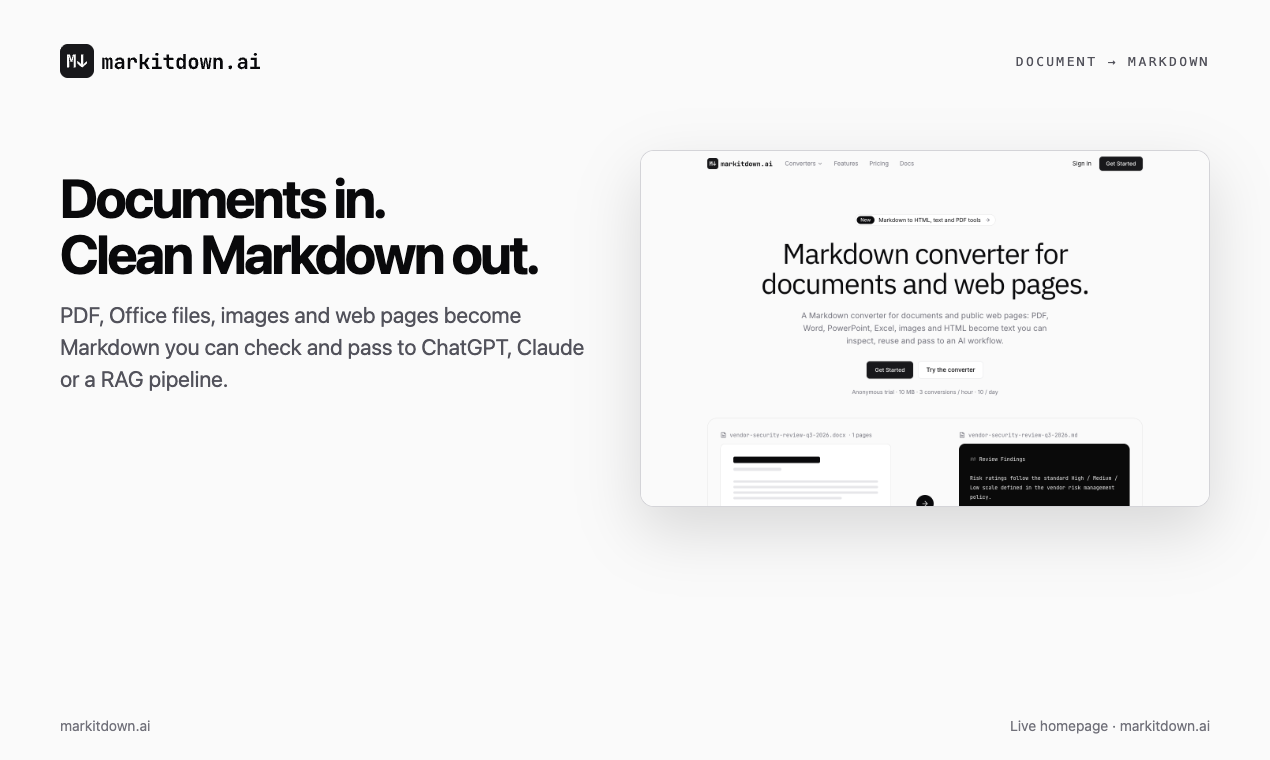
Convert PDF, Word, PowerPoint, Excel, images and web pages into clean Markdown for ChatGPT, Claude and RAG. Tables stay tables and scanned pages go through OCR. Try it without an account, or pick a paid plan for batch jobs, saved history and an API.
Features
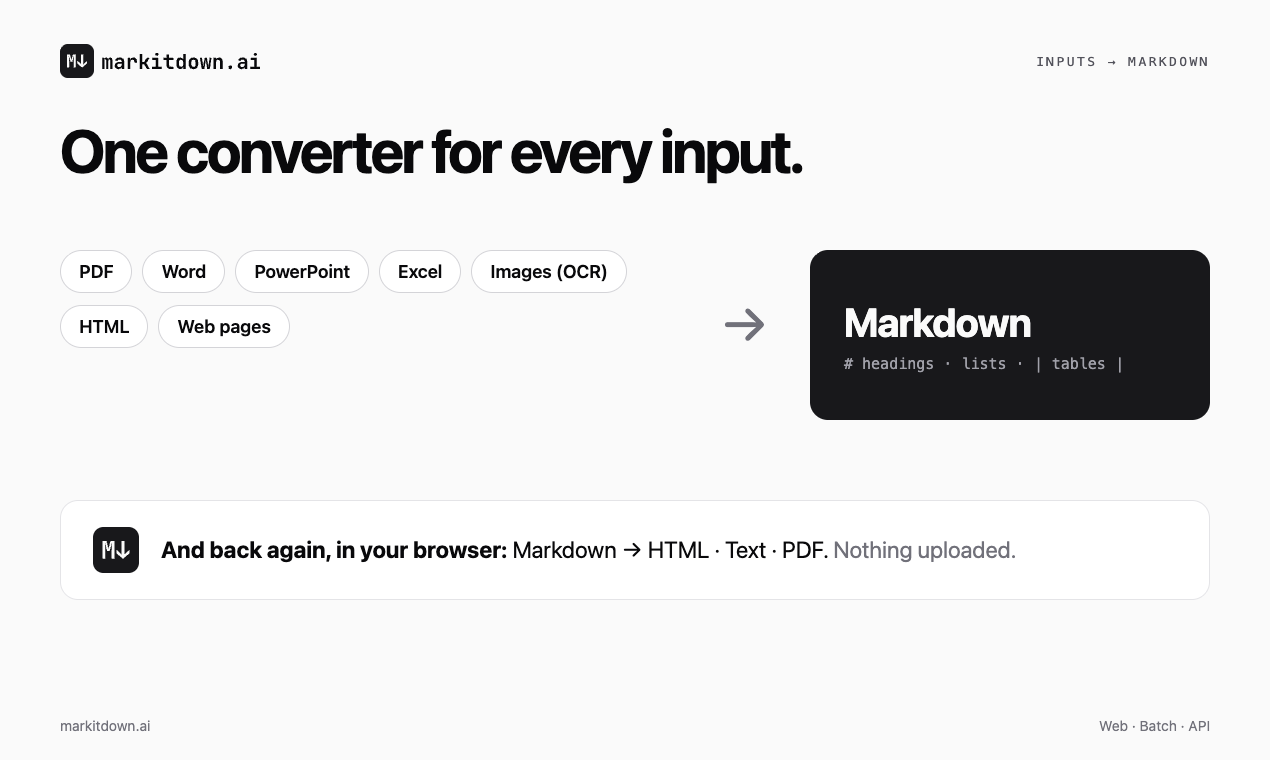
- Converts PDF, Word, PowerPoint, Excel, OpenDocument, RTF, EPUB, CSV, HTML and image files to Markdown
- Converts a public web page to Markdown from its URL
- OCR for scanned PDFs and images
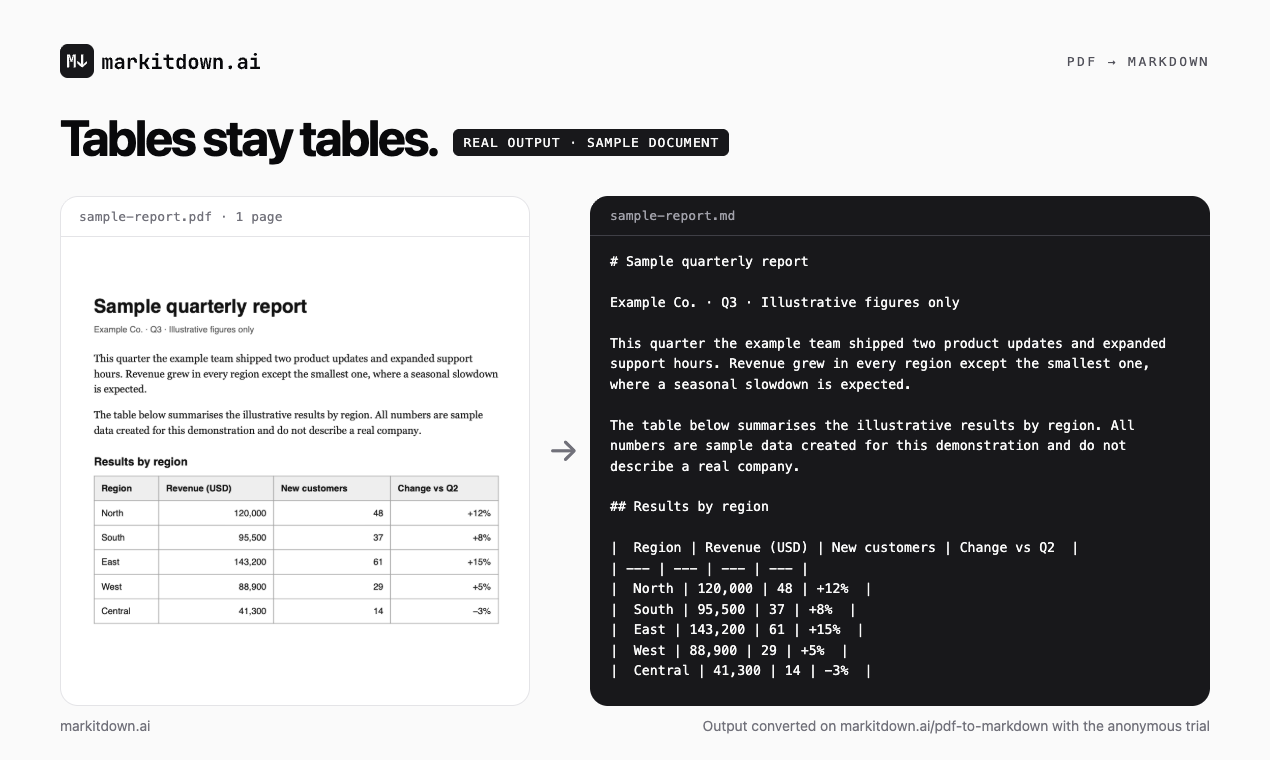
- Keeps headings, lists and tables as real Markdown structure
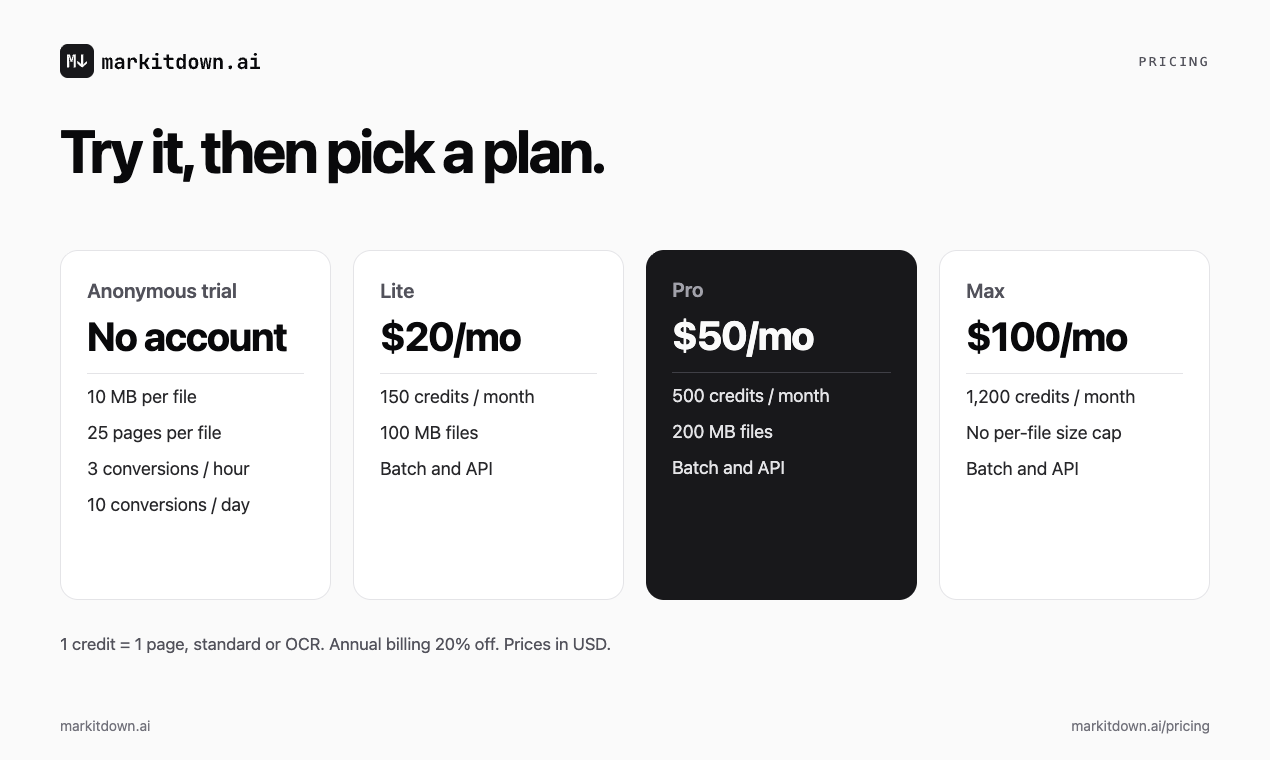
- Anonymous trial with no account: files up to 10 MB and 25 pages
- Batch conversion of files, folders and ZIP archives on paid plans
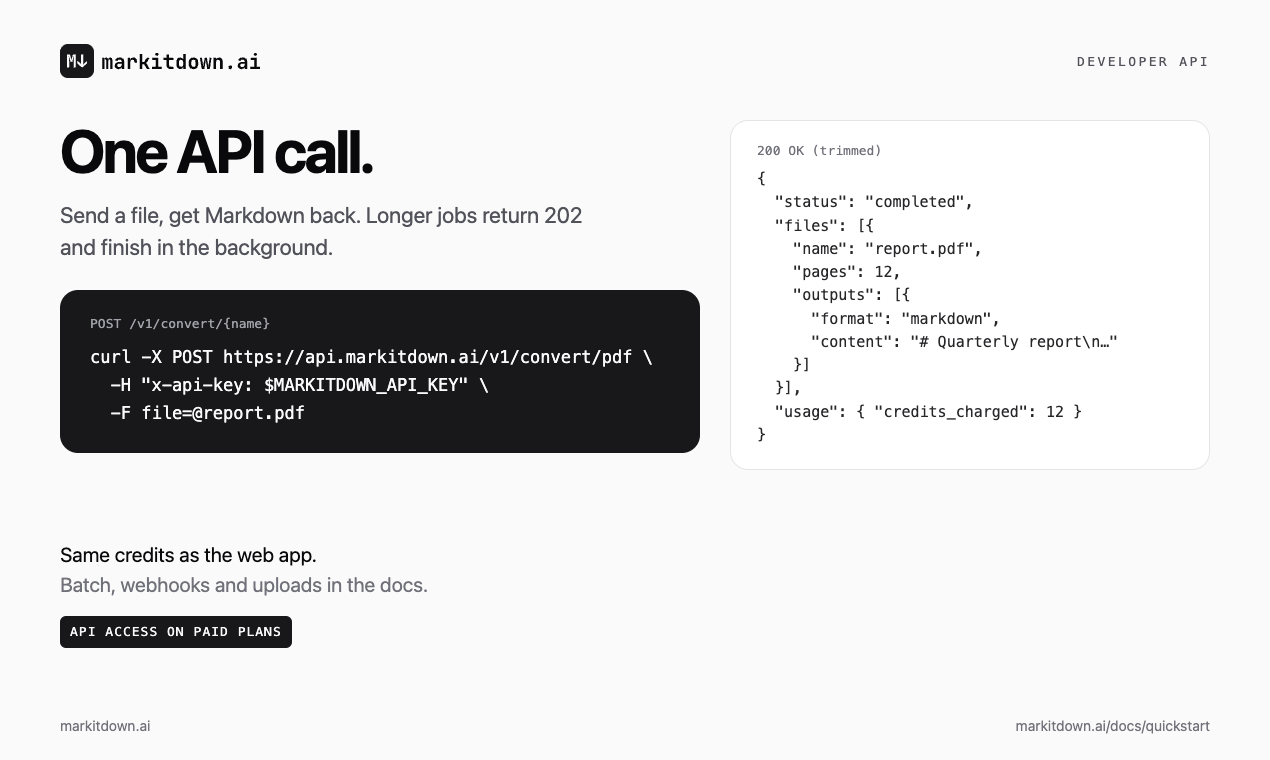
- Developer API: one POST /v1/convert/{name} call returns Markdown, plus uploads, webhooks and usage endpoints
- Web, batch and API share one credit balance, 1 credit per page
- Conversion history kept for 30, 60 or 90 days depending on the plan
- Browser tools for Markdown to HTML, plain text and printable PDF, with nothing uploaded
Use Cases
- Give ChatGPT or Claude clean Markdown instead of PDF text that loses its tables
- Prepare a batch of documents for a RAG pipeline or knowledge base
- Turn scanned reports and screenshots into text you can edit and search
- Save web articles as Markdown for Obsidian, Notion or other notes
- Turn slide decks and spreadsheets into text an AI agent can read
- Add document-to-Markdown conversion to your own app with the API
- Turn a ChatGPT answer into plain text for an email, ticket or form
- Print a Markdown report as a clean PDF straight from the browser

Comments

Hi Fazier, If you've copied a PDF into ChatGPT or Claude, you've probably seen what can happen to it: table columns run together, the header repeats on every page, and a two-column layout reads in the wrong order. A scanned document has no text to copy at all. We built markitdown.ai for that first step: turning a document into clean Markdown you can read, check and hand to an AI tool. 1. Drop in a PDF, Word, PowerPoint or Excel file, an image or an HTML file, or paste a public web page URL. 2. Get Markdown with headings, lists and tables kept as structure. Scanned pages and images go through OCR. 3. Copy or download the Markdown and use it in a chat, your notes, or a RAG pipeline. There's an anonymous trial with no account: files up to 10 MB and 25 pages, 3 conversions an hour. Paid plans (Lite $20/month, Pro $50/month, Max $100/month) add batch conversion, saved history and a developer API that uses the same credits. Markdown to HTML, plain text and PDF tools also run in your browser, with nothing uploaded. Please check important tables and numbers against the original, especially on scanned pages. Which document breaks your current workflow, and what did the Markdown get wrong? Please don't post confidential files here; [email protected] works for anything private.

Keeping tables as Markdown is useful for RAG pipelines, but OCR errors in individual cells can be hard to spot. Does the API return page references or any OCR confidence information alongside the Markdown? A way to trace a questionable number back to its source page would make human review much easier.

The anonymous trial with no account is a smart trust-builder — my own free tools follow the same no-signup philosophy, and it's what gets people to actually try a converter with their real documents. Question: for the OCR path on scanned PDFs, do you expose any confidence scores or flag low-confidence cells? That's the make-or-break detail for RAG pipelines, where one bad cell can poison retrieval. Also curious whether the browser-based Markdown to HTML/PDF tools run fully offline. Congrats on the launch!

The 10 MB / 25-page anonymous trial with no account is a great onboarding move — most people discover they need doc-to-markdown exactly once (a PDF that ChatGPT mangled), and that trial turns that moment into the product's best demo. One question for the API: does the returned Markdown preserve page boundaries or section anchors? For RAG pipelines, knowing where a table sat in the original document matters for citations. Nice execution on the format breadth too — ODF and RTF rarely make the cut in converters like this.

The one-credit-balance model across web, batch and API is the detail that caught my eye — most converters push you into separate plans for API vs UI, and 1 credit per page is refreshingly easy to reason about. A question on the RAG use case: how does it handle multi-column layouts or heavily styled financial reports — does the Markdown preserve reading order reliably, or are there layouts where it breaks? For document-to-RAG pipelines that's usually the make-or-break detail. A small sample gallery showing tricky inputs (scanned tables, two-column PDFs) next to their outputs would be a great trust builder for developers evaluating it.

OCR for scanned PDFs is the feature that decides whether a tool like this survives contact with real document piles — and keeping headings, lists and tables as actual Markdown structure is exactly what makes the output useful for RAG pipelines rather than just human reading. Genuine question for the maker: how does it handle multi-column financial statements, where one OCR miss in a cell can silently shift a whole column of numbers?
Premium Products





















































Sponsors
Buy

Comments
Hi Fazier, If you've copied a PDF into ChatGPT or Claude, you've probably seen what can happen to it: table columns run together, the header repeats on every page, and a two-column layout reads in the wrong order. A scanned document has no text to copy at all. We built markitdown.ai for that first step: turning a document into clean Markdown you can read, check and hand to an AI tool. 1. Drop in a PDF, Word, PowerPoint or Excel file, an image or an HTML file, or paste a public web page URL. 2. Get Markdown with headings, lists and tables kept as structure. Scanned pages and images go through OCR. 3. Copy or download the Markdown and use it in a chat, your notes, or a RAG pipeline. There's an anonymous trial with no account: files up to 10 MB and 25 pages, 3 conversions an hour. Paid plans (Lite $20/month, Pro $50/month, Max $100/month) add batch conversion, saved history and a developer API that uses the same credits. Markdown to HTML, plain text and PDF tools also run in your browser, with nothing uploaded. Please check important tables and numbers against the original, especially on scanned pages. Which document breaks your current workflow, and what did the Markdown get wrong? Please don't post confidential files here; [email protected] works for anything private.
Keeping tables as Markdown is useful for RAG pipelines, but OCR errors in individual cells can be hard to spot. Does the API return page references or any OCR confidence information alongside the Markdown? A way to trace a questionable number back to its source page would make human review much easier.
The anonymous trial with no account is a smart trust-builder — my own free tools follow the same no-signup philosophy, and it's what gets people to actually try a converter with their real documents. Question: for the OCR path on scanned PDFs, do you expose any confidence scores or flag low-confidence cells? That's the make-or-break detail for RAG pipelines, where one bad cell can poison retrieval. Also curious whether the browser-based Markdown to HTML/PDF tools run fully offline. Congrats on the launch!
The 10 MB / 25-page anonymous trial with no account is a great onboarding move — most people discover they need doc-to-markdown exactly once (a PDF that ChatGPT mangled), and that trial turns that moment into the product's best demo. One question for the API: does the returned Markdown preserve page boundaries or section anchors? For RAG pipelines, knowing where a table sat in the original document matters for citations. Nice execution on the format breadth too — ODF and RTF rarely make the cut in converters like this.
The one-credit-balance model across web, batch and API is the detail that caught my eye — most converters push you into separate plans for API vs UI, and 1 credit per page is refreshingly easy to reason about. A question on the RAG use case: how does it handle multi-column layouts or heavily styled financial reports — does the Markdown preserve reading order reliably, or are there layouts where it breaks? For document-to-RAG pipelines that's usually the make-or-break detail. A small sample gallery showing tricky inputs (scanned tables, two-column PDFs) next to their outputs would be a great trust builder for developers evaluating it.
OCR for scanned PDFs is the feature that decides whether a tool like this survives contact with real document piles — and keeping headings, lists and tables as actual Markdown structure is exactly what makes the output useful for RAG pipelines rather than just human reading. Genuine question for the maker: how does it handle multi-column financial statements, where one OCR miss in a cell can silently shift a whole column of numbers?
Premium Products
New to Fazier?

Find your next favorite product or submit your own. Made by @FalakDigital.
Copyright ©2026. All Rights Reserved