MacModes
Switch your Mac in seconds between work, gaming and private
I use the same Mac for work, for gaming and for my personal stuff, and I kept getting distracted. Steam open while I'm working, Slack pinging me in the middle of a game. So I built MacModes. It switches your whole Mac in seconds so you stay focused on what you're doing.
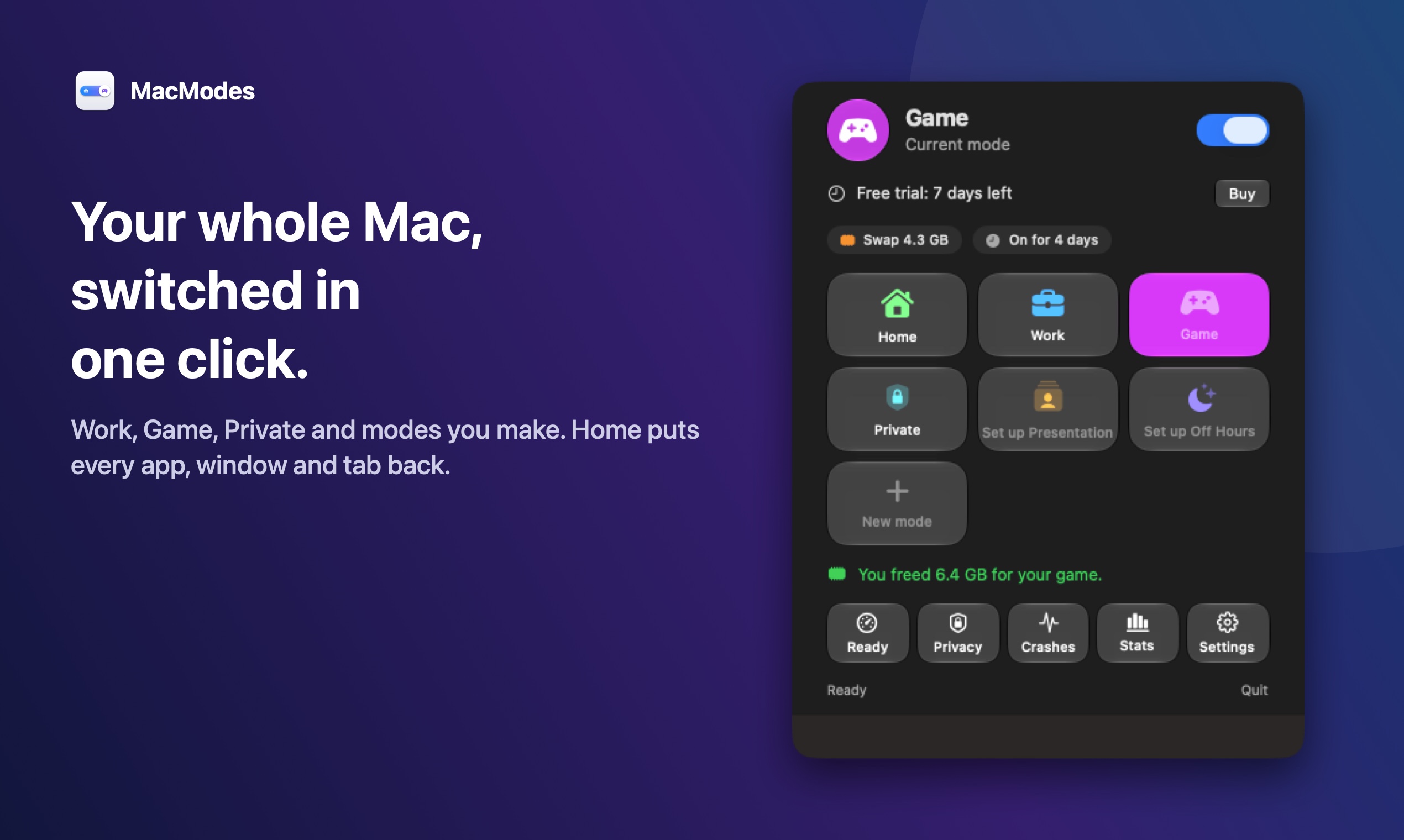
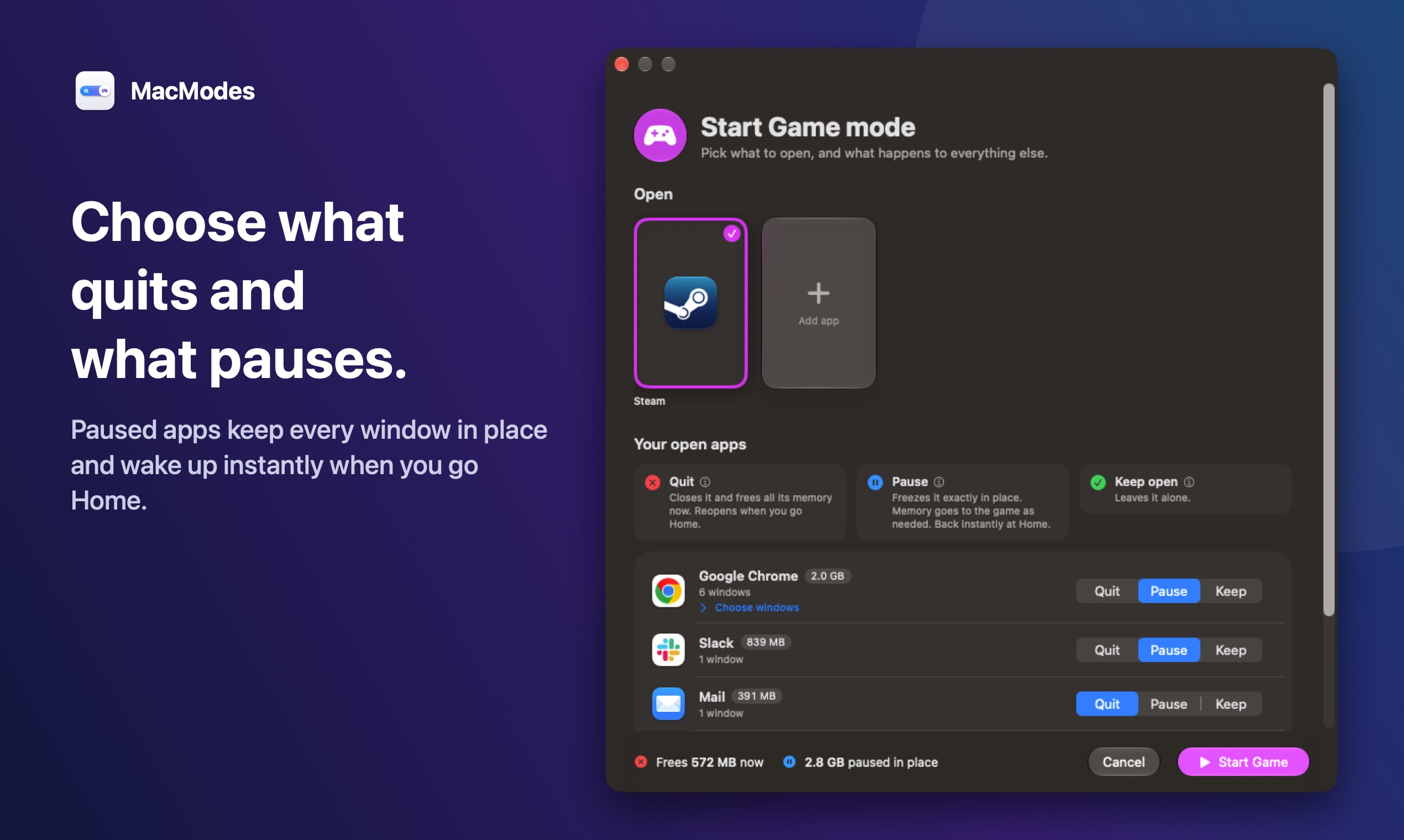
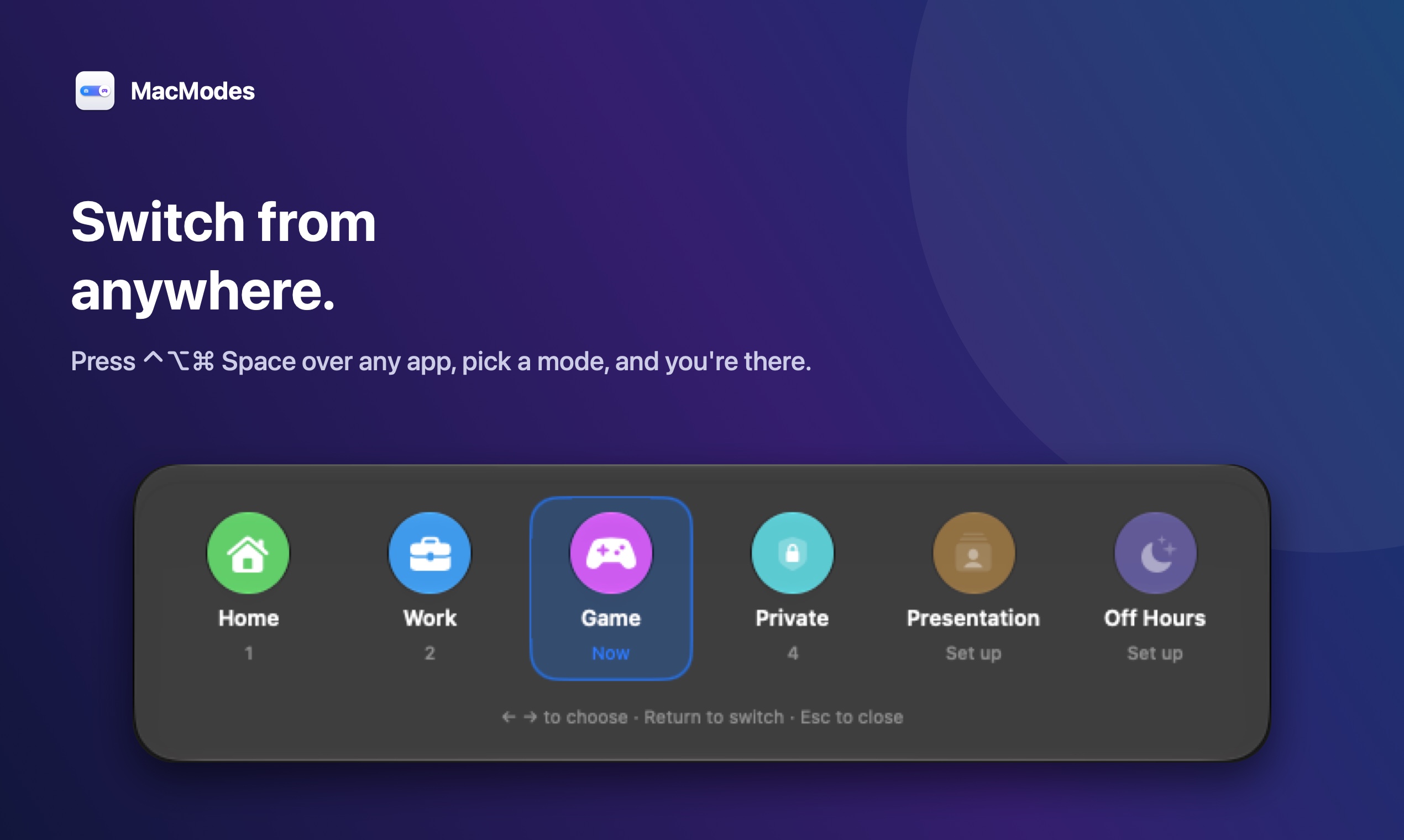
Work mode opens your work apps on the right desktops and nothing else. Game mode closes or pauses Slack, email and everything you don't need. Private mode opens a private browser window, hides your work apps and can ask for Touch ID first. One click back to Home and your apps, windows and Chrome tabs are right where you left them.
$9.99 one time for 2 Macs, with a 7 day free trial. English and Spanish. macOS 26 or later.
Features
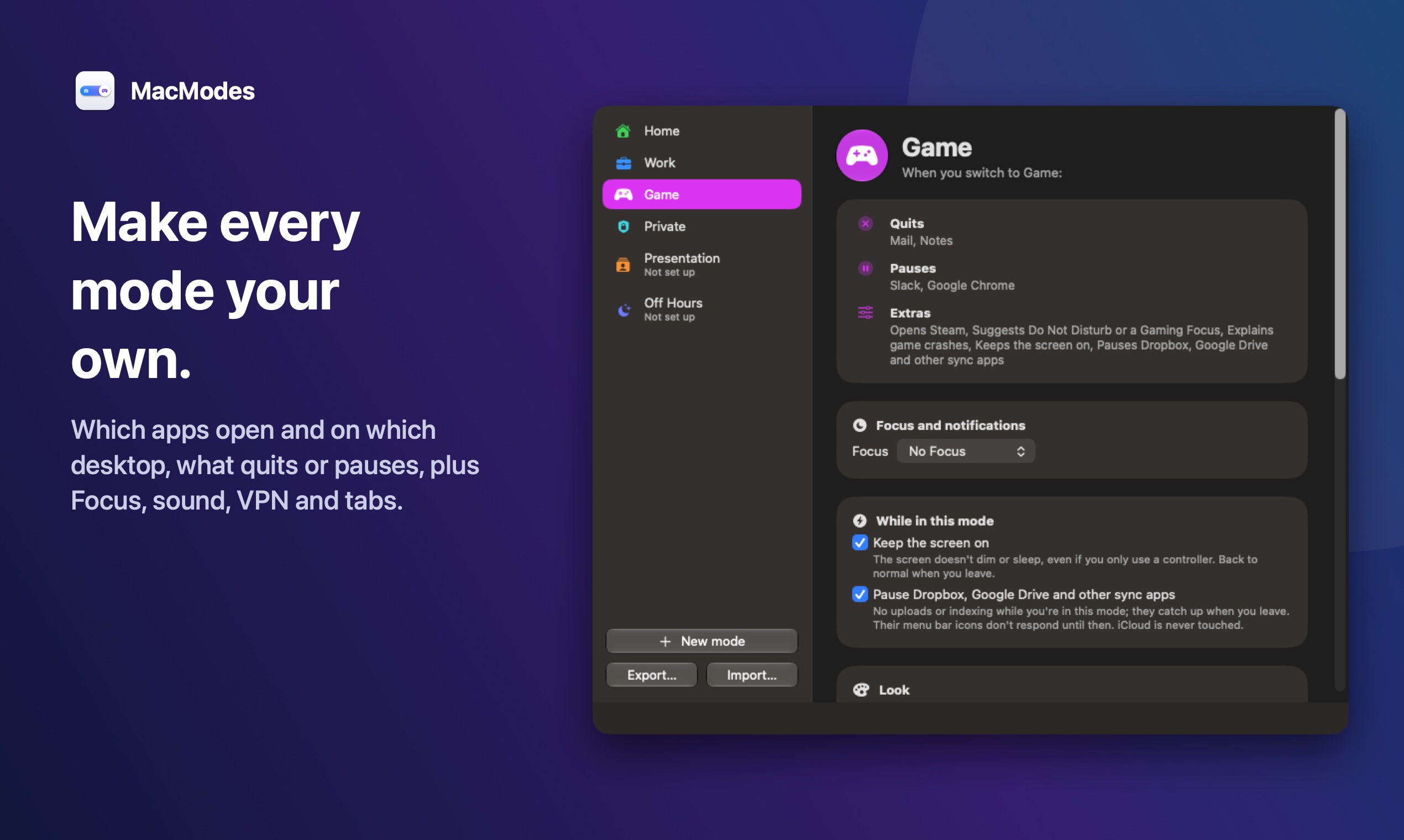
- Work, Game and Private modes, plus your own custom modes
- Choose which apps open, on which desktop, and what quits or pauses
- Home puts every app, window and Chrome tab back where it was
- Sets Focus, sound and browser tabs for each mode
- Private mode with Touch ID, VPN and incognito window
- Switch from the menu bar or a quick switcher shortcut
Use Cases
- Stop gaming apps and Steam from distracting you during work
- Close Slack and email in one click when it's time to play
- Hide work apps and go private on a shared or personal Mac
- Start the workday with every window already on the right desktop

Comments


I use the same Mac for work, for gaming and for my personal stuff, and I kept getting distracted. Steam open while I'm working, Slack pinging me in the middle of a game. And switching meant closing 10 apps, then spending 10 minutes the next morning putting every window back on the right desktop. So I built MacModes. It switches my whole Mac in seconds. Work mode opens my work apps where they belong and nothing else. Game mode closes or pauses Slack, email and everything I don't need, so I'm just playing. Private mode opens a private browser window, hides my work apps, and can ask for Touch ID first. One click back to Home and all my apps, windows and Chrome tabs are right where I left them. It's $9.99 one time and there's a 7 day free trial. Would love to know if any app doesn't go back where it should, and what other modes you'd want.
Premium Products



















































Sponsors
Buy

Makers
Makers
Comments
I use the same Mac for work, for gaming and for my personal stuff, and I kept getting distracted. Steam open while I'm working, Slack pinging me in the middle of a game. And switching meant closing 10 apps, then spending 10 minutes the next morning putting every window back on the right desktop. So I built MacModes. It switches my whole Mac in seconds. Work mode opens my work apps where they belong and nothing else. Game mode closes or pauses Slack, email and everything I don't need, so I'm just playing. Private mode opens a private browser window, hides my work apps, and can ask for Touch ID first. One click back to Home and all my apps, windows and Chrome tabs are right where I left them. It's $9.99 one time and there's a 7 day free trial. Would love to know if any app doesn't go back where it should, and what other modes you'd want.
Premium Products
New to Fazier?

Find your next favorite product or submit your own. Made by @FalakDigital.
Copyright ©2026. All Rights Reserved