
LinkUnzip
Preview and unzip a zip from a link, no full download
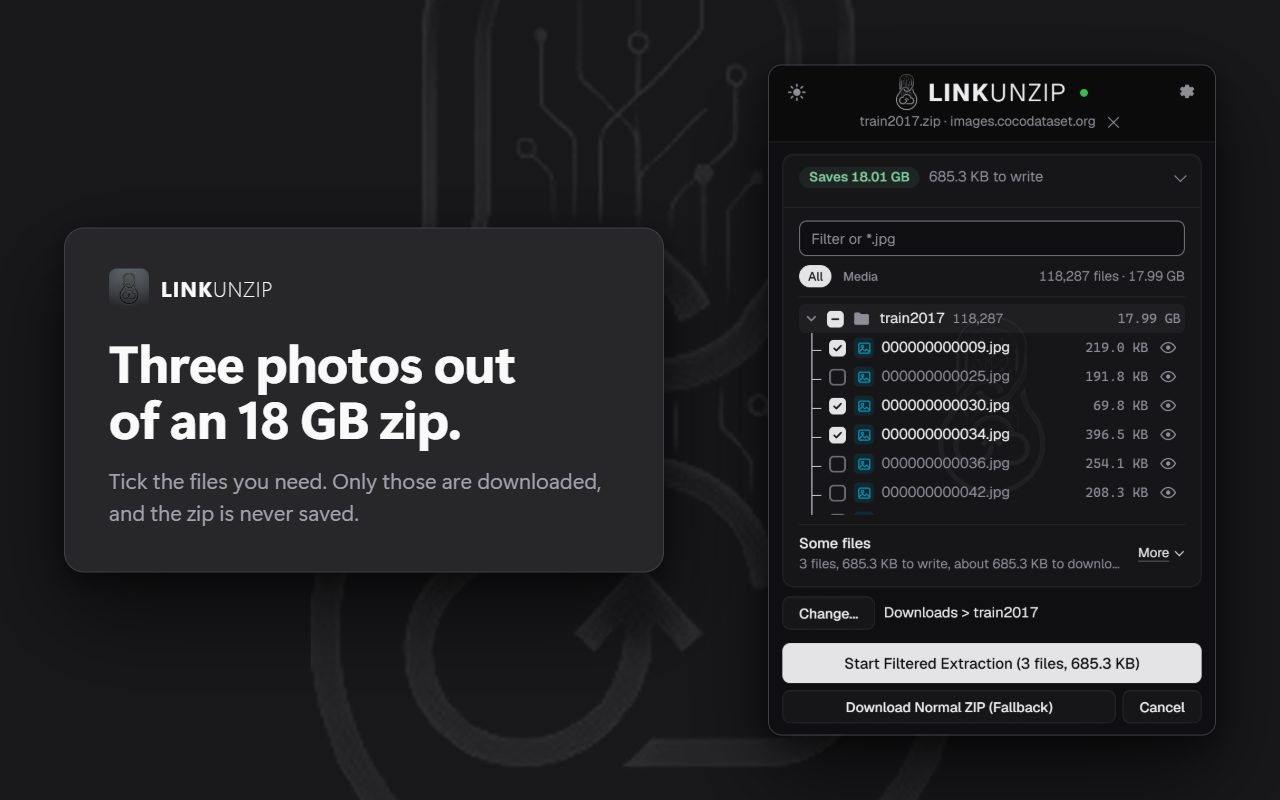
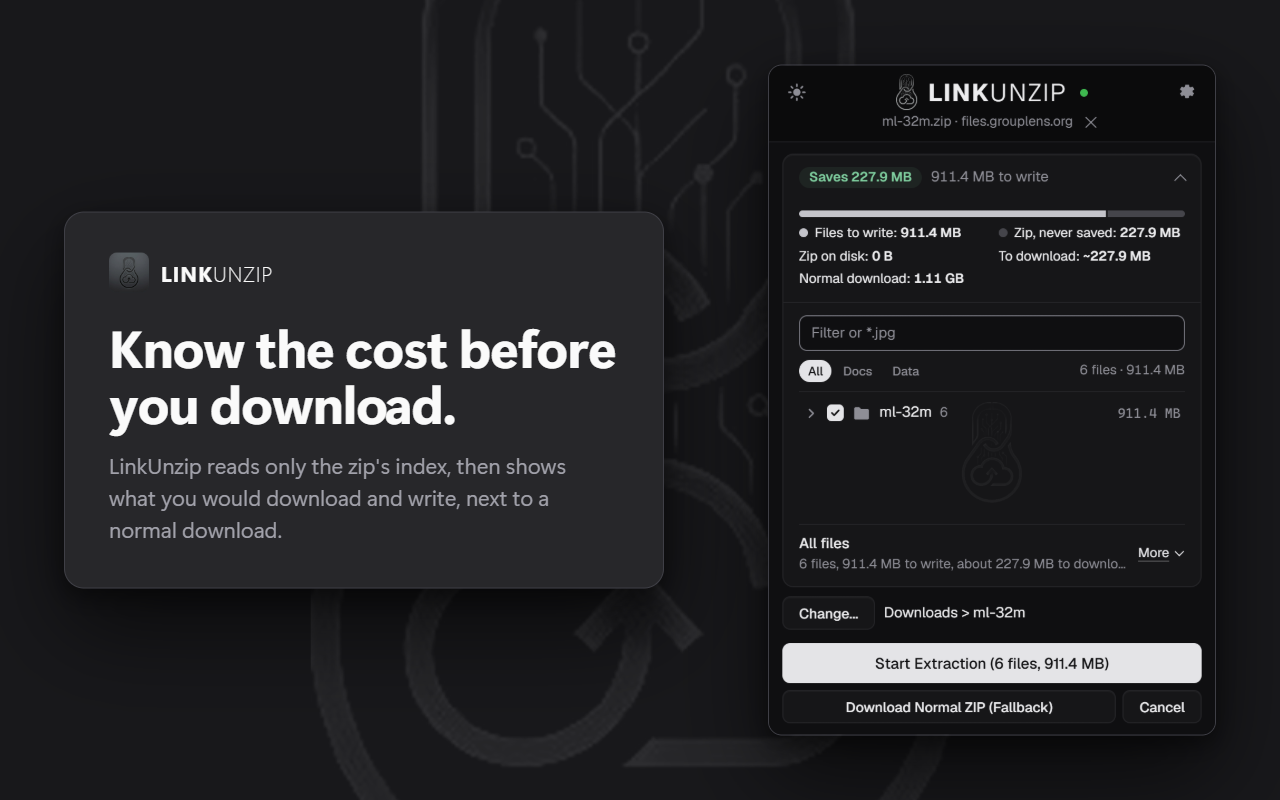
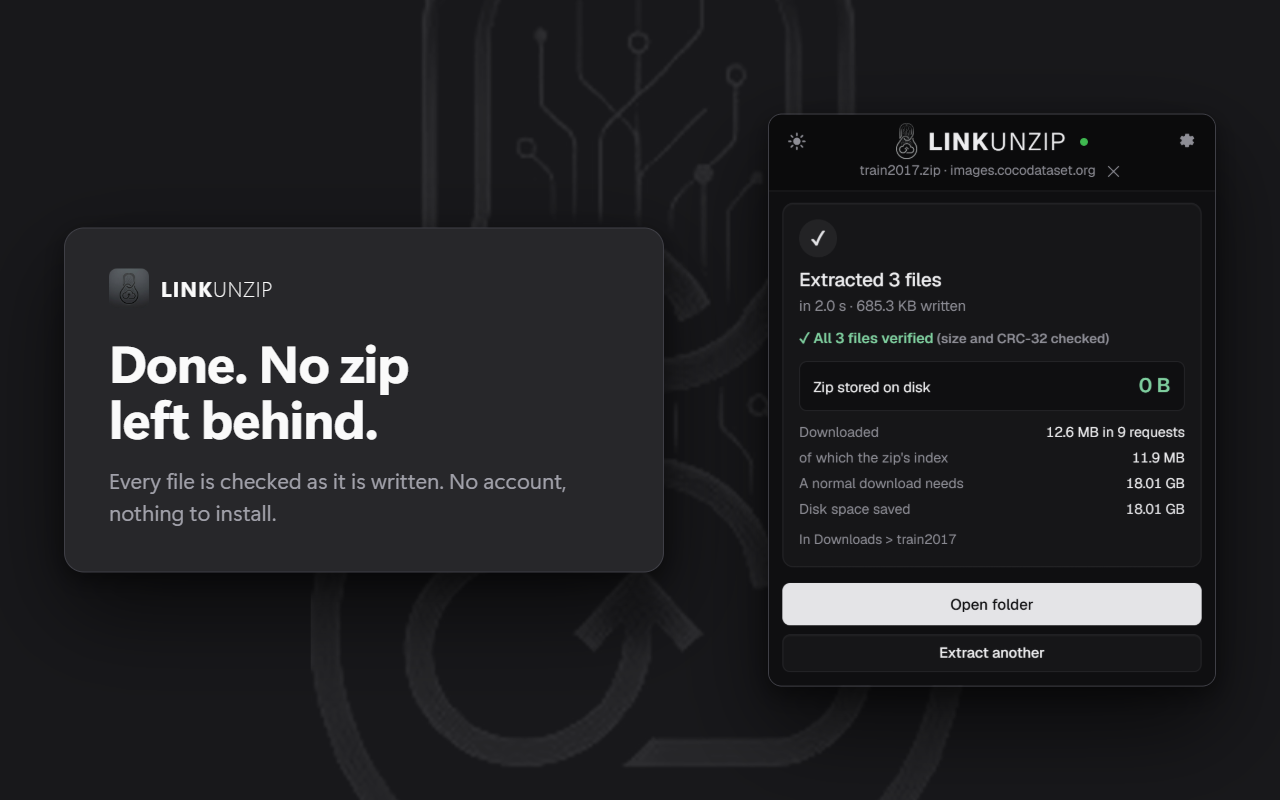
LinkUnzip is a free, open-source extension for Chrome, Edge and Brave that extracts a zip straight from a link. It reads only the zip's file list, shows every file and folder with its size, and downloads just the files you tick. The zip itself is never saved, so your disk only needs room for the files you keep.
No account, no ads, no analytics. Works on Windows, Mac and Linux.
Features
- See every file in an online zip before downloading anything
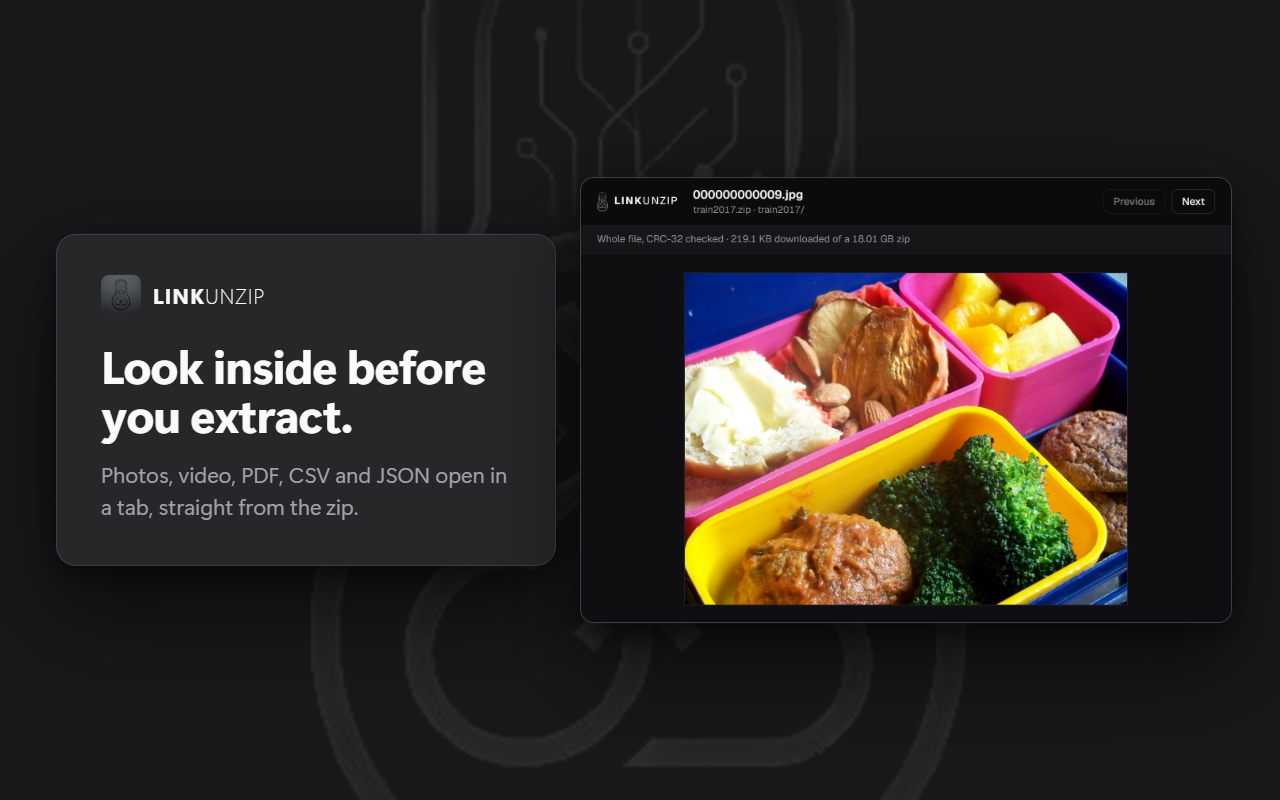
- Preview documents, images and videos without extracting them
- Download only the files or folders you pick
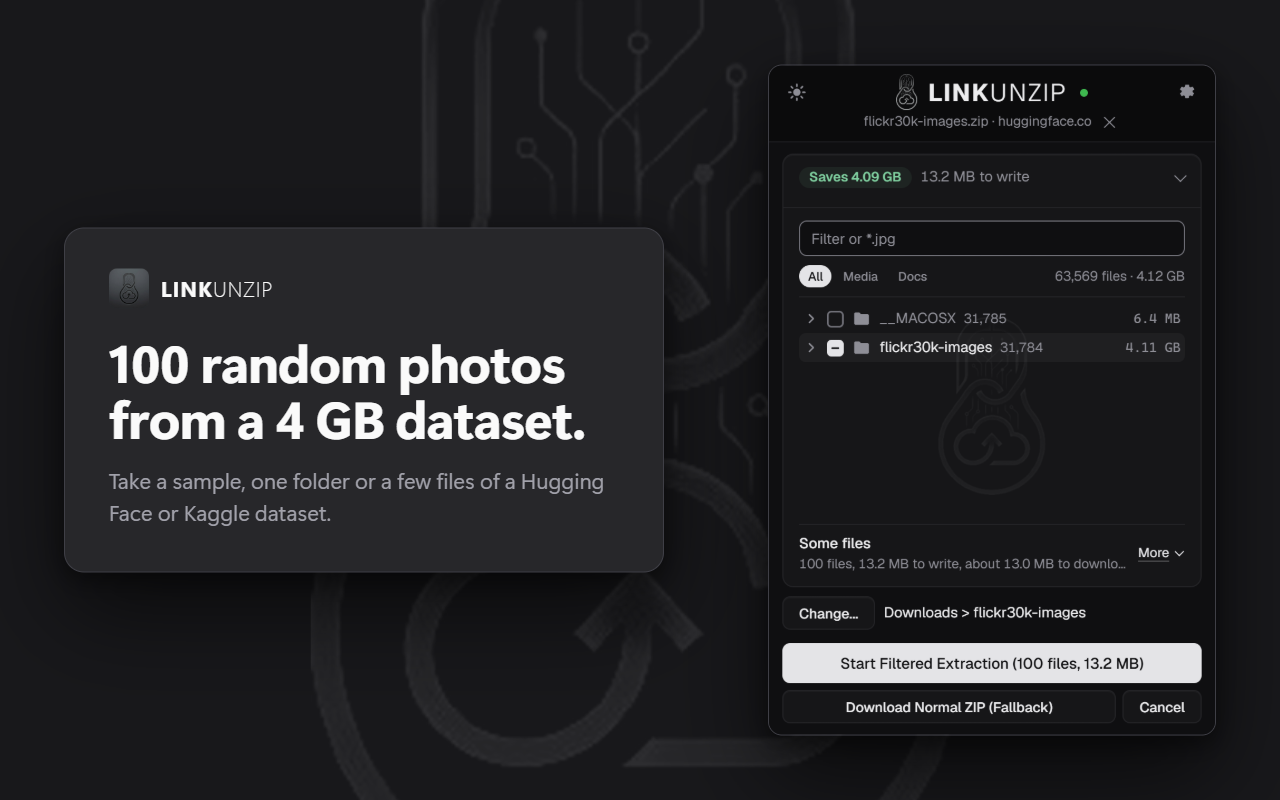
- Search by name or type, or take a random sample of files
- Every file checked (size and CRC-32) before it is saved
- Resumes after a stop or a lost connection
- ZIP64, archives with 100,000+ files, password-protected zips
- Share a link that opens the same zip with the same files ticked
- Free zip viewer on the website that uploads nothing
Use Cases
- Take one folder out of a huge dataset on Kaggle, Hugging Face or COCO without downloading the rest
- Unzip a big download when your disk can't hold the zip and its files at the same time
- Check what's inside a zip before you commit to downloading it
- Grab a few files from a GitHub "Download ZIP"
- Pick a random sample of images from a dataset for a quick test

Comments


Hi Fazier! I built LinkUnzip because unpacking a zip from the internet means downloading all of it first, even when you only want one folder, and your disk needs room for the zip and the files at the same time. A zip keeps its file list at the end, and most servers let you download just part of a file. So LinkUnzip reads that list first, shows you everything inside, and downloads only the files you tick. Getting one photo out of the 18 GB COCO dataset takes about 6 seconds and 12 MB. It's free, open source and has no account or tracking. It's ZIP only for now. I'd love to hear which zips you'd try it on, and what's missing for you.
Premium Products








































Sponsors
Buy
Makers
Makers
Comments
Hi Fazier! I built LinkUnzip because unpacking a zip from the internet means downloading all of it first, even when you only want one folder, and your disk needs room for the zip and the files at the same time. A zip keeps its file list at the end, and most servers let you download just part of a file. So LinkUnzip reads that list first, shows you everything inside, and downloads only the files you tick. Getting one photo out of the 18 GB COCO dataset takes about 6 seconds and 12 MB. It's free, open source and has no account or tracking. It's ZIP only for now. I'd love to hear which zips you'd try it on, and what's missing for you.
Premium Products
New to Fazier?

Find your next favorite product or submit your own. Made by @FalakDigital.
Copyright ©2026. All Rights Reserved