
Limato
Rewrite, translate and fix tone — native English in seconds
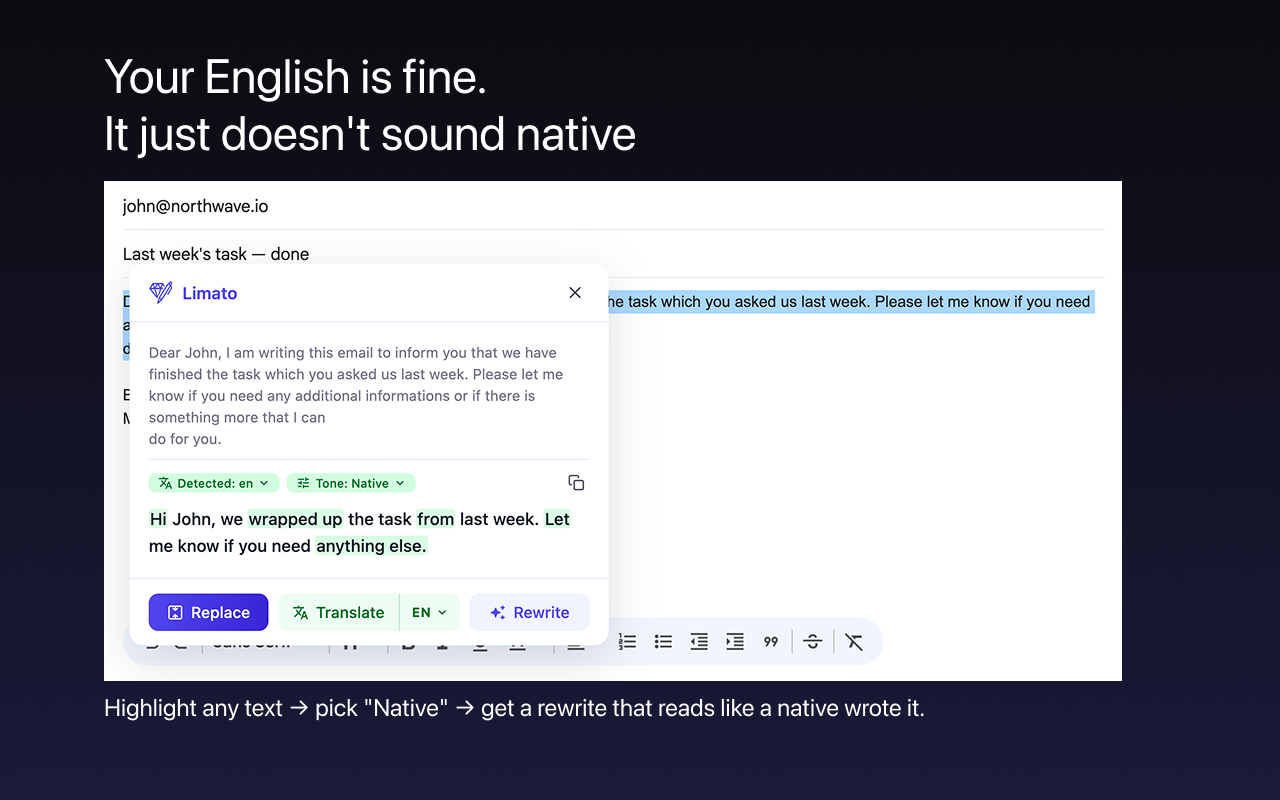
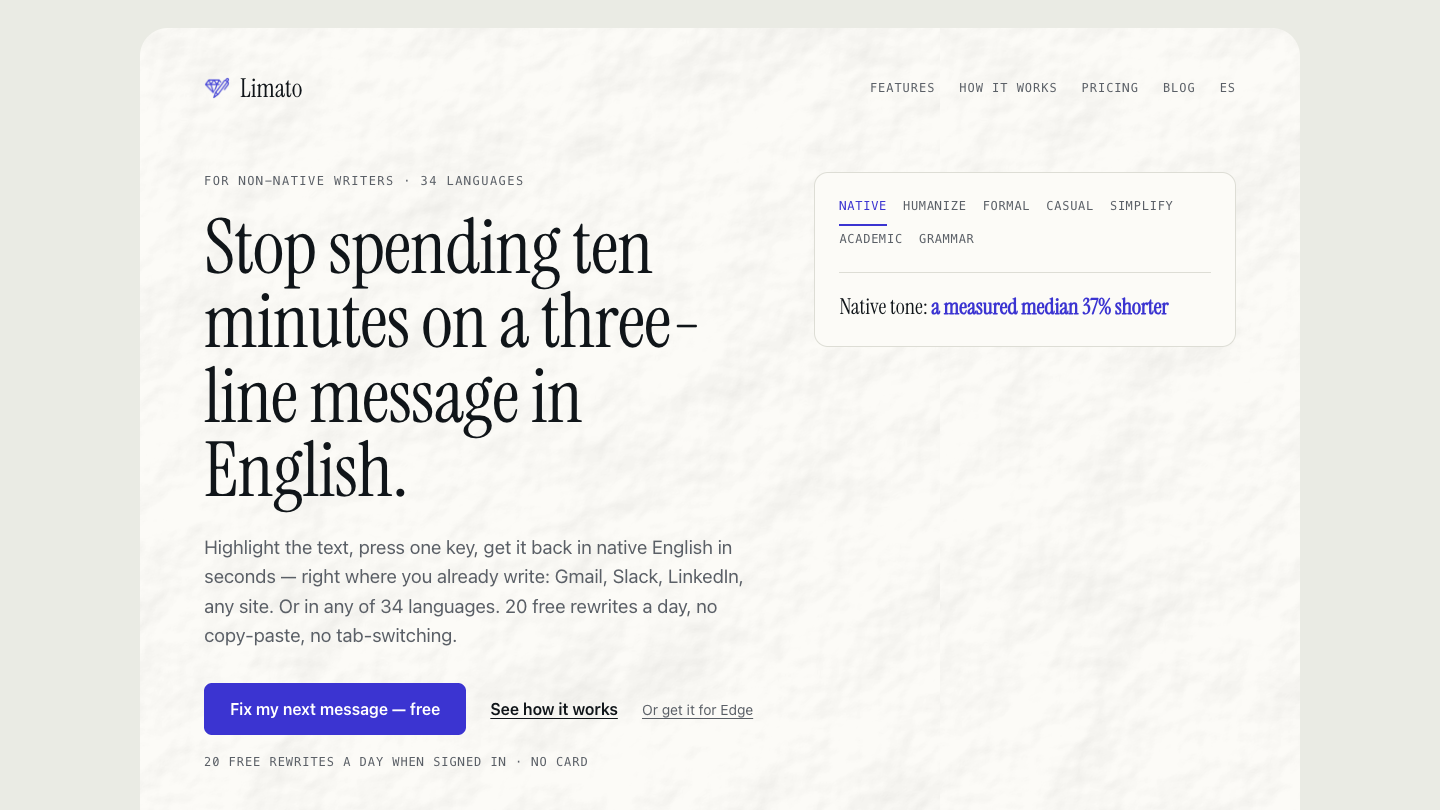
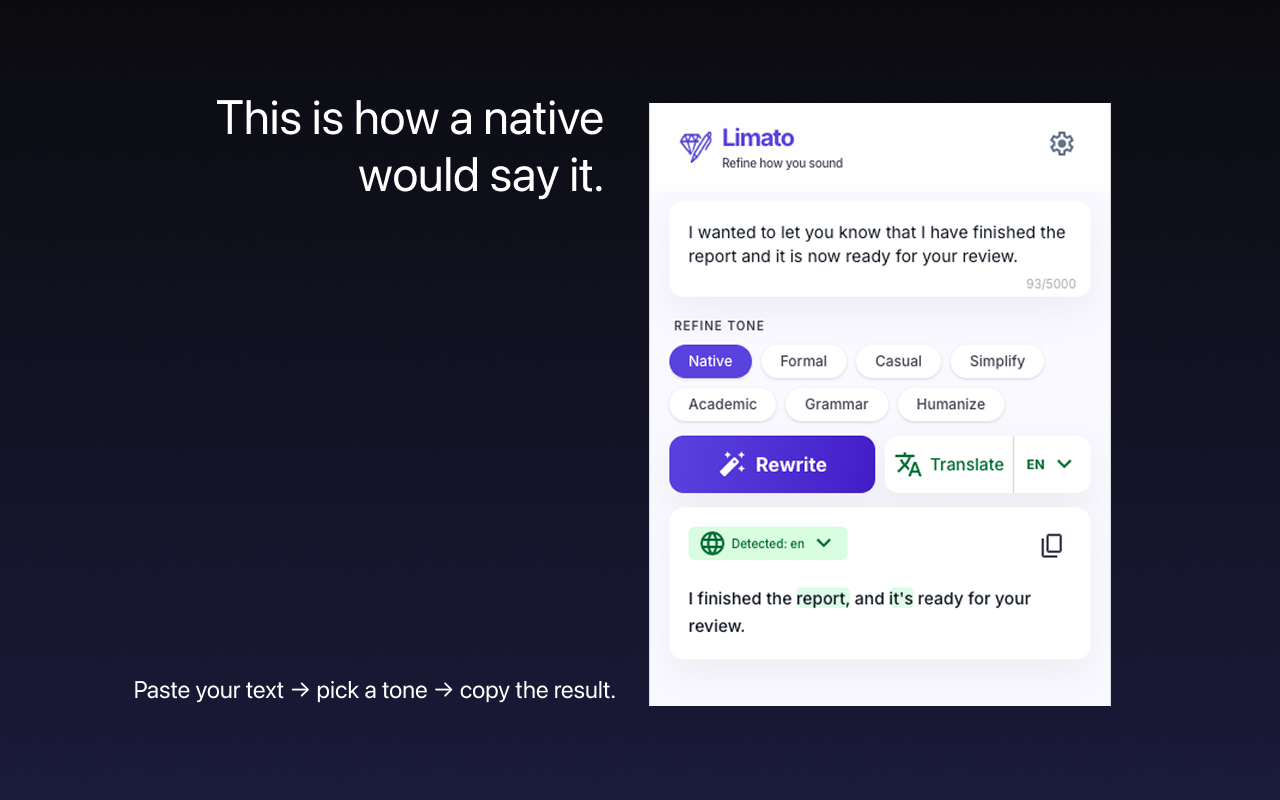
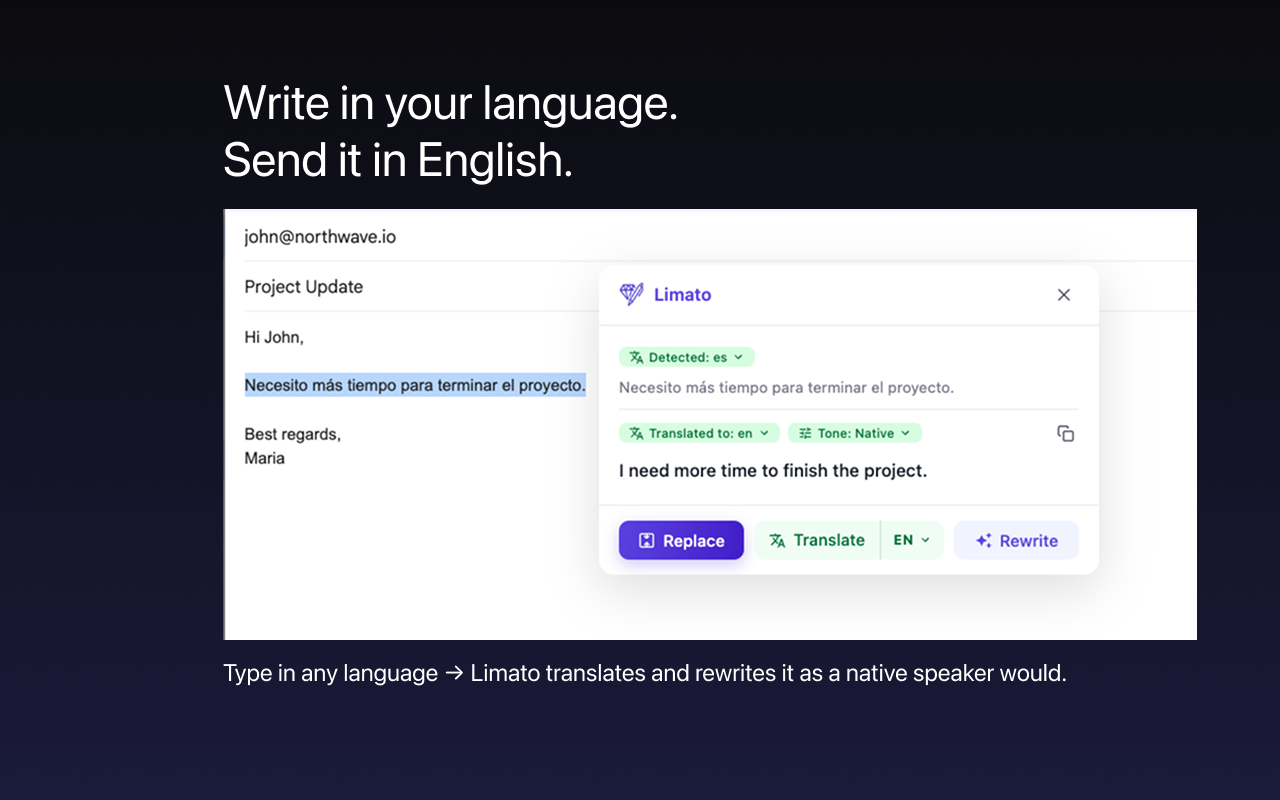
Limato is a Chrome extension for people who write English as a second language. Highlight text in any field — Gmail, Slack, LinkedIn, a comment box — press one key, and get it back rewritten, translated or re-toned in place. No copy-paste, no tab-switching. Seven tones: Native (a measured median 37% shorter), Humanize, Formal, Casual, Simplify, Academic, Grammar. Works across 34 languages. The free tier gives 20 rewrites a day when signed in, no card. Pro is $5.99/mo for unlimited.
Features
- Rewrite in place in any text field — no copy-paste, no tab-switching
- Seven tones: Native, Humanize, Formal, Casual, Simplify, Academic, Grammar
- Native mode cuts ESL padding — measured median 37% shorter
- Translate between 34 languages without leaving the page
- One shortcut, works in Gmail, Slack, LinkedIn, Notion, X
- Free tier: 20 rewrites a day signed in, no card. Pro $5.99/mo unlimited
Use Cases
- Answering work email in English when it is not your first language
- Writing LinkedIn and Slack messages that sound native, not translated
- Trimming a draft that reads too long and too formal
- Fixing tone before you hit send on a customer reply
- Learning — compare your own sentence with the native rewrite

Comments


The in-place rewrite workflow seems useful for short emails where switching to another editor adds friction. Does Native mode offer a preview or an undo option before replacing the selected text? Being able to check that names and the original meaning survive the rewrite would help when writing in a second language.

Rewriting in place instead of the copy-paste loop is the right call. One question about Grammar mode: does it show what changed (highlighted diff) so a non-native writer can actually learn from the corrections, or does it swap the text silently? Also curious how it behaves in Gmail/LinkedIn editors, where the field re-renders as you type.

Must try this too. https://www.kelmiv.com/




Hi Fazier — I'm Mikhail, I build Limato alone. I moved to Spain and noticed I was spending ten minutes on a three-line email in Spanish: write it, paste it into ChatGPT, paste it back, still sounds translated. So I built the step that was missing — highlight the text where you already are, press one key, get it back native, translated or re-toned in place. The part I care most about is the Native tone: it is not a grammar polish, it rewrites. On my own measurements the median output is 37% shorter than the input, because most ESL padding is openers and hedges a native would never write. Free tier is 20 rewrites a day when signed in, no card. Pro is $5.99/mo. It's on the Chrome Web Store: https://chromewebstore.google.com/detail/limato/fkllcdmgccldkfoeagaldpeijoiimlfb — happy to answer anything here or at [email protected].


Premium Products














































Sponsors
Buy
Makers
Makers
Comments
The in-place rewrite workflow seems useful for short emails where switching to another editor adds friction. Does Native mode offer a preview or an undo option before replacing the selected text? Being able to check that names and the original meaning survive the rewrite would help when writing in a second language.
Rewriting in place instead of the copy-paste loop is the right call. One question about Grammar mode: does it show what changed (highlighted diff) so a non-native writer can actually learn from the corrections, or does it swap the text silently? Also curious how it behaves in Gmail/LinkedIn editors, where the field re-renders as you type.
Must try this too. https://www.kelmiv.com/
Hi Fazier — I'm Mikhail, I build Limato alone. I moved to Spain and noticed I was spending ten minutes on a three-line email in Spanish: write it, paste it into ChatGPT, paste it back, still sounds translated. So I built the step that was missing — highlight the text where you already are, press one key, get it back native, translated or re-toned in place. The part I care most about is the Native tone: it is not a grammar polish, it rewrites. On my own measurements the median output is 37% shorter than the input, because most ESL padding is openers and hedges a native would never write. Free tier is 20 rewrites a day when signed in, no card. Pro is $5.99/mo. It's on the Chrome Web Store: https://chromewebstore.google.com/detail/limato/fkllcdmgccldkfoeagaldpeijoiimlfb — happy to answer anything here or at [email protected].
Premium Products
New to Fazier?

Find your next favorite product or submit your own. Made by @FalakDigital.
Copyright ©2026. All Rights Reserved