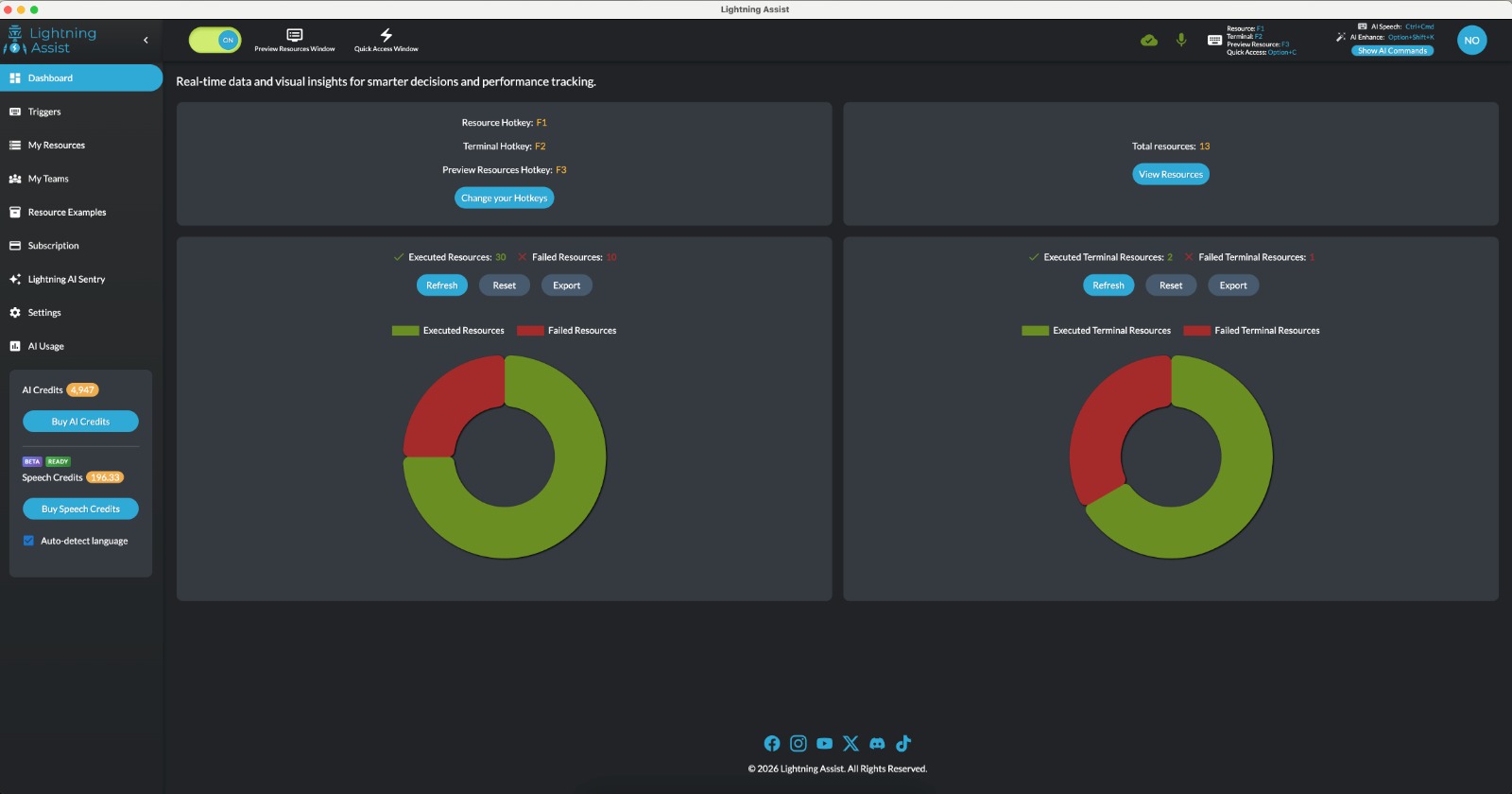
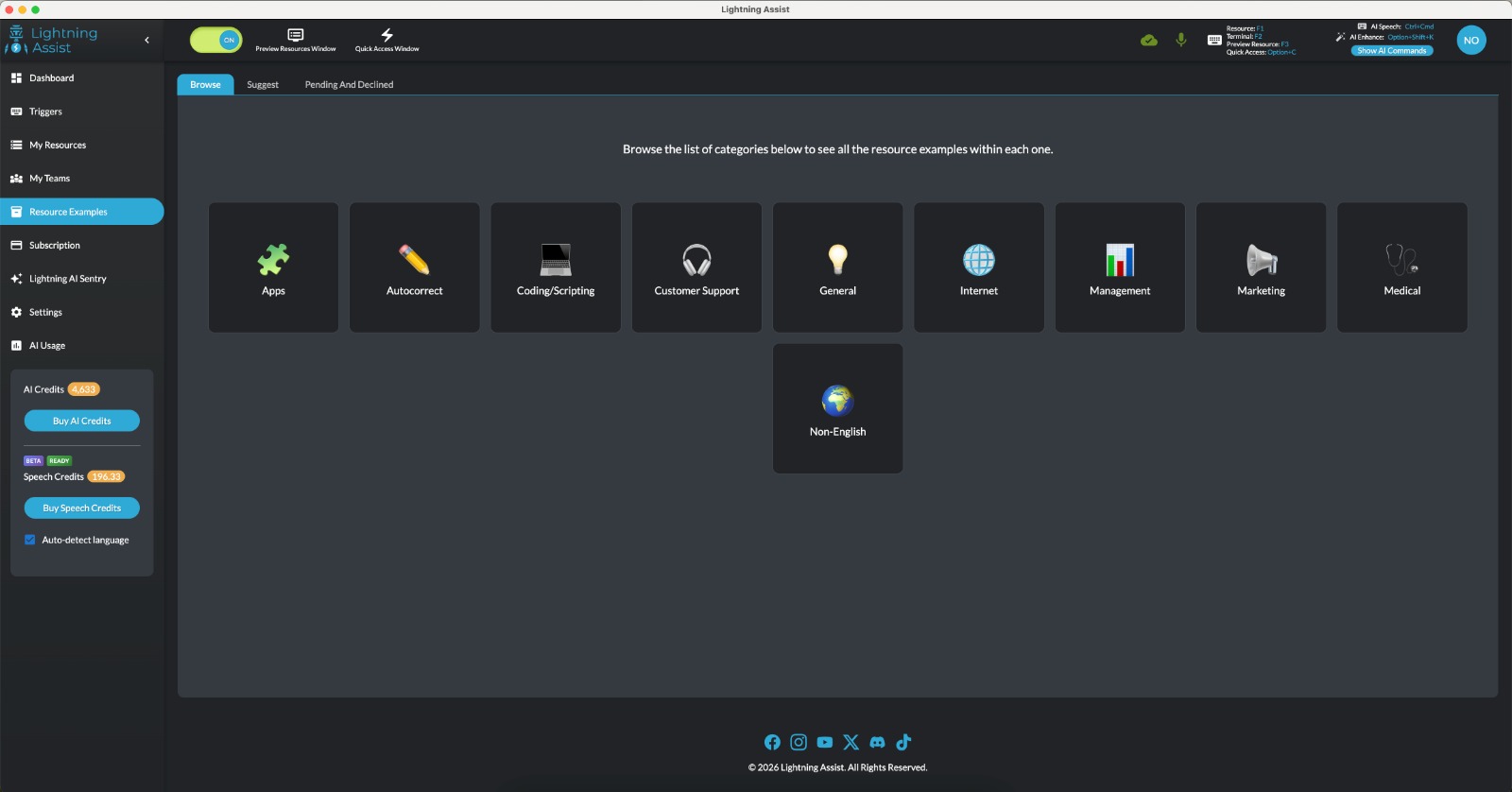
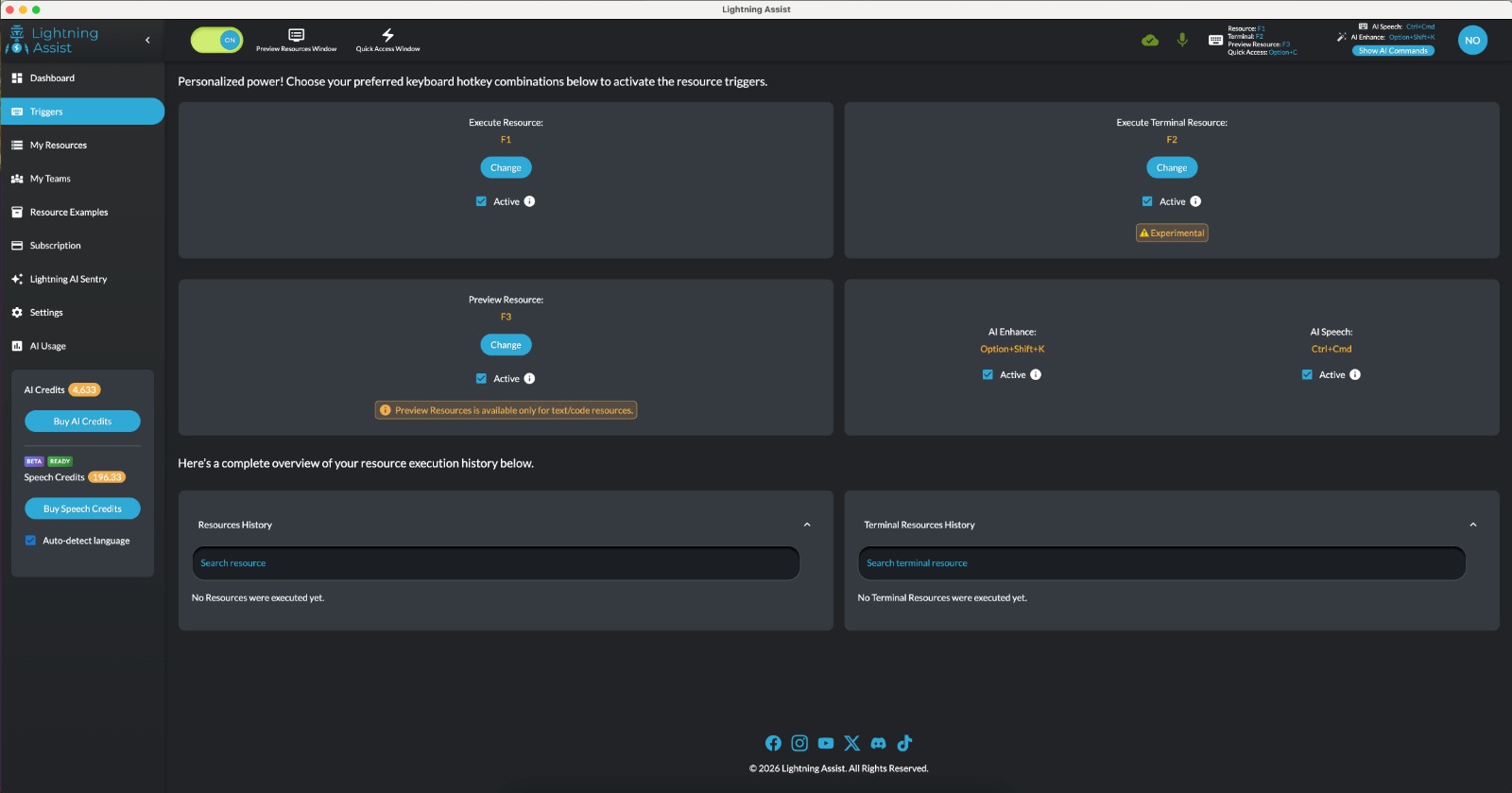
Lightning Assist is a cross-platform text expander for Windows, Mac, and Linux. Use one hotkey to insert templates, snippets, and canned replies wherever you type—in email, docs, chat, or code. Add AI: generate resources from a description, or rewrite, translate, and polish selected text in-place (AI Enhance and AI Command). Optional push-to-talk speech-to-text works in any desktop app. Teams and Company plans let you share resources. 14-day free trial, no credit card.

Features
- One-hotkey text expansion: paste full templates and snippets in any app (Gmail, Slack, Word, VS Code, terminal).
- AI Enhance: select text and get rewrite, translate, shorten, or formalize, then paste back.
- AI Command window: send clipboard content for translation or rewriting and paste the result.
- Generate resources from a natural-language description (e.g. “professional follow-up email”).
- Push-to-talk speech-to-text: hold a key to dictate, release to transcribe into the active app.
- Replacements: dynamic placeholders in snippets so you can fill in custom text when expanding.
- Teams and Company: share resource libraries and manage access across the organization.
- Works in any app: email, documents, chat, IDEs, browsers; no app-specific plugins required.
- 14-day free trial with full features; no credit card required.
Use Cases
- Email: Quick replies, signatures, follow-ups, and AI-polished drafts in Gmail, Outlook, etc.
- Support: Canned responses, FAQs, and templated replies in helpdesk and chat tools.
- Code & docs: Boilerplate, snippets, and comments in VS Code, Cursor, and other editors.
- Writing: Expand abbreviations, insert blocks, and use AI to rewrite or translate in place.
- Meetings & notes: Dictate with push-to-talk into notes, docs, or email.
- Teams: Shared templates and snippets so everyone uses the same wording and formats.
- Repetitive forms: One trigger to fill in standard paragraphs or sections.
- Multilingual: Translate or localize text without leaving the app.

Comments

Nice positioning: “one hotkey works in any app” + cross‑platform (Win/Mac/Linux) is exactly what most text expanders miss. The AI Enhance / AI Command flow also feels practical because it stays in-place instead of forcing a separate editor. Curious: for Teams/Company plans, do you support shared snippet libraries with role-based access + audit history (who changed what/when)? That’s usually the blocker for rolling out templated replies org-wide. Also would love a small ‘starter library’ (support/email follow-ups, sales objections, meeting notes) as a one-click import—helps users feel value in the first 5 minutes.



This looks like a massive time-saver for daily workflows! I'm particularly interested in the speech-to-text feature—how accurate is it compared to native OS dictation? Also, do you support multiple languages for the AI rewrite function? Great job on the launch, looking forward to trying the freemium version!


I'm Luminita, CEO of Lightning Assist. We’ve been building this for 3 years, and it’s finally here. Lightning Assist has one goal: help you type less and do more—whether that’s replying to customers, writing docs, coding, doing marketing, or just getting words on the page. What it does: Text expansion (we call them “resources”) — One hotkey turns a short trigger into a full template, email, reply, or code block. Works in any app. Push-to-talk voice-to-text — Hold the key, speak, release. Your words appear where you’re typing. No more switching apps to dictate. AI edits — Select text, hit a hotkey, and get rewrite, shorten, expand, translate, or improve—right in place. No copy-paste to a separate AI window. Teams & companies — Share resources with your team or your whole organization so everyone uses the same templates and replies. Dynamic resources — Use placeholders so one resource can adapt (e.g. different names, dates) instead of creating dozens of similar snippets. Privacy-first We don’t store what you say or type for matching. Speech is processed for transcription; only the final text can be stored, and you can turn that off in Settings. No “as you type” scanning—we use explicit hotkeys so you stay in control and avoid accidental triggers. Our motto: “Every second matters.” We built Lightning Assist for speed and consistency so you can focus on the work that actually matters. Download: https://www.lightning-assist.com Available on Windows 10/11, macOS, and Linux. We’re also growing a Discord community for users to share ideas, get help, and connect with the team. This is our first launch on Fazier—we’d love your feedback and to hear how you’d use it. Thanks, — Luminita [email protected] | lightning-assist.com

The cross-app consistency is the real win here — text expansion, AI rewrite, and dictation all working through one hotkey in any app without plugins is a genuinely useful workflow upgrade. The dynamic placeholders are especially clever for teams that need standardized templates but with some flexibility. Congrats on the launch!

Lightning Assist feels like the kind of tool you don’t realize you needed until it quietly saves you hours every week. It's clean, fast, and seamlessly integrated into any workflow. The combination of smart snippets, AI in-place editing, and cross-platform support makes it a powerful productivity upgrade for both solo creators and teams.

The 'one hotkey for everything' approach is a total game-changer. Having text expansion, AI rewriting, and dictation all in one tool—without needing browser-specific plugins—makes my workflow so much smoother. It’s rare to find a cross-platform tool that feels this integrated across Windows, Mac, and Linux. Great launch!

The snippet expansion and AI rewrite features sound like a solid productivity combo. Being able to trigger text shortcuts and then have AI polish the output in one flow could really cut down on context-switching between writing and editing tools. Does it work across all apps or only specific ones like browsers and code editors?



Text expansion with AI rewrite built-in is a genuinely useful combo — snippets handle the repetitive stuff while AI handles the edge cases where you need custom output. The push-to-talk STT integration across all desktop apps is a standout feature. One question: how does it handle conflicts when snippet triggers collide with other apps' shortcuts?

Premium Products





























Sponsors
Buy



Makers
Makers
Comments
Nice positioning: “one hotkey works in any app” + cross‑platform (Win/Mac/Linux) is exactly what most text expanders miss. The AI Enhance / AI Command flow also feels practical because it stays in-place instead of forcing a separate editor. Curious: for Teams/Company plans, do you support shared snippet libraries with role-based access + audit history (who changed what/when)? That’s usually the blocker for rolling out templated replies org-wide. Also would love a small ‘starter library’ (support/email follow-ups, sales objections, meeting notes) as a one-click import—helps users feel value in the first 5 minutes.
This looks like a massive time-saver for daily workflows! I'm particularly interested in the speech-to-text feature—how accurate is it compared to native OS dictation? Also, do you support multiple languages for the AI rewrite function? Great job on the launch, looking forward to trying the freemium version!
I'm Luminita, CEO of Lightning Assist. We’ve been building this for 3 years, and it’s finally here. Lightning Assist has one goal: help you type less and do more—whether that’s replying to customers, writing docs, coding, doing marketing, or just getting words on the page. What it does: Text expansion (we call them “resources”) — One hotkey turns a short trigger into a full template, email, reply, or code block. Works in any app. Push-to-talk voice-to-text — Hold the key, speak, release. Your words appear where you’re typing. No more switching apps to dictate. AI edits — Select text, hit a hotkey, and get rewrite, shorten, expand, translate, or improve—right in place. No copy-paste to a separate AI window. Teams & companies — Share resources with your team or your whole organization so everyone uses the same templates and replies. Dynamic resources — Use placeholders so one resource can adapt (e.g. different names, dates) instead of creating dozens of similar snippets. Privacy-first We don’t store what you say or type for matching. Speech is processed for transcription; only the final text can be stored, and you can turn that off in Settings. No “as you type” scanning—we use explicit hotkeys so you stay in control and avoid accidental triggers. Our motto: “Every second matters.” We built Lightning Assist for speed and consistency so you can focus on the work that actually matters. Download: https://www.lightning-assist.com Available on Windows 10/11, macOS, and Linux. We’re also growing a Discord community for users to share ideas, get help, and connect with the team. This is our first launch on Fazier—we’d love your feedback and to hear how you’d use it. Thanks, — Luminita [email protected] | lightning-assist.com
The cross-app consistency is the real win here — text expansion, AI rewrite, and dictation all working through one hotkey in any app without plugins is a genuinely useful workflow upgrade. The dynamic placeholders are especially clever for teams that need standardized templates but with some flexibility. Congrats on the launch!
Lightning Assist feels like the kind of tool you don’t realize you needed until it quietly saves you hours every week. It's clean, fast, and seamlessly integrated into any workflow. The combination of smart snippets, AI in-place editing, and cross-platform support makes it a powerful productivity upgrade for both solo creators and teams.
The 'one hotkey for everything' approach is a total game-changer. Having text expansion, AI rewriting, and dictation all in one tool—without needing browser-specific plugins—makes my workflow so much smoother. It’s rare to find a cross-platform tool that feels this integrated across Windows, Mac, and Linux. Great launch!
The snippet expansion and AI rewrite features sound like a solid productivity combo. Being able to trigger text shortcuts and then have AI polish the output in one flow could really cut down on context-switching between writing and editing tools. Does it work across all apps or only specific ones like browsers and code editors?
Text expansion with AI rewrite built-in is a genuinely useful combo — snippets handle the repetitive stuff while AI handles the edge cases where you need custom output. The push-to-talk STT integration across all desktop apps is a standout feature. One question: how does it handle conflicts when snippet triggers collide with other apps' shortcuts?
Premium Products
New to Fazier?

Find your next favorite product or submit your own. Made by @FalakDigital.
Copyright ©2026. All Rights Reserved