
LayerGrab
LayerGrab
Split AI images into editable layers
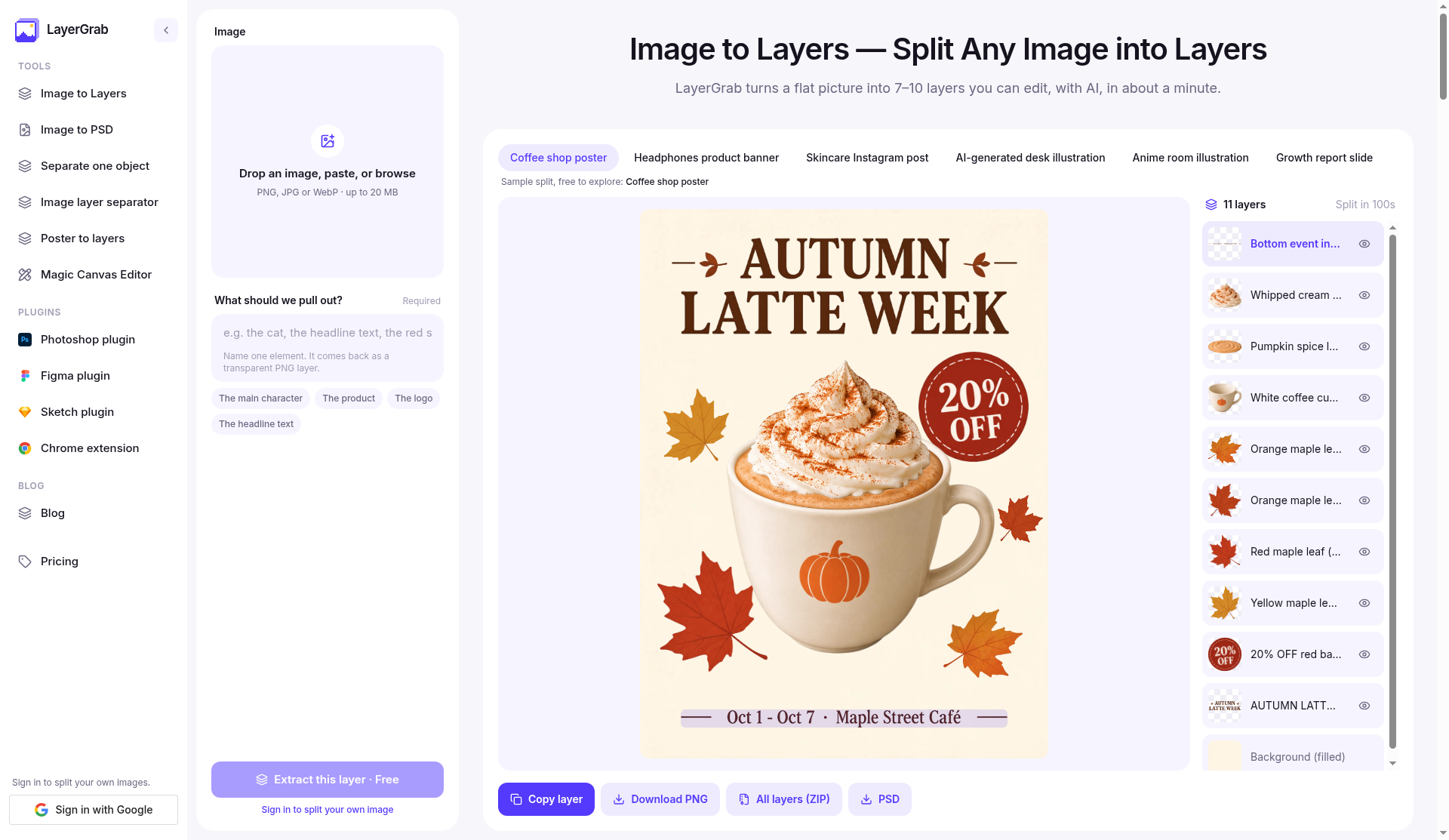
LayerGrab splits a flat AI image into named, editable layers. Drop a PNG, JPG, or WebP and get transparent layers you can edit, plus a filled background, in about a minute.
Features
- Split a flat image into named transparent layers
- Pull out one element, such as a character, product, logo, or headline
- Download individual PNGs, a ZIP of all layers, or a PSD
- Keep editing with Photoshop, Figma, and Sketch plugins, or the Chrome extension
Use Cases
- Turn an AI-generated poster or banner into layers you can restyle
- Separate a product photo into pieces before a design edit
- Export a PSD so the same split can be finished in Photoshop or Figma


Premium Products
















































Find your next favorite product or submit your own. Made by @FalakDigital.
Copyright ©2026. All Rights Reserved