
lassocrop
Cut out anything from an image and export it as a transparen
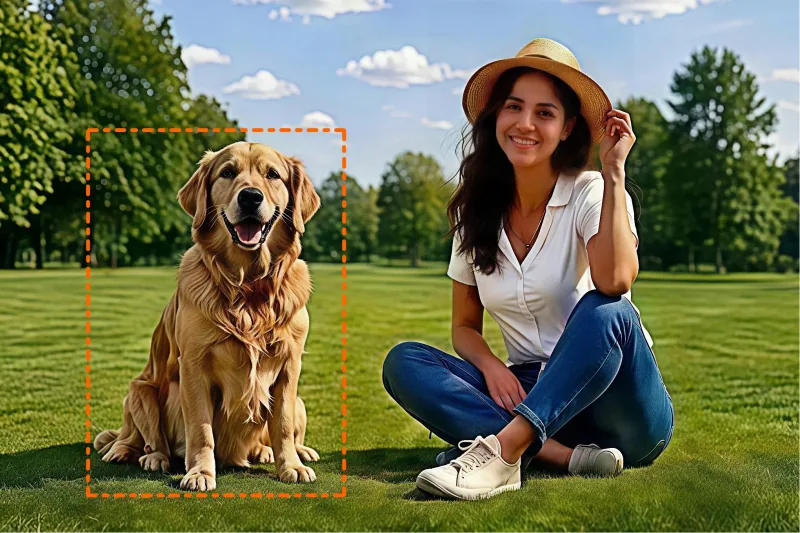
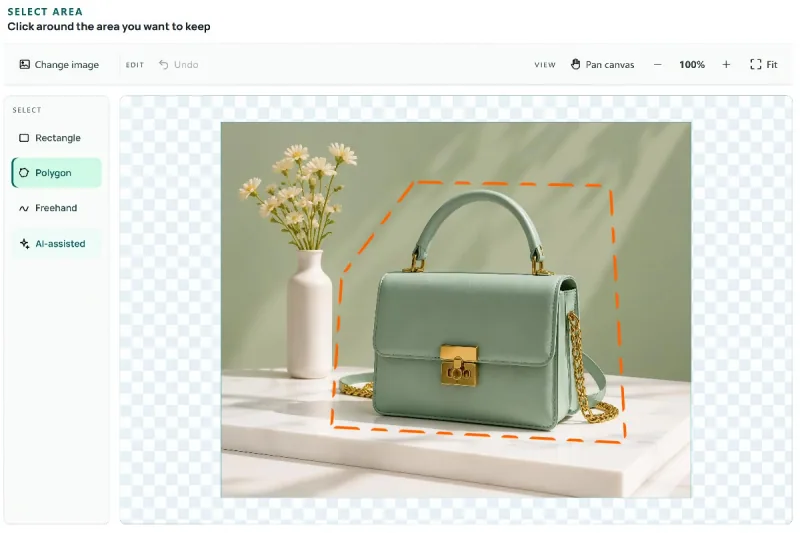
LassoCrop is a browser-based image editing tool for selecting and cropping specific parts of a picture. It offers freehand lasso selection, AI-assisted selection, transparent PNG export, and circular cropping for profile pictures, product images, and design projects.
Features
- Free Image Cropping – Crop pictures for any purpose with a simple, browser-based tool.
- Freehand Lasso Selection – Draw around any person, object, or area to select exactly what you need.
- AI-Assisted Selection – Use AI to help select image subjects more easily.
- Transparent PNG Export – Remove the surrounding background and export your selection as a transparent PNG.
- Circle Crop Tool – Crop images into circles for profile pictures, avatars, and social media graphics.
- No Installation Required – Edit images directly in your browser without downloading software.
- No Account Required – Start editing images right away without signing up.
- No Watermarks – Export clean images without added watermarks.
Use Cases
- E-commerce Product Images – Crop products from photos to create clean product images for online stores and marketplaces.
- Social Media Graphics – Cut out people, objects, or other elements for posts, thumbnails, and promotional content.
- Profile Pictures & Avatars – Create circular profile pictures for social media, forums, and websites.
- Graphic Design – Extract specific image elements for posters, banners, presentations, and creative projects.
- Marketing Materials – Isolate products or subjects for ads, promotional graphics, and landing pages.
- Education & Presentations – Crop images for school projects, slides, reports, and learning materials.
- Stickers & Creative Assets – Turn selected parts of photos into transparent PNGs for stickers, collages, and digital designs.
- Everyday Photo Editing – Quickly select and crop any part of an image without installing desktop software.

Comments


Hi everyone! I built LassoCrop because I wanted a simple way to crop specific parts of an image without opening a complicated photo editor. With LassoCrop, you can select the exact area you want, use AI-assisted selection where available, and export the result as a transparent PNG. It runs right in your browser, with no installation or account required. I'm continuing to improve the tool and would love to hear how you use it, what feels missing, and what would make your image editing workflow easier. Thanks for checking it out!
Premium Products


















































Sponsors
Buy
Makers
Makers
Comments
Hi everyone! I built LassoCrop because I wanted a simple way to crop specific parts of an image without opening a complicated photo editor. With LassoCrop, you can select the exact area you want, use AI-assisted selection where available, and export the result as a transparent PNG. It runs right in your browser, with no installation or account required. I'm continuing to improve the tool and would love to hear how you use it, what feels missing, and what would make your image editing workflow easier. Thanks for checking it out!
Premium Products
New to Fazier?

Find your next favorite product or submit your own. Made by @FalakDigital.
Copyright ©2026. All Rights Reserved