
Kepo
Create custom Mac desktop widgets with AI
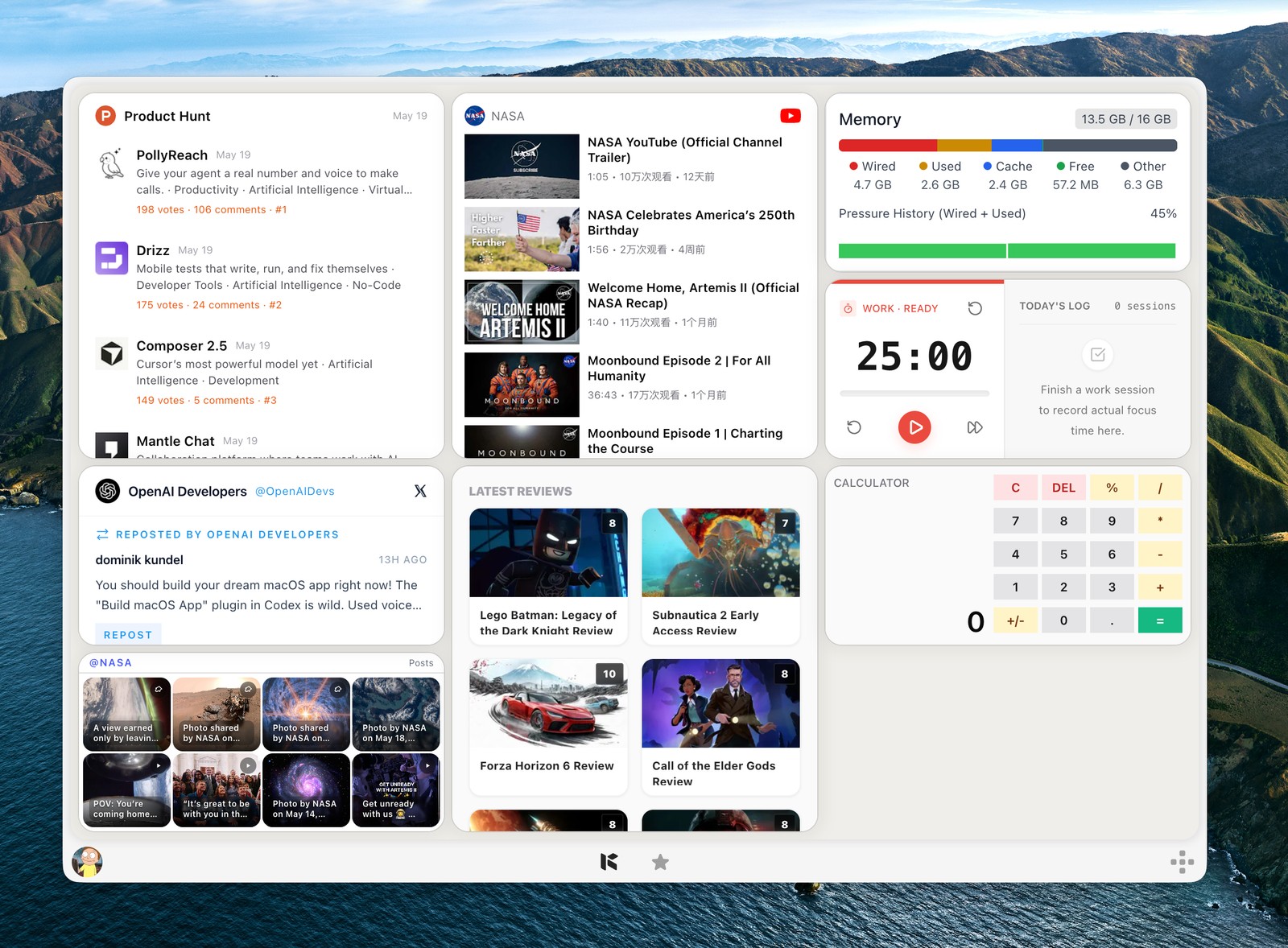
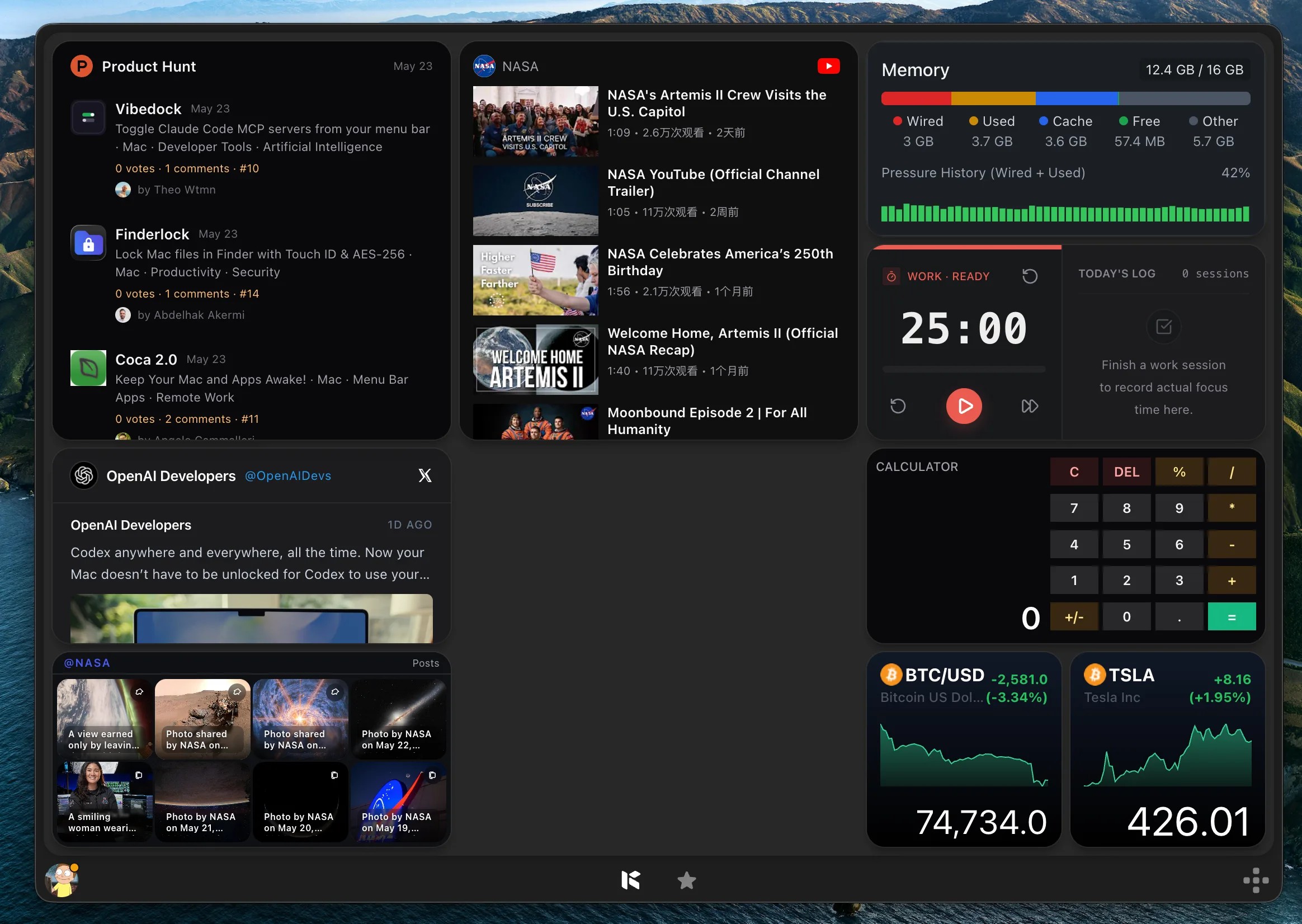
Kepo is a Mac app for creating custom desktop widgets with AI. Describe the widget you want, or start with a plugin, and keep useful information from websites and RSS feeds in a personal widget panel. It helps you check updates, follow projects, and use small everyday tools without repeatedly opening browser tabs.
Use Kepo for a workspace built around the information you actually follow, from reading feeds to tracking GitHub activity and organizing tasks.
Features
- AI-assisted creation of custom Mac widgets
- Plugins for RSS, GitHub, tasks, and other everyday workflows
- Website-based widgets with scheduled data refresh
- A personal panel for organizing widgets in different sizes
Use Cases
- Follow RSS feeds and website updates from your Mac
- Keep GitHub activity and project information close at hand
- Build a personal dashboard for tasks and frequently checked information
- Create a custom widget when an existing app does not fit your workflow

Comments


Hi Fazier! Kepo helps you bring the information you check repeatedly into a personal Mac widget panel. You can start with plugins or describe a custom widget to AI. I would love to hear which website, feed, or small tool you keep reopening during your day, and what would make it useful as a widget. Thanks for taking a look!

Hi Fazier! The idea of consolidating the sites, feeds, and small tools you keep reopening into a single Mac widget panel is a smart angle on daily workflow friction. I especially like the dual approach — starting from a plugin for known workflows versus describing a custom widget to AI for things an existing app can't handle. The use case that resonates most for me is keeping GitHub activity and RSS feeds visible without constantly juggling tabs. Curious how you balance the AI-assisted widget creation with reliable scheduled data refresh, since refresh timing tends to be where personal dashboards either feel effortless or fall apart. Thanks for sharing!

I like the idea of bringing custom Mac widgets and AI-powered workflows into one place. The ability to turn useful information into personalized widgets sounds especially helpful for keeping everyday tasks organized. Curious to see how much customization users can do with different data sources and workflows!


Love the idea of pulling the info I actually follow into one panel instead of keeping 10 tabs open — the GitHub activity + RSS combo especially makes sense for devs. A few questions/suggestions: How often do widgets refresh, and does it affect battery life when many are running? When the AI generates a widget from a description, can I tweak the result manually (layout, data source, refresh interval), or do I re-prompt? It’d be great to see a small gallery of community-made widgets/plugins — that would help new users understand what’s possible in the first 5 minutes. Also curious how you handle sites that require login. Congrats on the launch!
Turning “tabs I keep reopening” into widgets is a nice framing. What would make me trust a website-based widget is knowing when its data is stale: a small “updated X min ago” and a clear error state when the site changes its HTML and the extraction breaks. How does Kepo handle that today — does the AI regenerate the selector, or alert the user? Also curious whether widgets can be exported so others can install the same one.

The scheduled refresh on website-based widgets is the feature that makes this more than a novelty - a widget that shows stale data trains you to stop looking at it. For the GitHub plugin, does it support watching a specific repo's releases or issues, or is it broader activity? Release-watch widgets would be genuinely useful for tracking dependencies.
Turning a web page into a widget with scheduled refresh is the part I'd use most, for example a Search Console clicks tile. How do website-based widgets handle pages that need a login: do they reuse a browser session or need an API key? And if a site changes its layout, does the widget flag that the data went stale, or keep showing the last value?
Premium Products














































Sponsors
Buy
Makers
Makers
Comments
Hi Fazier! Kepo helps you bring the information you check repeatedly into a personal Mac widget panel. You can start with plugins or describe a custom widget to AI. I would love to hear which website, feed, or small tool you keep reopening during your day, and what would make it useful as a widget. Thanks for taking a look!
Hi Fazier! The idea of consolidating the sites, feeds, and small tools you keep reopening into a single Mac widget panel is a smart angle on daily workflow friction. I especially like the dual approach — starting from a plugin for known workflows versus describing a custom widget to AI for things an existing app can't handle. The use case that resonates most for me is keeping GitHub activity and RSS feeds visible without constantly juggling tabs. Curious how you balance the AI-assisted widget creation with reliable scheduled data refresh, since refresh timing tends to be where personal dashboards either feel effortless or fall apart. Thanks for sharing!
I like the idea of bringing custom Mac widgets and AI-powered workflows into one place. The ability to turn useful information into personalized widgets sounds especially helpful for keeping everyday tasks organized. Curious to see how much customization users can do with different data sources and workflows!
Love the idea of pulling the info I actually follow into one panel instead of keeping 10 tabs open — the GitHub activity + RSS combo especially makes sense for devs. A few questions/suggestions: How often do widgets refresh, and does it affect battery life when many are running? When the AI generates a widget from a description, can I tweak the result manually (layout, data source, refresh interval), or do I re-prompt? It’d be great to see a small gallery of community-made widgets/plugins — that would help new users understand what’s possible in the first 5 minutes. Also curious how you handle sites that require login. Congrats on the launch!
Turning “tabs I keep reopening” into widgets is a nice framing. What would make me trust a website-based widget is knowing when its data is stale: a small “updated X min ago” and a clear error state when the site changes its HTML and the extraction breaks. How does Kepo handle that today — does the AI regenerate the selector, or alert the user? Also curious whether widgets can be exported so others can install the same one.
The scheduled refresh on website-based widgets is the feature that makes this more than a novelty - a widget that shows stale data trains you to stop looking at it. For the GitHub plugin, does it support watching a specific repo's releases or issues, or is it broader activity? Release-watch widgets would be genuinely useful for tracking dependencies.
Turning a web page into a widget with scheduled refresh is the part I'd use most, for example a Search Console clicks tile. How do website-based widgets handle pages that need a login: do they reuse a browser session or need an API key? And if a site changes its layout, does the widget flag that the data went stale, or keep showing the last value?
Premium Products
New to Fazier?

Find your next favorite product or submit your own. Made by @FalakDigital.
Copyright ©2026. All Rights Reserved